
1. Увод
This manual provides essential information for the proper use and maintenance of your BNCF Bpad 10 Android 14 Tablet. Please read it thoroughly before operating your device to ensure optimal performance and longevity. The Bpad 10 is designed for a seamless user experience, powered by a Snapdragon 685 processor and running Android 14.
2. Садржај пакета
Проверите да ли се све ставке наведене у наставку налазе у паковању вашег производа:
- BNCF Bpad 10 Tablet
- Упутство за употребу
- Charging Adapter (5V/2A)
- Type-C Cable (5V/2A)
- Иглица за избацивање СИМ картице

Figure 2.1: Package Contents and Tablet Components Overview
3. Производ је готовview
The BNCF Bpad 10 features a sleek design with strategically placed components for ease of use.

Figure 3.1: BNCF Bpad 10 Tablet Front and Rear View
3.1 Физичке компоненте
- МицроСД слот: За прошириви простор за складиштење.
- Порт типа Ц: За пуњење и пренос података.
- Дугмад за јачину звука: Подесите јачину звука.
- Дугме за напајање: Укључите/искључите уређај или закључајте/откључајте екран.
- говорници: Два стерео звучника за аудио излаз.
- микрофон: За гласовни унос.
- Задња камера: Главна камера за фотографије и видео записе.
- Предња камера: За видео позиве и селфије.
4. Подешавање
4.1 Почетно пуњење
Before first use, fully charge your BNCF Bpad 10 tablet using the provided Type-C cable and charging adapter. Connect the Type-C cable to the tablet's charging port and the adapter to a power outlet. The charging indicator will show the charging status.
4.2 Укључивање/искључивање
- За укључивање: Press and hold the Power Button until the BNCF logo appears on the screen.
- За искључивање: Press and hold the Power Button until the power options menu appears, then select 'Power Off'.
- Рестартовати: Притисните и држите дугме за напајање док се не појави мени са опцијама напајања, а затим изаберите „Рестарт“.
4.3 Почетна конфигурација
Upon first power-on, the tablet will guide you through the initial setup process. This includes selecting your language, connecting to a Wi-Fi network, setting up your Google account, and configuring security options like facial recognition.
5. Упутство за употребу
5.1 Функције Андроида 14
Your Bpad 10 runs on Android 14, offering enhanced multitasking, security, and user-friendly features:
- Препознавање лица: Securely unlock your device using your face.
- Подељени екран: Use two applications simultaneously by dividing the screen.
- Smart Projection: Cast your tablet's screen to compatible external displays.
- Снимак екрана са три прста: Capture screenshots quickly by swiping down with three fingers.
- Родитељски надзор: Manage and monitor device usage for children.
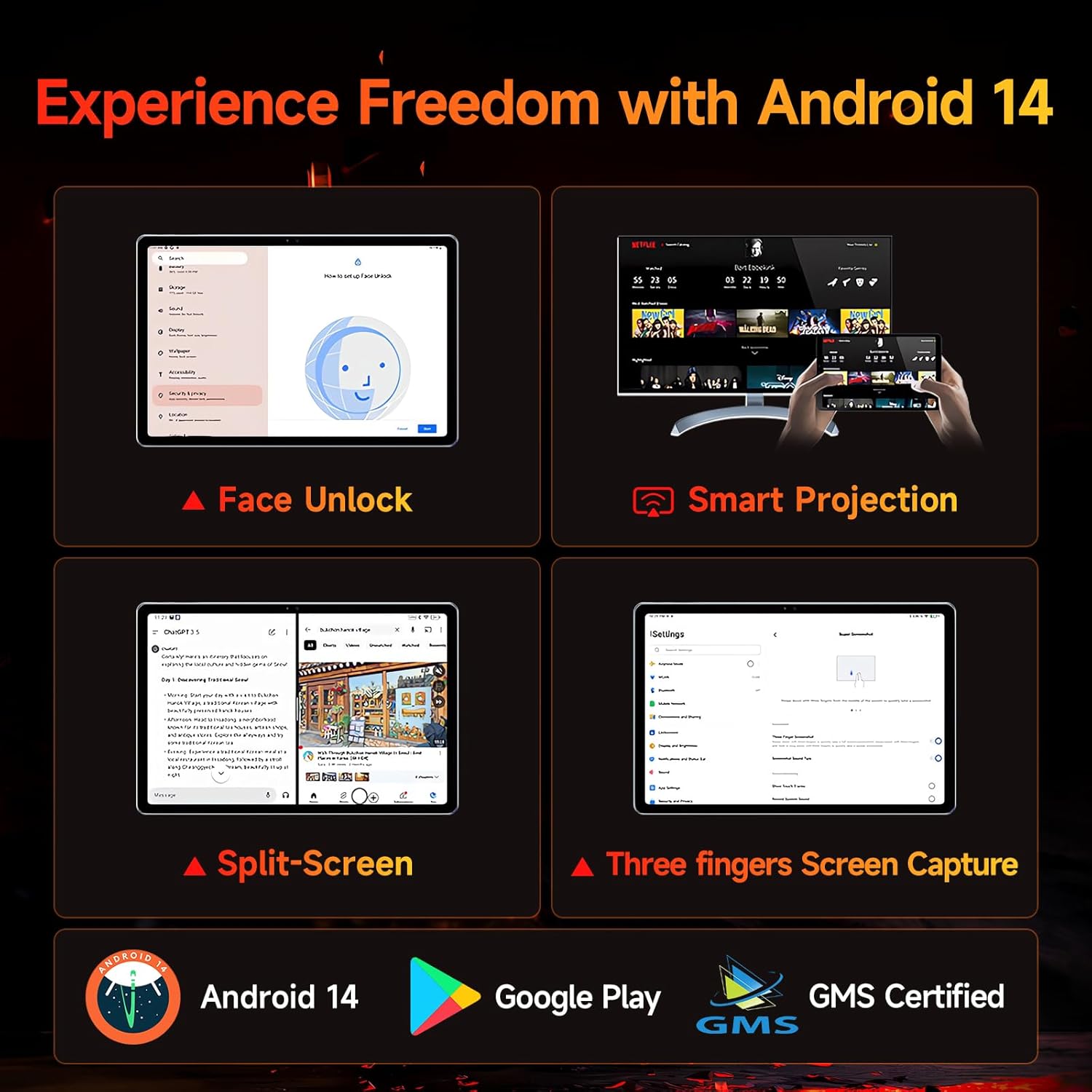
Figure 5.1: Android 14 User Interface and Features
5.2 Перформансе
The Bpad 10 is equipped with a 6nm Snapdragon 685 processor (2.8GHz) and Adreno 610 GPU, ensuring efficient performance for various tasks. A 6-Axis Gyro Sensor enhances gaming and video recording stability.

Слика 5.2: Детаљи о процесору Snapdragon 685
5.3 Екран и звук
Experience clear visuals and immersive sound with the Bpad 10:
- Приказ: 10.1-inch FHD IPS screen with 1920x1200 resolution and a 60Hz refresh rate. It features 400 Nits brightness and Incell technology for improved touch accuracy.
- Вајдвајн Л1: Supports HD streaming on platforms like Netflix and Prime Video.
- аудио: Dual stereo speakers provide a cinematic audio experience.

Figure 5.3: Display and Widevine L1 Capabilities
5.4 камере
The tablet is equipped with 5MP front and 5MP rear cameras, suitable for capturing photos, 4K videos, and conducting HD video calls.
5.5 Повезивање
Останите повезани помоћу следећих функција:
- Ви-Фи: Supports 2.4G/5G dual-band Wi-Fi for stable internet access.
- Блуетоотх КСНУМКС: За повезивање бежичних додатака.
- ГПС: За услуге навигације и локације.
- Сензор у ходнику: Enables smart on/off functionality with compatible covers.
5.6 Storage and Battery
The Bpad 10 offers ample storage and long-lasting power:
- РАМ: 12GB (4GB physical + 8GB virtual) for smooth multitasking.
- РОМ: 128GB UFS storage, expandable up to 1TB via MicroSD card.
- батерија: 6500mAh battery supporting 18W PD fast charging for extended use.

Figure 5.4: Storage and Battery Specifications
6. Одржавање
To ensure the longevity and optimal performance of your BNCF Bpad 10 tablet, follow these maintenance guidelines:
- Чишћење: Користите меку крпу која не оставља влакна за чишћење екрана и кућишта. Избегавајте абразивне материјале или јаке хемикалије.
- температура: Operate the tablet within recommended temperature ranges. Avoid extreme heat or cold.
- Изложеност води: Keep the tablet away from water and high humidity. It is not waterproof.
- Складиштење: Store the tablet in a dry, cool place when not in use.
- Ажурирања софтвера: Regularly check for and install system updates to ensure security and performance improvements.
КСНУМКС. Решавање проблема
If you encounter issues with your BNCF Bpad 10, refer to the following common troubleshooting steps:
| Проблем | Могуће решење |
|---|---|
| Таблет се не укључује | Уверите се да је батерија напуњена. Прикључите пуњач и сачекајте неколико минута пре него што поново покушате да укључите уређај. Ако не реагује, извршите принудно поновно покретање тако што ћете држати дугме за напајање 10-15 секунди. |
| Споро перформансе | Close unnecessary background applications. Clear cache for frequently used apps. Restart the tablet. Ensure sufficient storage space is available. |
| Проблеми са Wi-Fi повезивањем | Рестартујте Wi-Fi рутер. Заборавите мрежу на таблету и поново се повежите. Уверите се да је таблет у домету Wi-Fi сигнала. |
| Екран не реагује | Restart the tablet. Ensure the screen is clean and free from moisture or debris. |
| Батерија се брзо празни | Reduce screen brightness. Close background apps. Disable unused features like Bluetooth or GPS. Check for apps consuming excessive power in battery settings. |
8. Спецификације
Key technical specifications for the BNCF Bpad 10 tablet:
| Феатуре | Спецификација |
|---|---|
| Величина екрана | 10.1 инча |
| Резолуција екрана | 1920 x 1200 пиксела (FHD) |
| Оперативни систем | Андроид 14 |
| Процесор | Qualcomm Snapdragon 685 (2.8GHz) |
| РАМ | 12 ГБ (4 ГБ + 8 ГБ виртуелно) |
| Величина флеш меморије | 128 GB UFS (Expandable to 1TB) |
| камере | 5МП напред, 5МП позади |
| Капацитет батерије | 6500мАх |
| Пуњење | Брзо пуњење од 18W PD |
| Вирелесс Типе | 802.11b/g (2.4G/5G WiFi), Bluetooth 5.0 |
| Тежина артикла | 1.07 фунти (приближно 485 г) |
| Димензије производа | 7.9 x 4.9 x 0.3 инча (приближно 20.1 x 12.4 x 0.76 цм) |
| Боја | Греи |
9. Гаранција и подршка
BNCF is committed to providing quality products and customer satisfaction.
9.1 Политика гаранције
BNCF offers a one-year warranty for its products. For tablets purchased from the BNCF Official Flagship Store, customers benefit from a 12-month free repair warranty and lifetime technical support.
9.2 Корисничка подршка
If you encounter any issues or have inquiries regarding your BNCF Bpad 10 tablet, please contact BNCF customer service. You can expect a response within 24 hours. They can assist with troubleshooting, returns, or exchange services.
- Контакт: Please refer to the contact information provided on the BNCF official webсајт или вашу платформу за куповину.
- Честа питања:
- Are you specialized in tablets? Yes, BNCF is dedicated to designing and manufacturing innovative tablets, prioritizing quality, performance, and user experience.
- What is the RMA policy for this tablet? We offer a one-year warranty. You can expect a response from us within 24 hours for any issues or inquiries.
- If my products have issues, what should I do? Please leave us a message, and we will use our expertise to solve the problem for you, or provide a return or exchange service.