
Увод
The Trust Gaming GXT 498B Forta Gaming Headset is officially licensed for PlayStation 5 and PlayStation 4 consoles, designed to provide an immersive audio experience. This wired over-ear headset features 50mm drivers for powerful sound, a detachable microphone with a pop filter for clear communication, and comfortable ear pads for extended gaming sessions. This manual provides instructions for setup, operation, maintenance, and troubleshooting to ensure optimal performance of your headset.
Шта је у кутији
- Trust Gaming GXT 498B Forta Gaming Headset
- Detachable Microphone with Pop Filter
- 1.2m Audio Cable (3.5mm jack)
- Упутство за употребу

Image: The retail packaging for the Trust Gaming GXT 498B Forta Gaming Headset, showing the headset and included accessories.
Упутства за подешавање
- Повежите аудио кабл: Locate the 3.5mm audio jack on your PlayStation 5 DualSense wireless controller or PlayStation 4 DualShock 4 wireless controller. Insert the 3.5mm audio cable from the headset firmly into the controller's audio jack.
- Прикључите микрофон: The microphone is detachable. Align the microphone's connector with the port on the left earcup of the headset and push it in until it clicks securely into place. Ensure the pop filter is correctly positioned over the microphone for optimal voice clarity.
- Прилагодите величину слушалица: Extend or retract the adjustable padded headband to fit comfortably over your head. The earcups are moveable to ensure a snug fit over your ears.
- Configure Audio Settings (PlayStation):
- За ПС5: Иди на Подешавања > Звук > Аудио излаз. Изаберите Слушалице as the output device. Adjust the volume and microphone levels as needed.
- За ПС4: Иди на Подешавања > Уређаји > Аудио уређаји. Изаберите Слушалице повезане са контролером as the input and output device. Adjust the volume and microphone levels.
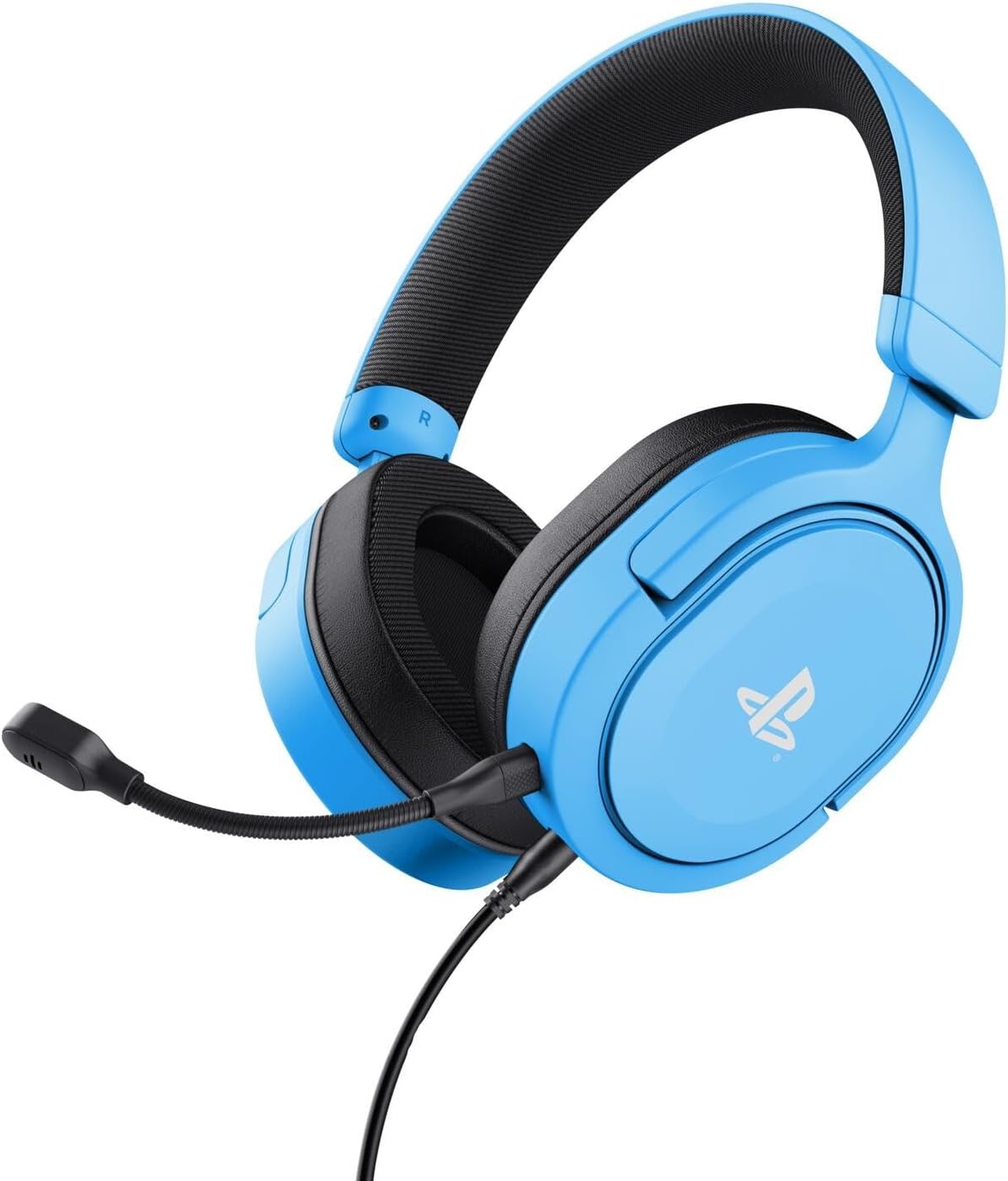
Image: The Trust Gaming GXT 498B Forta Gaming Headset, showcasing its design and detachable microphone.
Упутство за употребу
- Контрола јачине звука: The headset features an in-line volume control wheel on the audio cable. Rotate the wheel up or down to adjust the audio output level.
- Искључивање микрофона: An in-line mute switch is located on the audio cable. Slide the switch to mute or unmute the microphone.
- 3D Audio: The headset supports 3D Audio on compatible PlayStation 5 games, providing an enhanced spatial sound experience. Ensure 3D Audio is enabled in your PS5 sound settings for optimal immersion.
- Одвојиви микрофон: The microphone can be detached when not in use for a more streamlined headset profile. Store it safely to prevent loss or damage.

Слика: Крупни план view of the Trust Gaming GXT 498B Forta headset, highlighting the earcups and the attached audio cable with controls.
Одржавање
- Чишћење: Користите меку, суву крпу за чишћење слушалица. За јастучиће за уши, благо дamp Може се користити крпа, али водите рачуна да влага не уђе у решетке звучника. Не користите јаке хемикалије или абразивна средства за чишћење.
- Складиштење: Чувајте слушалице на хладном и сувом месту, даље од директне сунчеве светлости и екстремних температура. Избегавајте стављање тешких предмета на слушалице.
- Нега каблова: Avoid sharp bends or kinks in the audio cable. Do not pull the cable forcefully when disconnecting.
- Одржавање микрофона: Handle the detachable microphone with care. When not in use, detach it and store it safely to prevent damage.
Решавање проблема
- Нема звука из слушалица:
- Ensure the 3.5mm audio cable is fully inserted into both the headset and the controller.
- Check the in-line volume control wheel on the cable and turn it up.
- Verify audio settings on your PlayStation console (refer to "Setup Instructions" section).
- Test the headset with another device (e.g., smartphone, PC) to determine if the issue is with the headset or the console.
- Микрофон не ради:
- Ensure the detachable microphone is securely attached to the headset.
- Check the in-line microphone mute switch and ensure it is in the "unmute" position.
- Verify microphone input settings on your PlayStation console (refer to "Setup Instructions" section).
- Ensure the pop filter is not obstructing the microphone's input.
- Sound Quality Issues (Distortion, Low Volume):
- Adjust the volume levels on both the headset's in-line control and your console's settings.
- Ensure the audio cable is not damaged or kinked.
- Try connecting the headset to a different audio source to rule out console-specific issues.
Спецификације
| Назив модела | GXT 498B Forta |
| Број модела | 25556 |
| Повезивање | Жични (3.5 мм прикључак) |
| Цабле Ленгтх | 1.2 метара |
| Дривер Сизе | 50 мм |
| Фреквенцијски опсег | 20 Hz - 20,000 Hz |
| Импеданса | 32 Охмс |
| Осетљивост | 90 дБ |
| Тип микрофона | Detachable with Pop Filter |
| Постављање уха | Преко уха |
| Тежина артикла | 253 грама |
| Компатибилни уређаји | Плејстејшн 5, Плејстејшн 4, рачунар |
| Материјал | Plastic (up to 65% recycled) |
Гаранција и подршка
This Trust Gaming GXT 498B Forta Gaming Headset is covered by the manufacturer's standard warranty. For detailed warranty information, please refer to the documentation included with your purchase or visit the official GXTrust website. For technical support, troubleshooting assistance beyond this manual, or warranty claims, please contact GXTrust customer service through their official support channels.
Молимо вас да сачувате доказ о куповини ради гаранције.