
1. Увод
This manual provides instructions for the setup, operation, and maintenance of your Blackview R50Pro Smartwatch. Please read this manual thoroughly before using the device to ensure proper function and safety.
2. Шта је у кутији
- 1 x Blackview R50Pro Smartwatch
- 1 к силиконски ремен
- 1 x Nylon Braided Strap
- 1 к кабл за пуњење
- 1 к Упутство за употребу

Image: Contents of the Blackview R50Pro Smartwatch packaging.
3. Подешавање и упаривање
3.1 Почетна наплата
Before first use, fully charge the smartwatch using the provided charging cable. Connect the magnetic end of the cable to the charging points on the back of the watch and the USB end to a compatible power source (e.g., computer USB port, USB wall adapter).
3.2 Преузимање и упаривање апликације
Тхе Блацкview R50Pro Smartwatch uses the "Da Fit" application for full functionality. Follow these steps to download and pair your device:
- Download the "Da Fit" app from your smartphone's app store (iOS App Store or Google Play Store).
- Уверите се да је Блуетоотх омогућен на вашем паметном телефону.
- Open the "Da Fit" app and follow the on-screen instructions to add a new device.
- The app may prompt you to scan a QR code displayed on the watch screen for quick pairing.
- Grant necessary permissions (e.g., notifications, location) to the app for optimal performance.

Image: Connecting the Blackview R50Pro Smartwatch to the Da Fit app.
Видео: Оверview of the Blackview R50Pro Smartwatch features and unboxing, demonstrating its design and basic functionalities.
4. Управљање паметним сатом
4.1 Основна навигација
Тхе Блацкview R50Pro features a 1.85-inch HD touchscreen for navigation. Swipe left, right, up, or down to access different menus and functions. The physical button on the side typically serves as a power button or a return-to-home function.
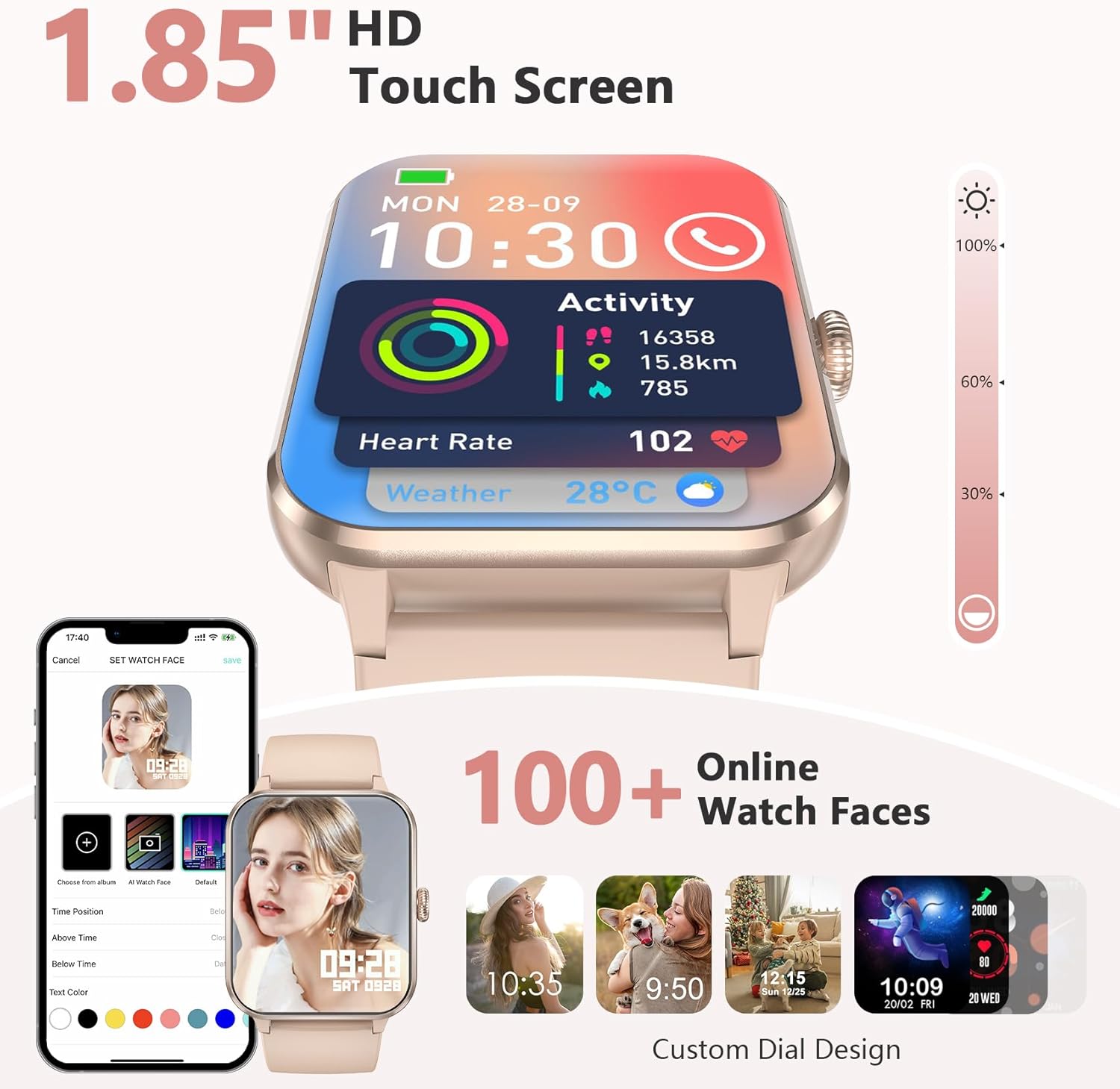
Image: 1.85-inch HD Touch Screen and Watch Face Customization.
4.2 Функционалност позива
The smartwatch allows you to answer and make calls directly via Bluetooth. The "Da Fit" app can store multiple contacts and provides real-time notifications for incoming calls and messages.

Image: Make/Answer Calls Feature.
4.3 Обавештења
Receive smart notifications for incoming calls, messages, and alerts from various social media applications directly on your wrist.

Image: Smart Message Reminders.
4.4 АИ гласовни асистент
Utilize the built-in AI voice assistant for quick help with tasks such as weather forecasts and setting alarms.

Image: AI Voice Assistant and Bluetooth Call.
5. Праћење здравља
Тхе Блацкview R50Pro Smartwatch uses high-performance optical sensors to provide comprehensive health monitoring.
5.1 Праћење откуцаја срца
Monitor your dynamic heart rate in real-time. Continuous 24-hour heart rate measurement data is stored in the "Da Fit" app for review.

Image: Heartbeat Monitoring.
5.2 Праћење кисеоника у крви (SpO2)
Intelligent SpO2 saturation monitoring allows you to check the last 7 measurement values on the smartwatch to protect your health.

Image: Blood Oxygen Control.
5.3 Надгледање спавања
Track your sleep quality and stress levels. The monitoring provides suggestions for improvement to help adjust your work and rest schedule.

Image: Sleep Monitoring Display.

Image: Sleep Tracker in use.
5.4 Праћење стреса
Perform stress tests to see if your stress is above average and allow your body to relax properly.

Image: Stress Test Feature.
6. Спортски режими
Track your daily activity with over 100 sports modes, including running, cycling, yoga, and football. Connect to GPS through the "Da Fit" app to record your training routes and fitness progress.
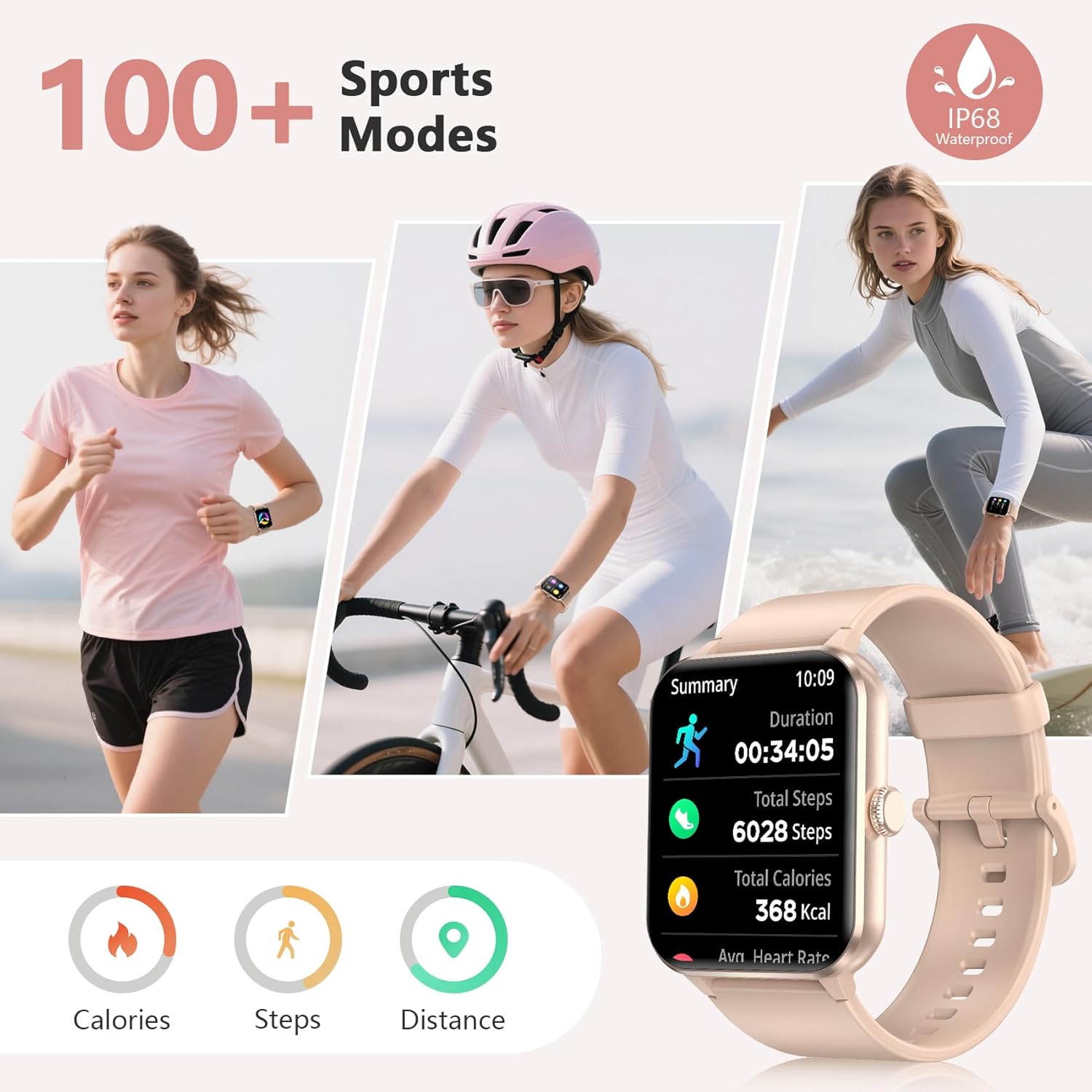
Image: 100+ Sports Modes and IP68 Waterproof.

Image: Diverse Sports Modes.
7. Прилагођавање
7.1 Бројчаници
Personalize your watch face with your favorite photos or choose from over 100 watch face options available through the "Da Fit" app.

Image: Over 100 Watch Faces.
7.2 Interchangeable Straps
The smartwatch comes with two types of interchangeable watch straps: Nylon and Silicone, allowing for versatility in style and comfort.
8. Additional Smart Tools
Тхе Блацкview R50Pro includes various daily functions for added convenience:
- Контрола музике
- Даљинска контрола камере
- Временска прогноза
- Седентарни подсетници
- Аларм Цлоцк
- Тајмер и штоперица
- Калкулатор
- Игре
- Праћење менструалног циклуса
- Пијте воду подсетник

Image: More Features to Discover.
9. Спецификације
| Феатуре | Детаљ |
|---|---|
| Назив модела | Р50Про |
| Бранд | Црноview |
| Оперативни систем | иОС, Андроид |
| Величина екрана | 1.85 инча |
| Дисплаи Типе | ЛЦД |
| Технологија повезивања | Блуетоотх 5.3 |
| Капацитет батерије | 350 Милиamp Сати |
| Време пуњења батерије | 2 сата |
| Typical Use Battery Life | До 7 дана |
| Време приправности | Отприлике 30 дана |
| Ниво отпорности на воду | IP68 Waterproof (up to 10 meters) |
| Врста материјала бенда | Најлон, силикон |
| Унос људског интерфејса | Микрофон, екран осетљив на додир |
| ГПС | ГПС преко паметног телефона |
| Капацитет меморије | 128 МБ |
10. Одржавање
10.1 Чишћење
Regularly clean your smartwatch and straps to prevent skin irritation and maintain device hygiene. Use a soft, damp cloth to wipe the screen and body. For straps, follow the manufacturer's recommendations for cleaning based on material (silicone or nylon).
10.2 Складиштење
Чувајте паметни сат на хладном и сувом месту, даље од директне сунчеве светлости и екстремних температура када се не користи дуже време.
10.3 Отпорност на воду
The device is IP68 waterproof, meaning it can withstand immersion in water up to 10 meters. However, it is not recommended for hot water activities, saunas, or deep diving, as steam and high pressure can compromise the seals.
КСНУМКС. Решавање проблема
If you encounter issues with your Blackview R50Pro Smartwatch, try the following general troubleshooting steps:
- Уређај се не укључује: Ensure the watch is fully charged. Connect it to the charging cable and allow it to charge for at least 30 minutes before attempting to power it on.
- Проблеми упаривања: Make sure Bluetooth is enabled on your smartphone and the watch is within range. Restart both your phone and the smartwatch. Try unpairing and re-pairing the device through the "Da Fit" app.
- Нетачни здравствени подаци: Ensure the watch is worn snugly on your wrist, not too tight or too loose. Clean the sensors on the back of the watch. Environmental factors and individual physiology can affect readings.
- Обавештења се не појављују: Check the notification settings within the "Da Fit" app and your smartphone's system settings to ensure all necessary permissions are granted. Ensure the app is running in the background.
- Кратак век трајања батерије: Reduce screen brightness, disable unnecessary notifications, and limit continuous heart rate monitoring if not required. Ensure the watch is fully charged each time.
For persistent issues, refer to the "Da Fit" app's help section or contact customer support.
12. Гаранција и подршка
Црноview provides a 2-year warranty for the R50Pro Smartwatch. For technical support or warranty claims, please contact Blackview customer service. Details can typically be found on the official Blackview website or through the "Da Fit" app.