
Увод
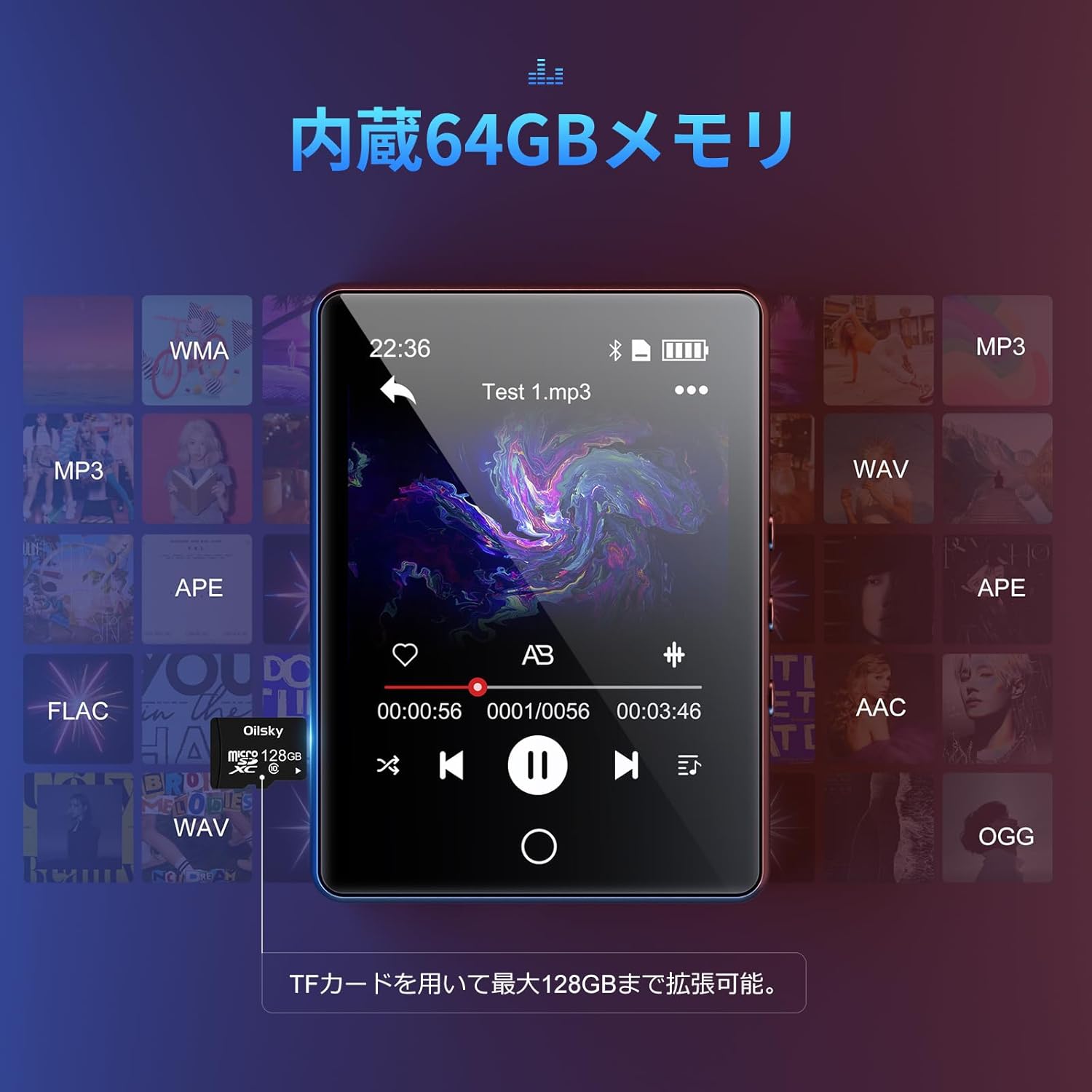
Хвала вам на куповиниasing the Oilsky D26 MP3 Player. This device combines a 2.8-inch full touchscreen with Bluetooth 5.0 connectivity, a built-in speaker, and a robust alloy design. It offers 64GB of internal storage, expandable up to 128GB with a microSD card, and supports various audio formats. This manual provides essential information for setup, operation, and maintenance to ensure optimal performance.
Садржај пакета
Молимо вас да проверите пакет за следеће ставке:
- Oilsky D26 MP3 Player Unit
- Слушалице
- Тип-Ц УСБ кабл
- Упутство за употребу
- Протецтиве Цасе

Ако неке ставке недостају или су оштећене, обратите се корисничкој подршци.
Производ је завршенview
The Oilsky D26 MP3 Player features a sleek alloy design with a 2.8-inch full touchscreen for intuitive navigation. It includes a home button for easy return to the main menu.

Сетуп
1. Пуњење уређаја
Before first use, fully charge the MP3 player. Connect the provided Type-C USB cable to the player's charging port and the other end to a USB power adapter (not included) or a computer's USB port. The battery indicator on the screen will show charging status.
2. Inserting a microSD Card (Optional)
The device has 64GB of internal storage. To expand storage up to 128GB, insert a microSD card into the designated slot. Ensure the card is inserted correctly until it clicks into place.

3. Преношење Files
Connect the MP3 player to your computer using the Type-C USB cable. The device will appear as a removable disk. You can then drag and drop audio files (MP3, WMA, APE, FLAC, AAC, WAV, OGG) into the player's internal storage or the inserted microSD card.
Упутство за употребу
1. Основна навигација
The D26 features a 2.8-inch full touchscreen. Tap icons to select functions and swipe to navigate menus. The physical home button at the bottom allows you to return to the main menu from any application.

2. Репродукција музике
Tap the 'Music' icon on the main screen to access your audio library. The player supports various formats including MP3, WMA, APE, FLAC, AAC, WAV, and OGG, ensuring high-quality audio playback with minimal loss.
3. Блуетоотх повезивање
The D26 features Bluetooth 5.0 for stable wireless connections. To pair with Bluetooth headphones or speakers:
- Go to 'Settings' and select 'Bluetooth'.
- Укључите Блутут и скенирајте доступне уређаје.
- Изаберите своје Bluetooth слушалице или звучник са листе за упаривање.
Напомена: This device can only pair with Bluetooth headsets or speakers. It cannot pair with mobile phones, cars, or computers. Ensure you are in an area free from strong electromagnetic interference to maintain a stable Bluetooth connection.

4. ФМ радио
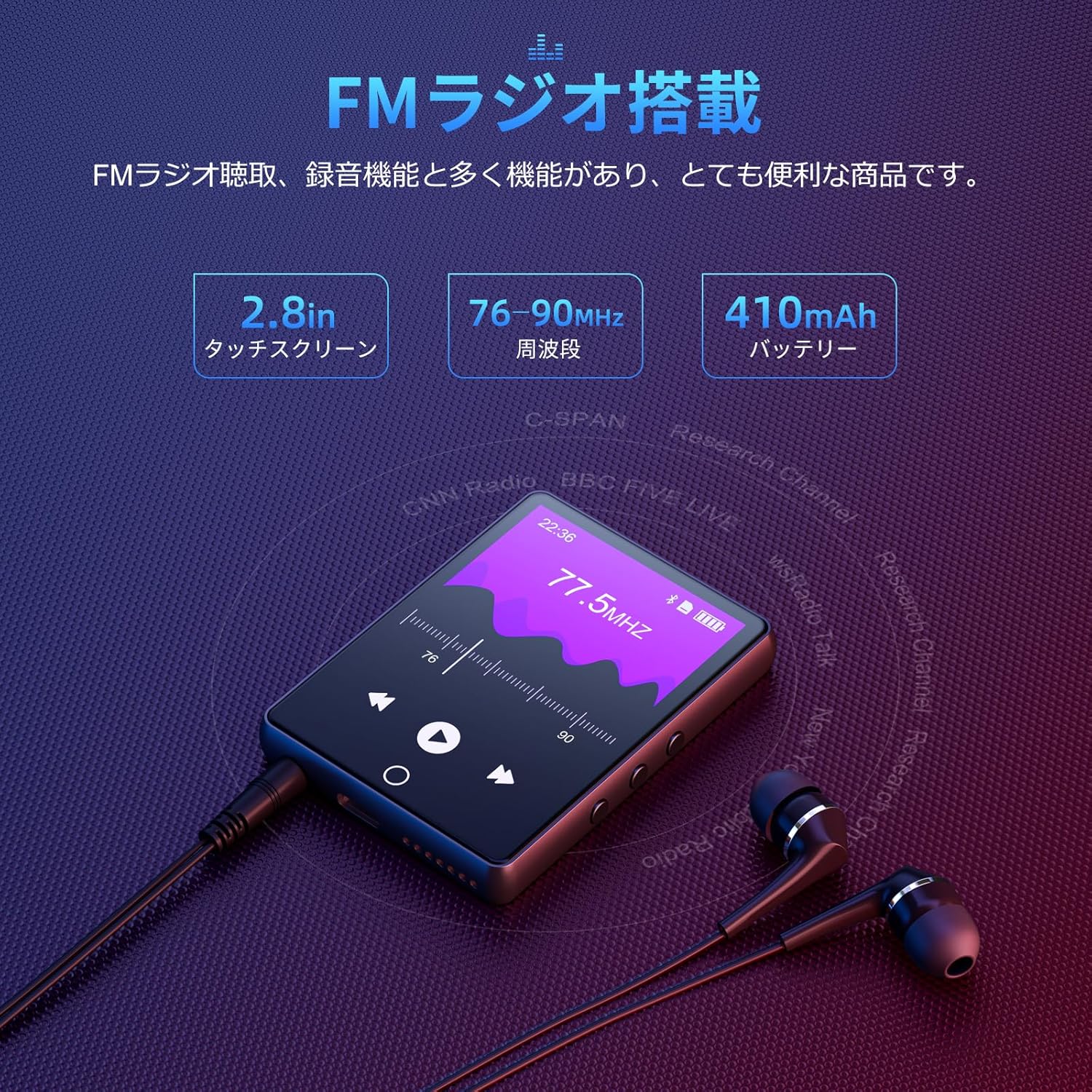
To use the FM radio function, connect the wired earphones (included) as they act as the antenna. Tap the 'FM Radio' icon on the main screen. You can then scan for stations and listen to broadcasts.
5. Функција снимања
The D26 includes a recording function, useful for lectures, meetings, or personal notes. Tap the 'Record' icon to start and stop recordings. Recorded files are saved on the device.

6. Остале функције
The device also includes additional utilities such as a timer, calendar, and calculator. Access these features from the main menu.

Одржавање
- Држите уређај сувим. Избегавајте излагање влази или течностима.
- Очистите екран и кућиште меком, сувом крпом. Не користите абразивна средства за чишћење.
- Избегавајте екстремне температуре.
- Не покушавајте сами да раставите или поправите уређај.
Решавање проблема
Уређај се не укључује:
- Уверите се да је уређај потпуно напуњен.
- Притисните и држите дугме за напајање неколико секунди.
Повезивање преко Блуетоотх-а није могуће:
- Ensure Bluetooth is enabled on both the player and the receiving device (headphones/speaker).
- Make sure the receiving device is in pairing mode.
- Confirm that you are attempting to pair with a compatible device (Bluetooth headphones or speakers only).
- Удаљите се од потенцијалних извора електромагнетних сметњи.
Нема звука:
- Проверите ниво јачине звука.
- Ensure earphones are properly connected or Bluetooth device is paired and connected.
- Test with different earphones or Bluetooth device.
Fileне игра:
- Проверите да ли је звук file format is supported (MP3, WMA, APE, FLAC, AAC, WAV, OGG).
- Осигурајте fileс нису оштећени.
Спецификације
| Феатуре | Спецификација |
|---|---|
| Број модела | Д26 |
| Бранд | Оилски |
| Величина екрана | 2.8 инча |
| Дисплаи Тецхнологи | ЛЦД |
| Интерна меморија | 64 ГБ |
| Екпандабле Стораге | До 128 ГБ путем microSD картице |
| Повезивање | Блуетоотх 5.0 |
| Подржани аудио формати | MP3, WMA, APE, FLAC, AAC, WAV, OGG |
| Друге функције | FM Radio, Built-in Speaker, Recording, Calculator, Timer, Calendar |
| Димензије | 14.7 к 14.6 к 1.9 цм |
| Тежина | 200 г |
Гаранција и подршка
This product comes with a standard manufacturer's warranty. For specific warranty details, please refer to the warranty card included in your package or contact the seller directly. If you encounter any issues or have questions regarding your Oilsky D26 MP3 Player, please reach out to our customer support team for assistance.
Контакт информације: Please refer to the contact details provided on the product packaging or the seller's information page.