
1. Увод
The Yasola RC Drone Car Model 828 is a versatile 2-in-1 remote control vehicle designed for both ground driving and aerial flight. This manual provides essential instructions for safe operation, setup, and maintenance to ensure an enjoyable experience.
2. Мере предострожности
- Надзор одраслих: Always ensure adult supervision when children are operating the drone car.
- Летна средина: Operate the drone in open, clear areas, away from people, animals, buildings, and other obstacles. Avoid flying in strong winds or rain.
- Безбедност батерије:
- Use only the provided charging cable and batteries.
- Do not overcharge or short-circuit batteries.
- Do not expose batteries to extreme temperatures or fire.
- If batteries swell or leak, discontinue use immediately.
- Безбедност пропелера: Држите прсте, косу и лабаву одећу даље од ротирајућих пропелера.
- Избегавање утицаја: Avoid collisions with objects or people to prevent damage to the drone car and potential injury.
- Изложеност води: Do not expose the drone car to water or moisture.
3. Садржај пакета
Молимо вас да проверите да ли су све ставке присутне у пакету:
- 1 x Yasola RC Drone Car (Model 828)
- 1 к даљински управљач
- 2 x Lithium Batteries (for drone car)
- 1 к УСБ кабл за пуњење
- 4 x Резервни пропелери
- 1 x Упутство за употребу (овај документ)
4. Водич за подешавање
4.1 Инсталација батерије
For the Drone Car:
- Locate the battery compartment on the underside of the drone car.
- Пажљиво отворите поклопац одељка за батерије.
- Connect the drone battery to the drone's power connector.
- Ставите батерију у одељак и чврсто затворите поклопац.
- Use a small screwdriver to turn the battery cover screw to secure it.


За даљински управљач:
- Отворите одељак за батерије на задњој страни даљинског управљача.
- Insert 2 LR44 batteries (included) according to the polarity markings.
- Затворите одељак за батерије.
4.2 Пуњење батерије дрона
- Повежите УСБ кабл за пуњење са батеријом дрона.
- Plug the USB end into a compatible USB power source (e.g., computer, USB wall adapter).
- The indicator light on the USB cable will show charging status (refer to charger for specific light indications).
- Charging typically takes approximately 60-90 minutes. Do not leave unattended while charging.
4.3 Pairing the Remote Control with the Drone Car
- Ensure the drone car battery is installed and fully charged.
- Long press the power button on the drone car to turn it on. The LED lights will begin to flash.
- Укључите даљински управљач. Индикаторска лампица на даљинском управљачу ће трептати.
- Move the left joystick (throttle) on the remote control up and then down. The remote control will beep, and the drone car's lights will become solid, indicating successful pairing.
- The default mode after pairing is typically Flight Mode.
5. Упутство за употребу
5.1 Даљински управљач прекоview
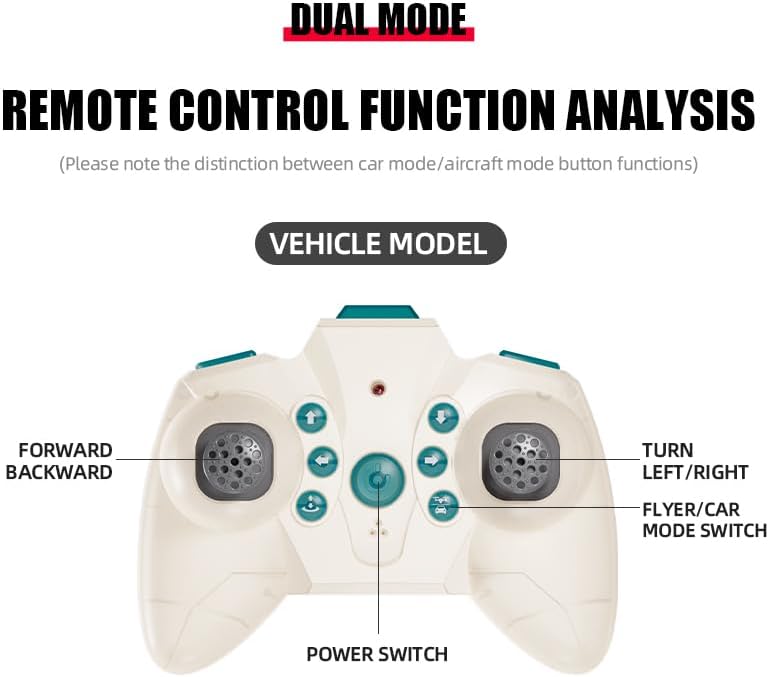
The remote control features dual modes for car and flight operation. Familiarize yourself with the controls:
- Леви џојстик (гас): Controls forward/backward movement in car mode, and ascent/descent in flight mode.
- Right Joystick (Steering/Direction): Controls left/right turns in car mode, and directional flight (forward, backward, left, right) in flight mode.
- Дугме за пребацивање режима: Toggles between Flight Mode and Car Mode.
- One-Key Take Off/Landing Button: Initiates automatic take-off or landing in flight mode.
- Speed Shift Button: Adjusts the speed setting (low/high).
- Дугме за режим без главе: Activates headless mode for simplified flight control.
- Дугме за прекидач светла: Toggles the LED lights.
5.2 Switching Between Flight Mode and Car Mode
- After pairing, the drone car is typically in Flight Mode.
- Да бисте прешли на Ауто режим: Ensure the drone car has landed and propellers have stopped spinning. Press the Mode Switch button on the remote control. The lights on the drone car will turn red to indicate Car Mode.
- Да бисте прешли на Режим летења: Press the Mode Switch button again. The lights on the drone car will turn blue to indicate Flight Mode.

5.3 Летачке операције
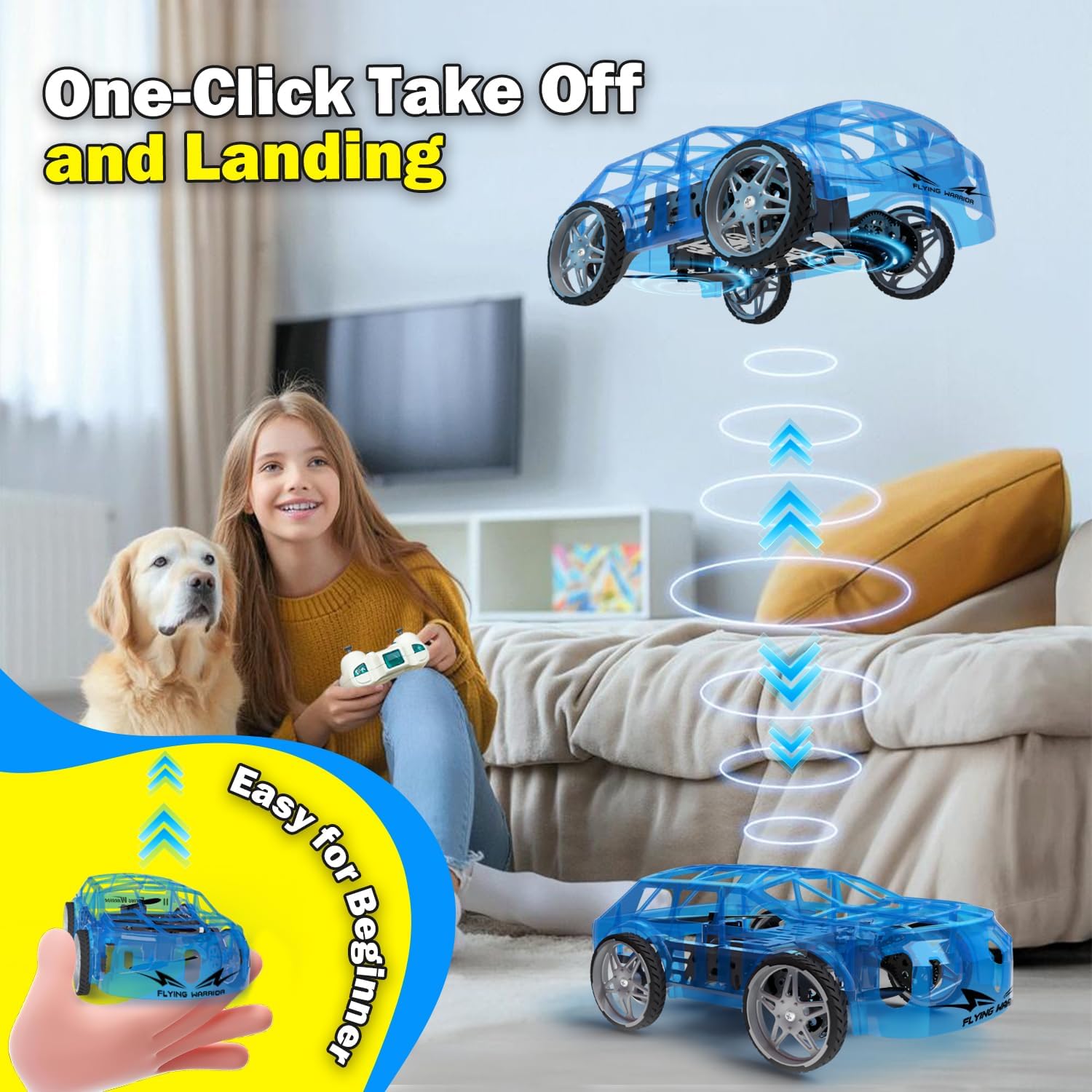
- One-Key Take Off: With the drone car in Flight Mode, press the One-Key Take Off/Landing button. The drone will automatically ascend to a stable hovering altitude.
- Контрола надморске висине: Притисните леви џојстик нагоре за пењање и надоле за спуштање.
- Directional Flight: Push the right joystick forward to fly forward, backward to fly backward, left to fly left, and right to fly right.
- ротација: Push the left joystick left or right to rotate the drone car.
- Подешавање брзине: Press the Speed Shift button to toggle between low and high-speed modes.
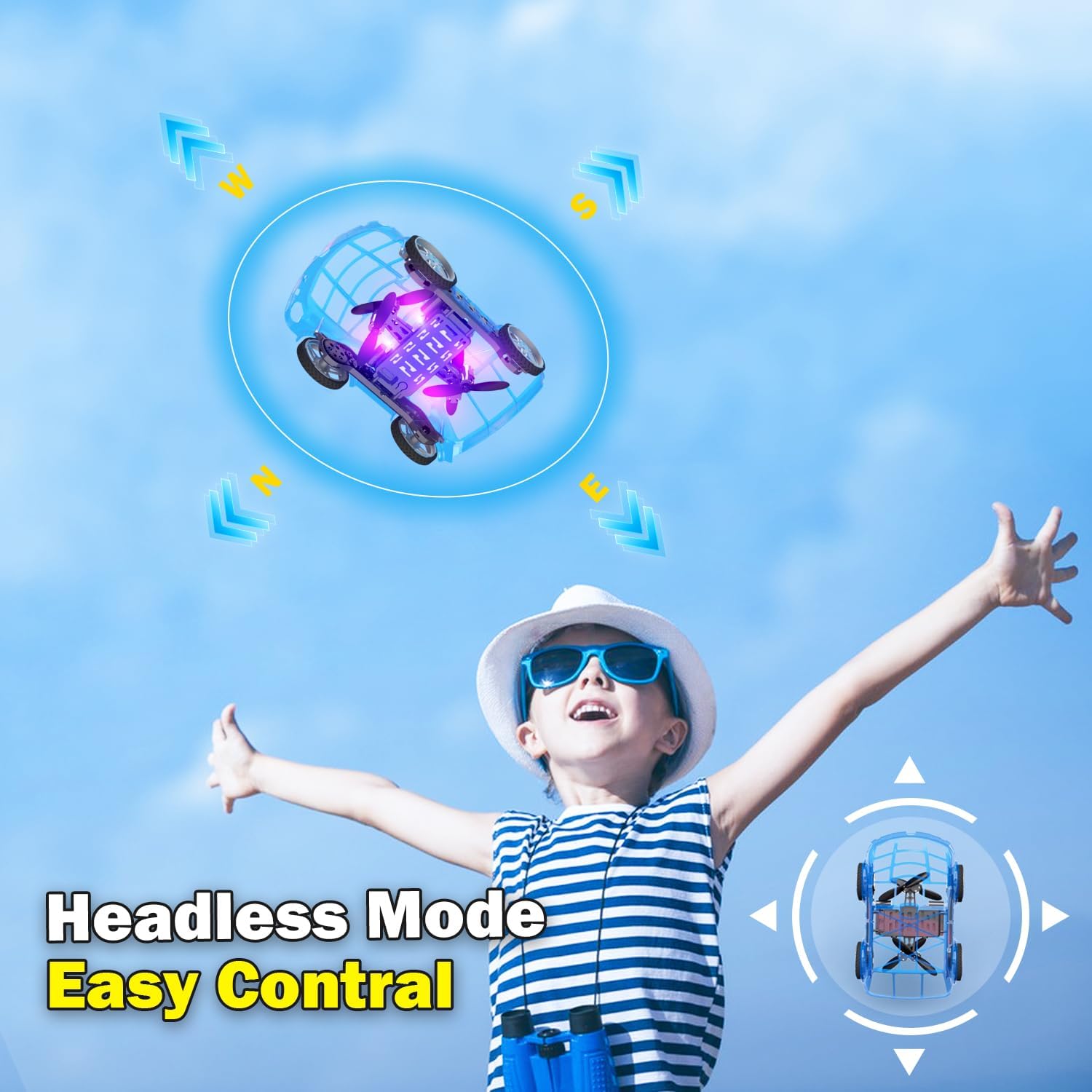
- Режим без главе: Press the Headless Mode button to activate. In this mode, the drone's orientation is relative to the pilot, regardless of the drone's front direction. Press again to exit.
- Слетање једним кључем: Press the One-Key Take Off/Landing button again to initiate an automatic landing. The drone will slowly descend and land.

5.4 Car Operations
- Напред назад: Push the left joystick up to drive forward and down to drive backward.
- окретање: Push the right joystick left to turn left and right to turn right.
- Подешавање брзине: Press the Speed Shift button to toggle between low and high-speed modes.
6. Одржавање
- Чишћење: Use a soft, dry cloth to clean the drone car. Do not use water or chemical cleaners.
- Замена пропелера: If a propeller is damaged, carefully remove it and replace it with a spare propeller, ensuring correct orientation.
- Одржавање батерије:
- Чувајте батерије на хладном и сувом месту када нису у употреби.
- Do not store fully charged or completely depleted batteries for extended periods.
- Charge batteries at least once every three months to maintain their health.
КСНУМКС. Решавање проблема
| Проблем | Могући узрок | Решење |
|---|---|---|
| Drone car does not respond to remote control. | Not paired; low battery in drone or remote; drone not powered on. | Ensure drone and remote are powered on. Re-pair the remote control (Section 4.3). Charge drone battery. Replace remote control batteries. |
| Drone car cannot take off or flies unstably. | Low drone battery; damaged propellers; incorrect calibration; operating in windy conditions. | Charge drone battery. Check and replace damaged propellers. Perform "Outer eight calibration" (refer to video demonstration). Operate in calm conditions. |
| Short flight time (e.g., 3-5 minutes). | Normal battery capacity for mini drones; battery not fully charged. | Ensure battery is fully charged before use. Utilize the second included battery for extended play. |
| Drone car drifts during flight. | Needs fine-tuning/trimming; environmental factors (e.g., slight breeze). | Use the direction fine-tuning buttons on the remote control to correct drift. Ensure operation in a calm environment. |
8. Спецификације
- Бренд: Yasola
- Назив модела: 828
- Димензије производа: 9.56 cm D x 5.11 cm Š x 3.54 cm V
- Тежина артикла: 9.4 унце (0.59 фунте)
- Материјал: Пластика
- Боја: Плава
- Технологија повезивања: Remote control 2.4G
- Капацитет батерије: 600 Милиamp Сати (литијум-јонска)
- Узраст (опис): Kid (recommended for ages 8-12)
- Посебне карактеристике: Drone car, UFO, flying and running RC drone, flying car, One-Key Take Off/Landing, LED Lights, 2 Mode Control, Headless Mode, High-Low Speed Shift.
9. Гаранција и подршка
For warranty information, technical support, or any inquiries regarding your Yasola RC Drone Car Model 828, please refer to the contact information provided on the product packaging or visit the official Yasola webсајту.