
Производ је завршенview
The ACMER Honeycomb Laser Bed is designed to enhance the performance and safety of your laser engraving and cutting machine. Constructed from durable iron and aluminum, it provides a stable, rust-resistant working surface. Its uniform honeycomb hole design facilitates smoke evacuation, preventing material blackening and improving carving effects. The included aluminum panel offers additional desktop protection from laser damage.
- Побољшан проток ваздуха: The honeycomb structure promotes efficient smoke dissipation, leading to cleaner cuts and reduced material burning or warping.
- Desktop Protection: An aluminum panel safeguards your work surface from laser damage.
- Precise Measurement: Integrated X-axis and Y-axis scale lines allow for quick and accurate material placement.
- Стабилност: Provides a flat and stable surface for various materials including wood, acrylic, and paper.
- Компатибилност: Suitable for a wide range of laser engraving machines, including CO2, diode, and fiber laser types.
Садржај пакета
Проверите да ли су све ставке присутне у пакету:
- 1 x Honeycomb Laser Bed (400x400mm)
- 1 x Aluminum Panel
- 4 x Corner Protectors
- 8 x Locking Pins
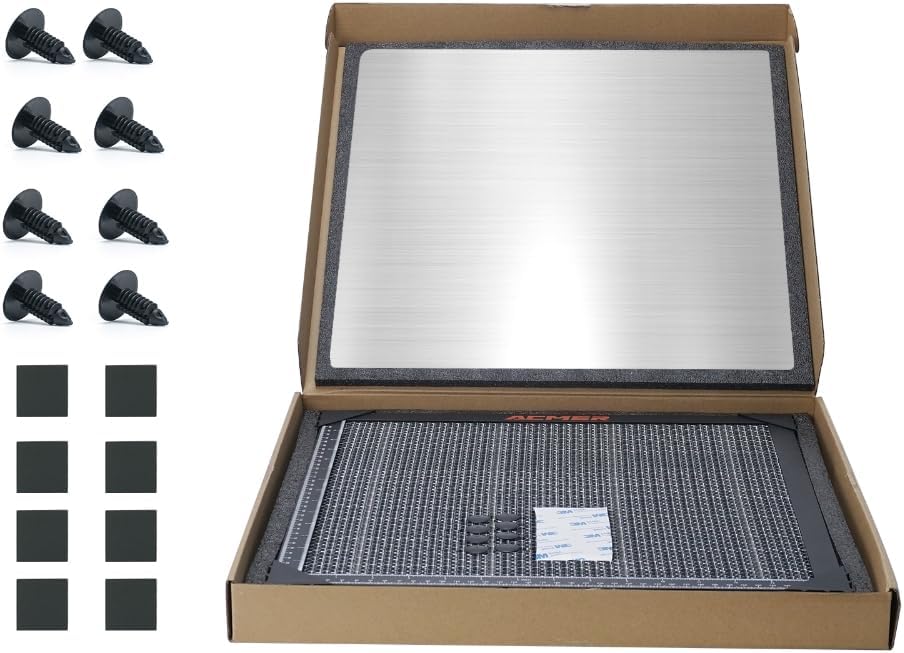
Image: Package contents including honeycomb bed, aluminum panel, pins, and corner protectors.
Упутства за подешавање
- Припремите свој радни простор: Ensure your laser engraver is powered off and disconnected from its power source. Clear the area where the honeycomb bed will be placed.
- Position the Aluminum Panel: Place the aluminum panel on your workbench or the base of your laser engraver. This panel acts as a protective barrier for your desktop.
- Place the Honeycomb Bed: Carefully place the honeycomb laser bed on top of the aluminum panel. Ensure it is centered and stable.
- Secure Materials with Pins: For optimal stability during engraving or cutting, use the provided locking pins to secure your material to the honeycomb grid. This prevents movement and ensures consistent results.
- Utilize Corner Protectors: If desired, attach the four corner protectors to the edges of the honeycomb bed to prevent accidental contact with sharp corners.
- Verify Measurements: Use the integrated X-axis and Y-axis scale lines on the honeycomb bed to accurately measure and position your materials.

Image: Proper placement of the aluminum desktop protection board.
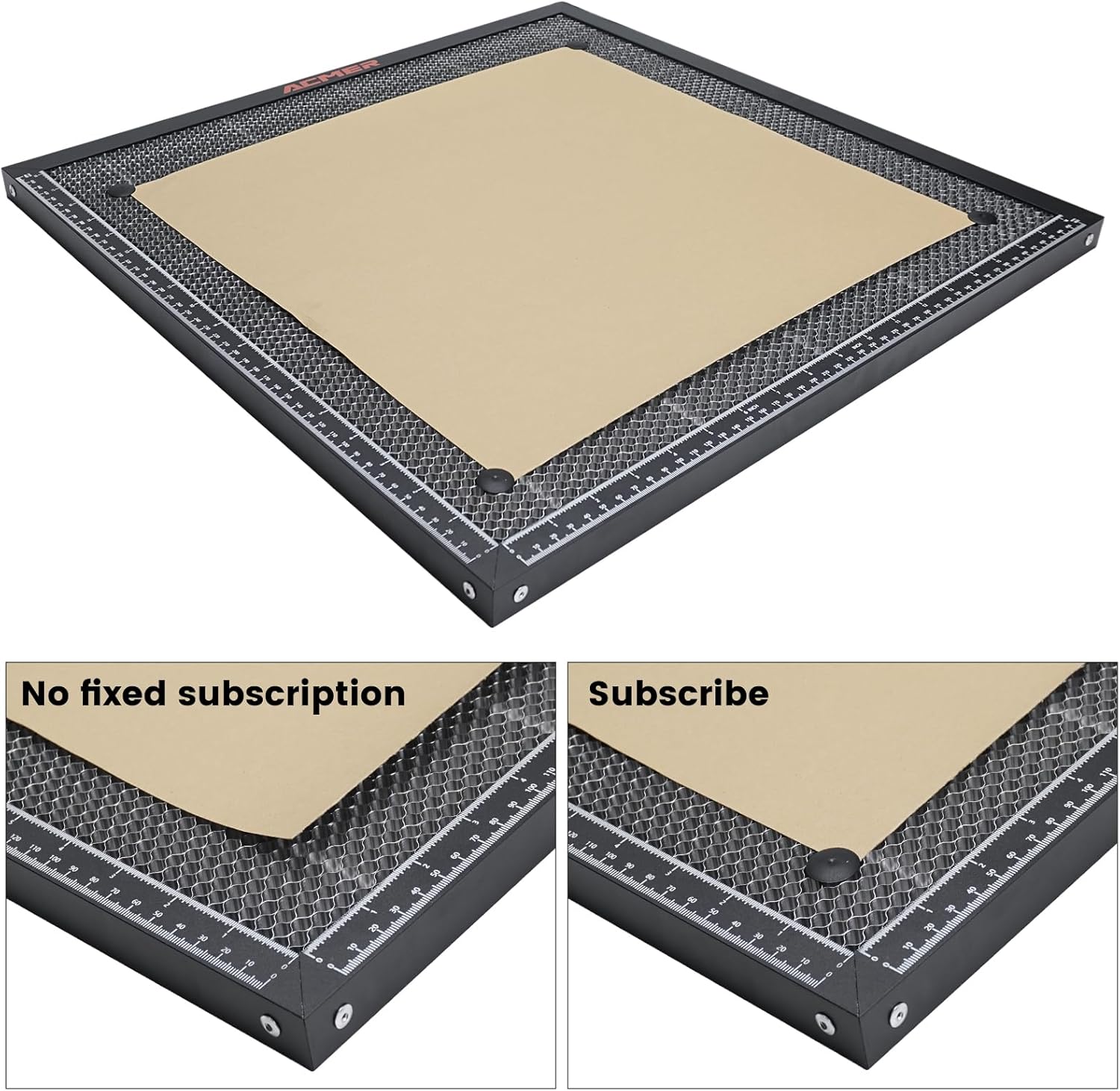
Image: Securing material with locking pins on the honeycomb bed.

Image: Dual-scale rulers for precise measurements.
Упутство за употребу
The honeycomb laser bed significantly improves the laser engraving and cutting process:
- Improved Cutting Quality: The open honeycomb design allows smoke and debris to pass through, reducing charring and blackening on the underside of your material. This results in cleaner, sharper cuts.
- Побољшана дисипација топлоте: The metal construction and open design aid in dissipating heat away from the material, minimizing warping and heat-related damage.
- Visible Cutting Process: The open grid allows for better visibility of the laser's path and the cutting process, enabling easier monitoring and adjustments.
- Компатибилност материјала: The bed is suitable for various materials, including wood, acrylic, leather, paper, and more.

Image: Airflow through the honeycomb bed for cleaner cuts.

Image: Comparison of cutting results with and without the honeycomb bed.
Одржавање
Regular maintenance ensures the longevity and optimal performance of your honeycomb laser bed:
- Чишћење: After each use, inspect the honeycomb grid for debris and residue. Use a soft brush or compressed air to remove small particles. For stubborn residue, a damp cloth with a mild cleaning solution can be used, ensuring the bed is completely dry before next use.
- инспекција: Periodically check the honeycomb cells for any signs of damage or deformation. A damaged cell can affect airflow and cutting quality.
- Складиштење: Store the honeycomb bed and aluminum panel in a clean, dry place when not in use to prevent dust accumulation and corrosion.
Решавање проблема
| Проблем | Могући узрок | Решење |
|---|---|---|
| Material burning/scorching on underside | Insufficient airflow or smoke buildup. | Ensure the honeycomb cells are clear of debris. Verify your laser engraver's exhaust system is functioning correctly. Adjust laser power/speed settings. |
| Material warping during cutting | Excessive heat buildup or material not properly secured. | Use locking pins to firmly secure the material. Ensure good airflow. Reduce laser power or increase passes if necessary. |
| Inaccurate cuts/engravings | Material movement or incorrect measurement. | Double-check material placement using the scale lines. Ensure material is securely pinned. Verify laser focus. |
Спецификације
| Феатуре | Детаљ |
|---|---|
| Димензије производа | 15.74 к 15.74 к 0.87 инча (400 к 400 к 22 мм) |
| Број модела ставке | ACMER-E10-400x400 |
| Тежина артикла | 4.13 фунти |
| Материјал | Iron and Aluminum |
| Укључена додатна опрема | Aluminum Panel, Corner Protectors, Locking Pins |
Подршка
For technical assistance, product inquiries, or any other support needs, please contact ACMER customer service. We offer 24/7 online support to ensure you get the help you need.
- Подршка на мрежи: Visit the official ACMER webсајт за најчешћа питања, водиче за решавање проблема и контакт информације.
- Подршка путем е-поште: Refer to your product packaging or the ACMER webсајт за наменску адресу е-поште за подршку.