
1. Увод
Thank you for choosing the Angrox Universal Remote Control. This manual provides essential information for setting up, operating, and maintaining your new remote control. Please read it carefully to ensure optimal performance and longevity of your device.
This remote control is designed specifically for Roku Built-in TVs from brands such as TCL, ONN, Hisense, Sharp, Element, Westinghouse, and Philips. It is an infrared remote control and does НЕ work with external Roku streaming players (e.g., Roku Box, Roku Stick, Roku Express, Roku Player) or Roku audio devices.
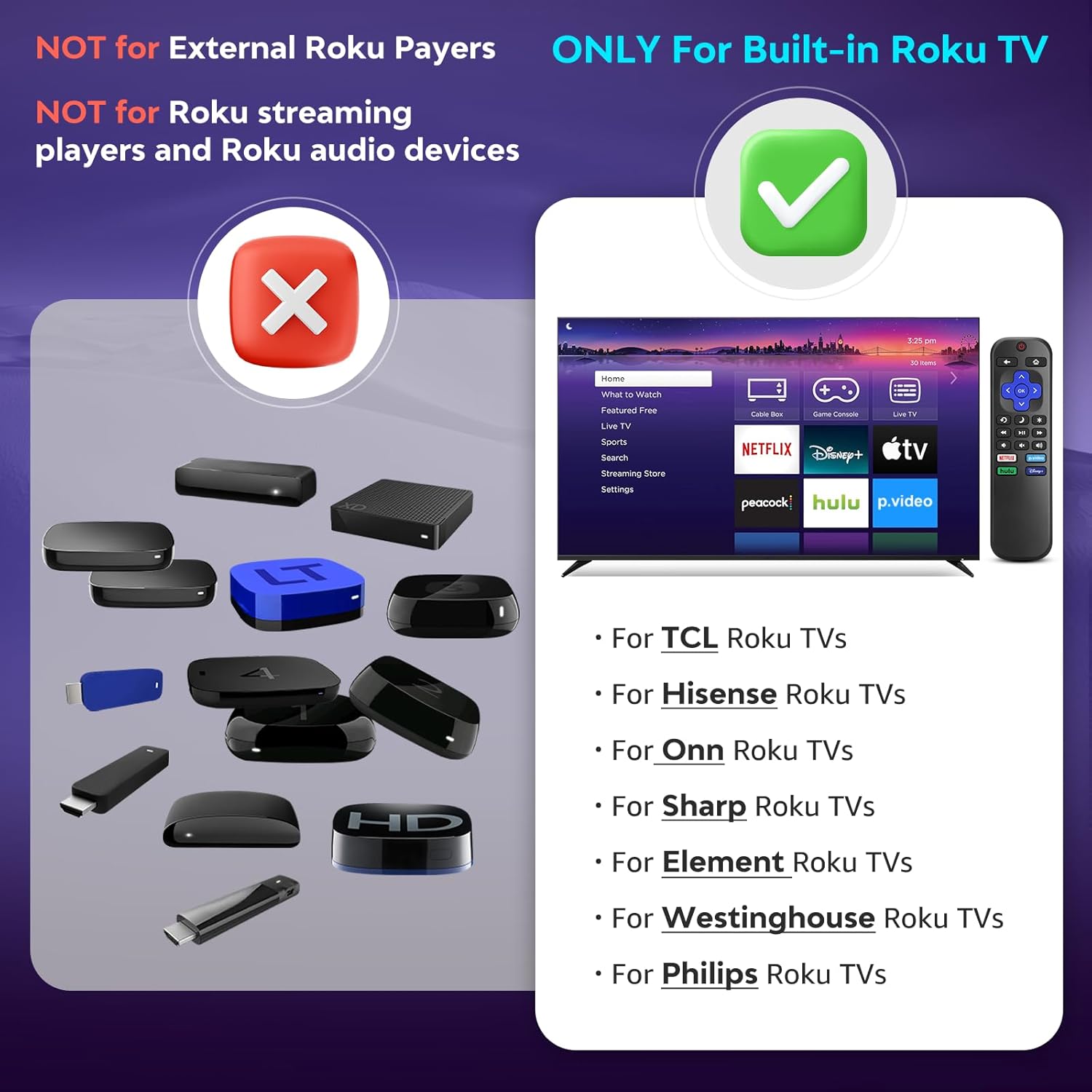
Слика 1.1: Компатибилност прекоview. The remote is compatible with TVs that have Roku built-in, but not with standalone Roku streaming devices.
2. Подешавање
2.1 Инсталација батерије
- Пронађите одељак за батерије на полеђини даљинског управљача.
- Померите поклопац батерије надоле да бисте га отворили.
- Insert two (2) AAA alkaline batteries, ensuring the positive (+) and negative (-) terminals match the diagrams inside the compartment.
- Гурните поклопац батерије назад на место док не кликне безбедно.
Напомена: Батерије нису укључене уз даљински управљач.
2.2 Прва употреба
This Angrox Universal Remote Control requires no programming or pairing. Once batteries are correctly installed, it is ready for immediate use with your compatible Roku Built-in TV.

Image 2.1: Battery installation guide. The remote requires two AAA batteries and no setup.
3. Упутство за употребу
The remote control features a standard layout for intuitive navigation and control of your Roku Built-in TV.
3.1 Функције дугмадиview

Image 3.1: Detailed button layout and functions of the Angrox Universal Remote Control.
- TV Power (Red Button): Укључује или искључује ТВ.
- назад: Враћа се на претходни екран или мени.
- Почетна: Navigates to the Roku home screen.
- Directional Pad (Up, Down, Left, Right) & OK: Користи се за навигацију и избор у менију.
- Режим спавања: Activates the TV's sleep timer function.
- Инстант Реплаи: Враћа се неколико секунди уназад током репродукције видеа.
- Опције: Accesses context-sensitive options or settings.
- Rewind Scan (RWD Scan): Rewinds video playback.
- Пусти/паузирај: Plays or pauses video content.
- Fast Forward Scan (FWD Scan): Fast forwards video playback.
- Контрола јачине звука (+/-): Подешава јачину звука ТВ-а.
- Искључи звук: Искључује или укључује звук ТВ-а.
3.2 Дугмад за пречице
The remote includes four dedicated shortcut buttons for quick access to popular streaming services:
- НЕТФЛИКС
- p.video (Prime Video)
- hulu
- Диснеи+
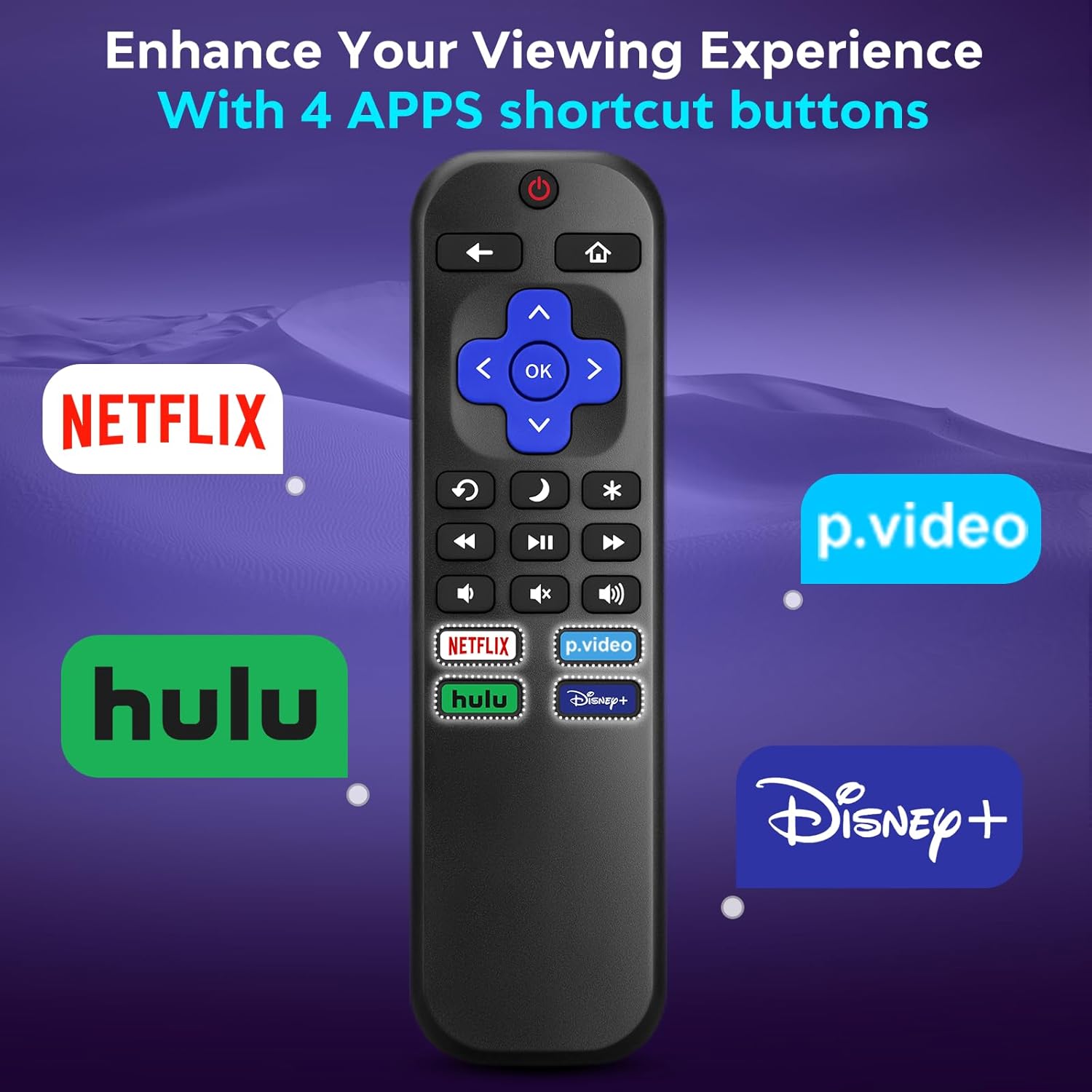
Image 3.2: The remote features dedicated shortcut buttons for popular streaming services.
3.3 Перформансе
The remote operates using infrared technology, providing a sensitive response and precise control. It has an effective transmission distance of up to 10 meters (32 feet).

Image 3.3: The remote offers fast response and a wide transmission range.
4. Одржавање
4.1 Чишћење
Да бисте очистили даљински управљач, нежно га обришите меком, сувом крпом. За тврдокорну прљавштину, благо га обришитеampen the cloth with water. Avoid using harsh chemicals, abrasive cleaners, or solvents, as these can damage the remote's surface or internal components.
4.2 Замена батерије
Replace batteries when the remote's response becomes sluggish or it stops functioning. Always replace both AAA batteries at the same time with new ones. Do not mix old and new batteries, or different types of batteries.
4.3 Складиштење
When not in use for extended periods, it is recommended to remove the batteries to prevent leakage, which could damage the remote. Store the remote in a cool, dry place away from direct sunlight and extreme temperatures.
The remote is constructed from high-quality ABS plastic and silicone for durability.
КСНУМКС. Решавање проблема
- Даљински не реагује:
- Уверите се да су батерије правилно уметнуте са исправним поларитетом.
- Замените старе батерије новим алкалним батеријама типа ААА.
- Check for any obstructions between the remote and the TV's infrared sensor. Ensure a clear line of sight.
- Verify that the remote is pointed directly at the TV.
- Remote only controls some functions:
- This remote is designed for Roku Built-in TVs. Ensure your TV has Roku integrated and is not an external Roku player connected to a standard TV.
- Some advanced TV functions not directly related to Roku may not be supported by this universal remote.
- TV does not turn on/off:
- Confirm the TV is plugged into a power source and is not in a deep sleep mode that requires a manual power button press on the TV itself.
6. Спецификације
| Феатуре | Детаљ |
|---|---|
| Бранд | Ангрок |
| Модел | B0DW7SW5C4 |
| Посебне карактеристике | Ergonomic, No Programming Required, Universal |
| Боја | Црно |
| Максимални број подржаних уређаја | 1 (Roku Built-in TV) |
| Компатибилни уређаји | Television (Roku Built-in TVs: TCL, ONN, Hisense, Sharp, Element, Westinghouse, Philips, etc.) |
| Извор напајања | 2 к ААА батерије (нису укључене) |
| Технологија | Инфрацрвени (ИР) |
| Оперативна удаљеност | До 10 метара (32 стопе) |
| Материјал | High-quality ABS plastic and silicone |
7. Гаранција и подршка
For warranty information, please refer to the documentation provided with your purchase or contact your retailer. Angrox is committed to providing quality products and customer satisfaction.
For further assistance or inquiries, please visit the official Angrox store on Amazon: Angrox Store.