
1. Увод
Thank you for choosing the SUNVIE Smart Floor Can Light. This product is designed to provide versatile indoor accent lighting with smart control features. This manual will guide you through the setup, operation, and maintenance of your new smart lights.
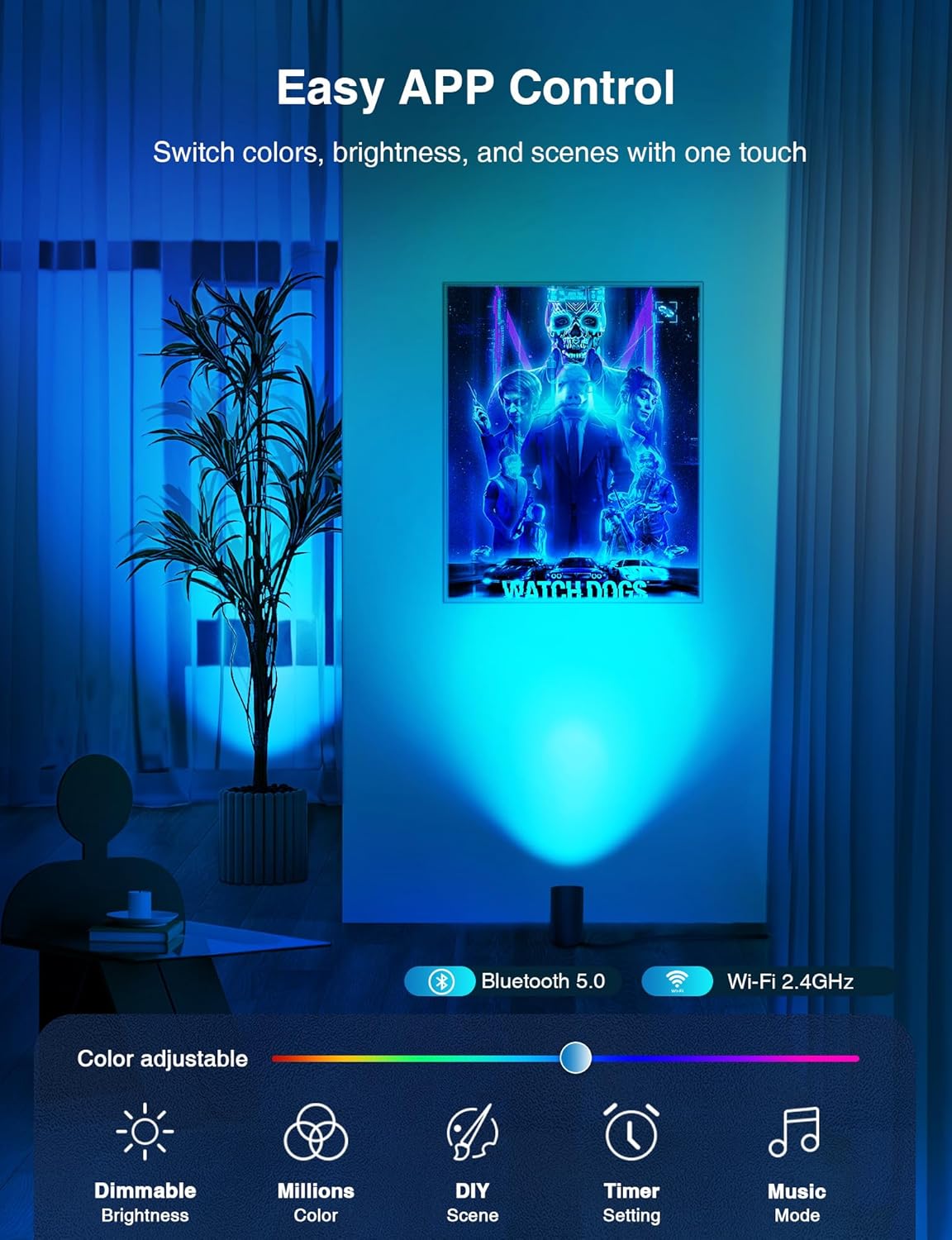
Image 1.1: SUNVIE Smart Floor Can Light in an indoor setting.
2. Карактеристике производа
- Upgraded RGBW Smart Floor Can Lights: Unique beveled cylindrical design for artistic ambiance. Features RGB color mode with 16 million colors for various atmospheres, and adjustable warm/cool whites (2700K-6500K) for diverse lighting needs.
- Timer Schedule and Stepless Dimming: Customize timing functions to turn lights on/off at set times. Offers 1%-100% stepless dimming for desired brightness. Includes a memory function to retain the last used or customized settings upon power-on.
- APP & Voice Smart Control: Control lights via the Smart Life APP (2.4Ghz WiFi Network Only) or with voice commands through Alexa or Google Assistant. Supports group control for managing multiple smart lights simultaneously.
- DIY Scene & Music Sync: Choose from 8 pre-set scenes or customize colors, sequence, switch method, and change speed. Music sync mode allows lights to change color with music rhythm.
- Durable & Quality Components: Constructed with high-quality components to ensure electrical safety and a long service life.

Image 2.1: Easy APP Control interface.

Image 2.2: Hands-Free Voice Control demonstration.
3. Спецификације
| Спецификација | Детаљ |
|---|---|
| Назив модела | FCL01B02SN |
| Бранд | СУНВИЕ |
| Боја | Црно |
| Материјал | Алуминијум |
| Тип извора светлости | ЛЕД |
| Ватtage | 5 Ваттс |
| Осветљеност | 450 лумена |
| Волtage | 120 Волтс |
| Температура боје | 2700K-6500K (Warm White, Cool White) |
| Булб Басе | ГУ10 |
| Контролни метод | Апликација, Глас |
| Унутрашња/спољна употреба | Само за унутрашњу употребу |
| Димензије производа | 3.05 к 3.45 к 8 инча |
| Тежина артикла | 2.31 фунти |
| Број ставки | 2 (пакет) |

Image 3.1: Product dimensions and components.
4. Садржај пакета
Each SUNVIE Smart Floor Can Light 2-Pack includes:
- 2 x Smart Floor Can Lights (with integrated GU10 bulbs)
5. Подешавање и инсталација
The SUNVIE Smart Floor Can Lights require no complex physical installation. Simply place them in your desired indoor location and plug them into a standard electrical outlet. For smart functionality, follow the app connection instructions below.
5.1. Connecting to the Smart Life App
The Smart Life app is essential for controlling your SUNVIE Smart Floor Can Lights. Ensure your Wi-Fi network is 2.4GHz, as only this frequency is supported for connection.
- Преузмите апликацију Смарт Лифе: Open your device's App Store (iOS) or Google Play Store (Android), search for "Smart Life," and download the app.
- Региструј се/Пријави се: Open the Smart Life app and either register a new account or log in with an existing one.
- Додај уређај: Tap the "+" icon or "Add Device" button in the app.
- Изаберите осветљење: Choose "Lighting" from the device categories, then select "Light Source (Wi-Fi)" or similar option for smart bulbs.
- Режим упаривања: Power on the light. If it doesn't flash rapidly, power it off and on 3 times (on-off-on-off-on) until it enters pairing mode (rapid flashing).
- Повежите се на Ви-Фи: Confirm the light is flashing rapidly in the app, then enter your 2.4GHz Wi-Fi network name and password.
- Комплетна веза: The app will connect to the device. Once connected, you can rename your light and start controlling it.
Video 5.1: Instructions on how to connect the SUNVIE Smart Floor Can Light to the Smart Life App.
5.2. Connecting to Google Home
Integrate your SUNVIE Smart Floor Can Lights with Google Home for voice control.
- Отворите апликацију Google Home: Launch the Google Home app on your smartphone.
- Подешавања приступа: Tap on the "Settings" icon.
- Додај уређај: Select "Add" then "Set up device" and choose "Works with Google".
- Тражи Паметан живот: Тражи "Smart Life" and select it.
- Повежи налог: Follow the prompts to link your Smart Life account with Google Home. You will need to agree to permissions and log into your Smart Life account.
- Assign Device: Once linked, assign your SUNVIE lights to a specific room.
Video 5.2: Instructions on how to connect the SUNVIE Smart Floor Can Light with Google Home.
5.3. Connecting to Amazon Alexa
Integrate your SUNVIE Smart Floor Can Lights with Amazon Alexa for voice control.
- Open Amazon Alexa App: Launch the Amazon Alexa app on your smartphone.
- Access Skills & Games: Tap on "More" then select "Skills & Games".
- Тражи Паметан живот: Тражи "Smart Life" and select the skill.
- Омогући вештину: Tap "ENABLE TO USE" to enable the Smart Life skill.
- Повежи налог: Follow the prompts to link your Smart Life account with Alexa. You will need to agree to permissions and log into your Smart Life account.
- Откријте уређаје: Alexa will then discover your SUNVIE lights. Once discovered, you can assign them to groups or rooms.
Video 5.3: Instructions on how to connect the SUNVIE Smart Floor Can Light with Alexa.
6. Упутство за употребу
Once your SUNVIE Smart Floor Can Lights are connected to the Smart Life app and/or your preferred voice assistant, you can utilize their full range of features.
6.1. Контрола апликација
Use the Smart Life app to manage your lights:
- Укључивање/искључивање: Toggle the light on or off directly from the app interface.
- Промена боје: Select from 16 million RGB colors to match your mood or decor.
- Подешавање осветљености: Adjust the brightness from 1% to 100% for optimal illumination.
- Температура боје: Change the white light from warm (2700K) to cool (6500K).
- Режими сцене: Choose from 8 pre-set scenes or create your own custom scenes with specific colors, sequences, and speeds.
- Музичка синхронизација: Activate music sync mode to have the lights change color with the rhythm of your music.
- Timer & Schedules: Set custom schedules for the lights to turn on or off automatically at specific times.
- Групна контрола: Group multiple lights together to control them simultaneously with a single command.

Image 6.1: Adjusting brightness and color temperature via app.

Image 6.2: 8 Preset Scene & DIY options.

Image 6.3: Setting timers and schedules.
6.2. Управљање гласом
Use voice commands with Alexa or Google Assistant for convenient control:
- "Alexa, turn on [Light Name]."
- "Hey Google, dim [Light Name] to 50%."
- "Alexa, change [Light Name] to blue."
- "Hey Google, set [Light Name] to warm white."
7. Одржавање
- Чишћење: Ensure the light is unplugged before cleaning. Use a soft, dry cloth to wipe the surface. Do not use abrasive cleaners or solvents.
- Замена сијалице: The integrated GU10 smart bulb is designed for long-term use. If replacement is necessary, ensure to use a compatible SUNVIE GU10 smart bulb.
- Складиштење: If storing the lights for an extended period, unplug them and store in a cool, dry place.
КСНУМКС. Решавање проблема
If you encounter issues with your SUNVIE Smart Floor Can Light, please refer to the following common solutions:
- Светло се не укључује: Ensure the power cord is securely plugged into a working outlet. Check if the light is switched on via the app or foot switch.
- Не могу да се повежем са апликацијом:
- Verify your Wi-Fi network is 2.4GHz. 5GHz networks are not supported.
- Уверите се да је ваш телефон повезан на исту Wi-Fi мрежу од 2.4 GHz током подешавања.
- Confirm the light is in pairing mode (rapidly flashing). If not, power cycle it 3 times (on-off-on-off-on).
- Move the light closer to your Wi-Fi router.
- Гласовна контрола не ради:
- Ensure your Smart Life account is correctly linked to Alexa or Google Home.
- Check that your voice assistant device (Echo, Google Home speaker) is online and functioning.
- Use the exact device name you assigned in the Smart Life app or voice assistant app.
- Light is unresponsive: Try unplugging the light for 10 seconds and plugging it back in. If the issue persists, attempt to re-pair the device with the Smart Life app.
9. Гаранција и подршка
SUNVIE provides the following coverage for your Smart Floor Can Light:
- 30-дневна гаранција поврата новца: Ако нисте задовољни куповином, можете је вратити у року од 30 дана за потпуни повраћај новца.
- 24-Month Limited Manufacturer's Warranty: Покрива недостатке у материјалу и изради при нормалној употреби.
- Доживотна подршка након продаје: Dedicated support for any questions or issues you may encounter.
For any questions or assistance, please contact our professional team via Amazon email. We aim to reply to all inquiries within 24 hours.