
1. Увод
Хвала вам на куповиниasing the JONSBO ZA-120B PC Case Fan. This fan is designed to provide efficient cooling for your computer system while offering customizable ARGB lighting effects. Featuring a 28mm thick design, 4-sides infinity mirror, and PWM control, it ensures both aesthetic appeal and optimal performance. This manual provides detailed instructions for installation, operation, and maintenance to help you get the most out of your product.
2. Безбедносне информације
Молимо вас да прочитате и следите ова безбедносна упутства како бисте спречили оштећење производа или повреде:
- Always disconnect power from your computer before installing or handling any internal components.
- Handle the fan by its frame to avoid touching the blades, which could cause damage or injury.
- Ensure proper grounding to prevent electrostatic discharge (ESD) damage to sensitive components.
- Do not attempt to modify the fan or its cables. Unauthorized modifications may void your warranty and pose safety risks.
- Keep the fan away from liquids and excessive moisture.
- Чувајте вентилатор на хладном и сувом месту када се не користи.
3. Садржај пакета
Проверите да ли су све ставке присутне у вашем пакету:
- JONSBO ZA-120B PC Case Fan
- Монтажни завртњи
- Кориснички приручник (овај документ)
4. Производ је готовview
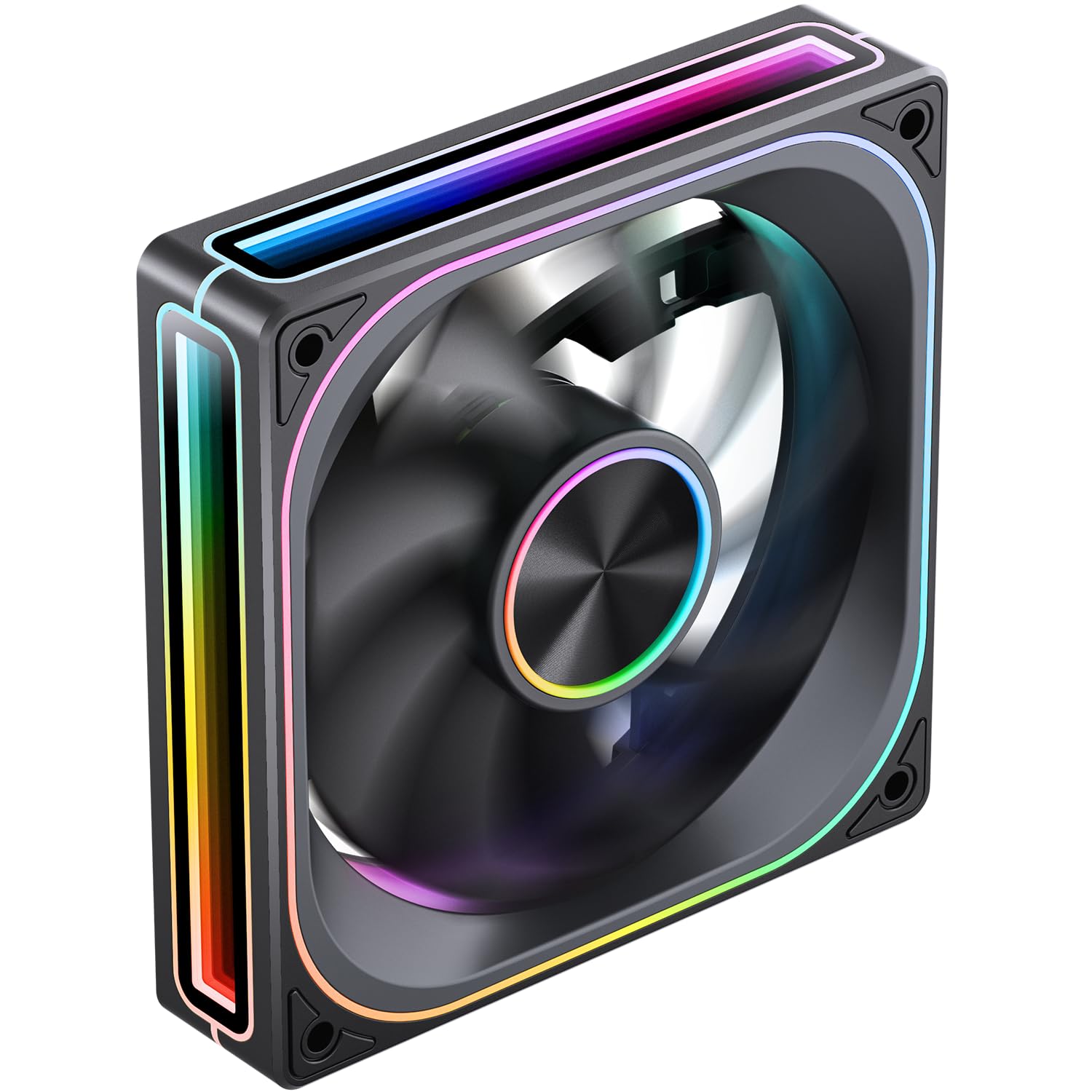
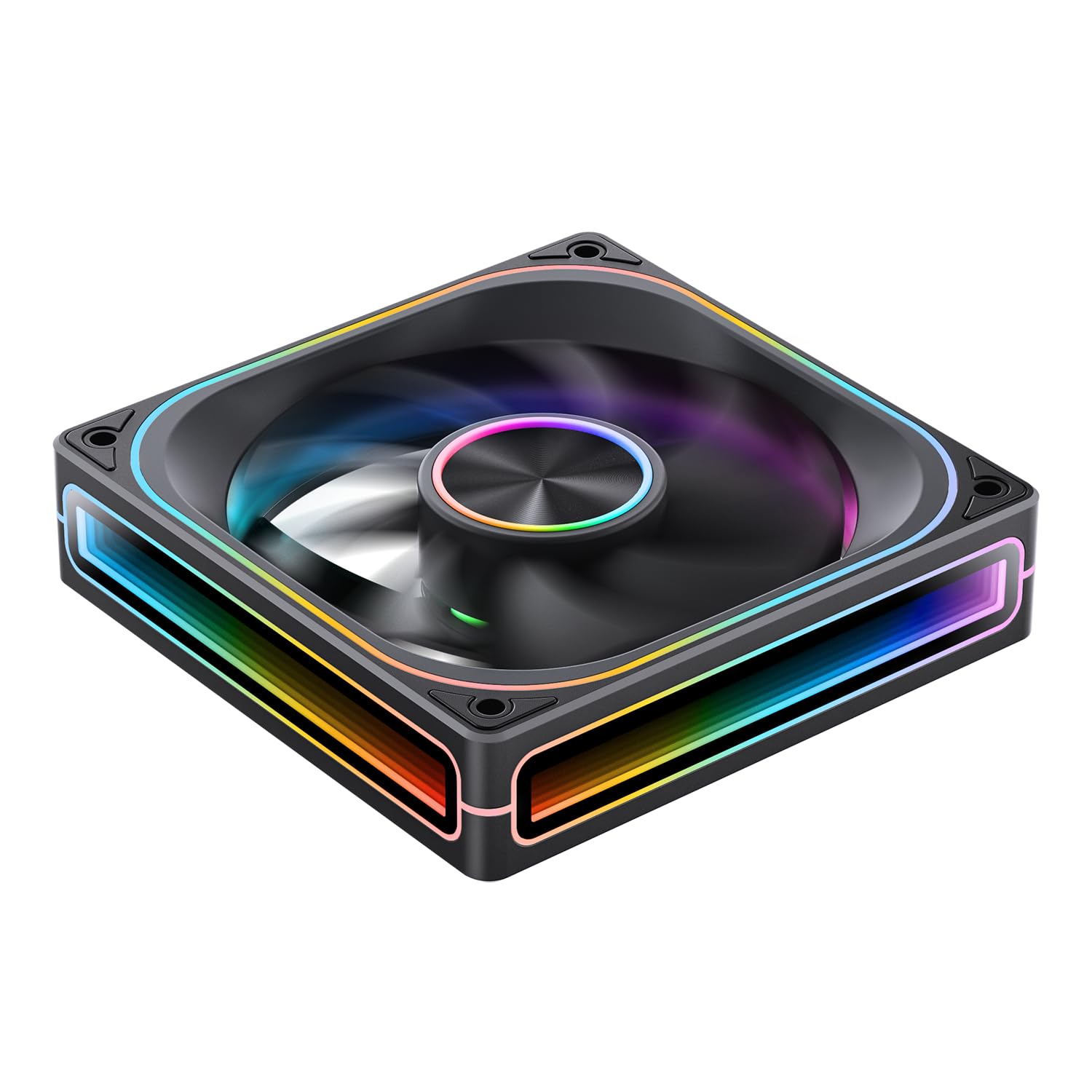
The JONSBO ZA-120B is a high-performance PC case fan designed for optimal airflow and stunning visual effects. Key features include:
- 4-Sides Infinity Mirror: Creates a deep, multi-layered lighting illusion from all angles.
- ПВМ контрола: Allows for precise fan speed adjustment (700-2400 RPM) to balance cooling performance and noise levels.
- Addressable RGB (ARGB) Sync: Compatible with motherboard ARGB software (3-pin 5V header) for synchronized lighting effects across your system.
- Simplified Cables: Integrated male and female PWM and ARGB headers for easy daisy-chaining and cable management.
- Aluminum Nameplate: Features a durable aluminum CD pattern nameplate for a premium finish.
- 28mm Thick Design: Enhanced thickness for improved airflow and static pressure.



5. Подешавање и инсталација
Follow these steps to properly install your JONSBO ZA-120B PC Case Fan:
- Припремите свој систем:
- Turn off your computer and disconnect it from the power outlet.
- Open your computer case to access the fan mounting locations.
- Монтирајте вентилатор:
- Position the fan in your desired mounting location (e.g., front, top, rear, bottom of the case). Ensure the airflow direction is correct for your cooling setup (typically intake for front/bottom, exhaust for rear/top).
- Secure the fan to the case using the provided mounting screws. Tighten them evenly to prevent vibration.
- Connect Power (PWM):
- Locate an available 4-pin fan header on your motherboard (labeled 'CPU_FAN', 'SYS_FAN', 'CHA_FAN', etc.).
- Connect the fan's 4-pin PWM cable to the motherboard header. If installing multiple fans, you can daisy-chain them using the integrated male and female PWM heads, then connect the last fan in the chain to a single motherboard header.
- Повежите ARGB осветљење:
- Locate an available 3-pin 5V ARGB header on your motherboard (often labeled 'ARGB_HEADER', 'D_LED', 'VDG', etc.). Do not connect to a 4-pin 12V RGB header, as this will damage the LEDs.
- Connect the fan's 3-pin ARGB cable to the motherboard header. Similar to PWM, you can daisy-chain multiple fans using the integrated male and female ARGB heads, connecting the last fan to a single motherboard ARGB header.
- If your motherboard does not have a 3-pin 5V ARGB header, you may need an external ARGB controller (not included) to control the lighting effects.
- Управљање кабловима:
- Route all cables neatly to ensure proper airflow and a clean build. Use cable ties if necessary.
- Затворите кућиште и укључите напајање:
- Close your computer case and reconnect the power.
- Power on your computer and verify that the fan is spinning and the ARGB lighting is functioning.
6. Операција
Once installed, the JONSBO ZA-120B fan operates automatically based on your system's settings. Here's how to manage its functions:
- Контрола брзине вентилатора (PWM):
- The fan speed is controlled via the 4-pin PWM connection to your motherboard.
- You can adjust fan curves and speeds through your motherboard's BIOS/UEFI settings or dedicated software provided by your motherboard manufacturer (e.g., ASUS AI Suite, Gigabyte SIV, MSI Dragon Center).
- This allows you to optimize for quiet operation at low loads and increased cooling performance under heavy loads.
- ARGB контрола осветљења:
- The ARGB lighting effects are controlled via the 3-pin 5V ARGB connection to your motherboard.
- Use your motherboard's ARGB synchronization software (e.g., ASUS Aura Sync, Gigabyte RGB Fusion, MSI Mystic Light Sync, ASRock Polychrome Sync) to customize colors, patterns, and synchronize lighting with other ARGB components.
- If using an external ARGB controller, refer to the controller's manual for lighting adjustment instructions.
7. Одржавање
Редовно одржавање помаже у обезбеђивању оптималних перформанси и дугог века трајања вашег вентилатора:
- Чишћење:
- Periodically (every 3-6 months, depending on environment) clean dust from the fan blades and frame.
- Use compressed air to blow away dust. Hold the fan blades gently to prevent them from spinning rapidly during cleaning, which can damage the bearings.
- For stubborn dust, use a soft, dry cloth or a cotton swab.
- инспекција:
- Check cables for any signs of wear, fraying, or loose connections.
- Ensure mounting screws are still tight.
КСНУМКС. Решавање проблема
If you encounter issues with your JONSBO ZA-120B fan, refer to the following common problems and solutions:
- Вентилатор се не окреће:
- Ensure the 4-pin PWM cable is securely connected to a functional motherboard fan header.
- Check your motherboard's BIOS/UEFI settings to ensure the fan header is enabled and configured correctly (e.g., not set to 0 RPM).
- Test the fan on a different fan header or with a known working fan to rule out a faulty header or fan.
- ARGB осветљење не ради или су боје погрешне:
- Verify the 3-pin ARGB cable is correctly connected to a 3-pin 5V ARGB header on your motherboard. Ensure it is not connected to a 4-pin 12V RGB header.
- Check your motherboard's ARGB software to ensure lighting is enabled and configured.
- If daisy-chaining, ensure all connections are secure and the total number of LEDs does not exceed your motherboard/controller's capacity. (Note: This fan has 68+ LEDs, which may exceed some basic controllers).
- Try updating your motherboard's BIOS and ARGB software to the latest versions.
- Прекомерна бука:
- Ensure the fan is securely mounted and screws are tightened evenly to prevent vibration.
- Очистите прашину нагомилану на лопатицама вентилатора.
- Adjust the fan speed curve in your motherboard's BIOS/UEFI or software to reduce RPMs at lower temperatures.
- Уверите се да каблови не ометају лопатице вентилатора.
9. Спецификације
| Феатуре | Спецификација |
|---|---|
| Број модела | ZA-120B |
| Димензије | 120 к 120 к 28 мм (приближно 5.8 к 5 к 1.18 инча) |
| Ротатионал Спеед | 700-2400 обртаја у минути (±10%) |
| Ниво буке | 21.3-37.3 дБ(А) |
| Тип конектора за напајање | КСНУМКС-Пин (ПВМ) |
| ARGB Connector Type | 3-Pin (5V Addressable RGB) |
| Фан Волtage | ДЦ 12 волти |
| ЛЕД Волtage | 5 Волтс |
| Фан Ватtage | 5.16 Ваттс |
| ЛЕД Ватtage | 5.80 Ваттс |
| Компатибилни уређаји | ПЦ кућиште |
| Метод хлађења | Air Cooling (Fan) |
| Број ставки | 1 |

10. Гаранција и подршка
JONSBO products are manufactured to high-quality standards. For warranty information and technical support, please refer to the official JONSBO webсајт или контактирајте локалног продавца. Сачувајте доказ о куповини за потребе гаранције.
За додатну помоћ, посетите JONSBO Store on Amazon or contact JONSBO customer service.