
Увод
This manual provides detailed instructions for the setup, operation, and maintenance of your T'nB KBWERGO Ergonomic Wireless Rechargeable Bluetooth Keyboard. This keyboard features an ergonomic wave design, integrated wrist rest, adjustable feet, and dual connectivity modes (Bluetooth and 2.4 GHz USB-A dongle) for compatibility with both PC and Mac systems. It is designed to enhance comfort and reduce wrist strain during extended use.
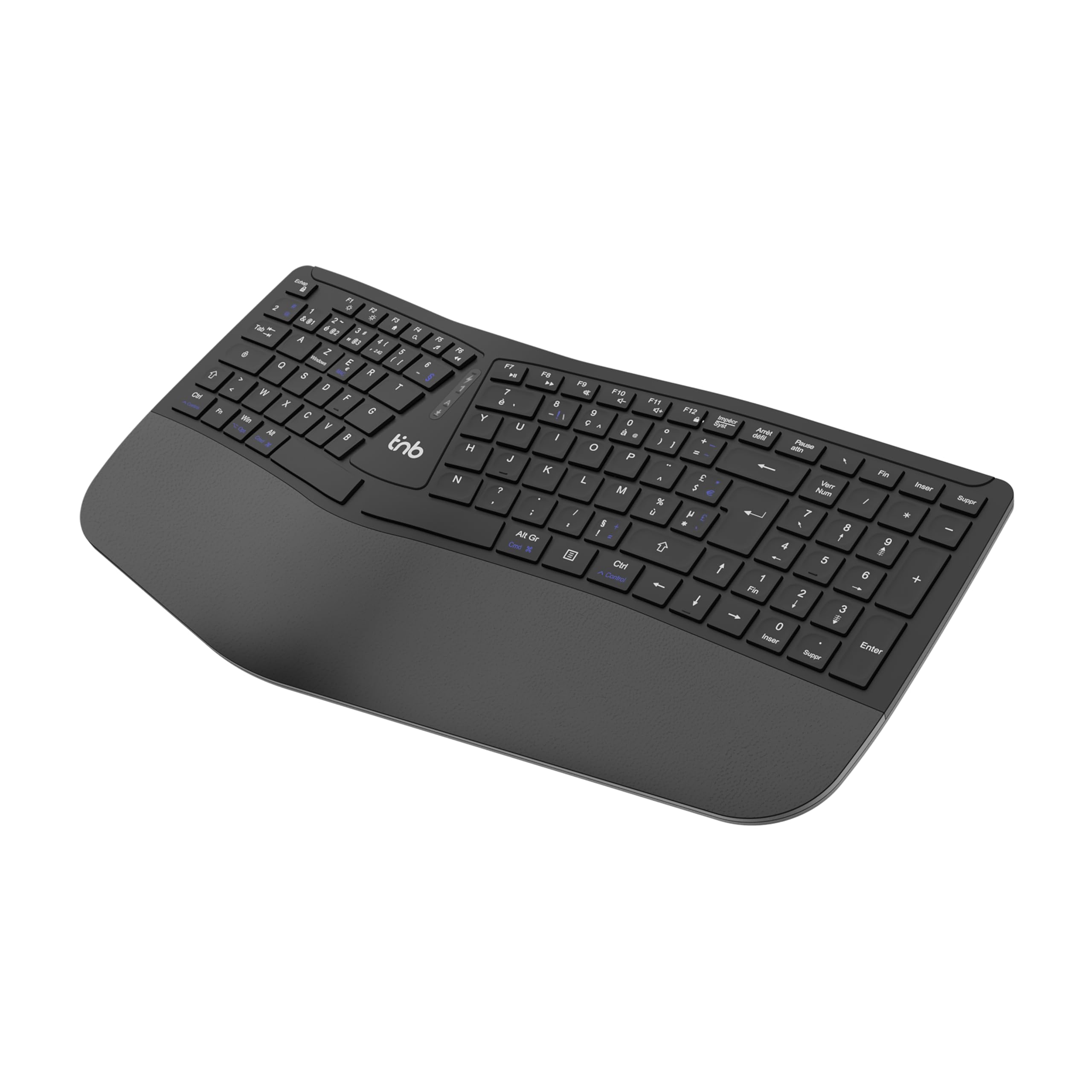
Слика 1: Врх view of the T'nB KBWERGO Ergonomic Wireless Keyboard.
Садржај пакета
Молимо вас да се уверите да су све ставке присутне у пакету:
- T'nB KBWERGO Ergonomic Wireless Keyboard
- USB-A 2.4 GHz Wireless Dongle (typically stored in the keyboard's battery compartment)
- УСБ-Ц кабл за пуњење
- Кориснички приручник (овај документ)
Сетуп
1. Пуњење тастатуре
The keyboard is equipped with a rechargeable Lithium-Ion battery. Before first use, it is recommended to fully charge the keyboard.
- Пронађите USB-C порт за пуњење на тастатури.
- Connect one end of the provided USB-C cable to the keyboard's charging port.
- Connect the other end of the USB-C cable to a USB-A power source (e.g., computer USB port, USB wall adapter).
- Индикаторска лампица пуњења ће се упалити. Када се потпуно напуни, индикаторска лампица може променити боју или се искључити.
2. Повезивање тастатуре
The keyboard supports dual-mode connectivity: 2.4 GHz wireless via USB-A dongle and Bluetooth (up to 3 profileс).
2.1. 2.4 GHz Wireless Connection (USB-A Dongle)
- Locate the USB-A wireless dongle, usually stored in a compartment on the underside of the keyboard.
- Insert the USB-A dongle into an available USB-A port on your computer.
- Turn on the keyboard using the power switch (location may vary, typically on the back or side).
- The keyboard should automatically connect to your computer. No additional drivers are typically required.
2.2. Bluetooth Connection (Up to 3 Devices)
The keyboard can be paired with up to three Bluetooth-enabled devices.
- Уверите се да је тастатура укључена.
- Press and hold one of the Bluetooth pairing keys (e.g., БТ1, БТ2, БТ3, or a dedicated Bluetooth button) for a few seconds until the corresponding indicator light flashes, indicating pairing mode.
- On your device (PC, Mac, tablet, smartphone), go to Bluetooth settings and search for new devices.
- Select "T'nB KBWERGO" or a similar name from the list of available devices.
- Follow any on-screen prompts to complete the pairing process. The indicator light will stop flashing once successfully paired.
- To switch between paired Bluetooth devices, simply press the corresponding Bluetooth key (БТ1, БТ2, или БТ3).
3. Adjusting Keyboard Tilt
The keyboard features 4 adjustable pads, allowing for two different tilt heights to optimize your typing posture.
- Окрените тастатуру да бисте приступили доњој страни.
- Locate the adjustable feet at the front and back of the keyboard.
- Extend the smaller feet for a slight tilt, or extend both the smaller and larger feet for a higher tilt.
- Ensure all four feet are set to the same height for stability.

Слика 2: Доња страна view of the keyboard, highlighting the adjustable feet.

Figure 3: Diagram illustrating the ergonomic design and adjustable tilt options.
Управљање тастатуром
Ergonomic Design Benefits
The T'nB KBWERGO keyboard features a wave-shaped ergonomic design and an integrated synthetic leather wrist rest. This design aims to:
- Minimize wrist movement and effort to reach all keys.
- Alleviate wrist strain during prolonged typing sessions.
- Provide a natural and comfortable hand position.
- Reduce muscle tension in the arms and shoulders.

Слика 4: Страна view illustrating the ergonomic wave design.
Function Keys and Shortcuts
The keyboard includes 12 direct access keys (function keys) for common tasks. These keys are typically located along the top row of the keyboard (F1-F12) and may require pressing the Fn key simultaneously for their secondary functions. Refer to the keycap legends for specific functions such as media control, volume adjustment, and application shortcuts.
The keyboard also features a full numeric keypad for efficient data entry.
Компатибилност
The T'nB KBWERGO keyboard is compatible with both PC (Windows operating systems) and Mac (macOS) systems, offering versatile use across different computing environments.
Одржавање
Чишћење
Да бисте одржали изглед и функционалност тастатуре:
- Уверите се да је тастатура искључена пре чишћења.
- Користите меку крпу која не оставља длачицеampнатопљен водом или благим раствором за чишћење.
- Avoid harsh chemicals, abrasive cleaners, or spraying liquids directly onto the keyboard.
- За прашину и остатке између тастера користите компримовани ваздух.
- Wipe the synthetic leather wrist rest gently.
Баттери Царе
The integrated Lithium-Ion battery requires proper care for longevity:
- Избегавајте често потпуно пражњење батерије.
- Charge the keyboard regularly, especially if it will be stored for an extended period.
- Не излажите тастатуру екстремним температурама.
- За пуњење користите само приложени USB-C кабл или сертификовани еквивалент.
Решавање проблема
Тастатура не реагује
- Проверите снагу: Уверите се да је тастатура укључена и да има довољно напуњену батерију. Напуните је ако је потребно.
- 2.4 ГХз веза:
- Verify the USB-A dongle is securely plugged into a working USB port on your computer.
- Покушајте да прикључите донгл у други УСБ порт.
- Блуетоотх веза:
- Уверите се да је Блуетоотх омогућен на вашем уређају.
- Confirm the keyboard is selected as the active Bluetooth device (e.g., by pressing the correct BT1/BT2/BT3 key).
- If connection issues persist, try unpairing and re-pairing the keyboard with your device.
- сметње: Приближите тастатуру свом уређају и даље од других бежичних уређаја који могу изазвати сметње.
- Поново покрени: Поново покрените рачунар и тастатуру.
Проблеми са пуњењем
- Провера кабла: Ensure the USB-C charging cable is securely connected to both the keyboard and the power source.
- Извор напајања: Try a different USB power source or wall adapter.
- Оштећење кабла: Inspect the charging cable for any signs of damage. Use a different USB-C cable if available.
Спецификације
| Феатуре | Детаљ |
|---|---|
| Назив модела | KBWERGO |
| Бранд | Т'нБ |
| Технологија повезивања | Bluetooth, 2.4 GHz USB-A |
| Number of Bluetooth Profiles | 3 |
| Извор напајања | Пуњива литијум-јонска батерија |
| Порт за пуњење | УСБ-Ц |
| Распоред тастатуре | QWERTY (Spanish layout implied by source, but general QWERTY for instructions) |
| Број кључева | 104 |
| Посебна карактеристика | Ergonomic design, Integrated Wrist Rest, Adjustable Tilt |
| Компатибилни уређаји | Лични рачунар, лаптоп |
| Компатибилни оперативни системи | Виндовс, мацОС |
| Димензије (Д к Ш к В) | КСНУМКС к КСНУМКС к КСНУМКС цм (КСНУМКС к КСНУМКС к КСНУМКС инча) |
| Тежина | 1.16 кг (2.56 лбс) |
| Материјал | Пластика |
| Боја | Црно |
Гаранција и подршка
For warranty information or technical support, please refer to the documentation included with your purchase or contact T'nB customer service through their official webсајт или продавца где је производ купљен. Сачувајте доказ о куповини за потребе гаранције.
A safety information PDF is available: Безбедносне информације (ПДФ)