
1. Важне информације о безбедности
Please read all instructions carefully before using the DOYO 180° PC Racing Wheel. Retain this manual for future reference.
- Не излажите уређај екстремним температурама, влажности или директној сунчевој светлости.
- Избегавајте испуштање или излагање уређаја јаким ударима.
- Не покушавајте да растављате или модификујете уређај. То ће поништити гаранцију.
- Држите уређај даље од воде и других течности.
- Користите само приложене каблове и додатну опрему.
- Осигурајте одговарајућу вентилацију током употребе да бисте спречили прегревање.
2. Садржај пакета
Проверите да ли су све ставке присутне у вашем пакету:
- DOYO 180° PC Racing Wheel Unit
- Педала (гас и кочница)
- УСБ прикључни кабл
- Упутство за употребу
3. Производ је готовview
3.1 Компоненте
The DOYO 180° PC Racing Wheel system consists of the main steering wheel unit and a separate pedal unit.
Слика 3.1: Завршеноview of the DOYO 180° PC Racing Wheel and Pedal Unit.
3.2 Кључне карактеристике
- Широка компатибилност: Supports PC, PlayStation 4 (PS4), PlayStation 3 (PS3), and Nintendo Switch.
- Ротација за 180°: The steering wheel offers 180 degrees of rotation for realistic driving simulation.
- Вибрација двоструког мотора: Built-in dual motors provide realistic vibration feedback based on in-game events.
- Adjustable Height & Tilt: The steering wheel's height and tilt can be adjusted to suit various user preferences and seating positions.
- Ручице мењача: Integrated paddle shifters allow for quick and responsive gear changes.
- Linear Pedal Design: The pedal unit features a linear design for precise control over acceleration and braking.
- Strong Fixation: Equipped with four large suction cups on the base for stable mounting on flat surfaces.
- Multi-level Sensitivity Adjustment: Allows users to fine-tune steering sensitivity for different games and driving styles.

Слика 3.2: Детаљно view of the racing wheel's controls and features.
4. Упутства за подешавање
4.1 Connecting the Steering Wheel
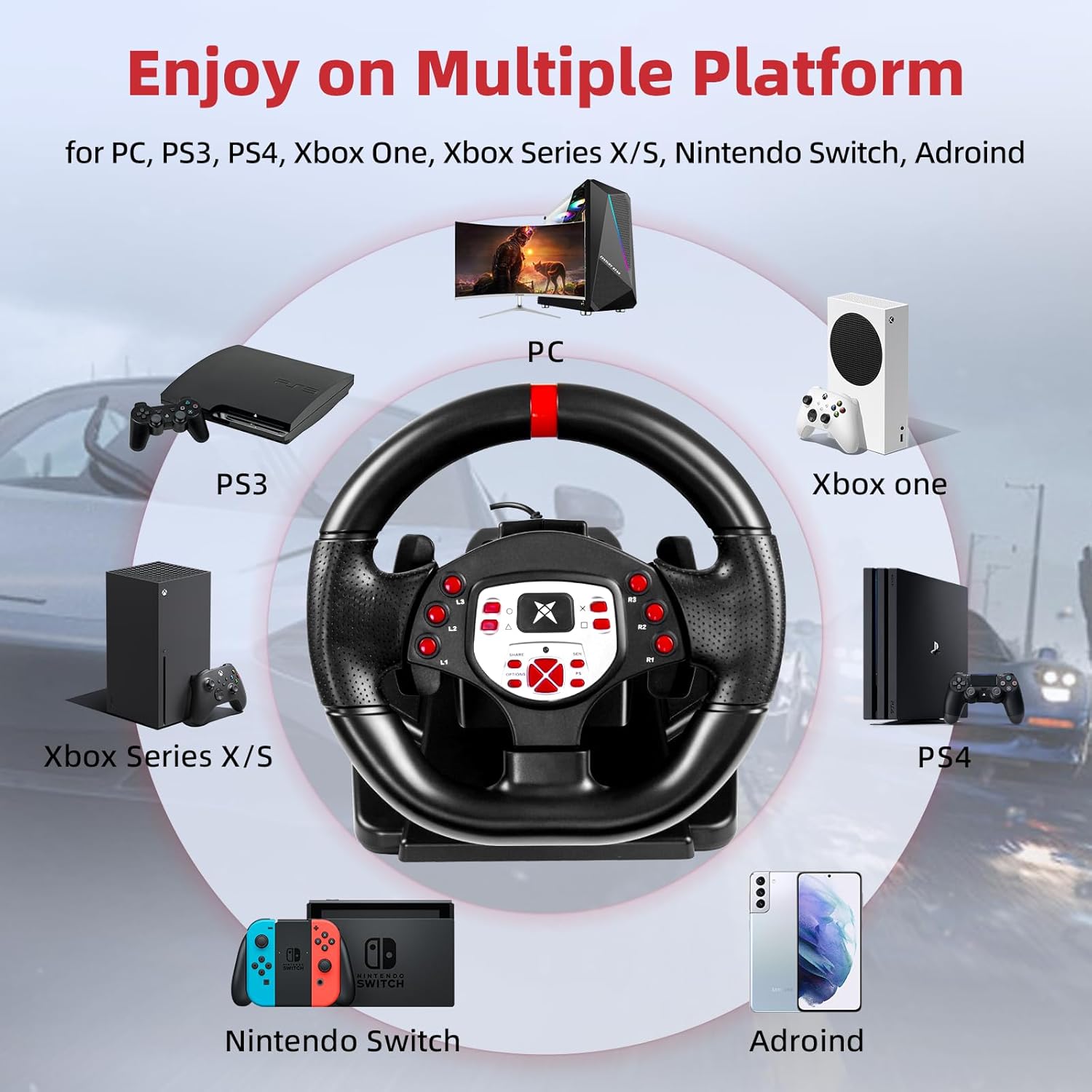
The DOYO Racing Wheel is designed for plug-and-play functionality across supported platforms.

Figure 4.1: Multi-platform compatibility of the racing wheel.
4.1.1 Веза са рачунаром
- Connect the USB cable from the steering wheel unit to an available USB port on your PC.
- The system should automatically detect and install the necessary drivers. If not, manual driver installation may be required (refer to DOYO support webсајт).
4.1.2 PS3/PS4 Connection
- Ensure your console is powered off.
- Connect the USB cable from the steering wheel unit to an available USB port on your PS3 or PS4 console.
- Power on your console. The wheel should be recognized as a controller.
4.1.3 Повезивање са Nintendo Switch-ом
- Go to System Settings > Controllers and Sensors > Pro Controller Wired Communication and set it to 'On'.
- Connect the USB cable from the steering wheel unit to the Nintendo Switch dock's USB port.
- The wheel should be recognized and ready for use.
4.2 Повезивање педалне јединице
Connect the cable from the pedal unit to the designated port on the back of the steering wheel unit.

Figure 4.2: Connection point for the foot pedal unit.
4.3 Монтажа волана
The steering wheel base is equipped with four large suction cups for secure mounting.
- Place the steering wheel unit on a clean, flat, and smooth surface (e.g., a desk or table).
- Press down firmly on the steering wheel base to engage the suction cups.
- Ensure the wheel is stable before use.
Video 4.3: Demonstration of the DOYO 180 Degree PC Racing Wheel and its features, including setup and usage.
5. Упутство за употребу
5.1 Steering Wheel Rotation
The steering wheel provides 180 degrees of rotation, allowing for 90 degrees to the left and 90 degrees to the right from the center position.

Figure 5.1: The steering wheel's 180-degree rotation range.
5.2 Height and Tilt Adjustment
To adjust the steering wheel's position for optimal comfort:
- Locate the adjustment knob or lever on the steering wheel base.
- Rotate the knob or release the lever to unlock the adjustment mechanism.
- Adjust the tilt angle and telescopic length (up to 5cm) to your desired position.
- Secure the adjustment by rotating the knob or engaging the lever.

Figure 5.2: Steering wheel height and tilt adjustment.
5.3 Paddle Shifters
Use the paddle shifters located behind the steering wheel for manual gear changes in compatible games. The left paddle typically shifts down, and the right paddle shifts up.

Figure 5.3: Dual paddle shifters for gear control.
5.4 Pedal Unit Operation
The linear pedal unit provides progressive control for acceleration and braking. Press the right pedal for acceleration and the left pedal for braking.
5.5 Повратна информација о вибрацијама
The dual motor vibration system provides immersive feedback, simulating road conditions, collisions, and other in-game effects.

Figure 5.4: Illustration of dual motor vibration feedback.
5.6 Подешавање осетљивости
The steering wheel features a multi-level sensitivity adjustment. Refer to the on-screen display or indicator on the wheel to select your preferred sensitivity level (e.g., Grade 1-7).

Figure 5.5: Sensitivity adjustment dial on the steering wheel.
6. Одржавање
To ensure the longevity and optimal performance of your DOYO Racing Wheel:
- Чишћење: Use a soft, dry cloth to wipe down the steering wheel and pedal unit. Do not use abrasive cleaners or solvents.
- Складиштење: Чувајте уређај на хладном и сувом месту, даље од директне сунчеве светлости и екстремних температура када се не користи.
- Нега каблова: Avoid bending or twisting cables excessively.
КСНУМКС. Решавање проблема
If you encounter issues with your DOYO Racing Wheel, please refer to the following common solutions:
| Проблем | Могуће решење |
|---|---|
| Wheel not recognized by console/PC |
|
| No vibration feedback |
|
| Педале не реагују |
|
| Steering sensitivity too high/low |
|
If the problem persists, please contact DOYO customer support for further assistance.
8. Спецификације
- Број модела: R180C-PC
- ASIN: B0DXBNTWZG
- Угао ротације: 180 степени
- Компатибилност: ПЦ, ПС4, ПС3, Нинтендо Свитцх
- Вибрација: Dual Motor Feedback
- фиксација: 4 усисних чаша
- Тежина артикла: Приближно 7.24 фунте (3.28 кг)
- Димензије пакета: 13 к 11.5 к 10.5 инча (33 к 29.2 к 26.7 цм)
- Произвођач: ДОИО
9. Гаранција и подршка
DOYO products come with a limited warranty. For detailed warranty information, product support, or to report any issues, please refer to the warranty card included with your product or visit the official DOYO website. Please have your model number (R180C-PC) and purchase information ready when contacting support.