
1. Увод
The MARVO KG955W Shogo 63 is a compact 60% mechanical gaming keyboard designed for versatility and performance. It features tri-mode connectivity (wired, 2.4GHz wireless, and Bluetooth), yellow linear pre-lubed switches, customizable RGB backlighting, and full-key anti-ghosting. This manual provides instructions for setting up, operating, and maintaining your keyboard.
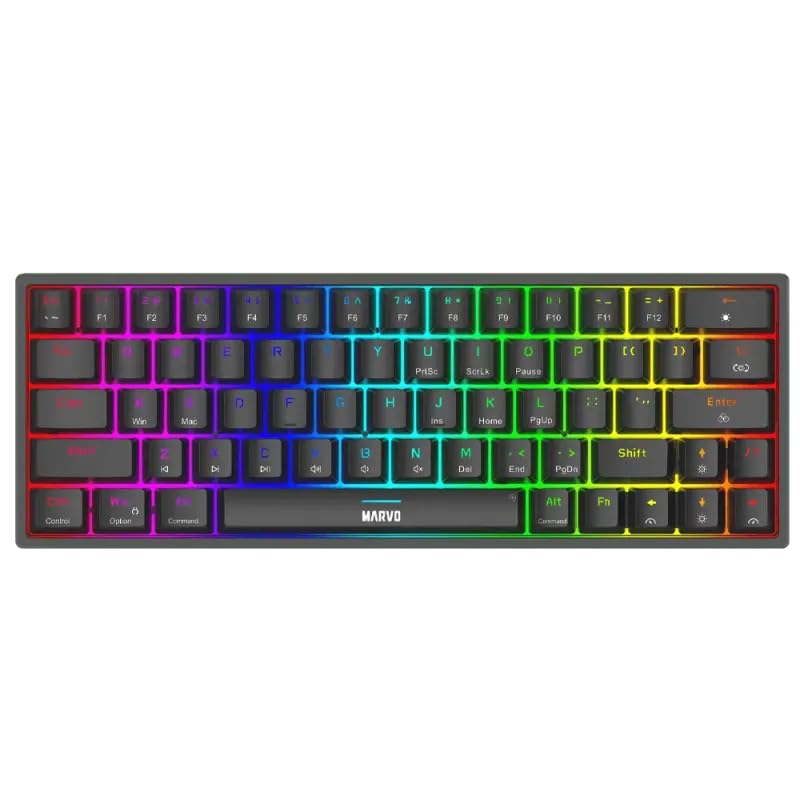
Слика 1.1: Одозго надоле view of the MARVO KG955W keyboard showcasinг његов компактан распоред од 60% и живо RGB позадинско осветљење.
2. Садржај пакета
Молимо вас да проверите пакет за следеће ставке:
- MARVO KG955W Shogo 63 Wireless Mechanical Gaming Keyboard
- Detachable 1.6m braided Type-C USB Cable
- 2.4GHz Wireless Receiver (USB dongle)
- Кориснички приручник (овај документ)
3. Подешавање и повезивање
The KG955W keyboard offers three connectivity modes: Wired, 2.4GHz Wireless, and Bluetooth.
3.1. Жична веза
- Connect the detachable Type-C USB cable to the keyboard's USB-C port.
- Повежите други крај УСБ кабла са доступним УСБ портом на рачунару.
- The keyboard will automatically be detected and ready for use. The keyboard will also charge in wired mode.
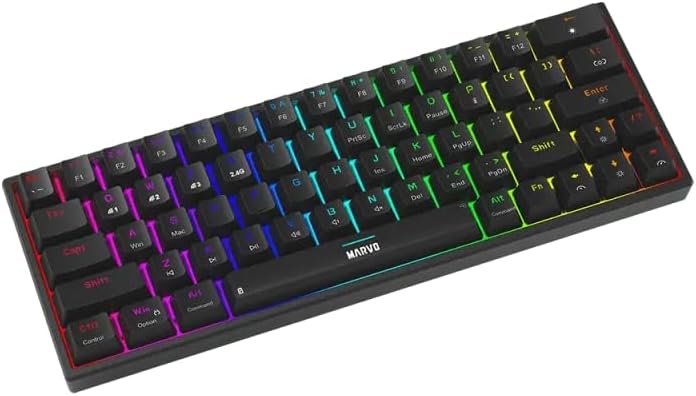
Слика 3.1: Бочна страна view of the keyboard showing the USB-C port for wired connection and charging.
3.2. Бежична веза од 2.4 GHz
- Locate the 2.4GHz USB receiver (dongle) in the package.
- Укључите УСБ пријемник од 2.4 ГХз у слободан УСБ порт на рачунару.
- On the keyboard, switch the mode selector (usually on the back or side) to the 2.4G wireless mode.
- Тастатура би требало да се аутоматски повеже. Ако се не повеже, притисните Фн + Р да започне упаривање.
3.3. Блуетоотх веза
- On the keyboard, switch the mode selector to Bluetooth mode.
- Притисните и држите Фн + К, Фн + В, или Фн + Е for 3-5 seconds to enter pairing mode for Bluetooth device 1, 2, or 3 respectively. The indicator light will flash rapidly.
- На рачунару или уређају омогућите Bluetooth и потражите нове уређаје.
- Select "MARVO KG955W" (or similar name) from the list of available devices to pair.
- Након упаривања, индикаторска лампица на тастатури ће престати да трепери и остати непрекидно светлећа.
The keyboard can store up to three Bluetooth profiles, allowing quick switching between devices using Fn + Q/W/E.
4. Упутство за употребу
The KG955W is a 60% compact keyboard, meaning some functions are accessed via the Fn комбинације тастера.
4.1. Function Key Combinations (Fn Key)
Држите притиснуто Fn key and press the corresponding key for secondary functions:
- Fn + 1-0, -, =: F1-F12 functions (check keycaps for specific mappings).
- Фн + П: Одштампај
- Fn + [ {: Хоме
- Fn + ] }: Крај
- Фн + ; :: Страна горе
- Fn + '": Страна доле
- Fn + тастери са стрелицама: Media controls (e.g., volume up/down, play/pause, next/previous track). Refer to keycap legends.
- Фн + Победа: Lock/Unlock Windows key.
4.2. Контрола RGB позадинског осветљења
The keyboard features customizable RGB backlighting. Use the following combinations to control the lighting effects:
- Fn + \ |: Change lighting mode.
- Фн + ↑: Повећајте осветљеност.
- Фн + ↓: Смањите осветљеност.
- Фн + ←: Decrease lighting speed.
- Фн + →: Increase lighting speed.
- Фн + размакница: Промена боје позадинског осветљења (за статичке режиме).
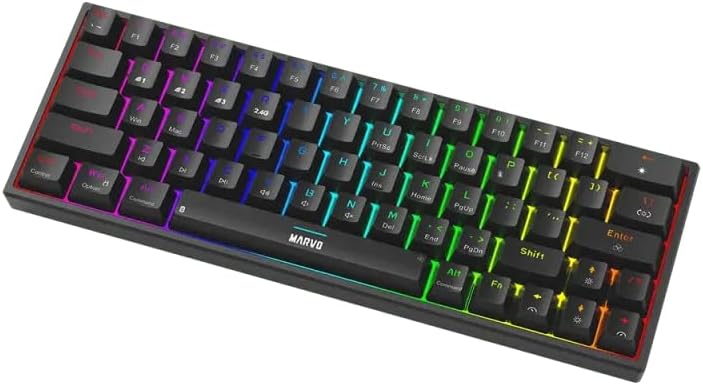
Image 4.1: The keyboard displaying its customizable RGB backlighting in a dynamic pattern.
4.3. Статус батерије
The keyboard has an integrated battery for wireless operation. An indicator light will typically show low battery status or charging status. Refer to the specific LED indicators on your keyboard for details.
5. Одржавање
Правилно одржавање осигурава дуготрајност и перформансе ваше тастатуре.
- Чишћење: Use a soft, dry cloth to wipe the keyboard surface. For deeper cleaning, use compressed air to remove dust and debris from between the keycaps. Avoid using harsh chemicals or abrasive materials.
- Складиштење: Чувајте тастатуру на хладном и сувом месту, даље од директне сунчеве светлости и екстремних температура.
- Нега каблова: Handle the detachable USB-C cable carefully. Avoid bending or twisting it excessively.

Image 5.1: Illustration of a hot-swappable switch, demonstrating the ease of maintenance and customization for individual key switches.
КСНУМКС. Решавање проблема
If you encounter issues with your MARVO KG955W keyboard, refer to the following common solutions:
| Проблем | Решење |
|---|---|
| Тастатура не реагује (жичана) |
|
| Keyboard not responding (2.4GHz Wireless) |
|
| Тастатура не реагује (Блутут) |
|
| RGB осветљење не ради или је неисправно |
|
| Тастери се не региструју или се куцају двапут |
|
7. Спецификације
| Феатуре | Детаљ |
|---|---|
| Назив модела | MARVO KG955W Shogo 63 |
| Тип тастатуре | Mechanical, 60% TKL (Tenkeyless) |
| Прекидачи | Yellow Linear, Pre-lubed, Hot-swappable |
| Повезивање | Wired (USB-C), 2.4GHz Wireless, Bluetooth (Tri-mode) |
| Анти-Гхостинг | Full-key Anti-Ghosting |
| Позадинско осветљење | Customizable RGB |
| Кабл | Detachable 1.6m braided Type-C USB |
| Материјал | Пластика |
| Тежина | 460 грама |
| Компатибилан ОС | Windows (also compatible with other systems via Bluetooth/2.4G) |
| Број кључева | 63 |
8. Информације о гаранцији
The MARVO KG955W Shogo 63 Wireless Mechanical Gaming Keyboard comes with a 6 месеци гаранције from the date of purchase. This warranty covers manufacturing defects and malfunctions under normal use. It does not cover damage caused by misuse, accidents, unauthorized modifications, or normal wear and tear. Please retain your proof of purchase for warranty claims.
9. Подршка
For technical support, troubleshooting assistance beyond this manual, or warranty inquiries, please contact MARVO customer service through their official website or the retailer where the product was purchased. Please have your product model number (KG955W) and proof of purchase ready when contacting support.