
1. Производ је готовview
The UNIWA F41 is a rugged 4G Android mobile phone designed with walkie-talkie capabilities, featuring a durable build, long-lasting battery, and support for various communication applications like Zello. It combines smartphone functionality with push-to-talk (PTT) features, making it suitable for professional and outdoor use.

Слика 1: Предње и задње view of the UNIWA F41 device, showing the display, keypad, PTT button, and rear clip.
Кључне карактеристике:
- Оперативни систем: Андроид 8.1
- процесор: MT6739 Quad Core
- Меморија: 1GB RAM + 8GB ROM (expandable up to 64GB with Micro SD)
- Приказ: 2.4-inch IPS capacitive touch screen (320x240 resolution)
- батерија: Removable 4600mAh Li-Polymer battery with 10W fast charging
- Трајност: IP54 waterproof, drop, and shockproof
- Повезивање: 2G/3G/4G global network bands, Wi-Fi (2.4GHz/5GHz), Bluetooth 4.2, GPS/BeiDou/GLONASS
- камере: 5МП напред, 8МП задњи
- аудио: Front Φ36/3 Watt BOX Speaker
- Посебне карактеристике: Zello intercom, Smart PTT, Posctar support, NFC for patrolling, SOS button, Dual SIM
2. Садржај пакета
Проверите да ли су све ставке присутне у пакету:
- UNIWA F41 Talkie Walkie Smartphone (x1)
- Power Adapter (5V/2A) (x1)
- УСБ кабл (к1)
- Клип (к1)
- Антена (к1)
- Упутство за употребу (к1)

Слика 2: Contents of the UNIWA F41 retail package.
3. Подешавање
3.1. Инсталација батерије и почетно пуњење
- Уклоните задњи поклопац уређаја.
- Insert the 4600mAh Li-Polymer battery into the battery compartment, ensuring the contacts align.
- Вратите задњу маску безбедно.
- Connect the provided USB cable to the device's USB Type-C port and the power adapter.
- Укључите адаптер за напајање у зидну утичницу.
- Charge the device for at least 1 hour before initial use. The charging indicator will show progress.

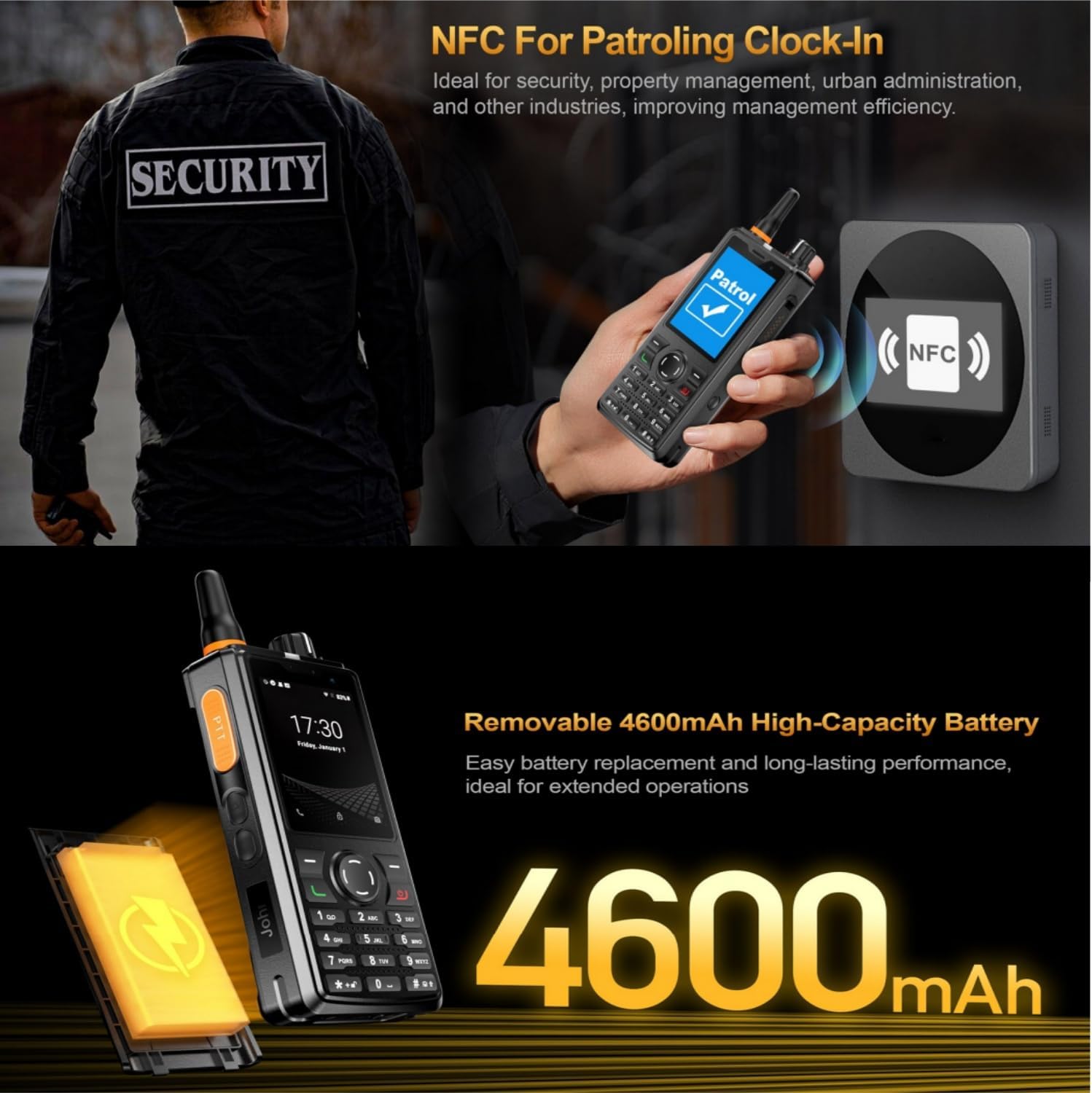
Слика 3: The UNIWA F41 device with its high-capacity 4600mAh removable battery.
3.2. Инсталација SIM картице и Micro SD картице
The device supports dual SIM cards and one TF (Micro SD) card.
- With the device powered off, remove the back cover and battery.
- Locate the SIM card slots (SIM Card Slot *2) and TF Card Slot *1.
- Carefully insert your SIM card(s) into the designated slots with the gold contacts facing down.
- Insert your Micro SD card (up to 64GB) into the TF card slot.
- Поново инсталирајте батерију и задњи поклопац.
3.3. Прикључак антене
Screw the provided antenna onto the top of the device until it is finger-tight. Ensure it is securely attached for optimal signal reception.
4. Упутство за употребу
4.1. Укључивање/искључивање
- Укључено: Притисните и држите дугме за напајање (обично са стране) док се екран не упали.
- Искључивање: Притисните и држите дугме за напајање, а затим изаберите „Искључивање“ из опција на екрану.
4.2. Основна навигација
The UNIWA F41 features a 2.4-inch IPS capacitive touch screen and a T9 keypad for navigation.
- Екран на додир: Додирните да бисте изабрали, превуците за померање.
- Тастатура: Use the directional keys for menu navigation and the central button to confirm selections.
- Дугме за назад: Враћа се на претходни екран.
- Хоме дугме: Враћа се на почетни екран.

Слика 4: The 2.4-inch IPS capacitive touch screen of the UNIWA F41, displaying various application icons.
4.3. Using Walkie-Talkie (Zello/PTT) Functionality
The UNIWA F41 is pre-adapted for popular PTT applications like Zello, Real PTT, and Pocstar.
- Ensure you have an active internet connection (Wi-Fi or 4G).
- Open your preferred PTT application (e.g., Zello).
- Пријавите се или направите налог.
- Join a channel or contact.
- Press and hold the dedicated PTT Intercom Button (located on the side) to transmit your voice. Release to listen.
- Use the Group Switching Knob (if available on your model) to quickly switch between talk groups.

Слика 5: The UNIWA F41 showcasing its integration with Zello and other PTT applications, highlighting the ergonomic PTT button.
4.4. Network Connectivity (4G, Wi-Fi, Bluetooth)
- 4G мрежа: Ensure your SIM card supports the device's network bands (2G: GSM850/900/1800/1900MHz; 3G: WCDMA B1/B2/B5/B8, TD-SCDMA B34/B39; 4G: FDD-LTE:B1/B3/B7/B8/B20; TDD-LTE:B38/B39/B40/B41). The device will automatically connect to available cellular networks.
- Ви-Фи: Идите на Подешавања > Мрежа и интернет > Wi-Fi да бисте се повезали са доступним Wi-Fi мрежама.
- Блуетоотх: Идите у Подешавања > Повезани уређаји > Bluetooth да бисте упарили уређај са Bluetooth додацима.

Слика 6: The UNIWA F41's capability to support global 2G/3G/4G network bands for seamless communication.
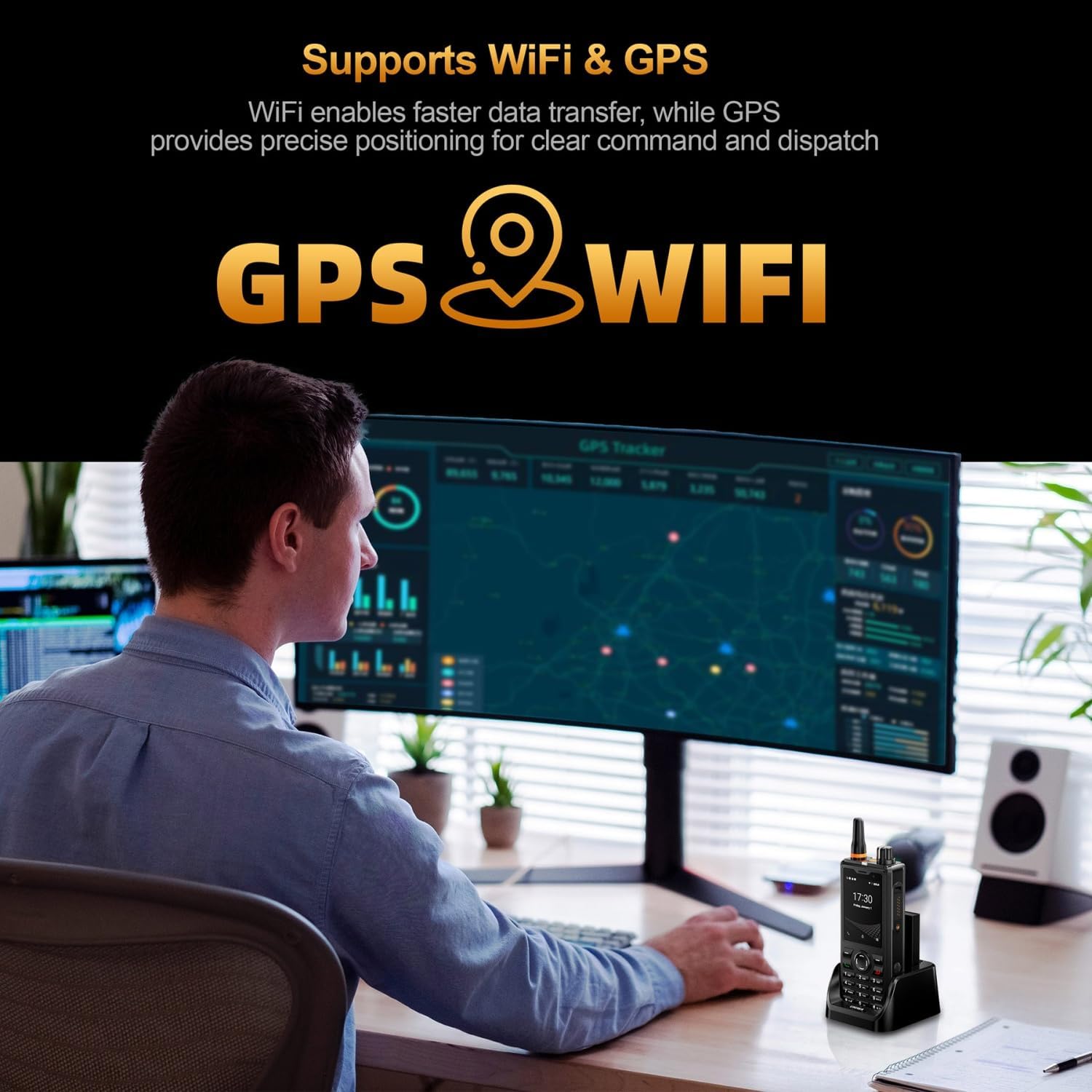
Слика 7: Illustration of the UNIWA F41's integrated WiFi for faster data and GPS for precise positioning.
4.5. Употреба камере
The device features a 5MP front camera and an 8MP rear camera.
- Отворите апликацију Камера са почетног екрана или из фиоке апликација.
- Додирните дугме затварача да бисте снимили фотографију.
- Пребацујте се између предње и задње камере помоћу иконе за пребацивање камере.
- Изаберите видео режим за снимање видео записа.
Слика 8: The UNIWA F41's dual camera system, featuring a 5MP front camera and an 8MP rear camera for high-definition capture.
4.6. NFC функционалност
The built-in NFC can be used for applications such as patrolling clock-in.
- Ensure NFC is enabled in Settings.
- Open the relevant NFC-enabled application.
- Tap the device near an NFC tag or reader to perform the desired action (e.g., clock-in).

Слика 9: The UNIWA F41 utilizing its NFC feature for applications like patrolling clock-in, ideal for various industries.
4.7. SOS Emergency Call
The device includes a dedicated SOS button for emergency situations.
- Configure emergency contacts in the device settings.
- In an emergency, press the SOS Button (usually on the side) to initiate an emergency call or send an SOS message to pre-set contacts.
5. Одржавање
5.1. Чишћење уређаја
- Use a soft, lint-free cloth to wipe the screen and body of the device.
- За тврдокорну прљавштину, благо дampобришите крпу водом или благим средством за чишћење екрана.
- Avoid using harsh chemicals, abrasive cleaners, or aerosols.
- Уверите се да су сви портови суви пре пуњења или повезивања додатне опреме.
5.2. Брига о батерији
- Пре прве употребе напуните батерију до краја.
- Избегавајте екстремне температуре, јер могу смањити перформансе батерије.
- Немојте бушити, растављати или кратко спајати батерију.
- Ако уређај неће бити коришћен дуже време, напуните га до око 50% и чувајте га на хладном и сувом месту.
5.3. Ажурирања софтвера
Important Note: Currently, the F41 only supports Android 8.1. Do not upgrade the Android version, otherwise the phone will not work.
Regularly check for official software updates from UNIWA to ensure optimal performance and security. Follow the instructions provided by the update notification or check in Settings > System > System update.
КСНУМКС. Решавање проблема
| Проблем | Могући узрок | Решење |
|---|---|---|
| Уређај се не укључује. | Low battery; Battery not installed correctly; Software issue. | Charge the device for at least 1 hour. Reinstall the battery. Perform a force restart (refer to device specific instructions if available). |
| Нема мрежног сигнала. | SIM card not inserted correctly; Out of network coverage; Incorrect network settings. | Reinsert SIM card. Move to an area with better coverage. Check APN settings in Network & Internet settings. Ensure antenna is securely attached. |
| Функција ПТР не ради. | No internet connection; PTT app not configured; App permissions. | Verify Wi-Fi or 4G connection. Ensure PTT app is logged in and configured correctly. Check app permissions for microphone and network access. |
| Батерија се брзо празни. | High screen brightness; Many apps running in background; Poor network signal. | Reduce screen brightness. Close unused apps. Disable Wi-Fi/Bluetooth when not in use. Use power-saving mode. |
| Уређај је спор или не реагује. | Too many apps open; Low storage; Software glitch. | Close background apps. Clear cache. Free up storage space. Restart the device. |
| Cannot upgrade Android version. | Device limitation. | The UNIWA F41 is designed to operate on Android 8.1. Attempting to upgrade may cause the device to malfunction. Do not upgrade the Android version. |
| Speaker volume is low or distorted. | Volume settings; Speaker obstruction; Software issue. | Increase volume using the volume buttons. Ensure speaker is not blocked. Restart the device. |
| GPS not accurate. | Poor satellite signal; GPS settings. | Уверите се да сте на отвореном простору са ведрим небом view. Check location settings and ensure GPS is enabled. |
| NFC not working. | NFC disabled; Incorrect positioning. | Enable NFC in settings. Ensure the device's NFC area is close to the tag/reader. |
7. Спецификације
| Феатуре | Детаљ |
|---|---|
| Бранд | УНИВА |
| Модел | Ф41 |
| Оперативни систем | Андроид 8.1 |
| ЦПУ | MT6739 Quad Core |
| Меморија (РАМ) | 1ГБ |
| Складиштење (РОМ) | 8ГБ |
| Екпандабле Стораге | До 64 ГБ (микро СД) |
| Подршка за СИМ картицу | Дуал СИМ |
| Величина екрана | 2.4 инча |
| Дисплаи Типе | IPS капацитивни екран осетљив на додир |
| Резолуција екрана | 320к240 |
| Задња камера | 8МП |
| Предња камера | 5МП |
| Капацитет батерије | 4600mAh Li-Polymer (Removable) |
| Пуњење | 10W Fast Charging, USB Type-C, Dock charging connectors |
| Димензије | 135.6 к 60.5 к 26.0 мм |
| Тежина | 265g (including battery and clip) |
| Отпорност на воду/прашину | IP54 Waterproof, Drop and Shockproof |
| Нетворк Бандс | 2G: GSM850/900/1800/1900MHz; 3G: WCDMA B1/B2/B5/B8, TD-SCDMA B34/B39; 4G: FDD-LTE:B1/B3/B7/B8/B20; TDD-LTE:B38/B39/B40/B41 |
| Ви-Фи | КСНУМКСГХз / КСНУМКСГХз |
| Блуетоотх | БТ4.2 |
| ГНСС | ГПС/БеиДоу/ГЛОНАСС |
| НФЦ | Да |
| Спеакер | Front Φ36/3 Watt BOX Speaker |
| Дугмад | PTT Intercom Button, Volume +/-, SOS Button, Customize Button, T9 Keypad |
| Прикључак за слушалице | M6 Headphone Jack |
| Радна температура | -20℃ до +60℃ |
8. Безбедносне информације
- Пажљиво прочитајте сва упутства пре употребе уређаја.
- Не излажите уређај екстремним температурама, директној сунчевој светлости или прекомерној влази.
- Use only manufacturer-approved accessories (battery, charger, antenna).
- Не покушавајте сами да растављате, поправљате или модификујете уређај. Обратите се квалификованом сервисеру.
- Одложите уређај и батерију одговорно у складу са локалним прописима.
- Avoid using the device while driving or operating heavy machinery.
- Maintain a safe distance from medical implants (e.g., pacemakers) when using the device.
- The device is IP54 rated for water and dust resistance, but it is not fully submersible. Avoid prolonged exposure to water.
9. Гаранција и подршка
For warranty information, please refer to the warranty card included with your product or contact UNIWA customer support. Keep your purchase receipt as proof of purchase.
For technical support or service inquiries, please contact your retailer or visit the official UNIWA webсајт за контакт детаље.