
1. Увод
The OSCOO T10 is a high-performance 512GB external Solid State Drive (SSD) designed for rapid data transfer and versatile compatibility. Featuring both USB Type-C and Type-A connectors, it offers seamless connectivity across a wide range of devices, including smartphones, tablets, laptops, and gaming consoles. Its robust zinc alloy construction ensures durability and efficient heat dissipation, making it an ideal solution for professionals and everyday users requiring reliable portable storage.
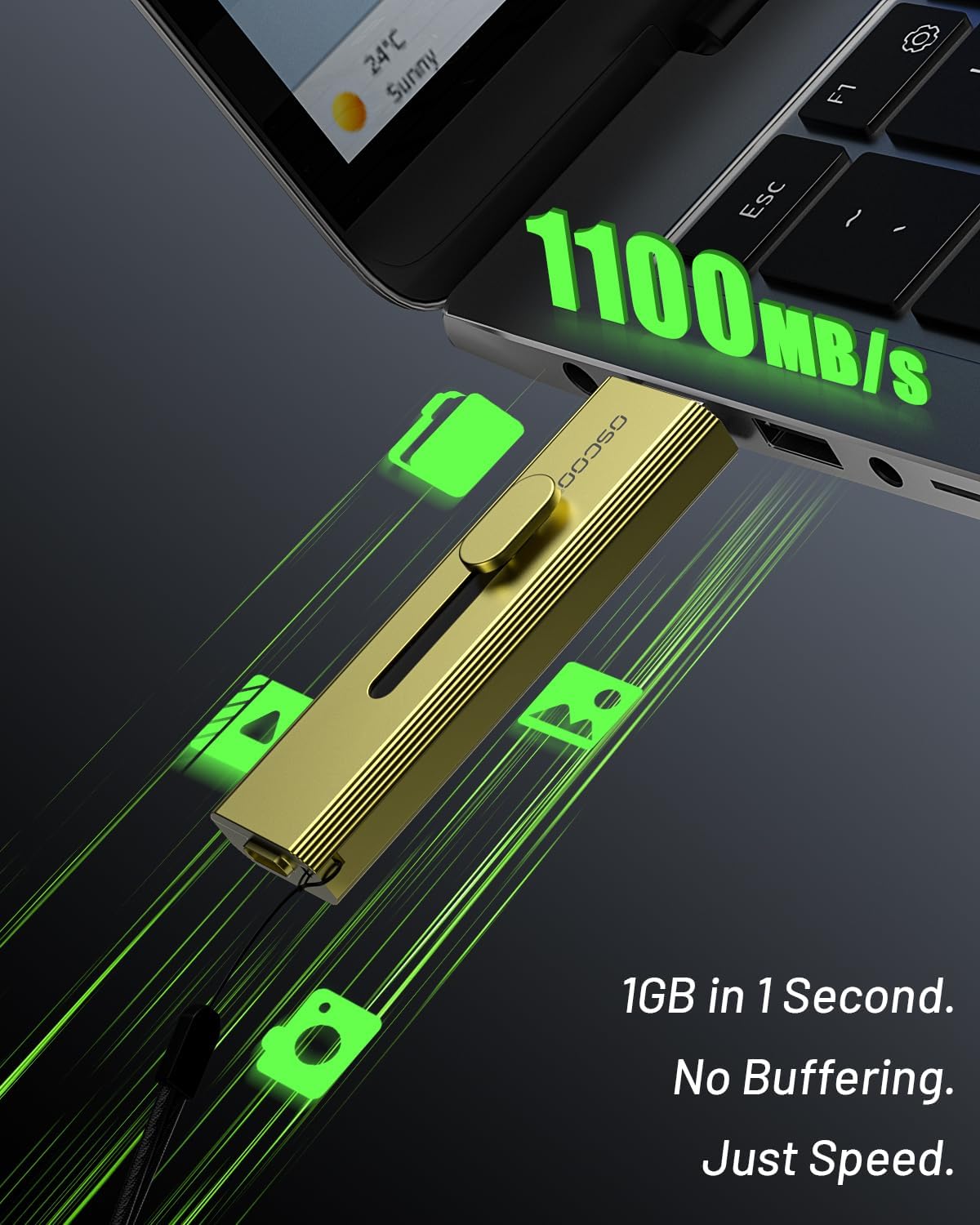
Figure 1: OSCOO T10 512GB External SSD Hard Drive
2. Карактеристике производа
- Пренос података велике брзине: Achieves read speeds up to 1100MB/s, enabling quick transfer of large files, 4K videos, and RAW photos.
- 4K ProRes Recording Capability: Supports direct 4K 120fps ProRes recording on compatible iPhone 15/16/17 series devices, ideal for content creation.
- Dual-Port Connectivity: Equipped with both USB-C and USB-A connectors (USB 3.2 Gen 2), ensuring broad compatibility with various devices without requiring adapters.
- Издржљива конструкција: Crafted from premium zinc alloy, providing shock resistance, efficient heat dissipation, and silent operation.
- Advanced Data Management Features: Includes TRIM support, SMART monitoring, LDPC ECC error correction, and wear leveling for long-term performance and data integrity.
3. Садржај пакета
Проверите да ли су све ставке присутне у вашем пакету:
- OSCOO T10 External SSD Hard Drive
- Привезак (може бити претходно причвршћен или укључен засебно)
4. Подешавање и повезивање
The OSCOO T10 features a convenient 3-step push-pull mechanism to switch between USB-A and USB-C connectors.

Figure 2: 3-Step Push-Pull Port Mechanism
- Идентификујте конектор: Determine whether your device requires a USB-A or USB-C connection.
- Продужите конектор: Gently push the slider on the SSD to extend the appropriate connector (USB-A or USB-C).
- Повежите се са уређајем: Insert the extended connector into the corresponding port on your smartphone, tablet, laptop, or other compatible device.
The device is plug-and-play, meaning no additional drivers are typically required for basic functionality.

Figure 3: OSCOO T10 connected to various devices
5. Упутство за употребу
5.1 File Transfer with iOS Devices (iPhone 15 Pro exampле)
The OSCOO T10 allows for direct file transfer and storage expansion for compatible iOS devices.
Video 1: Product Usage Guidance for T10 flash drive (iOS and Android file transfer demonstration)
- Connect the OSCOO T10 to your iPhone via the USB-C port.
- Open the 'Files' app on your iPhone.
- Navigate to 'Browse' and select 'OSCOO T10' under Locations.
- За пренос files from iPhone to T10: Open 'Photos', select desired photos/videos, tap the Share icon, then 'Save to Files', and choose 'OSCOO T10'.
- За пренос files from T10 to iPhone: In the 'Files' app, open 'OSCOO T10', select desired files, tap the Share icon, then 'Save Image/Video' to save to your iPhone's Photos app.

Figure 4: Smartphone Storage Expansion with OSCOO T10
5.2 File Transfer with Android Devices
The OSCOO T10 can be used to expand storage and transfer files on Android devices that support OTG (On-The-Go) functionality.
Video 2: Product Usage Guidance for T10 flash drive (iOS and Android file transfer demonstration)
- Connect the OSCOO T10 to your Android phone via the USB-C port.
- A notification may appear asking to open a file manager. Select 'My Files' or a similar file апликација за управљање.
- The OSCOO T10 will appear as an external storage device (e.g., 'OTG', 'USB Drive', 'OSCOO T10').
- За пренос files from Android to T10: Open 'Photos' or your gallery app, select desired media, tap the Share/Move icon, and choose the OSCOO T10 as the destination.
- За пренос files from T10 to Android: In your file manager, open 'OSCOO T10', select desired files, and choose to 'Move' or 'Copy' them to your device's internal storage (e.g., DCIM folder for photos).
5.3 File Transfer with Laptops and PCs
The OSCOO T10 provides fast and reliable data transfer with computers.
Video 3: OSCOO T10 Portable SSD, USB 3.2 Gen 2 (demonstrates computer usage)
- Connect the OSCOO T10 to an available USB-A or USB-C port on your computer.
- The SSD will appear as a removable drive in 'This PC' (Windows) or 'Finder' (macOS).
- Превуците и испустите files to and from the OSCOO T10 drive icon to transfer data.
- For optimal speeds (up to 1100MB/s), ensure your computer's port supports USB 3.2 Gen 2, USB 3.2 Gen2x2, or Thunderbolt 4/5 interfaces.

Figure 5: High-Speed Data Transfer with OSCOO T10
6. Одржавање
- Безбедно уклањање: Always safely eject the OSCOO T10 from your device before unplugging it to prevent data corruption.
- Физичка нега: Keep the SSD clean and free from dust and debris. Avoid exposing it to extreme temperatures or moisture. The zinc alloy casing provides good protection, but proper care extends its lifespan.
- Ажурирања фирмвера: Periodically check the OSCOO official webсајт за сва доступна ажурирања фирмвера како би се осигурале оптималне перформансе и компатибилност.
КСНУМКС. Решавање проблема
- Уређај није препознат:
- Ensure the SSD is fully inserted into the port.
- Пробајте други УСБ порт на вашем уређају.
- Поново покрените рачунар или мобилни уређај.
- Verify that your mobile device supports OTG functionality if connecting to a smartphone/tablet.
- Споре брзине преноса:
- Ensure you are using a USB 3.2 Gen 2 (or higher) compatible port on your host device. Older USB 2.0/3.0 ports will result in slower speeds.
- Затворите остале апликације које можда користе системске ресурсе или обављају преносе података у позадини.
- Check the health of the SSD using SMART monitoring tools (if available on your operating system).
- Корупција података:
- Увек безбедно избаците диск пре искључивања.
- If issues persist, consider reformatting the drive (this will erase all data).
8. Спецификације
| Феатуре | Спецификација |
|---|---|
| Капацитет дигиталног складиштења | 512 ГБ |
| Хард Диск Интерфаце | USB 2.0/3.0 (backward compatible) |
| Технологија повезивања | USB (Type-C and Type-A) |
| Повезивање хардвера | УСБ 3.2 Ген 2 |
| Брзина читања | До 1100 мегабајта у секунди |
| Број модела | Т10 |
| Компатибилни уређаји | Desktop, Gaming Console, Laptop, Smartphone, Tablet |
| Посебне карактеристике | Backward Compatible, Dust Resistant, Native Command Queuing, Portable, Waterproof (refer to product details for specific IP rating if available) |
| Тежина артикла | 45.6 грама |
9. Гаранција и подршка
OSCOO products are designed for reliability and performance. For warranty information, technical support, or customer service inquiries, please refer to the official OSCOO webсајт или контактирајте продавца. Сачувајте доказ о куповини за потребе гаранције.