
Увод
This manual provides instructions for the HOUSBAY Sunrise Alarm Clock with Bluetooth Speaker & Radio, Model TS9RA. Please read this manual thoroughly before using the device to ensure proper operation and to maximize its features.

Image: The HOUSBAY Sunrise Alarm Clock, an all-in-one device combining a sunrise alarm, FM radio, Bluetooth speaker, and night light.
Безбедносне информације
- Уверите се да је уређај постављен на стабилну, равну површину.
- Не излажите уређај води или прекомерној влази.
- Користите само испоручени адаптер за напајање.
- Чувати ван домашаја деце.
- Не покушавајте сами да раставите или поправите уређај. Обратите се корисничкој подршци за помоћ.
Садржај пакета
- HOUSBAY Sunrise Alarm Clock (Model TS9RA)
- Повер Адаптер
- Упутство за употребу
Сетуп
1. Прикључак за напајање
- Прикључите адаптер за напајање на DC улазни порт на задњој страни будилника.
- Укључите адаптер за напајање у стандардну електричну утичницу.
- The display will illuminate, indicating the device is powered on.
2. Почетно подешавање времена
Upon first power-on, the clock may display a default time. Refer to the "Operating Instructions" section for detailed steps on setting the correct time and date.
3. FM Antenna Setup
For optimal FM radio reception, extend the integrated antenna fully. Position the antenna for the best signal quality.
Упутство за употребу
Подешавање времена и датума
- Притисните тастер Тиме Сет button (usually indicated by a clock icon).
- Користите +/- дугмад за подешавање сата, а затим притисните Тиме Сет поново да потврдим.
- Поновите за минуте, годину, месец и дан.
- Притисните Тиме Сет још једном да бисте изашли из режима подешавања.
Alarm Setting (Sunrise & Sound)
- Притисните тастер Аларм button (bell icon).
- Користите +/- дугмад да бисте подесили жељено време аларма. Притисните Аларм потврдити.
- Select your preferred wake-up sound (e.g., birdsong, ocean waves, piano, FM radio) using the Звук дугме.
- Adjust the sound volume using the +/- дугмад.
- Set the sunrise simulation duration (0-60 minutes) before the alarm time. The light will gradually brighten during this period.
- Choose your wake-up mode: Само звук, Sunrise Only, или Sunrise & Sound.
- Притисните Аларм да сачувате и активирате аларм.
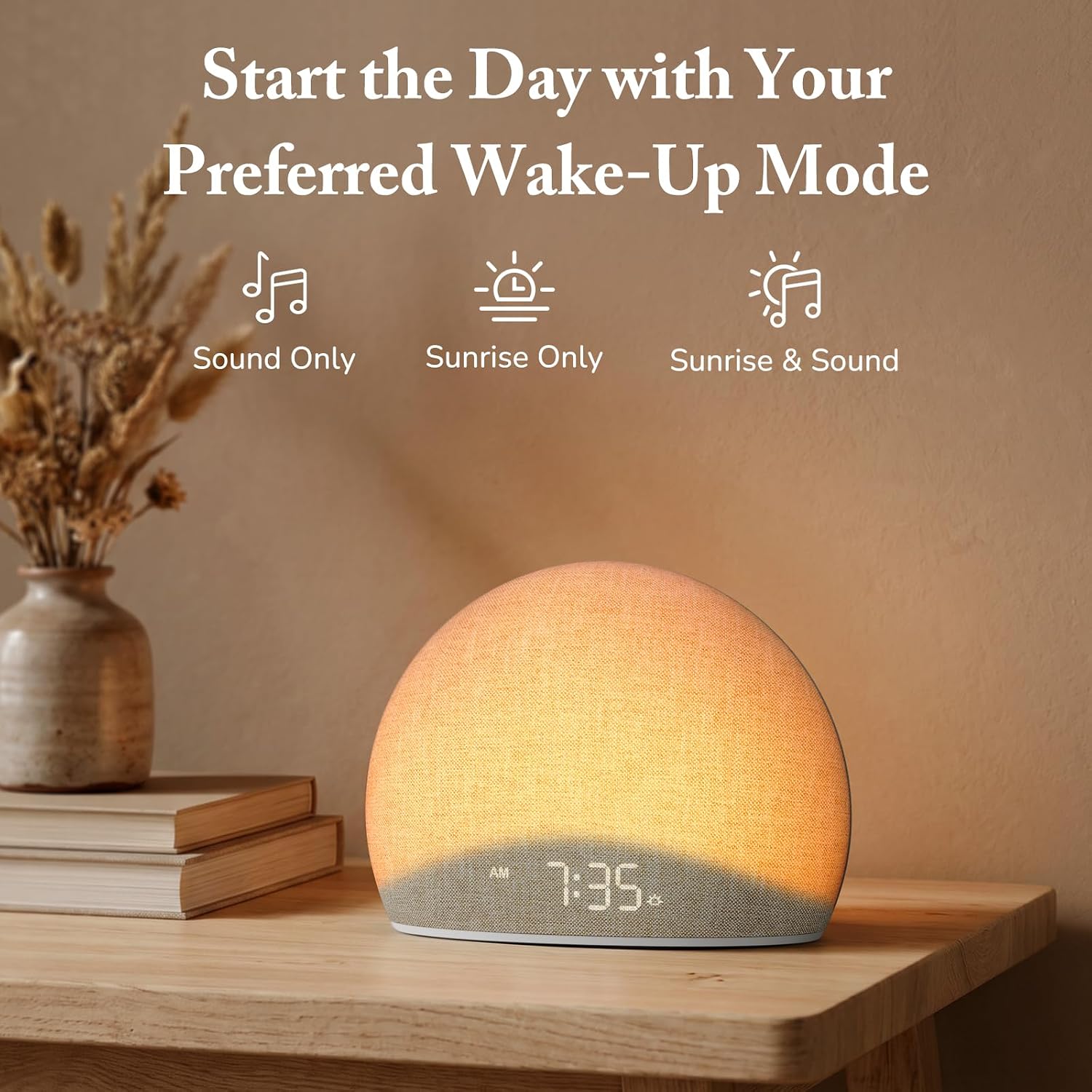
Image: The alarm clock offers three distinct wake-up modes: sound only, sunrise light only, or a combination of both.

Image: A selection of five natural wake-up sounds and FM radio options are available to customize your morning alarm.
Функција ноћног светла
- Притисните тастер Светлост button (sun icon) to turn on the night light.
- Притисните тастер Светлост button repeatedly to cycle through different colors and brightness levels.
- To turn off the night light, press and hold the Светлост button or cycle through all options until it turns off.

Image: The device functioning as a night light, emitting a soft red glow at 10:30 PM.
Режим Блуетоотх звучника
- Притисните тастер Блуетоотх button (Bluetooth symbol) to enter Bluetooth pairing mode. The display will show "BT" or a flashing Bluetooth icon.
- On your mobile device, enable Bluetooth and search for "HOUSBAY TS9RA" or a similar device name.
- Select the device to pair. A confirmation sound will indicate successful pairing.
- You can now stream audio from your device to the HOUSBAY alarm clock.
- Да бисте прекинули везу, притисните Блуетоотх button again or disconnect from your mobile device.
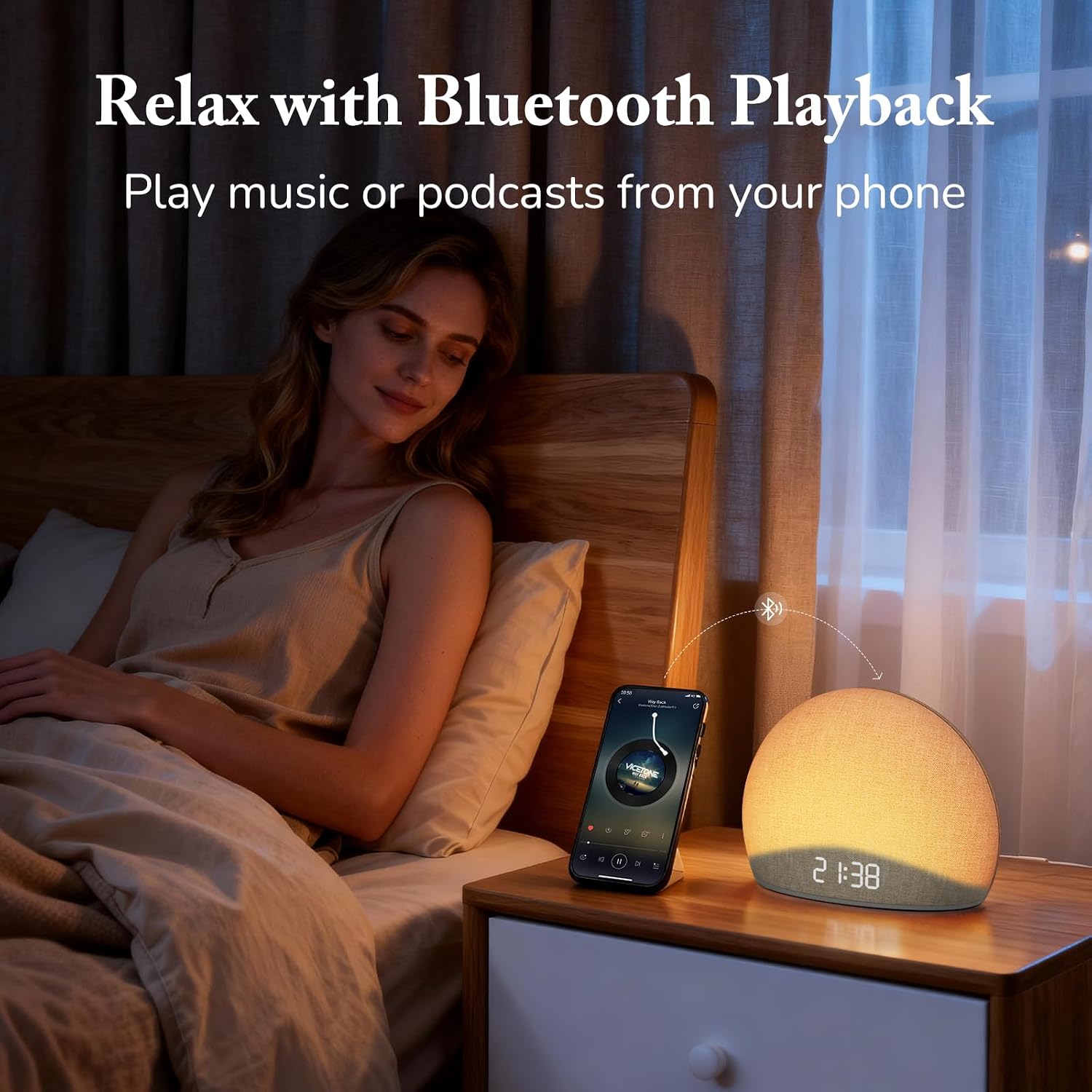
Image: The alarm clock connected via Bluetooth, playing music from a smartphone for relaxation.
Видео: Оверview of the HOUSBAY Sunrise Alarm Clock Radio for Bedroom, demonstrating its features including Bluetooth connectivity.
Видео: Кратак уводview demonstrating the Bluetooth connectivity feature of the HOUSBAY Sunrise Alarm Clock.
Режим ФМ радија
- Притисните тастер ФМ Радио button (radio icon) to turn on the FM radio.
- Притисните и држите ФМ Радио button to initiate an automatic scan for available stations. The clock will save detected stations.
- Користите +/- buttons to cycle through saved FM stations.
- Подесите јачину звука помоћу наменских контрола јачине звука.
- Да бисте искључили ФМ радио, притисните ФМ Радио дугме поново.

Image: The alarm clock displaying the time 9:00, with visual cues suggesting active FM radio functionality.
Подешавање осветљености екрана
To ensure a sleep-friendly environment, the clock's display brightness can be adjusted or turned off completely.
- Лоцирајте Дисплаи Бригхтнесс button (often a sun or dimmer icon).
- Press the button repeatedly to cycle through various brightness levels, including off.
- Изаберите жељену осветљеност.

Image: The alarm clock with its display dimmed to a low setting, suitable for a dark bedroom environment.
Одржавање
- Чишћење: Користите меку, суву крпу за чишћење површине уређаја. Не користите течна средства за чишћење или абразивне материјале.
- Складиштење: If storing the device for an extended period, unplug it from the power source and store it in a cool, dry place.
- Нега тканина: The fabric finish can be gently wiped with a slightly damp cloth if necessary, then immediately dried.
Решавање проблема
| Проблем | Могући узрок | Решење |
|---|---|---|
| Уређај се не укључује. | Адаптер за напајање није повезан или је утичница неисправна. | Ensure the power adapter is securely plugged into both the device and a working electrical outlet. Try a different outlet. |
| Блуетоотх упаривање није успело. | Device not in pairing mode; mobile device too far; interference. | Ensure the alarm clock is in Bluetooth pairing mode (flashing BT icon). Move your mobile device closer. Restart both devices and try again. |
| Слаб ФМ радио пријем. | Antenna not extended or positioned correctly; weak signal. | Fully extend the FM antenna and adjust its position for better signal. Perform an auto-scan for stations again. |
| Alarm does not sound/light. | Alarm not activated; volume too low; incorrect mode selected. | Verify the alarm is set and activated. Check the alarm volume. Ensure the correct wake-up mode (Sound Only, Sunrise Only, or both) is selected. |
| Екран је празан или не реагује. | Display brightness set to off; temporary software glitch. | Press the Display Brightness button to cycle through brightness levels. If unresponsive, unplug the device for a few minutes and then plug it back in to reset. |
Спецификације
| Феатуре | Детаљ |
|---|---|
| Бранд | ХОУСБАИ |
| Број модела | TS9RA |
| Дисплаи Типе | Дигитал |
| Извор напајања | Цордед Елецтриц |
| Димензије производа (Ш x В) | 6.3" Ш x 4.72" В |
| Тежина артикла | 0.7 кг |
| Посебне карактеристике | Sunrise Alarm, Bluetooth Speaker, FM Radio, Dimmable Night Light, Adjustable Display |
| Материјал | Wood (Frame), Fabric Finish |
Гаранција
This HOUSBAY product is covered by a manufacturer's warranty. For specific details regarding warranty coverage, duration, and terms, please refer to the warranty card included with your purchase or contact HOUSBAY customer support.
Корисничка подршка
For any questions, technical assistance, or warranty claims, please contact HOUSBAY customer support through their official webсајт или контакт информације које сте добили уз паковање производа.
Такође можете посетити HOUSBAY Store on Amazon за више информација о производу и ресурсе за подршку.