
1. Увод
Welcome to the Noise ColorFit Pulse 4 Pro Smartwatch user manual. This guide provides essential information for setting up, operating, and maintaining your new smartwatch. Please read this manual thoroughly to ensure proper use and to maximize your device's features.
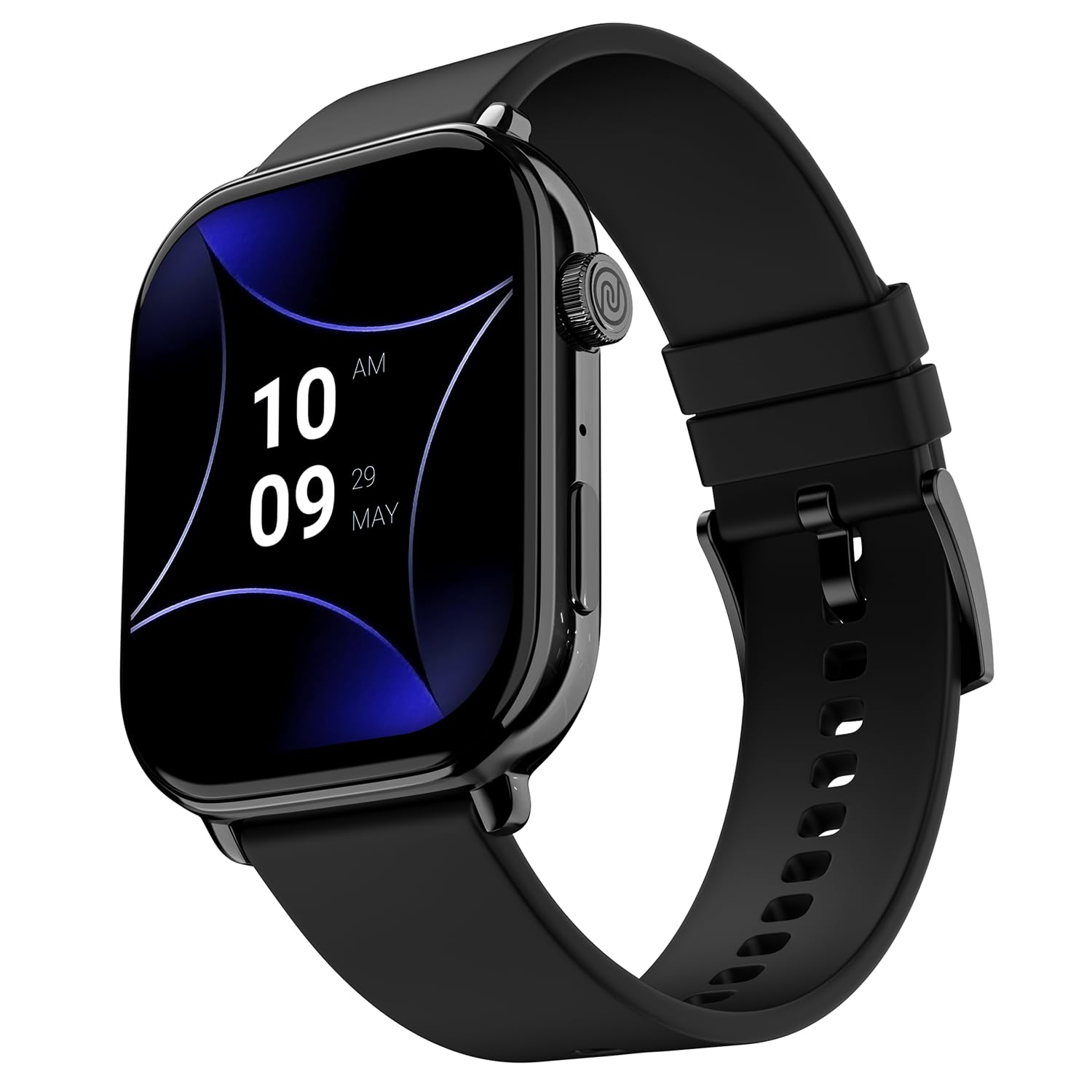
Image 1.1: The Noise ColorFit Pulse 4 Pro Smartwatch in Jet Black.
2. Шта је у кутији
Upon unboxing your Noise ColorFit Pulse 4 Pro Smartwatch, please verify that all the following items are included:
- Noise ColorFit Pulse 4 Pro Smartwatch
- Магнетни пуњач
- Кориснички приручник (овај документ)
- Гарантни лист
Видео 2.1: Оверview of the Noise ColorFit Pulse 4 Pro Smartwatch and its contents, including the watch, color options, and items found in the box.
3. Подешавање
3.1 Почетно пуњење
Before first use, fully charge your smartwatch. Connect the magnetic charger to the charging pins on the back of the watch and plug the USB end into a power adapter (not included) or a computer's USB port. The watch display will indicate charging status.
3.2 Преузимање и упаривање апликације
Да бисте откључали пуни потенцијал свог паметног сата, преузмите НоисеФит апликацију на вашем паметном телефону. Апликација је компатибилна са Андроид и иОС уређајима.
- Scan the QR code below or search for 'NoiseFit' in your smartphone's app store.
- Install and open the NoiseFit app.
- Пратите упутства на екрану у апликацији да бисте креирали налог и упарили паметни сат путем Bluetooth-а. Уверите се да је Bluetooth омогућен на вашем паметном телефону.
- Потврдите захтев за упаривање и на паметном телефону и на паметном сату.

Image 3.1: The smartwatch display showing a QR code for payments, which can also be used to illustrate app download. For app download, please refer to the official NoiseFit app store page or овај линк.
4. Упутство за употребу
4.1 Укључивање/искључивање
- Укључено: Press and hold the functional crown button on the side of the watch until the Noise logo appears.
- Искључивање: Swipe down from the watch face, tap the settings icon, then select 'Power Off'. Alternatively, press and hold the functional crown button and select 'Power Off' when prompted.
4.2 Навигација
The Noise ColorFit Pulse 4 Pro features a responsive touchscreen and a functional crown for intuitive navigation.
- екран осетљив на додир: Swipe left, right, up, or down to access different menus, notifications, and widgets. Tap to select items.
- Functional Crown: Rotate the crown to scroll through lists and menus. Press the crown to return to the watch face or to confirm a selection.

Слика 4.1: Детаљно view of the functional crown on the Noise ColorFit Pulse 4 Pro Smartwatch, used for navigation.
4.3 Дисплеј
The smartwatch features a 1.96-inch AMOLED display with Always-on Display functionality for clear visibility and quick access to information.

Image 4.2: The smartwatch display highlighting its 1.96-inch AMOLED screen with Always-on Display capabilities.
5. Праћење здравља
The Noise ColorFit Pulse 4 Pro integrates the Noise Health Suite™ to help you monitor various aspects of your well-being. Access these features via the watch menu or the NoiseFit app.
- 24*7 Heart Rate Monitor: Континуирано прати ваш пулс током целог дана.
- SpO2 Measure: Мери ниво засићености крви кисеоником.
- Монитор стреса: Пружа увид у ваше нивое стреса.
- Монитор спавања: Tracks your sleep patterns, including awake, REM, and deep sleep stagес.
- Breathe Practice: Вођене вежбе дисања које ће вам помоћи да се опустите.
- Female Cycle Tracker: Помаже у праћењу и предвиђању менструалних циклуса.

Image 5.1: An illustration of the Noise Health Suite™ features available on the smartwatch.
6. Паметне карактеристике
6.1 Блуетоотх позивање
Stay connected directly from your wrist. The Noise ColorFit Pulse 4 Pro supports Bluetooth calling, allowing you to make and receive calls without reaching for your phone.
- Тастатура за бирање: Use the on-screen dial pad to initiate calls.
- Омиљени контакти: Save up to 10 favorite contacts for quick dialing.
- In-built Speaker: Listen to calls directly from the watch.

Image 6.1: The smartwatch interface displaying Bluetooth calling options.
6.2 AI Voice Assistance
Control your smartwatch and connected devices using voice commands. Simply activate the AI Voice Assistant and speak your commands.

Image 6.2: The smartwatch displaying the AI Voice Assistance feature, ready for voice commands.
6.3 QR Code Payments
Facilitate quick and convenient payments directly from your wrist by displaying your UPI QR code on the smartwatch screen.
6.4 Security and Convenience Features
- Scheduled DND: Set specific time windows during which notifications will be silenced.
- Заштита лозинком: Secure your smartwatch with a password to prevent unauthorized access.

Image 6.3: Smartwatch screens illustrating the Scheduled DND and Password Protection functionalities.
7. Одржавање
7.1 Чишћење паметног сата
Regular cleaning helps maintain the performance and appearance of your device.
- Обришите екран и кућиште меком крпом која не оставља влакна.
- За тврдокорну прљавштину, благо дampИсперите крпу водом. Избегавајте употребу јаких хемикалија или абразивних материјала.
- Ensure the charging pins are clean and dry before charging.
7.2 Отпорност на воду
The Noise ColorFit Pulse 4 Pro is rated IP68 for water resistance, meaning it can withstand immersion in water up to 1.5 meters for a limited time. It is suitable for daily use, such as hand washing or light rain. However, it is not recommended for swimming, diving, or high-pressure water activities.
7.3 Смернице за пуњење
Use only the provided magnetic charger. Do not attempt to charge the watch if it or the charger is wet. Avoid exposing the charger to extreme temperatures.
КСНУМКС. Решавање проблема
If you encounter issues with your Noise ColorFit Pulse 4 Pro Smartwatch, refer to the following common solutions:
- Сат се не укључује: Ensure the watch is fully charged. Connect it to the magnetic charger and wait a few minutes before attempting to power it on again.
- Не може се упарити са паметним телефоном: Make sure Bluetooth is enabled on your phone and the watch is within range. Restart both devices and try pairing again through the NoiseFit app.
- Нетачни здравствени подаци: Уверите се да сат чврсто приања на зглоб, не превише стегнут или превише лабав. Очистите сензоре на полеђини сата.
- Обавештења се не приказују: Check notification settings in the NoiseFit app and on your smartphone. Ensure the app has necessary permissions.
- Kratko trajanje baterije: Reduce screen brightness, disable unnecessary features like Always-on Display, and limit background app refresh.
For persistent issues, consult the NoiseFit app's help section or contact customer support.
9. Спецификације
Key technical specifications for the Noise ColorFit Pulse 4 Pro Smartwatch:
| Дисплаи Типе | АМОЛЕД |
| Величина екрана | 1.96 инча |
| Банд Материал | Силицоне |
| Материјал кућишта | Легура цинка |
| Тежина артикла | 45 грама |
| Технологија повезивања | Блуетоотх |
| Оцена водоотпорности | IP68 (1.5 Metres) |
| Оперативни систем | Android (Compatible) |
| Компатибилни уређаји | Laptop, Smartphone, Tablet (Android, iOS) |
| Измерене метрике | Calories Burned, Distance, Heart Rate, Step Count |
| Посебне карактеристике | Activity Tracker, Alarm Clock, Lightweight, Notifications, Touchscreen, Voice Call |
10. Гаранција и подршка
10.1 Информације о гаранцији
The Noise ColorFit Pulse 4 Pro Smartwatch comes with a 1-годишња ограничена гаранција provided by the manufacturer from the date of purchase. Please retain your purchase receipt and warranty card for any warranty claims.
10.2 Корисничка подршка
For technical assistance, warranty claims, or any other inquiries, please contact Noise customer support:
- Телефон: 02268056289
- Емаил: хелп@неккбасе.цом
- Произвођач: Nexxbase Marketing Pvt. Ltd, Khasra No-146/25/2/1, Jail Road Badshahpur, Gurugram Haryana-122101