
1. Увод
Thank you for choosing the TATTMUSE A281M Portable Thermal Printer. This compact and versatile device offers a convenient, inkless printing solution for various needs, from office documents to school notes and travel essentials. This manual provides detailed instructions to help you set up, operate, and maintain your printer for optimal performance.
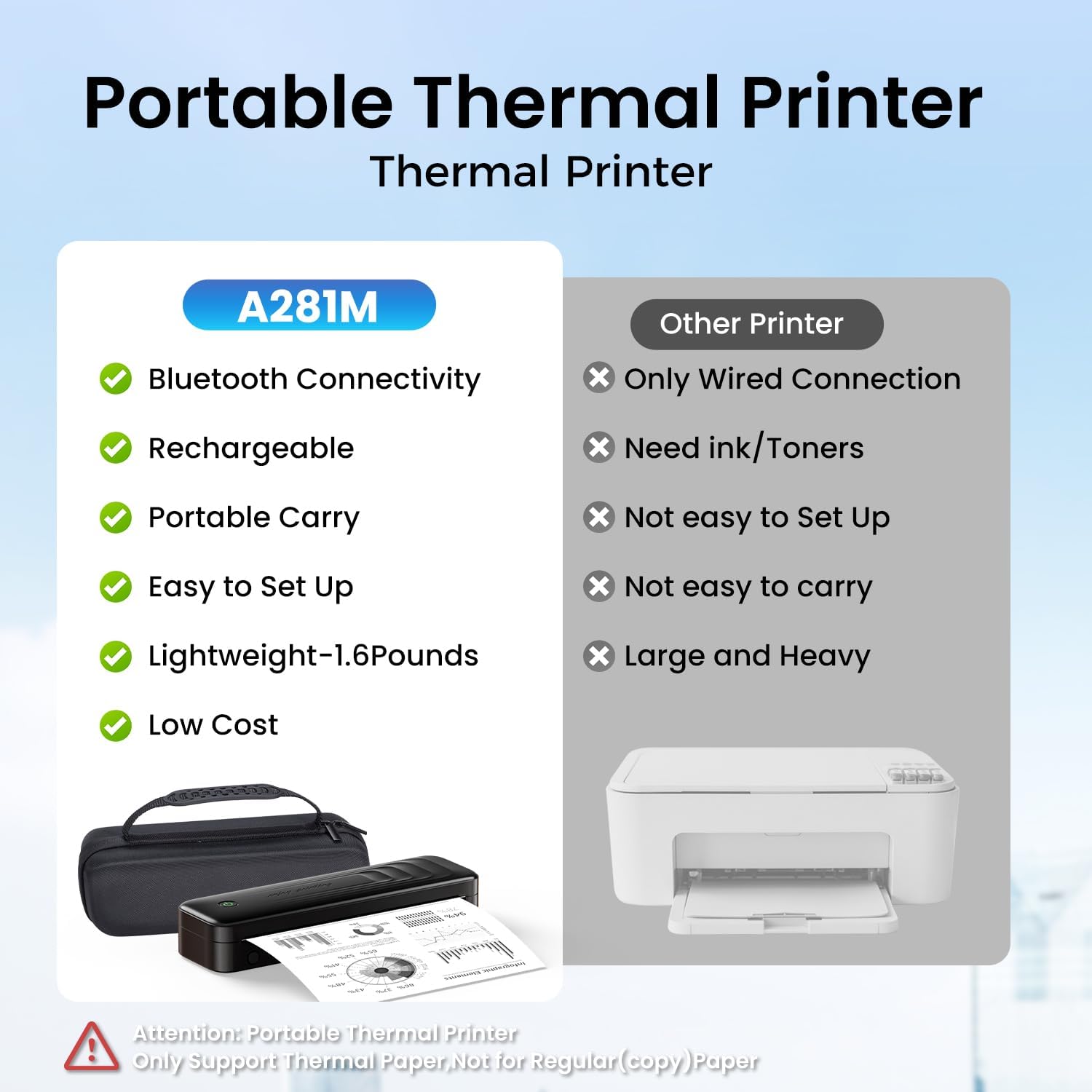
Figure 1.1: The TATTMUSE A281M Portable Thermal Printer offers superior portability and convenience compared to traditional printers, featuring Bluetooth connectivity, a rechargeable battery, and an inkless design.
2. Шта је у кутији
Молимо вас да проверите да ли су све ставке наведене у наставку укључене у ваш пакет:
- 1 x Portable Thermal Printer (Model A281M)
- 1 x Portable Printer Carry Case
- 1 Roll 8.5" Thermal Paper
- 1 Roll 4.33" Thermal Paper
- 1 Roll 3.14" Thermal Paper
- 1 Roll 2.08" Thermal Paper
- 1 x USB-C на USB адаптер
- 1 к УСБ-Ц кабл
- 1 к Водич за брзи почетак

Figure 2.1: Illustrated view of all components included with your TATTMUSE A281M Portable Thermal Printer.
3. Водич за подешавање
3.1 Пуњење штампача
Before first use, ensure the printer is fully charged. Connect the provided USB-C cable to the printer and a compatible USB power source (e.g., wall adapter, computer USB port). The indicator light will show charging status.
3.2 Убацивање термалног папира
The TATTMUSE A281M supports various thermal paper sizes and types. To load paper:
- Отворите поклопац одељка за папир.
- Insert the thermal paper roll or single sheet, ensuring the printable side (usually smoother) faces the print head.
- Adjust the paper guides to fit the width of the paper.
- Чврсто затворите поклопац одељка за папир.

Figure 3.1: The printer supports various thermal paper formats, including continuous folding, single sheets, inner rolls, and stickers, in sizes such as US Letter, A4, 4.33'', 3.14'', and 2.08''.
3.3 Connecting to a Smartphone (Bluetooth)
- Download the official TATTMUSE printer application from your device's app store (available for Android and iOS).
- Уверите се да је Блуетоотх омогућен на вашем паметном телефону.
- Open the TATTMUSE app and follow the in-app instructions to connect to your printer. The printer should appear as 'A281M' or similar in the device list.
- Once connected, you can select files or pictures within the app to print.

Figure 3.2: Simple three-step process for smartphone printing: Download the app, connect via Bluetooth within the app, and select your file штампати.
3.4 Connecting to a PC/Laptop (USB)
- Download the necessary printer drivers from the official webсајт: а281м.лабелифе.цц. Drivers are available for Windows 10/11, Linux, ChromeOS, and macOS.
- Use the provided USB-C cable to connect the A281M printer to your computer.
- Once the driver is installed and the printer is connected, open your document or image and select 'A281M' from the printer list in your application's print dialogue.

Figure 3.3: Connect your printer to a laptop or PC via USB after downloading the appropriate drivers from the provided webсајту.
4. Упутство за употребу
4.1 Основно штампање
After connecting your printer via Bluetooth or USB, you can initiate printing from your chosen device. Ensure your document or image is properly formatted for the thermal paper size you are using. The printer will automatically feed the paper and produce the printout.

Figure 4.1: Experience exceptional print clarity with high-definition output, ensuring sharp and clear text and graphics.
4.2 Supported Paper Types and Sizes
The A281M printer is designed exclusively for thermal paper. It does not support regular copy paper. It is compatible with five different paper sizes and three types:
- Величине: US Letter (8.5'' x 11''), A4, 4.33'', 3.14'', 2.08''
- Типови: Roll thermal paper, Fold thermal paper, Ordinary thermal paper
Always use high-quality thermal paper to ensure optimal print results and printer longevity.
5. Одржавање
5.1 Inkless Technology
This printer utilizes thermal technology, eliminating the need for ink cartridges, toner, or ribbons. This design prevents common ink-related issues such as clogs and messy clean-ups.
5.2 Чишћење
To maintain print quality and extend the life of your printer, periodically clean the print head and paper path. Use a soft, lint-free cloth lightly dampened with isopropyl alcohol. Ensure the printer is turned off and disconnected from power before cleaning.
5.3 Thermal Paper Care
Thermal paper can be sensitive to heat, light, and certain chemicals. Store thermal paper in a cool, dry place away from direct sunlight and heat sources to prevent fading and maintain print quality over time.
КСНУМКС. Решавање проблема
If you encounter issues with your TATTMUSE A281M printer, please refer to the following common problems and solutions:
| Проблем | Могући узрок | Решење |
|---|---|---|
| Штампач се не повезује преко Bluetooth-а | Bluetooth off, app not open, printer not discoverable. | Ensure Bluetooth is on, open the app, restart printer, try pairing again. |
| Рачунар/лаптоп не препознаје штампач | Driver not installed, incorrect USB cable, loose connection. | Install/reinstall drivers from а281м.лабелифе.цц, use original USB-C cable, ensure secure connection. |
| Лош квалитет штампе (бледа, мутна) | Low battery, poor quality thermal paper, dirty print head. | Charge printer fully, use recommended thermal paper, clean print head. |
| Paper jams or tears | Improper paper loading, damaged paper, foreign object in paper path. | Reload paper correctly, inspect paper for damage, carefully remove any obstructions. |
| Штампач се не укључује | Battery depleted, power button issue. | Charge the printer for at least 30 minutes, press and hold the power button. |
7. Спецификације
| Феатуре | Детаљ |
|---|---|
| Назив модела | АКСНУМКСМ |
| Технологија штампе | Преносиви термални штампач |
| Технологија повезивања | Блутут, УСБ типа Ц |
| Излаз штампача | Моноцхроме |
| Максимална брзина штампања (монохроматско) | 15 ппм |
| Max Copy Resolution (B&W) | 300 дпи |
| Максимална величина медија | 8.5'' x 11'' |
| Подржане величине листова | 8.5'' x 11'', A4, 4.33'', 3.14'', 2.08'' Inches |
| Тип мастила | No Ink (Thermal) |
| Батерија | Литијум-полимерска батерија од 2600 mAh (укључена) |
| Димензије производа | 10.24 к 3.07 к 1.77 инча |
| Тежина артикла | 2.79 фунти |
| Компатибилни уређаји | Laptops, PC, Smartphones, Tablets (Android, iOS, Windows 10/11, Linux, ChromeOS, macOS) |
8. Гаранција и подршка
8.1 Информације о гаранцији
Your TATTMUSE A281M Portable Thermal Printer comes with a ограничена гаранција. Please refer to the warranty card included in your package for specific terms and conditions, including coverage duration and claim procedures.
8.2 Корисничка подршка
For technical assistance, troubleshooting, or any inquiries regarding your product, please visit the official TATTMUSE store or contact customer support through the details provided in your product documentation. You can also find more information and resources on the TATTMUSE Store on Amazon.