
1. Увод
This manual provides detailed instructions for the proper use and maintenance of your Acer SW-1500E Golf Rangefinder. This device is designed to provide accurate distance measurements for golf, hunting, and archery, featuring 6X magnification, slope compensation, and flag pole locking with vibration.
2. Шта је у кутији
Upon opening your Acer SW-1500E Golf Rangefinder package, please verify that all the following components are included:
- Laser Rangefinder (Acer SW-1500E)
- Упутство за употребу
- Поклон кутија
- Преносива мека футрола
- УСБ Типе-Ц кабл
- Крпа за чишћење сочива
- Ханд Страп
3. Подешавање
3.1 Пуњење уређаја
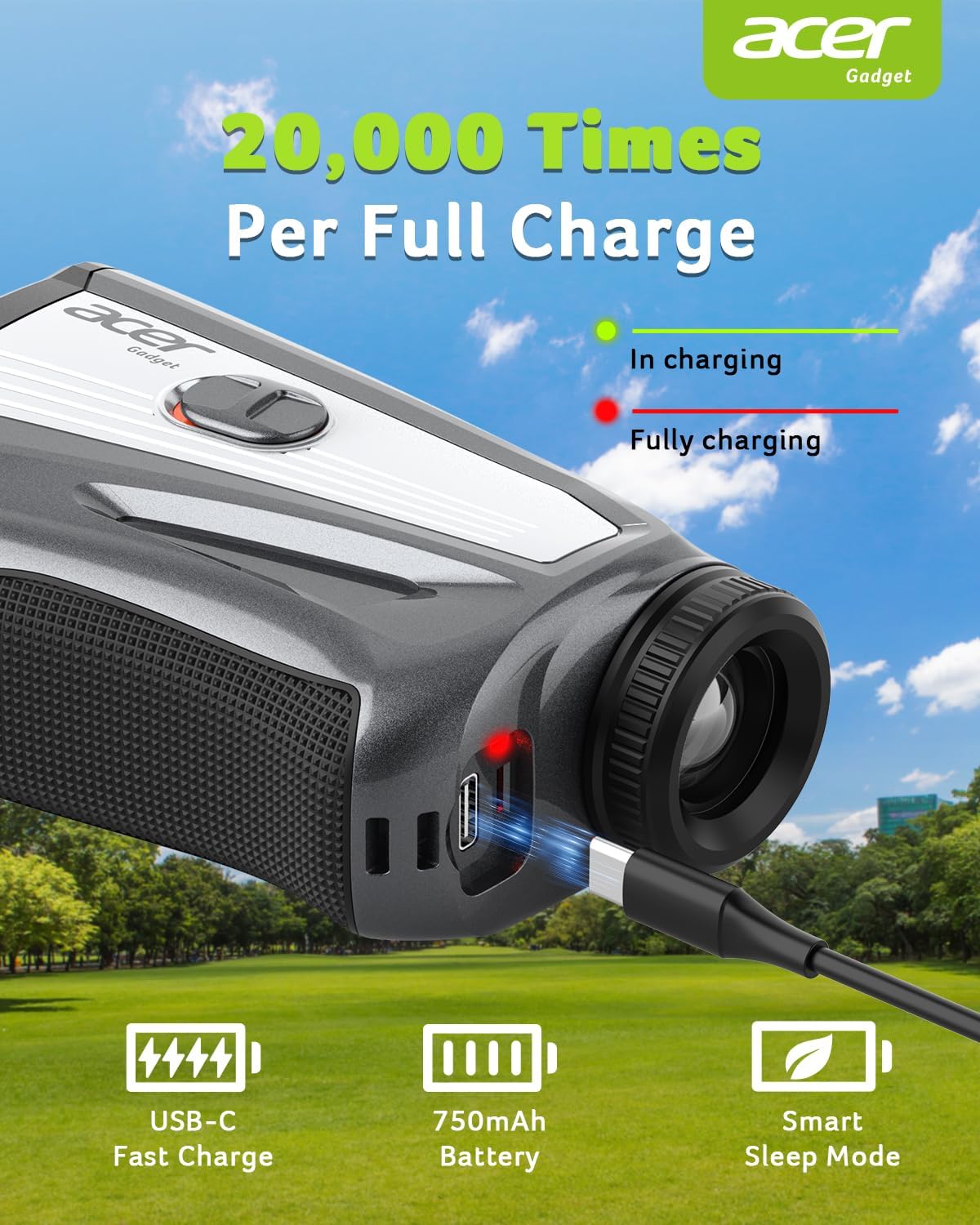
The Acer SW-1500E Rangefinder is equipped with a rechargeable 750 mAh Lithium-Ion battery. Before initial use, ensure the device is fully charged.
- Пронађите УСБ-Ц прикључак за пуњење на уређају.
- Connect the provided USB Type-C cable to the rangefinder and a compatible USB power source.
- The charging indicator will illuminate during charging. A full charge provides approximately 20,000 measurements.
3.2 Powering On and Unit Setting
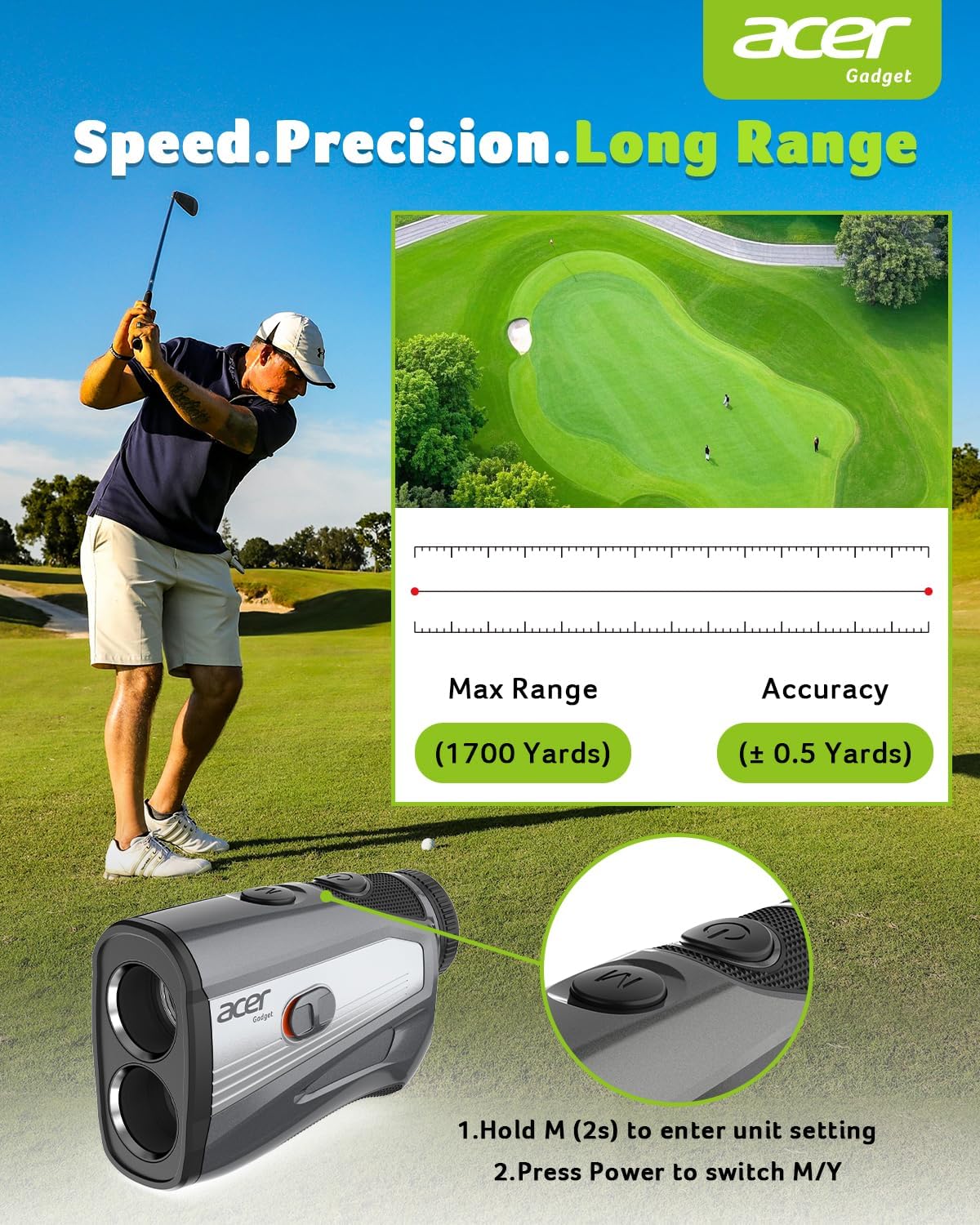
To power on the device, press the power button. To switch between yards (Y) and meters (M) for measurement units:
- Hold the 'M' button for 2 seconds to enter the unit setting menu.
- Press the power button to toggle between yards and meters.
- Release the 'M' button to confirm your selection.
4. Упутство за употребу
4.1 Основна мерења
To measure distance, look through the eyepiece and align the crosshairs with your target. Press the power button once to activate the laser and display the distance. The 6X HD optics provide clear views for precise readings.
4.2 Вишемодални рад
The 'M' button allows you to cycle through various measurement modes:
- Режим нагиба: Calculates uphill/downhill distance.
- Режим угла: Мери угао у односу на циљ.
- Брзински режим: Мери брзину покретне мете.
- Режим хоризонталне/вертикалне удаљености: Provides both horizontal and vertical distances.
- Режим скенирања: Allows continuous scanning for multiple targets.
4.3 Компензација нагиба
The rangefinder features a one-touch slope switch to activate or deactivate slope compensation. When active, the device calculates and displays the adjusted distance based on elevation changes, providing a more accurate 'play as' distance for golf. For tournament play, the slope function can be easily disabled.

4.4 Закључавање јарбола за заставу помоћу вибрације
The Dual-Sense Flag Lock feature helps in accurately targeting flagpoles. When the device locks onto the flagpole, it vibrates twice, confirming the target and preventing mislocks, especially in windy conditions.

4.5 Shake-Free Accuracy
The Acer SW-1500E incorporates anti-shake technology to minimize errors caused by hand tremors. This technology ensures consistent and reliable readings, even in unstable conditions.

4.6 Магнетни прикључак
The rangefinder features a magnetic design for secure attachment to golf carts or clubs, providing convenient access during play.
4.7 Званични видео производа
Watch this video for a visual guide on the Acer Golf Rangefinder's features and operation.
5. Одржавање
5.1 Чишћење
Use the provided lens cleaning cloth to gently wipe the lenses and exterior of the rangefinder. Do not use abrasive materials or chemical cleaners, as these can damage the optics or casing. Ensure the device is dry before storing.
5.2 Складиштење
Store the rangefinder in its portable soft case when not in use to protect it from dust, moisture, and physical impact. Avoid exposing the device to extreme temperatures or direct sunlight for prolonged periods.
КСНУМКС. Решавање проблема
If you encounter issues with your Acer SW-1500E Rangefinder, consider the following:
- Нема напајања: Ensure the battery is fully charged. Connect the device to a USB-C charger.
- Нетачна очитавања: Ensure the lenses are clean and free from obstructions. Verify that you are targeting a clear, reflective surface. Check if the unit setting (yards/meters) is correct.
- Display Unclear: Adjust the eyepiece focus ring for optimal clarity.
- Flag Lock Not Activating: Ensure you are steadily targeting the flagpole. Environmental factors like heavy fog or rain can affect performance.
За сталне проблеме, погледајте одељак о гаранцији и подршци.
7. Спецификације
| Феатуре | Спецификација |
|---|---|
| Број модела | СВ-1500Е |
| Меасуринг Ранге | 3-1700 метара |
| Прецизност | ±0.5 јарди |
| Увећање | 6X |
| Тип батерије | Rechargeable, USB-C, Lithium-Ion (750 mAh) |
| Мерења по пуњењу | Приближно КСНУМКС |
| Тежина | 205.82 г |
| Димензије (Д к Ш к В) | 45.7Д к 30.8В к 32.6Х центиметара |
| Материјал | Поликарбонат (ПЦ) |
| Боја | Црно |
| УПЦ | 195133283557 |

8. Гаранција и подршка
Acer Gadget is committed to providing high-quality products and excellent service. For any questions or support needs regarding your Acer SW-1500E Golf Rangefinder, please contact our customer service. Information on warranty coverage is typically included with your purchase documentation or available on the official Acer Gadget webсајту.