
1. Увод
Thank you for choosing the Inwa MZ-320 Outdoor Bluetooth Speakers. This manual provides essential information for the safe and efficient use of your speakers. Please read it thoroughly before operation and retain it for future reference.
The Inwa MZ-320 speakers are designed for outdoor use, featuring IPX5 waterproofing, beat-driven light shows, and the ability to link up to 100 speakers wirelessly for an immersive audio experience.

Image 1.1: Two Inwa MZ-320 Outdoor Bluetooth Speakers.
2. Садржај пакета
Молимо вас да проверите пакет за следеће ставке:
- Inwa MZ-320 Outdoor Bluetooth Speaker (2 units)
- Power Cable (2 units)
- Кориснички приручник (овај документ)
3. Производ је готовview
The Inwa MZ-320 features a robust design suitable for various environments. Key components include:
- Full-range Drivers: Two 3-inch drivers for clear audio output.
- Bass Radiators: Two passive bass radiators for enhanced low-frequency sound.
- Контролна табла: Located at the base for power, Bluetooth, light, and volume adjustments.
- AUX IN порт: За жично повезивање звука.
- Интегрисана ручка: За преносивост.

Image 3.1: Internal speaker components, including drivers and bass radiators.

Image 3.2: Sound output and bass radiation plate design.
Функције контролне табле

Слика 3.3: Детаљно view of the control panel with button descriptions.
- Дугме за напајање: Притисните и држите да бисте укључили или искључили звучник.
- Bluetooth/Connect Button: Press to enter Bluetooth pairing mode. Press and hold to disconnect current Bluetooth device.
- Дугме за осветљење: Притисните да бисте се кретали кроз режиме осветљења.
- Color Timer Button: Press to set light duration (2H, 4H, 6H, 8H).
- Set Up the Host (TWS Pairing) Button: Used for linking multiple speakers.
- Дугмад за јачину звука (+/-): Притисните да бисте подесили јачину звука.
4. Подешавање
4.1 Пуњење звучника
Before first use, fully charge the speaker. Connect the provided power cable to the speaker's charging port and a suitable power source. The charging indicator will show the charging status.
4.2 Укључивање/искључивање
- За укључивање: Притисните и држите дугме за напајање док се индикаторска лампица не упали.
- За искључивање: Притисните и држите дугме за напајање док се индикаторска лампица не угаси.
4.3 Блуетоотх упаривање
- Уверите се да је звучник укључен.
- Press the Bluetooth/Connect button to enter pairing mode. The Bluetooth indicator will flash.
- На свом уређају (паметном телефону, таблету итд.) омогућите Блутут и потражите доступне уређаје.
- Select "Inwa MZ-320" from the list.
- Once connected, the Bluetooth indicator will stop flashing and remain solid.
4.4 Linking Multiple Speakers (TWS Function)
The Inwa MZ-320 speakers support wireless linking for a stereo or multi-speaker setup.

Image 4.1: Multiple speakers linked for an outdoor audio system.
- Power on all speakers you wish to link.
- Pair one speaker to your Bluetooth device as described in section 4.3. This will be the primary speaker.
- On the primary speaker, press the "Set Up the Host" button.
- On the secondary speakers, press the "Set Up the Host" button. They will automatically search for and connect to the primary speaker.
- Once connected, all linked speakers will play audio from your device.
5. Операција
5.1 Аудио репродукција
After successful Bluetooth pairing, play audio from your connected device. Use the volume buttons on the speaker or your device to adjust the sound level.
5.2 Light Show Functions
The speakers feature a beat-driven light show.
- Притисните тастер Лигхт Уп button to cycle through various light modes and colors.
- Притисните тастер Color Timer button to set a timer for the lights (e.g., 2 hours, 4 hours).

Image 5.1: Speaker displaying dynamic light effects during use.
5.3 АУКС улаз
For devices without Bluetooth, use the AUX IN port.

Image 5.2: Connecting an audio device via AUX IN port.
- Connect one end of a 3.5mm audio cable (not included) to the speaker's AUX IN port.
- Повежите други крај са аудио излазом вашег уређаја.
- Звучник ће се аутоматски пребацити у режим AUX улаза.
6. Одржавање
6.1 Хидроизолација
The Inwa MZ-320 speakers are IPX5 waterproof, meaning they are protected against low-pressure water jets from any direction. They are suitable for outdoor use in light rain or splash environments.
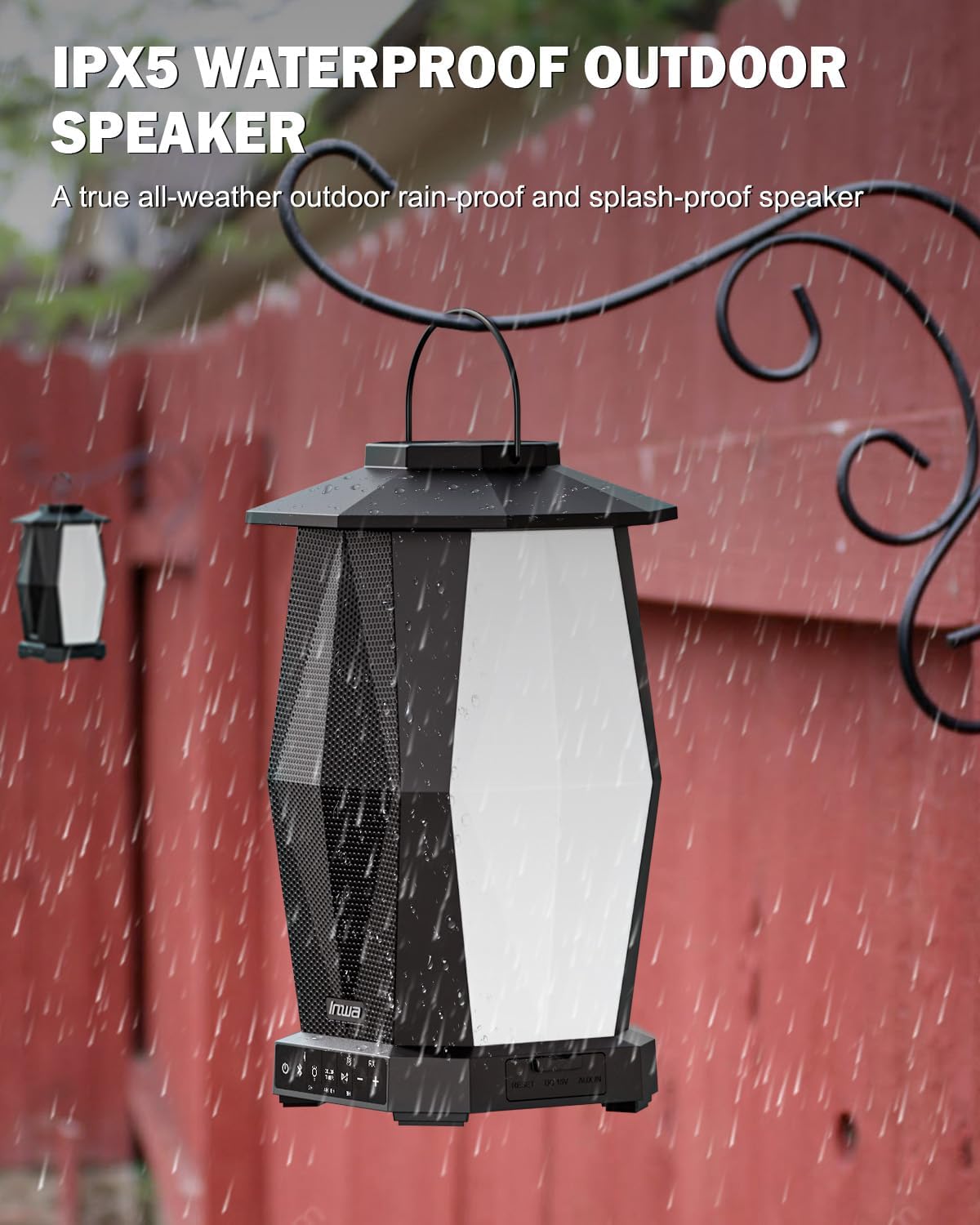
Image 6.1: Speaker in a rain environment, highlighting its waterproof feature.
Важно:
- Не урањајте звучник у воду.
- Ensure the charging port and AUX IN port covers are securely closed when exposed to water.
6.2 Чишћење
Обришите звучник меком, дamp тканина. Немојте користити абразивна средства за чишћење или раствараче.
6.3 Складиштење
Чувајте звучник на хладном и сувом месту, даље од директне сунчеве светлости и екстремних температура када се не користи дуже време.
КСНУМКС. Решавање проблема
| Проблем | Могући узрок | Решење |
|---|---|---|
| Звучник се не укључује. | Ниска батерија. | Charge the speaker using the provided power cable. |
| Није могуће упаривање преко Bluetooth-а. | Звучник није у режиму упаривања; Bluetooth уређај је искључен; превише је удаљен од звучника. | Ensure speaker is in pairing mode (flashing indicator). Turn on device Bluetooth. Move device closer to speaker (within 33 feet/10 meters). |
| Нема звука. | Јачина звука је прениска; неисправан режим уноса; уређај не репродукује звук. | Increase speaker and device volume. Ensure correct input (Bluetooth or AUX). Verify audio is playing on the connected device. |
| Више звучника није повезано. | Неправилан поступак упаривања TWS-а. | Follow the TWS linking steps in section 4.4 carefully. Ensure only one speaker is paired to your device initially. |
8. Спецификације
| Феатуре | Спецификација |
|---|---|
| Назив модела | МЗ320 |
| Спеакер Типе | Спољни Блуетоотх звучник |
| Технологија повезивања | Блуетоотх |
| Бежична комуникациона технологија | Бежични Блуетоотх |
| Ниво отпорности на воду | ИПКС5 (водоотпоран) |
| Извор напајања | Баттери Поверед |
| Тип батерије | 1 литијум-јонска батерија (укључена) |
| Капацитет батерије | 6600 Милиamp Сати |
| Максимална излазна снага звучника | 25 Ваттс |
| Тип аудио драјвера | Динамички возач |
| Димензије производа | 7.1"Д к 7.1"Ш к 11.4"В |
| Тежина артикла | 12 фунти (по пару) |
| Контролни метод | Притисните дугме |
| Укључене компоненте | Manual, Power Cable |
9. Гаранција и подршка
9.1 Информације о гаранцији
The Inwa MZ-320 speakers come with a 1 година гаранције од датума куповине. Ова гаранција покрива производне недостатке при нормалној употреби. Не покрива штету насталу услед злоупотребе, незгода, неовлашћених модификација или нормалног хабања.
9.2 Корисничка подршка
For technical assistance, warranty claims, or any questions regarding your Inwa MZ-320 speakers, please contact Inwa customer support through the retailer's platform or the official Inwa webсајту.