
SOBAST S-G2pro
Упутство за употребу бежичних слушалица SOBAST AI
Model: S-G2pro
Увод
This manual provides detailed instructions for the operation, maintenance, and troubleshooting of your SOBAST AI Wireless Headset, Model S-G2pro. Please read this manual thoroughly before using the device to ensure proper function and longevity.
The SOBAST AI Wireless Headset is designed to offer a comprehensive audio and communication experience, integrating real-time translation, high-resolution sound, and AI assistant capabilities. Its open-ear design provides comfort for extended wear, making it suitable for various activities including business, travel, learning, and gaming.
Садржај пакета
- SOBAST AI Wireless Headset (S-G2pro)
- Футрола за бежично пуњење
- Кориснички приручник (овај документ)
- Charging Cable (not explicitly mentioned but implied for charging case)
Ensure all components are present and in good condition upon unboxing.
Производ је завршенview
The SOBAST S-G2pro features an innovative design that combines audio functionality with smart features, all within a comfortable, open-ear form factor. Key components include:
- сочива: Provide vision protection with advanced polarized and anti-blue light technology.
- Слепоочнице (руке): House the electronic components, speakers, and magnetic charging ports.
- Контролна област: Touch-sensitive area for managing functions.
- микрофон: For voice input and communication.

Слика 1: Предња страна view of the SOBAST AI Wireless Headset, showing the clear lenses and white temples.
Сетуп
1. Пуњење уређаја
Before first use, fully charge your SOBAST AI Wireless Headset. The device features dual magnetic temple charging for convenience.
- Connect the charging cable to the wireless charging case.
- Place the headset into the charging case, ensuring the magnetic contacts on the temples align with the charging pins.
- Индикаторска лампица пуњења ће се упалити. Потпуно пуњење траје отприлике 1.5 сат.
- Once fully charged, the headset provides up to 9 hours of battery life.

Figure 2: The headset being charged via its magnetic charging temples.
2. Почетно упаривање (Bluetooth)
The headset uses Bluetooth 5.0 for wireless connectivity.
- Уверите се да су слушалице напуњене.
- Open the lens legs of the headset. This action automatically powers on the device and puts it into pairing mode.
- На паметном телефону или другом уређају који подржава Bluetooth, идите на подешавања Bluetooth-а.
- Тражи available devices and select "SOBAST S-G2pro" from the list.
- Када се једном повеже, гласовна порука ће потврдити успешно упаривање.
For subsequent uses, simply opening the lens legs will automatically connect the headset to the last paired device, provided Bluetooth is enabled on that device.

Figure 3: The headset automatically connecting to a smartphone upon opening the lens legs.
Упутство за употребу
Basic Controls (Touch Control)
The SOBAST S-G2pro features intuitive touch controls located on the temples.
| Акција | Функција |
|---|---|
| Single Tap (Left/Right Temple) | Пуштање/паузирање музике, одговарање/прекидање позива |
| Double Tap (Left Temple) | Превиоус Трацк |
| Double Tap (Right Temple) | Нект Трацк |
| Long Press (Left/Right Temple) | Activate AI Assistant / Voice Assistant |
| Open Lens Legs | Power On / Automatic Reconnection |
| Fold Lens Legs | Повер Офф |
Превођење у реалном времену
The headset integrates a powerful translation system supporting over 110 languages. This feature requires connection to a compatible application on your smartphone.
- On-site Recording: Record conversations in real-time with transcription and speaker distinction. Transcription accuracy up to 98%.
- Симултано превођење: Translate spoken language into your set language quickly and accurately.
- Превод лицем у лице: Facilitates two-way communication by translating both parties' languages.
Refer to the companion app's instructions for detailed setup and usage of translation features.
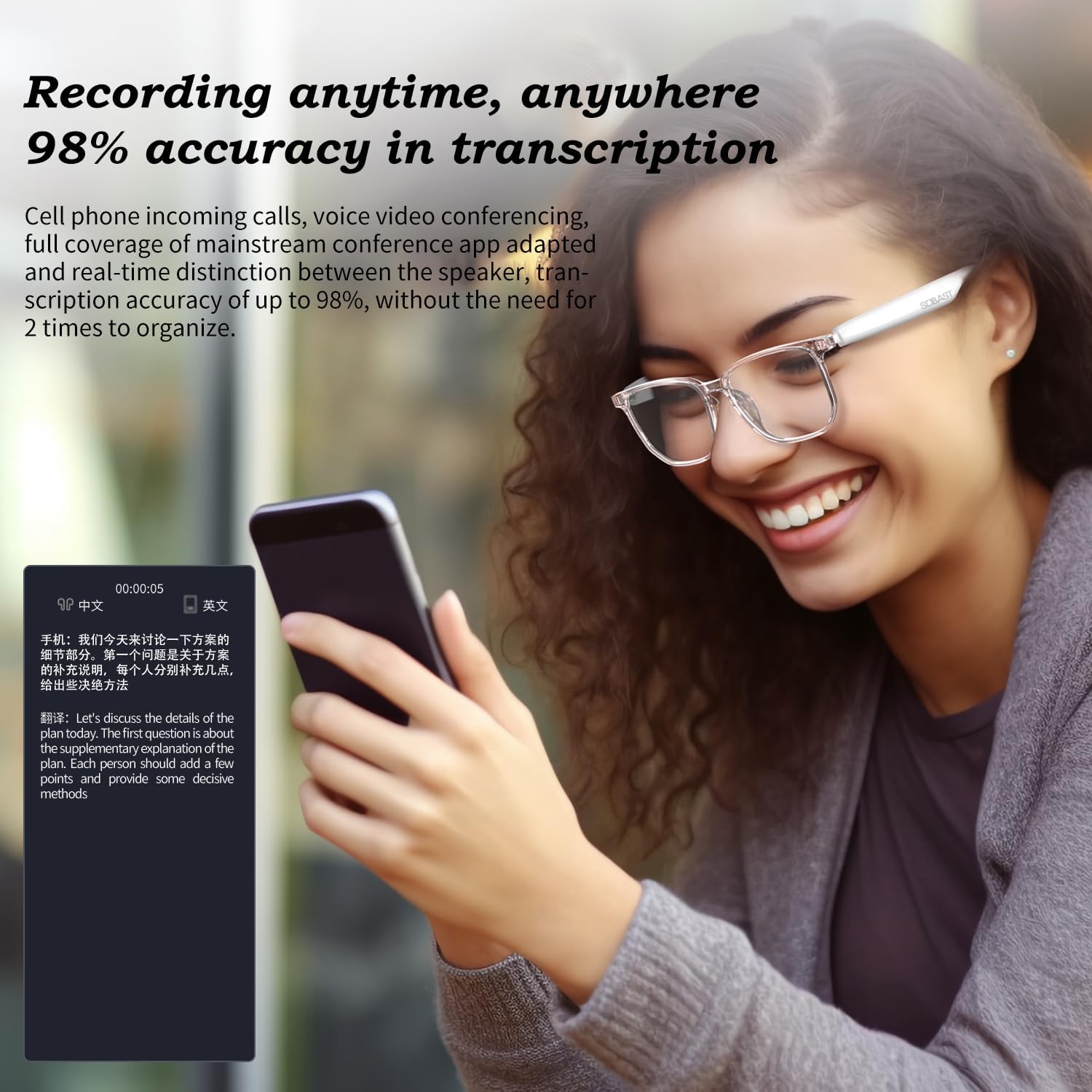
Figure 4: Demonstrating the real-time recording and transcription feature of the headset.
Аудио репродукција
The headset provides high-resolution sound quality with an open-ear design, reducing ear burden while offering an immersive audio experience.
- Ensure the headset is paired with your audio source.
- Control playback (play, pause, skip tracks) using the touch controls as described above.

Figure 5: A user experiencing immersive stereo sound from the open-ear headset.
AI Assistant & Smart Photography
Access your AI assistant by long-pressing the temple. This allows for voice commands, answering questions, and solving problems. The headset also integrates smart photography capabilities, allowing you to capture moments.
Specific commands and functions for the AI assistant and smart photography will depend on the connected smartphone's operating system and compatible applications.

Figure 6: A user engaging in a silent communication with the AI assistant via the headset.
Одржавање
Чишћење
- Wipe the lenses and temples with a soft, clean, lint-free cloth.
- За тврдокорне мрље користите раствор за чишћење сочива посебно дизајниран за наочаре.
- Do not use abrasive cleaners, alcohol, or solvents, as these can damage the coatings and materials.
Складиштење
- When not in use, store the headset in its wireless charging case to protect it from dust and scratches.
- Чувати на хладном и сувом месту далеко од директне сунчеве светлости и екстремних температура.
Баттери Царе
- Избегавајте често потпуно пражњење батерије.
- Ако складиштите батерију дуже време, напуните је на приближно 50% пре складиштења.
- Recharge the battery every few months if not in regular use to prevent deep discharge.
Решавање проблема
| Проблем | Могући узрок | Решење |
|---|---|---|
| Слушалице се не укључују. | Low battery; Lens legs not fully opened. | Charge the headset; Ensure lens legs are fully extended. |
| Упаривање са уређајем није могуће. | Слушалице нису у режиму упаривања; Блутут искључен на уређају; Уређај је предалеко. | Ensure headset is powered on and in pairing mode (open legs); Enable Bluetooth on your device; Move device closer to headset (within 10 meters). |
| Нема звука или је јачина звука ниска. | Volume too low on headset or device; Not properly connected. | Adjust volume on both headset and connected device; Re-pair the headset. |
| Превод не ради. | App not running; Internet connection issues; Incorrect language settings. | Ensure the companion app is open and configured correctly; Check internet connection; Verify language settings in the app. |
| Intermittent connection/lag. | Interference; Device too far; Outdated firmware. | Move away from sources of interference; Keep device closer; Check for firmware updates via the companion app. |
Спецификације
| Феатуре | Детаљ |
|---|---|
| Назив модела | SOBAST S-G2pro |
| Технологија повезивања | Wireless (Bluetooth 5.0, Wi-Fi for translation features) |
| Трајање батерије | До 9 сати |
| Време пуњења | Прибл. 1.5 сата |
| Цхаргинг Метход | Dual Magnetic Temple Charging |
| Контрола буке | Хибридно поништавање буке |
| Фреквенцијски одзив | 20 Hz - 20,000 Hz |
| Ниво отпорности на воду | Водоотпоран |
| Тип контроле | Контрола додиром |
| Димензије | 5.58 к 2.35 к 1.97 инча |
| Тежина артикла | 4.8 унци |
| Материјал | Пластика |
| Укључене компоненте | Футрола за бежично пуњење |

Figure 7: Illustration of the upgraded wireless 5.4 chip, indicating enhanced transmission speed and distance.
Безбедносне информације
- Не излажите уређај екстремним температурама или влази.
- Избегавајте испуштање или излагање уређаја јаким ударима.
- Не покушавајте сами да растављате или поправљате уређај. Обратите се квалификованом сервисеру.
- Чувати ван домашаја деце.
- Dispose of the device and its components responsibly according to local regulations.
Гаранција и подршка
For warranty information and technical support, please refer to the official SOBAST website or contact their customer service directly. Details are typically provided on the product packaging or a separate warranty card.
Произвођач: SOBAST S-G2pro
Датум прве доступности: 15. јануара 2025. године
За додатну помоћ, посетите страница производа на Амазону or contact SOBAST customer support.
Ask a question about this manual
Ask about setup, troubleshooting, compatibility, parts, safety, or missing instructions. Manuals+ will review the question and use this page’s manual context to help answer it.