
1. Увод
The Lamzu Inca Gaming Mouse is engineered for competitive gaming, featuring an ultra-lightweight design, high-precision sensor, and advanced connectivity options. This manual provides essential information for setting up, operating, maintaining, and troubleshooting your Lamzu Inca mouse to ensure optimal performance.
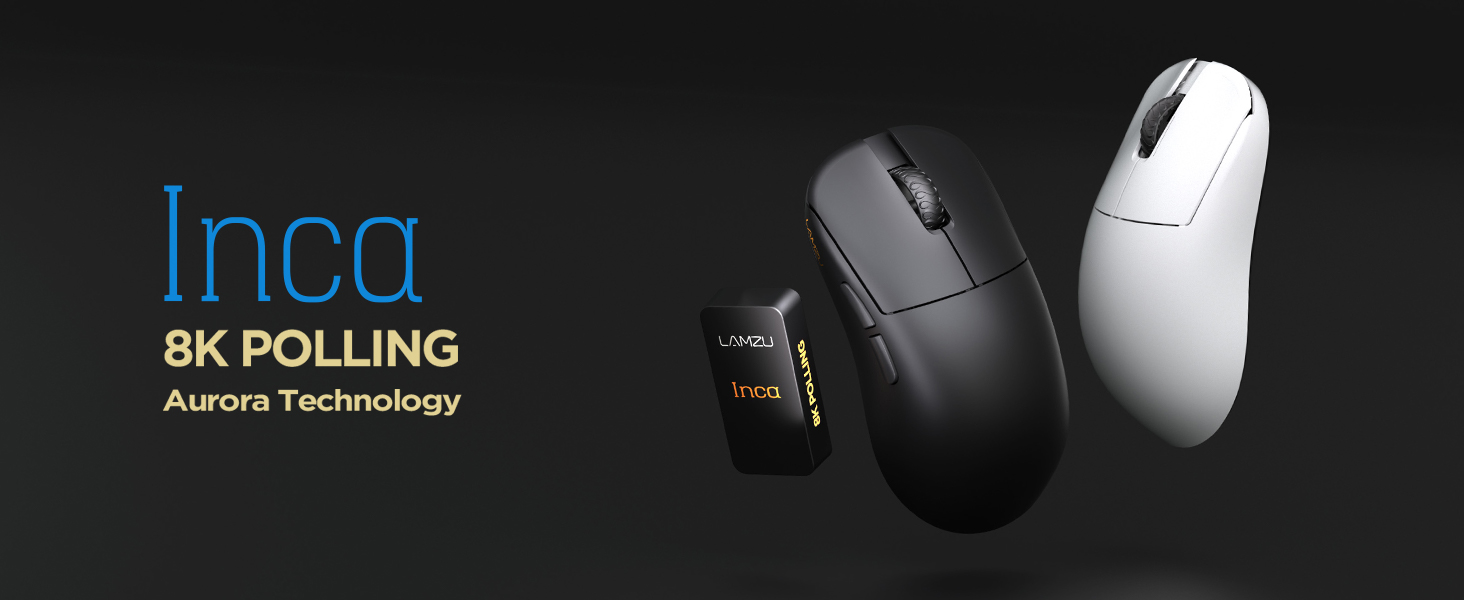
Image: The Lamzu Inca Gaming Mouse, highlighting its 8K Polling Rate and Aurora Technology.

Слика: Прекоview of key features including Pixart 3950 sensor, 40g weight, Aurora Technology, 8K Polling, Dual Mode connectivity, and Nordic 52840 MCU.
2. Садржај пакета
Молимо вас да се уверите да су све ставке присутне у пакету:
- Lamzu Inca Gaming Mouse (Black)
- 8K Polling Rate Dongle
- USB Type-C Cable (1.8m)
- PTFE Feet (x2 sets)
- Баршунаста торба
- Трака за држање миша
3. Подешавање
3.1 Повезивање миша
The Lamzu Inca mouse supports both 2.4GHz wireless and wired connectivity.
Wireless Mode (2.4GHz)
- Locate the 8K Polling Rate Dongle included in your package.
- Plug the 8K dongle into an available USB port on your computer.
- Укључите миш помоћу прекидача за укључивање/искључивање који се налази на дну миша.
- The mouse should automatically connect to the dongle. If not, refer to the pairing instructions in the software section.

Image: The Lamzu Inca mouse with its 8K dongle, illustrating the bottom view of the mouse where the sensor and power switch are located.
Жичани режим
- Connect the provided USB Type-C cable to the front port of the Lamzu Inca mouse.
- Укључите други крај УСБ кабла у слободан УСБ порт на рачунару.
- The mouse will function in wired mode and will also charge its internal battery.

Слика: Фронт view of the Lamzu Inca mouse, clearly showing the USB-C port for wired connection and charging.

Image: Diagram illustrating the dual connectivity modes: 2.4G Wireless and Wired (Type-C).
3.2 Software Installation (LAMZU Aurora Driver)
To unlock the full customization potential of your Lamzu Inca mouse, download and install the LAMZU Aurora driver from the official Lamzu webсајту.
- The software allows adjustments for DPI, polling rate, debounce time, macro settings, and more.
- Note for macOS users: To use the Aurora driver on macOS, you must first update the firmware to version 0.0.0.15 or later using a Windows system.

Image: Screenshot of the LAMZU Aurora driver interface, showing options for macro settings, button customization, DPI, polling rate, and debounce time.
4. Управљање мишем
4.1 Функције дугмета
The Lamzu Inca is a 6-button gaming mouse:
- Леви клик: Примарна акција.
- Десни клик: Секундарна акција.
- Точак за померање: Scroll up/down, Middle click.
- Дугме ДПИ: Прелази кроз унапред подешене DPI-јеtages (customizable via software).
- Дугме за напред: Navigational forward.
- Дугме за назад: Navigational back.
- Прекидач за укључивање/искључивање: Located on the bottom of the mouse to power on or off.

Image: A detailed diagram labeling all buttons on the Lamzu Inca gaming mouse, including Left, Right, Scroll Wheel, DPI, Forward, Back, and On/Off switch.
4.2 ДПИ подешавање
The Lamzu Inca features a PixArt PAW3950 sensor capable of up to 30,000 DPI. DPI settings can be customized and adjusted using the LAMZU Aurora driver. The dedicated DPI button on the mouse allows for quick cycling through your configured DPI profiles.

Слика: Доња страна view of the Lamzu Inca mouse, emphasizing its maximum 30,000 DPI capability and the sensor area.
4.3 Стопа анкетирања
The mouse supports an 8K polling rate, ensuring faster and more accurate responses, particularly beneficial in fast-paced games. The polling rate can be configured via the LAMZU Aurora driver.

Image: The Lamzu Inca mouse connected to its 8K dongle, demonstrating the smooth tracking achieved with an 8K polling rate.
4.4 Recommended Grip Style
The Lamzu Inca features a symmetrical high-back design, making it suitable for various grip styles. It is particularly recommended for claw-grip gamers.
- For hand length ≤ 18cm: Palm grip (extended), Claw grip (inward), Fingertip grip.
- For hand length ≥ 18cm: Fingertip grip, Claw grip (extended), Hybrid grip.
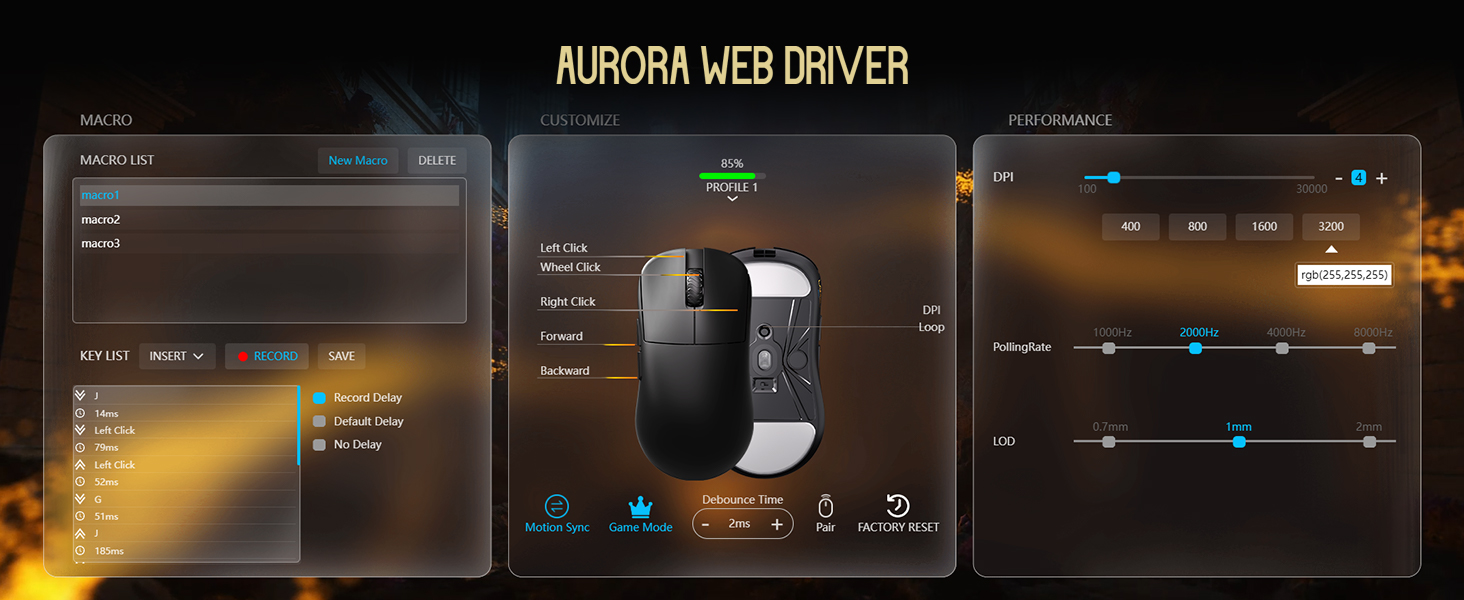
Image: Illustrations of common mouse grip methods (Palm Grip, Claw Grip, Fingertip Grip), indicating the Lamzu Inca's suitability for claw grip.
5. Одржавање
5.1 Чишћење
- Regularly clean the mouse surface with a soft, dry cloth.
- За тврдокорну прљавштину, благо дampобришите крпу водом или благим средством за чишћење, а затим одмах обришите сувим.
- Избегавајте употребу јаких хемикалија или абразивних материјала, јер они могу оштетити завршну обраду миша.
- Clean the sensor area on the bottom of the mouse periodically to ensure accurate tracking.
5.2 Одржавање батерије
- The mouse uses a nonstandard battery (included).
- Charge the mouse using the provided USB Type-C cable.
- Избегавајте често потпуно пражњење батерије како бисте продужили њен век трајања.
- Чувајте миш на хладном и сувом месту када га не користите дуже време.
КСНУМКС. Решавање проблема
6.1 Миш не реагује
- Проверите снагу: Ensure the mouse is turned on using the switch on the bottom.
- Проверите батерију: If in wireless mode, ensure the battery is charged. Connect the USB-C cable to charge.
- Проверите повезаност: For wireless, ensure the 8K dongle is securely plugged into a USB port. For wired, ensure the USB-C cable is firmly connected to both the mouse and the computer.
- Пробајте други УСБ порт: Plug the dongle or cable into a different USB port on your computer.
- Re-pair (Wireless): If connection is lost, use the LAMZU Aurora driver to re-pair the mouse with the dongle.
6.2 Sensor Stutter or Inaccurate Tracking
- Очистите сензор: Уверите се да је оптички сензор на дну миша чист и без прашине или прљавштине.
- Површина подлоге за миш: Use the mouse on a clean, uniform mouse pad surface. Avoid highly reflective or uneven surfaces.
- Polling Rate/DPI Settings: Adjust polling rate and DPI settings in the Aurora driver. Sometimes very high polling rates can cause issues on older systems or with certain USB controllers.
- Ажурирање фирмвера: Ensure your mouse firmware is up to date via the LAMZU Aurora driver.
6.3 Софтвер не детектује миш
- Reinstall Driver: Uninstall and reinstall the LAMZU Aurora driver.
- Проверите УСБ везу: Ensure the mouse is connected directly to the computer, not through a USB hub.
- Поново покрените рачунар: A system restart can often resolve software detection issues.
- macOS Firmware: If on macOS, ensure the firmware has been updated on a Windows system as required.
7. Спецификације
| Феатуре | Детаљ |
|---|---|
| Модел производа | LA-INCA |
| Димензије производа | 122 × 63 × 40mm (4.8 x 2.48 x 0.1 inches) |
| Тежина артикла | 40 грама (1.41 унци) |
| Сенсор ИЦ | ПикАрт ПАВ3950 |
| Макимум ДПИ | 30,000 ДПИ |
| МЦУ | Нордиц 52840 |
| Поллинг Рате | Up to 8K (8000Hz) |
| Повезивање | 2.4GHz Wireless, USB Wired (Type-C) |
| Прекидачи | Optical Switches (70 million clicks durability) |
| Енцодер | TTC Gold Dustproof Encoder |
| Посебне карактеристике | Ultra-Lightweight, Symmetrical High-Hump Design |
| Батерија | 1 нестандардна батерија (укључена) |
| Боја | Црно |

Image: Detailed diagram showing the dimensions of the Lamzu Inca mouse and a summary of its key specifications.
7.1 Component Highlights
- Pixart 3950 Sensor: High-precision optical sensor for accurate tracking.
- Nordic 52840 MCU: Advanced microcontroller for efficient performance and improved battery life.
- Оптички прекидачи: Provide tactile feedback, ultra-fast actuation, and enhanced durability.
- TTC Encoder: Features a five-layer dustproof structure for improved longevity and scroll wheel reliability.

Слика: Крупни план view of the Pixart 3950 sensor IC, a core component for precise mouse tracking.

Слика: Крупни план view of the Nordic 52840 MCU, highlighting its role in advanced mouse functionality and 8K polling rate compatibility.

Слика: Провидна view illustrating the internal mechanism of the optical switches, designed for optimized click feel and to prevent double clicks.

Слика: Крупни план view of the TTC Encoder, responsible for the scroll wheel's precise and durable operation.
8. Гаранција и подршка
For warranty information, technical support, and frequently asked questions, please visit the official Lamzu website or contact Lamzu customer service directly. Keep your proof of purchase for warranty claims.
Произвођач: Lamzu
Датум прве доступности: 12. марта 2025. године