
1. Увод
Welcome to the TABWEE T80 Tablet user manual. This guide provides comprehensive instructions to help you get the most out of your new Android 15 tablet. The T80 is designed for a seamless and powerful user experience, featuring advanced AI capabilities, a vibrant display, and robust performance for both work and entertainment.
Кључне карактеристике:
- Оперативни систем Андроид 15: Experience the latest features and security enhancements.
- Gemini AI 2.0: Enhanced AI for smarter interactions and controls.
- 10.5-inch HD+ IPS Display: Enjoy clear and vibrant visuals with a wide viewугао уласка.
- Моћне перформансе: Equipped with a 2.0GHz CPU, 12GB RAM, and 64GB ROM (expandable up to 2TB via TF card).
- Дуготрајна батерија: 6000mAh mega battery for extended use.
- Напредно повезивање: Supports 5G WiFi and Bluetooth 5.0.
- 5MP Google Lens Camera: For clear photos and smart scene recognition.

Figure 1.1: The TABWEE T80 Tablet, showcasinњегов елегантан дизајн и екран.
2. Подешавање
2.1 Распакивање и почетна наплата
Carefully remove your TABWEE T80 Tablet from its packaging. Before first use, it is recommended to fully charge the device using the provided USB-C cable and power adapter. The charging port is located on the side of the tablet.
2.2 Укључивање и почетна конфигурација
- Press and hold the Power button (located on the side) until the TABWEE logo appears on the screen.
- Пратите упутства на екрану да бисте изабрали језик, повезали се са Wi-Fi мрежом и подесили свој Google налог.
- Review and accept the terms and conditions to complete the setup process.

Слика 2.1: Прекоview of the TABWEE T80's core specifications and features.
3. Управљање таблетом
3.1 Функције Андроида 15
Your TABWEE T80 runs on the latest Android 15, offering enhanced user experience, improved privacy, and smart features.
Split-Screen Combo
The split-screen feature allows you to run two applications simultaneously, enhancing multitasking and productivity. You can easily save app pairs for quick access.
Video 3.1: Demonstrates how to use the split-screen feature to run two applications concurrently on the TABWEE T80 tablet.
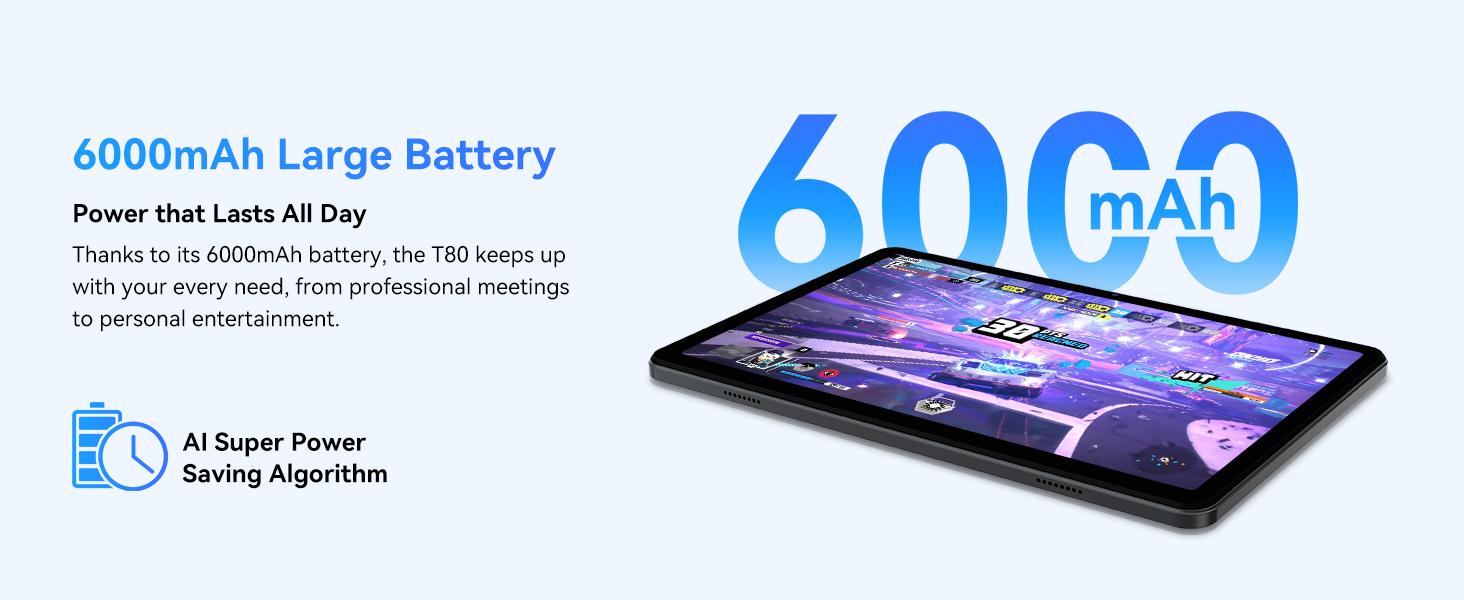
Figure 3.1: Visual representation of the split-screen functionality, allowing for efficient multitasking.
Desktop Customization and Widgets
Personalize your home screen by dragging and grouping apps freely. You can also add various widgets, such as the calendar, to quickly access information and tasks.
Video 3.2: Illustrates how to customize your desktop layout and add widgets for quick access to information.
Контрола приватности
Android 15 offers enhanced privacy controls, allowing you to manage app permissions and secure your data. You can block app access to sensitive information like location.
Video 3.3: Shows how to manage privacy settings and control app access to your data on the TABWEE T80.
Parental Controls with Gemini AI
Utilize Gemini AI parental controls to manage screen time, automatically lock games during homework, and ensure a safe digital environment for children.
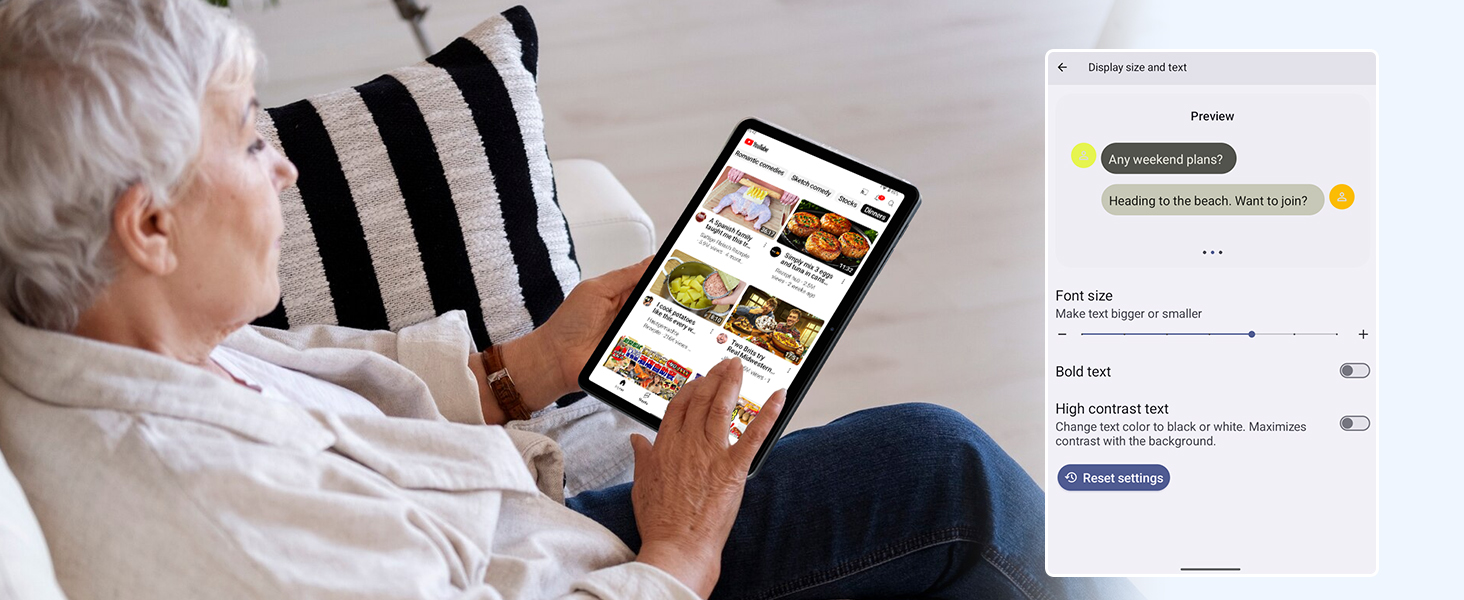
Figure 3.2: The Digital Wellbeing interface, demonstrating options for managing screen time and parental controls.
3.2 Приказ и визуелни елементи
The 10.5-inch HD+ IPS display provides a clear and immersive viewing experience with a 1280x800 resolution and 84.9% screen-to-body ratio. It's ideal for watching videos, browsing, and reading.

Figure 3.3: Details of the tablet's display, highlighting its resolution and IPS full view способности.
3.3 Перформансе и складиштење
Powered by a 2.0GHz Unisoc T310 CPU and 12GB RAM (expandable via software memory extension), the T80 ensures smooth multitasking and responsive performance. With 64GB of internal storage and support for up to 2TB TF cards, you have ampпростор за све ваше fileс, апликације и медији.

Figure 3.4: Illustration of the tablet's processing power and memory, enabling seamless multitasking and productivity.
3.4 Трајање батерије
The 6000mAh mega battery provides extended usage, offering up to 8 hours of video streaming, 6 hours of gaming, or 30 hours of music playback. Smart power-saving modes further optimize battery longevity.

Figure 3.5: Depiction of the tablet's large 6000mAh battery and its USB-C charging port.
3.5 Карактеристике камере
The T80 features a 5MP Google Lens enabled camera. This allows for scene recognition, night mode optimization, and useful functions like text translation and object identification.

Слика 3.6: Прекоview of the tablet's camera and its integration with Google Lens for smart functions.
4. Одржавање
To ensure the longevity and optimal performance of your TABWEE T80 Tablet, follow these maintenance guidelines:
- Чишћење: Користите меку крпу која не оставља влакна за чишћење екрана и кућишта. Избегавајте абразивне материјале или јаке хемикалије.
- Ажурирања софтвера: Редовно проверавајте и инсталирајте системска ажурирања како бисте имали користи од најновијих функција, безбедносних закрпа и побољшања перформанси.
- Одржавање батерије: Избегавајте екстремне температуре. Не дозволите да се батерија често потпуно испразни. За дуготрајно складиштење, напуните батерију до око 50%.
- Управљање складиштем: Периодично чистите непотребне fileи апликације да бисте ослободили простор за складиштење и одржали несметан рад.
- Заштита: Размислите о коришћењу заштитне футроле и заштитника екрана како бисте се заштитили од падова и огреботина.
КСНУМКС. Решавање проблема
This section addresses common issues you might encounter with your TABWEE T80 Tablet.
5.1 Уређај се не укључује
- Проверите батерију: Ensure the tablet has sufficient charge. Connect it to the charger and wait a few minutes before attempting to power on again.
- Хард Ресет: Притисните и држите дугме за напајање око 10-15 секунди док се уређај поново не покрене.
5.2 Проблеми са Wi-Fi повезивањем
- Укључи/искључи Wi-Fi: Искључите Wi-Fi, а затим га поново укључите у Подешавањима.
- Поново покрените рутер: Power cycle your Wi-Fi router.
- Заборави мрежу: Go to Wi-Fi settings, forget the problematic network, and then reconnect.
5.3 Споре перформансе
- Затвори апликације у позадини: Затворите неискоришћене апликације које раде у позадини.
- Обриши кеш: Regularly clear app caches in Settings > Apps.
- Ослободите меморијски простор: Обришите непотребно files or uninstall rarely used apps.
- Поново покрените уређај: Једноставно поновно покретање често може решити привремена успоравања.
5.4 Апликације се руше или не реагују
- Присилно заустављање апликације: Go to Settings > Apps, select the problematic app, and choose 'Force Stop'.
- Clear App Data/Cache: In the same app settings, try clearing its cache or data (note: clearing data will reset the app to its default state).
- Поново инсталирајте апликацију: Uninstall and then reinstall the app from the Google Play Store.
6. Спецификације
Detailed technical specifications for the TABWEE T80 Tablet:
| Феатуре | Спецификација |
|---|---|
| Бранд | TABWEE |
| Назив модела | Т80 |
| Оперативни систем | Андроид 15 |
| Величина екрана | 10.5 инча |
| Резолуција екрана | 1280 к 800 пиксела |
| Процесор | 2.0 GHz Unisoc T310 |
| Меморија (РАМ) | 12 ГБ |
| Складиштење (РОМ) | 64 ГБ |
| Екпандабле Стораге | Up to 2TB TF Card |
| Позади Webцам Ресолутион | 5 МП |
| Вирелесс Типе | 802.11n, 802.11b, 802.11a, 802.11ac, 802.11g (5G WiFi) |
| Блуетоотх | Блуетоотх 5.0 |
| Капацитет батерије | 6000мАх |
| Просечно трајање батерије | 550 сата (приправност) |
| Тежина артикла | 1.1 фунти (приближно 523 грама) |
| Димензије производа | 9.5 к 6.4 к 0.3 инча |
| Боја | Греи |
7. Гаранција и подршка
TABWEE is committed to quality and customer satisfaction. Your T80 Tablet comes with comprehensive support to ensure a worry-free experience.
7.1 Информације о гаранцији
The TABWEE T80 Tablet is backed by a 2 година гаранције. This warranty covers manufacturing defects and ensures free repair service for eligible issues. Please retain your proof of purchase for warranty claims.
7.2 Корисничка подршка
For any questions, technical assistance, or warranty claims, please contact our dedicated support team:
- 24/7 Online Call Support: Доступно за хитну помоћ.
- Доживотна техничка подршка: Expert help whenever you need it.
- Hassle-Free Service: Assistance available through the TABWEE Official Flagship Store.
We are dedicated to providing prompt and effective solutions to all your inquiries.

Слика 7.1: Наш посвећени тим за корисничку подршку је спреман да вам помогне.