
1. Увод
Thank you for choosing the Powerology Portable Air Compressor Jump Starter. This multi-functional device is designed to provide reliable assistance in various emergency situations, including jump-starting vehicles and inflating tires. Please read this manual thoroughly before use to ensure safe and optimal performance.

Figure 1.1: The Powerology Portable Air Compressor Jump Starter, showcasing its main unit, jump starter cables (red and black clamps), and the air inflation hose. The digital display is visible on the unit.
2. Безбедносне информације
Увек се придржавајте следећих мера предострожности како бисте спречили повреде или оштећење уређаја:
- Не излажите уређај екстремним температурама, директној сунчевој светлости или влази.
- Чувати ван домашаја деце.
- Обезбедите одговарајућу вентилацију током рада и пуњења.
- Не растављајте нити модификујте уређај. Сво сервисирање препустите квалификованом особљу.
- Use only the provided accessories and cables.
- Avoid short-circuiting the jump starter clamps.
3. Производ је готовview
3.1 Компоненте
- Main Unit (Portable Air Compressor Jump Starter)
- Smart Jump Starter Cables
- Air Inflation Hose
- УСБ-Ц кабл за пуњење
- Various Nozzle Adapters for inflation
3.2 Кључне карактеристике
- Капацитет батерије: 8800мАх
- вршна струја: 800A (for jump starting)
- Max Inflation Pressure: 150 ПСИ
- Брзина инфлације: 31.4 литара/минут
- Компатибилност мотора: До 5.0 литара бензина, 3.0 литара дизела
- Функција Повер Банк: Dual USB Output, including 20W Power Delivery (PD) via USB-C
- Приказ: Digital LED screen for real-time pressure and battery status

Слика 3.1: Детаљан view of the digital display on the Powerology unit, indicating battery charge, selectable pressure units (PSI, BAR, KPA, KG/CM²), and control buttons for mode selection and pressure adjustment.
4. Подешавање
4.1 Почетно пуњење
Before first use, fully charge the device. Connect the provided USB-C charging cable to the device's USB-C input port and the other end to a compatible USB power adapter (not included). The digital display will indicate the charging status. A full charge typically takes approximately 2 hours with a 20W PD charger.
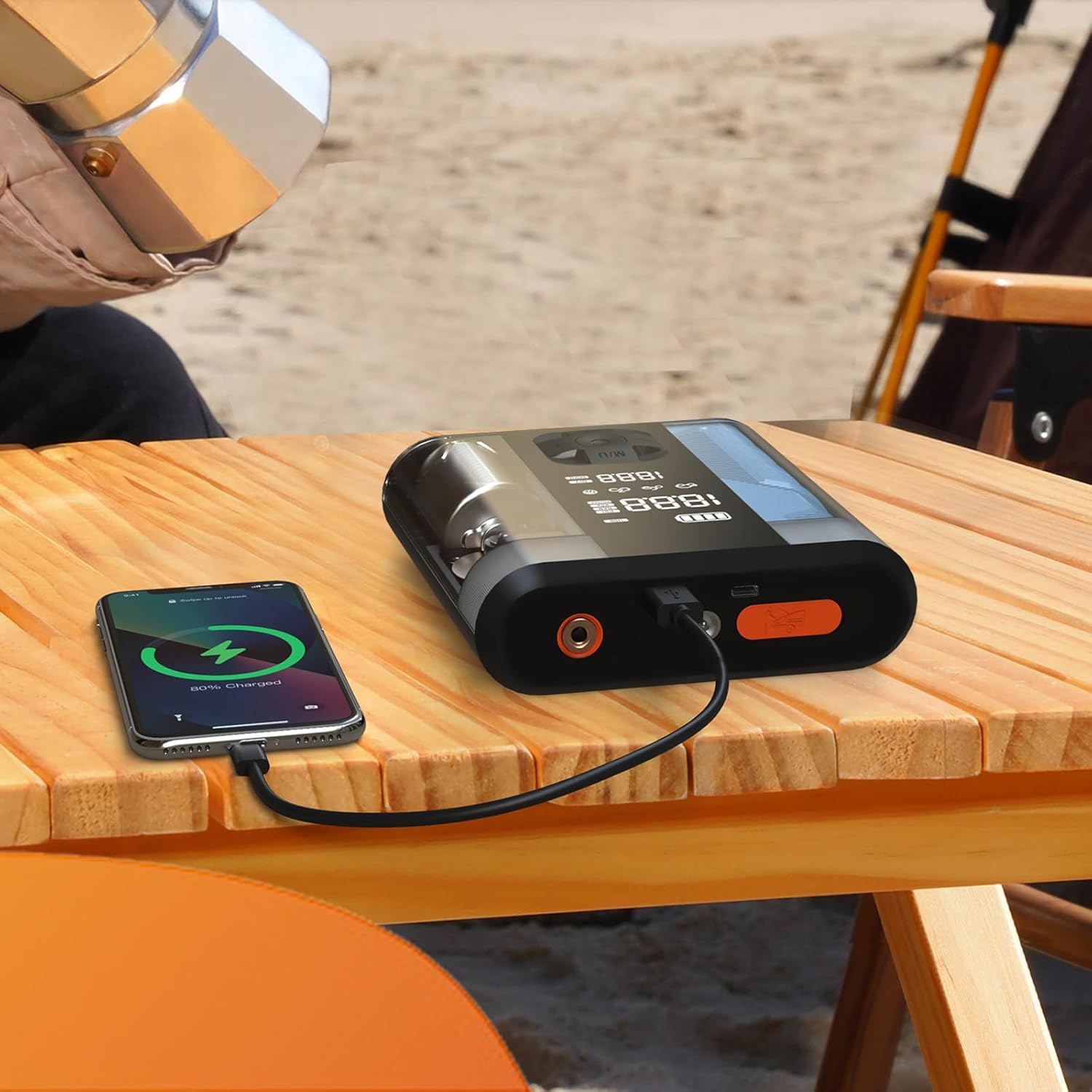
Figure 4.1: The Powerology device connected via USB-C cable to a smartphone, demonstrating its power bank functionality. The phone screen shows a charging indicator.
5. Упутство за употребу
5.1 Покретање возила скоком
- Уверите се да је стартер напуњен најмање 50%.
- Искључите паљење возила и сву додатну опрему.
- Повежите црвени (+) цлamp на позитивни (+) пол акумулатора возила.
- Повежите црни (-) цлamp на негативни (-) пол акумулатора возила.
- Connect the smart cable connector to the jump starter port on the device.
- Start the vehicle. If it doesn't start immediately, wait 30 seconds and try again. Do not attempt more than 3 consecutive starts.
- Once the vehicle starts, disconnect the smart cable from the jump starter, then remove the black (-) clamp, followed by the red (+) clamp.
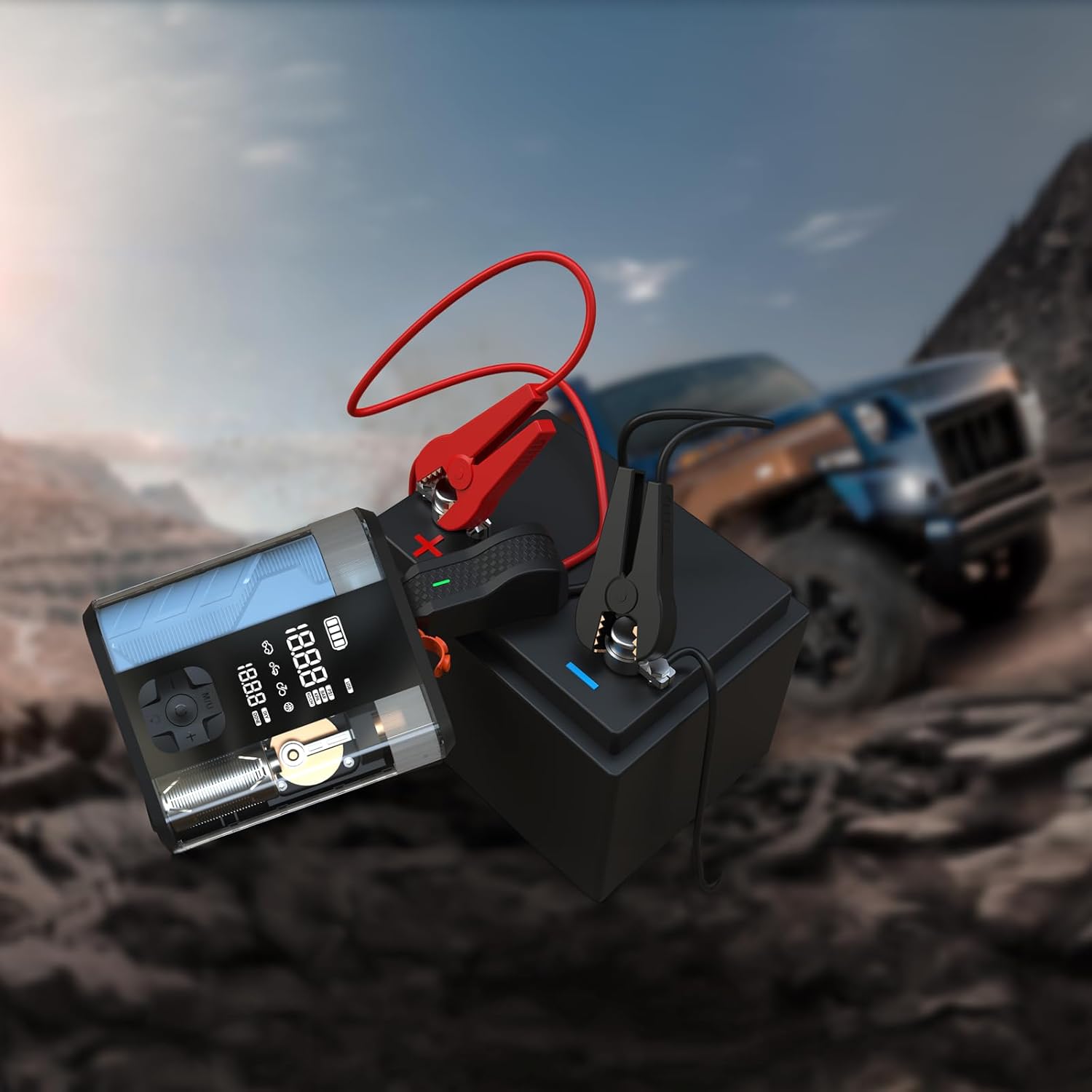
Figure 5.1: The Powerology device with its jump starter cables connected to a vehicle battery, illustrating the process of jump starting a car in an outdoor setting.
5.2 Inflating Tires
- Connect the air inflation hose to the device's inflation port.
- Attach the other end of the hose to the tire valve.
- Turn on the device. The digital display will show the current tire pressure.
- Use the '+' and '-' buttons to set the desired pressure.
- Press the start button to begin inflation. The device will automatically stop when the preset pressure is reached.
- Disconnect the hose from the tire valve and the device.

Figure 5.2: The Powerology device positioned next to a car tire, with the inflation hose connected, demonstrating its use as an air compressor for tire inflation.
5.3 Коришћење као преносне батерије
Connect your electronic devices (e.g., smartphones, tablets) to the USB-A or USB-C output ports on the Powerology unit using a compatible charging cable. The device will automatically begin charging your connected device.
6. Одржавање
- Чишћење: Обришите уређај меком, сувом крпом. Не користите јаке хемикалије или абразивна средства за чишћење.
- Складиштење: Store the device in a cool, dry place away from direct sunlight and extreme temperatures. Ensure it is fully charged before long-term storage and recharge every 3-6 months to maintain battery health.
- Одржавање батерије: Избегавајте често потпуно пражњење батерије како бисте продужили њен век трајања.
КСНУМКС. Решавање проблема
| Проблем | Могући узрок | Решење |
|---|---|---|
| Уређај се не укључује | Слаба батерија или нема напуњености | У потпуности напуните уређај. |
| Vehicle does not jump start | Нетачан цлamp connection; vehicle battery too low; engine too large | Check connections; ensure device is fully charged; verify engine compatibility. |
| Tire not inflating | Hose not securely connected; wrong pressure unit selected; hose kinked | Ensure hose is tight; check pressure unit; straighten hose. |
| Прегревање уређаја | Prolonged use; blocked vents | Allow device to cool down; ensure vents are clear. |
8. Спецификације
| Феатуре | Детаљ |
|---|---|
| Бранд | Поверологи |
| Модел | ППБЦХА47 |
| Тип батерије | Литијум-јонски |
| Капацитет батерије | 8800мАх |
| Пеак Цуррент | 800А |
| Максимални притисак надувавања | 150 ПСИ |
| Брзина инфлације | 31.4 Л/мин |
| УСБ-Ц излаз | 20В ПД |
| Димензије производа | 4.1 к 13.6 к 15.7 цм |
| Тежина производа | 740 г |
9. Гаранција и подршка
This Powerology product comes with a standard manufacturer's warranty. For detailed warranty information, technical support, or service inquiries, please refer to the warranty card included in your product packaging or visit the official Powerology webсајт. Сачувајте рачун као доказ о куповини.