
Увод
The LEOBOG AULA HERO 68 HE is a compact 68-key mechanical gaming keyboard designed for performance and customization. It features Hall Effect magnetic switches, adjustable actuation, rapid trigger mode, and an 8K Hz polling rate for precise input. The keyboard includes side-printed PBT keycaps and RGB backlighting, connecting via a detachable USB-C cable.
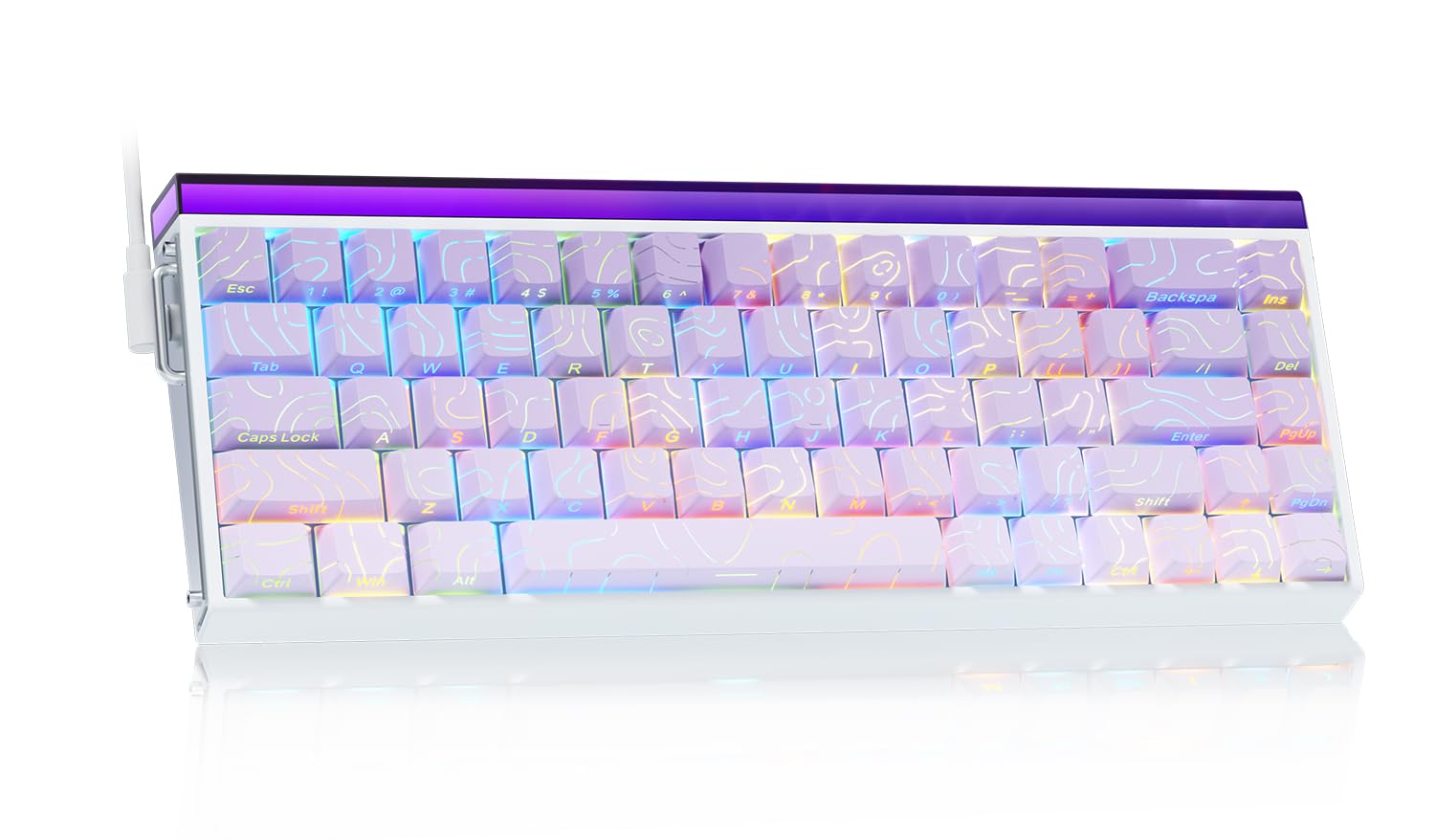
Image: The LEOBOG AULA HERO 68 HE 60% Gaming Keyboard in purple, showcasinг његовим компактним распоредом и RGB осветљењем.
Садржај пакета
- 1x LEOBOG AULA HERO 68 HE Gaming Keyboard
- 4x PBT Keycaps (for customization)
- 1к енглески приручник
- 1x USB-C Cable (detachable)
- 1x Keycap/Switch Puller
Упутства за подешавање
- Повежите тастатуру: Connect the detachable USB-C cable to the keyboard's USB-C port and the other end to an available USB port on your computer. The keyboard is plug-and-play and should be recognized automatically by most operating systems.
- Инсталација драјвера (опционо): For advanced customization, including trigger travel settings, RGB backlight settings, custom shortcut keys, DKS/MT/TGL custom functions, and magnetic switch performance adjustments, download the dedicated web driver from the official LEOBOG webсајту. Note: The driver currently supports Windows operating systems.
- Keycap and Switch Customization: The keyboard features hot-swappable switches and replaceable keycaps. Use the included keycap/switch puller to remove and replace components.

Image: Close-up of the keyboard's side, showing the USB-C port and detachable cable connection.

Image: Screenshot of the programmable web driver interface, showing options for trigger travel, RGB settings, and macro recording.
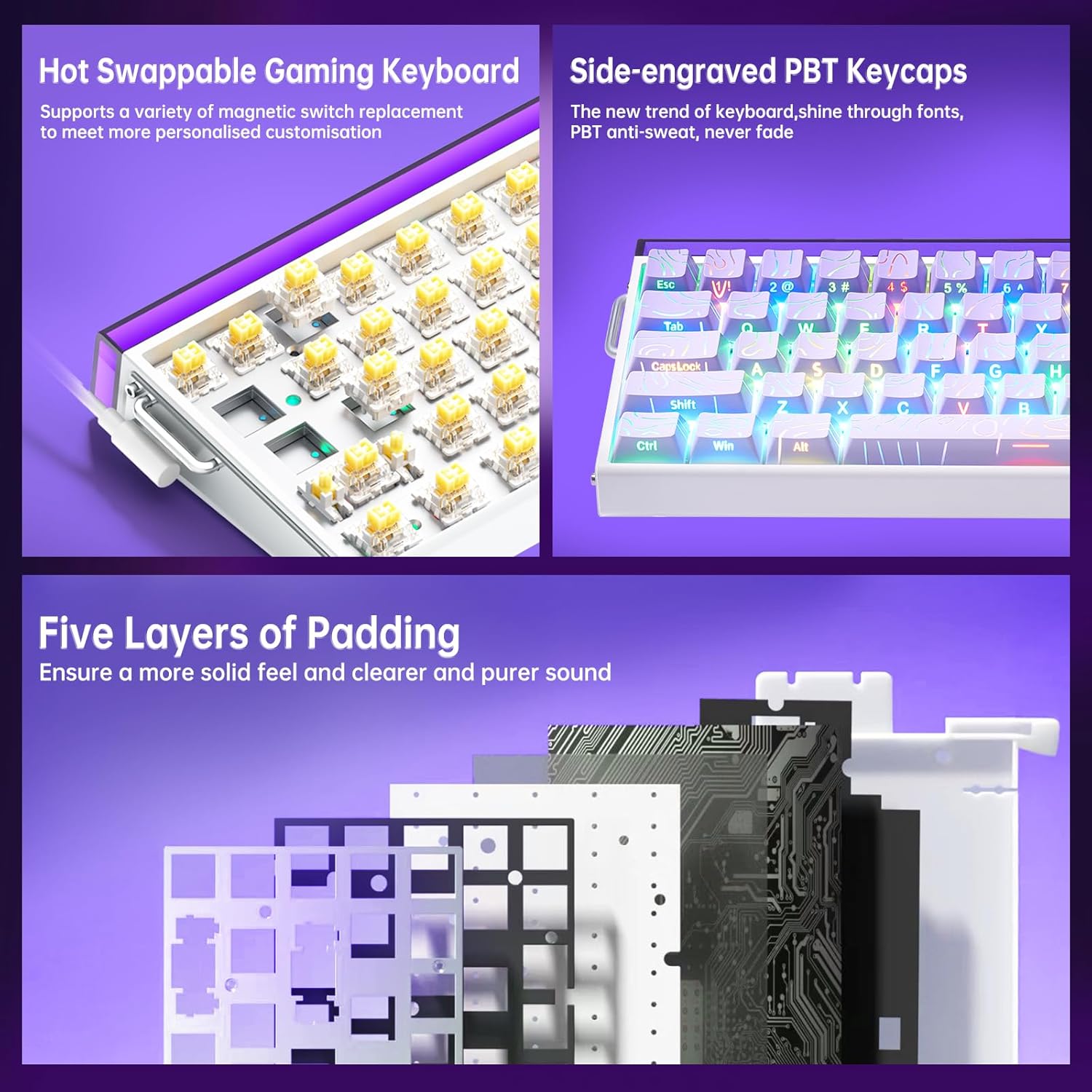
Слика: Детаљна view illustrating the hot-swappable magnetic switches and the side-engraved PBT keycaps. Also shows the internal five layers of padding.
Упутство за употребу
RGB контрола позадинског осветљења
The keyboard features 16 million RGB backlight colors with 32 LED beads. Lighting brightness and speed can be adjusted using the dedicated knob or FN+key combinations.
- Контрола дугмета: Rotate the knob to adjust lighting brightness. Press the knob to cycle through lighting effects.
- ФН + Инс: Turn on/off keyboard light.
- FN + PgUp: Пребаците светлосне ефекте.
- ФН + З/Кс/Ц: Adjust lightbox lighting speed (Z/X) and color (C).
- FN + стрелица лево/десно: Adjust light speed.
- FN + стрелица горе/доле: Adjust light brightness.
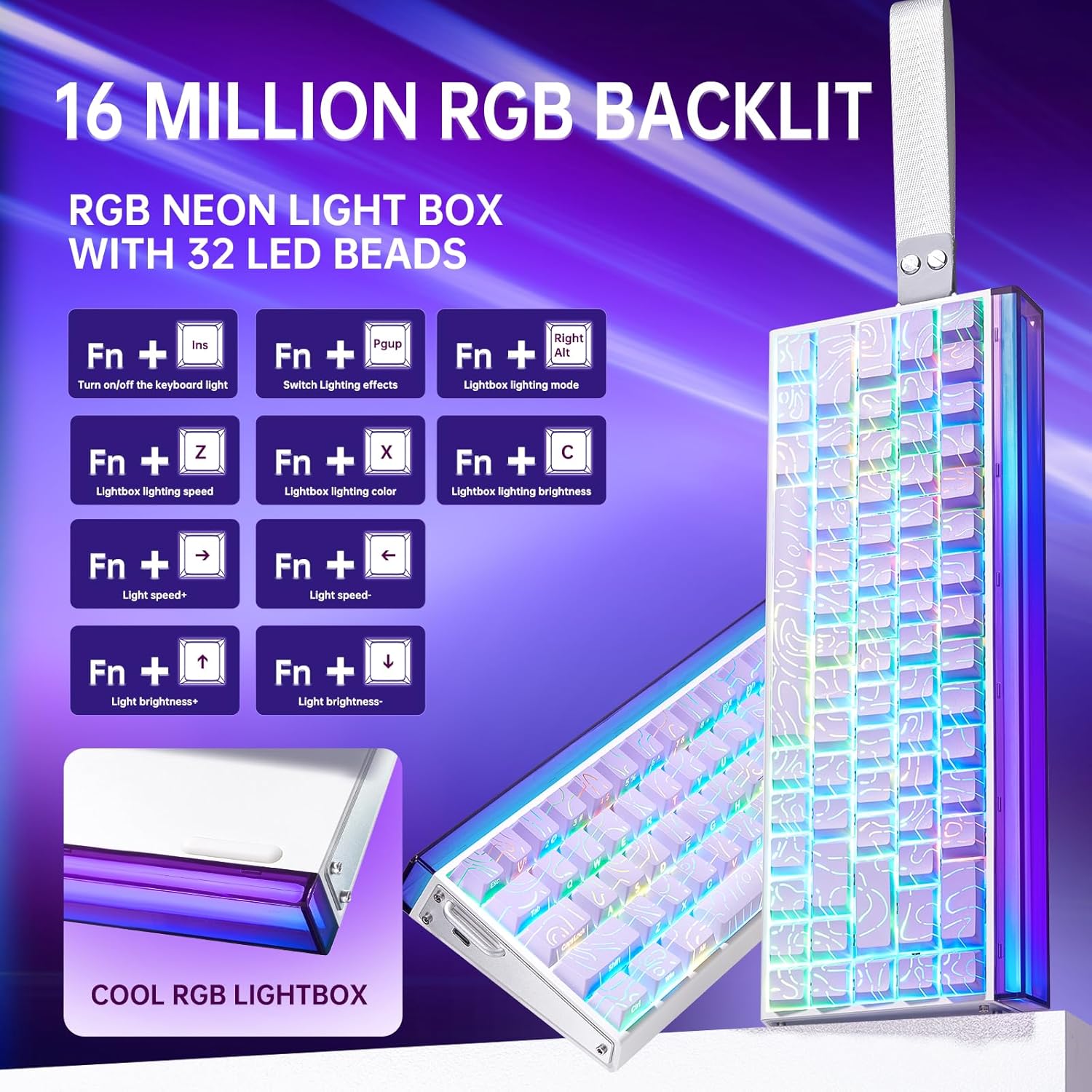
Image: Diagram showing FN key combinations for controlling RGB backlighting and the function of the control knob.
Hall Effect Magnetic Switches and Rapid Trigger
The Hall Effect magnetic switches allow for adjustable actuation points and rapid trigger mode, providing enhanced responsiveness for gaming. These settings are typically configured via the dedicated web софтвер драјвера.
- Подесиво активирање: Customize the distance a key needs to travel before registering an input.
- Режим брзог окидања: Allows keys to reset instantly upon release, enabling faster repeated inputs.

Image: Diagram illustrating the components and specifications of a high-performance magnetic switch, including stroke, initial pressure, and bottom pressure.
Програмабилни тастери и макрои
Искористите web driver software to program custom shortcut keys and create macros for complex command sequences. This allows for a personalized and optimized workflow or gaming experience.
Одржавање
- Чишћење: Regularly clean the keyboard with a soft, dry cloth. For deeper cleaning, remove keycaps using the provided puller and use compressed air to clear debris from beneath the switches.
- Замена тастера и прекидача: The hot-swappable design allows for easy replacement of switches and keycaps without soldering. Use the included tools for safe removal and installation. Ensure proper alignment when reinserting switches and keycaps to prevent damage.

Слика: Крупни план view of a keycap removed from the keyboard, revealing the switch underneath.
Решавање проблема
- Тастатура не реагује:
- Уверите се да је USB-C кабл безбедно повезан и са тастатуром и са рачунаром.
- Покушајте да повежете тастатуру са другим УСБ портом на рачунару.
- Тестирајте тастатуру на другом рачунару да бисте искључили проблеме специфичне за систем.
- RGB осветљење не ради или је неисправно:
- Check if the lighting is turned off using the FN+Ins key combination.
- Adjust brightness and effects using the knob or FN+key combinations as described in the Operating Instructions.
- If using the software, ensure it is correctly installed and configured.
- Тастери се не региструју или се куцају двапут:
- Ensure the switches are properly seated in their sockets.
- Очистите околину оштећеног прекидача да бисте уклонили све остатке.
- Ако користите web driver, check actuation point settings, as an overly sensitive setting might cause unintended inputs.
- Проблеми са софтвером:
- Ensure you have downloaded the correct and latest version of the web driver from the official LEOBOG webсајту.
- Temporarily disable any antivirus software if it interferes with the driver installation or operation.
- Refer to the software's specific documentation or online support for detailed troubleshooting.
Спецификације
| Бранд | ЛЕОБОГ |
| Број модела | Херој 68 |
| Лаиоут | 60% (68-key) |
| Тип прекидача | Hall Effect Magnetic Switches (LEOBOG Greywood / Meteor Magnetic Switch) |
| Поллинг Рате | 8К Хз |
| Латенција | 0.125мс |
| Кеицапс | Side-Printed PBT Keycaps |
| Повезивање | Wired USB-C (detachable) |
| Позадинско осветљење | RGB (16 Million Colors, 32 LED beads) |
| Димензије (Д к Ш к В) | 13.94 cm x 6.38 cm x 2.24 cm |
| Компатибилни уређаји | Играчка конзола, лаптоп, рачунар, паметни телефон, таблет |
| Материјал | Акрилонитрил Бутадиен Стирен, Пластика, Силикон |
Информације о гаранцији
This LEOBOG AULA HERO 68 HE Gaming Keyboard comes with a 2-годишња гаранција произвођачаМолимо вас да сачувате доказ о куповини за потребе гаранције. Гаранција покрива недостатке у материјалу и изради при нормалној употреби. Не покрива штету насталу услед злоупотребе, незгода, неовлашћених модификација или нормалног хабања.
Подршка
For technical assistance, product inquiries, or warranty support, please contact the manufacturer or authorized seller. The primary seller for this product is AULA Tech USA.
You may also visit the official LEOBOG website for additional resources, driver downloads, and frequently asked questions.
Онлине ресурси:
- LEOBOG Store on Amazon: Посетите продавницу
Видео о производу
Video: Professional Gaming Keyboards 60% Hall Effect Keyboard. This video demonstrates the features and functionality of the AULA HERO 68 HE keyboard, including its design, RGB lighting, and magnetic switches.