
1. Увод
Welcome to the user manual for your new UXD A5 Android 13 Tablet. This guide provides essential information on setting up, operating, maintaining, and troubleshooting your device to ensure optimal performance and user experience. Please read this manual thoroughly before using your tablet.
2. Садржај пакета
Проверите да ли су све ставке наведене у наставку укључене у ваш пакет:
- UXD A5 Android 13 Tablet
- Стилус
- Сцреен Протецтор
- OTG Dongle
- Тастатура
- Миш
- Foldable Bag
- Кабл за пуњење
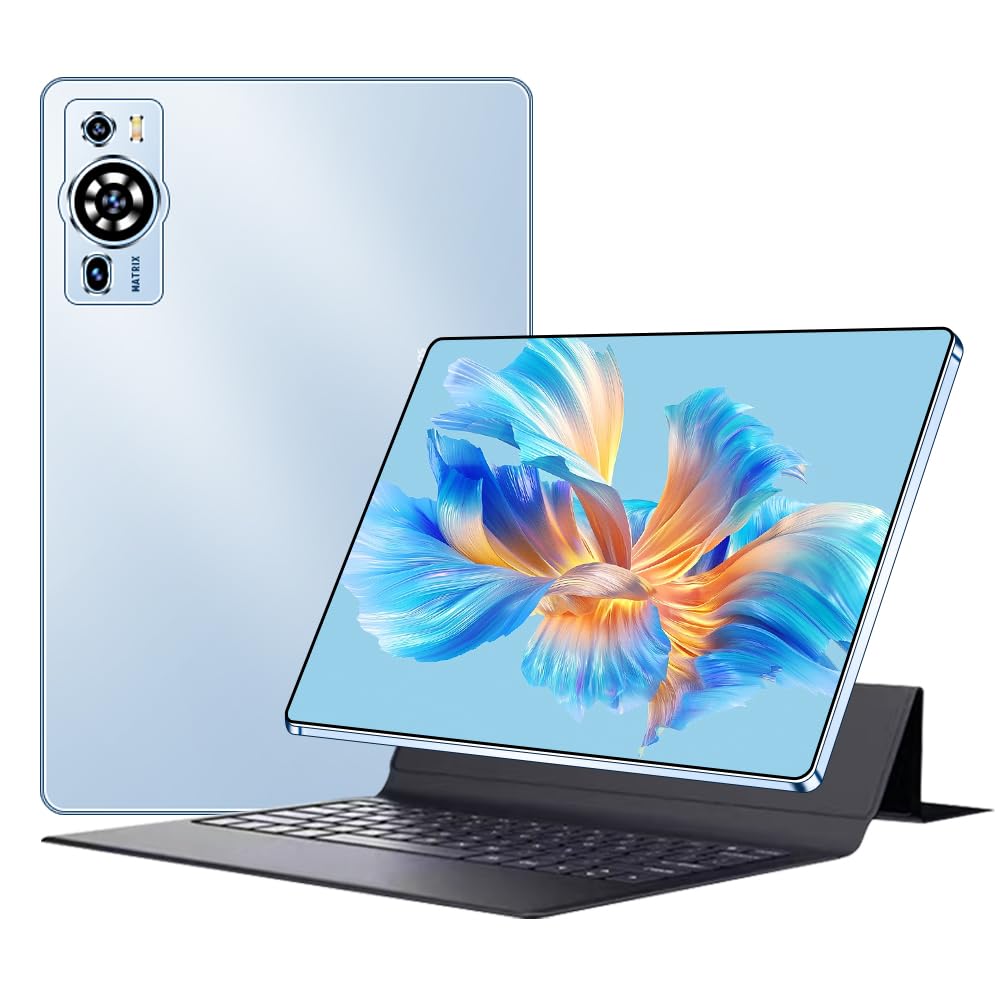
Image 2.1: UXD A5 Tablet with keyboard, mouse, stylus, and other accessories.
3. Производ је готовview
Упознајте се са физичким компонентама вашег таблета:

Image 3.1: Diagram illustrating the tablet's ports and buttons.
- Слушалице: За повезивање жичних слушалица.
- Дугме за напајање: Притисните и држите да бисте укључили/искључили или поново покренули уређај. Притисните кратко да бисте пробудили/успавали екран.
- Тастери за јачину звука: Подесите јачину звука таблета.
- Charging Port (Type C): Повежите приложени USB-C кабл за пуњење.
- Предња камера: За видео позиве и селфије.
- Слот за СИМ картицу: Insert a Nano-SIM card for 4G cellular connectivity and a microSD card for expandable storage.
- говорници: Стерео звучници за аудио излаз.
4. Почетно подешавање
4.1. Пуњење таблета
Before first use, fully charge your tablet. Connect the provided USB-C charging cable to the tablet's charging port and plug the other end into a power adapter (not always included) or a computer's USB port. The battery indicator on the screen will show charging status.
4.2. Укључивање/искључивање
- За укључивање: Press and hold the Power Button until the UXD logo appears.
- За искључивање: Press and hold the Power Button until the power options menu appears, then select "Power off."
- Рестартовати: Press and hold the Power Button until the power options menu appears, then select "Restart."
4.3. Уметање SIM и MicroSD картица
Locate the SIM card slot on the side of the tablet. Use the provided SIM ejector tool (if included) to open the tray. Carefully place your Nano-SIM card and/or microSD card into the designated slots on the tray, ensuring correct orientation. Insert the tray back into the tablet until it clicks into place.
4.4. Повезивање додатне опреме
- Тастатура и миш: These accessories typically connect via Bluetooth. Go to Подешавања > Повезани уређаји > Блутут on your tablet, turn on Bluetooth, and pair with the keyboard and mouse. Follow the specific pairing instructions for each accessory.
- Оловка: The stylus can be used directly on the screen for drawing, writing, and navigation. No pairing is usually required for basic functionality.
- OTG Dongle: Connect the OTG dongle to the tablet's USB-C port to connect USB devices like flash drives or external hard drives.
5. Упутство за употребу
5.1. Навигација кроз Андроид 13
Your tablet runs on Android 13, offering an intuitive user interface. Swipe up from the bottom for the app drawer, swipe down from the top for quick settings and notifications. Use gestures or the navigation bar for Home, Back, and Recent Apps functions.
5.2. Повезивање
- Ви-Фи 6: Да бисте се повезали на Wi-Fi, идите на Подешавања > Мрежа и интернет > Интернет, select your desired network, and enter the password.
- Блуетоотх КСНУМКС: For connecting wireless headphones, speakers, or other Bluetooth devices, go to Подешавања > Повезани уређаји > Блутут.
- 4G мобилни: If you have inserted a SIM card, enable mobile data in Подешавања > Мрежа и интернет > Мобилна мрежа.
5.3. Подешавања екрана
The 10.1-inch HD IPS display offers vibrant visuals. Adjust brightness, dark theme, and font size in Подешавања > Екран. The tablet supports features like eye protection modes to reduce strain.

Image 5.1: Tablet display highlighting key features like connectivity and eye protection.
5.4. Употреба камере
Your tablet is equipped with dual cameras. Open the Camera app to take photos or record videos. Tap on the screen to focus and use the on-screen controls for various modes and settings.
5.5. Управљање батеријом
The 8000 mAh battery provides extended usage. To optimize battery life, adjust screen brightness, close unused apps, and enable battery saver mode when needed. Avoid extreme temperatures.

Image 5.2: Battery performance overview for various activities.
5.6. Сценарији коришћења
The UXD A5 tablet is versatile for various tasks:

Слика 5.3: Примерamples of tablet use for creative, entertainment, and productivity tasks.
- Painting & Drawing: Utilize the stylus for creative applications.
- Играње: Enjoy a smooth gaming experience with the Octa-Core processor and 12GB RAM.
- Study & Work: Use the keyboard and mouse for productivity, and the stylus for note-taking.
- Потрошња медија: Watch videos and listen to music on the HD display and stereo speakers.
6. Нега и одржавање
- Чишћење: Користите меку крпу која не оставља влакна за чишћење екрана и кућишта. Избегавајте јаке хемикалије.
- Складиштење: Таблет чувати на хладном и сувом месту, заштићено од директне сунчеве светлости и екстремних температура.
- Ажурирања софтвера: Редовно проверавајте и инсталирајте системска ажурирања како бисте осигурали оптималне перформансе и безбедност. Идите на Подешавања > Систем > Ажурирање система.
- Заштита екрана: Apply the included screen protector to prevent scratches.
7. Водич за решавање проблема
Овај одељак се бави уобичајеним проблемима на које можете наићи:
- Таблет се не укључује: Ensure the tablet is charged. Connect it to a charger for at least 30 minutes, then try powering on again. If it still doesn't turn on, perform a forced restart by holding the power button for 10-15 seconds.
- Екран не реагује: Поново покрените таблет. Ако проблем и даље постоји, уверите се да је екран чист и без прљавштине.
- Проблеми са Ви-Фи везом: Проверите да ли је Wi-Fi омогућен у подешавањима. Рестартујте рутер и таблет. Заборавите мрежу и поново се повежите.
- Споре перформансе: Close unused applications. Clear cache data from apps. Consider performing a factory reset (back up your data first).
- Accessories not connecting: Ensure Bluetooth is enabled on the tablet and the accessory is in pairing mode. Check battery levels of wireless accessories.
8. Техничке спецификације
| Бранд | УКСД |
| Број модела | A5 |
| Оперативни систем | Андроид 13 |
| Марка процесора | MediaTek Octa Core |
| РАМ | 12 ГБ |
| Капацитет складиштења | 256 ГБ |
| Величина екрана | 10.1 инча |
| Резолуција екрана | 1920 x 1200 пиксела (HD IPS) |
| Капацитет батерије | 8000 мАх |
| Трајање батерије | До 8 сати |
| Бежично повезивање | Wi-Fi 6 (802.11ax, 802.11b), Bluetooth 5.0, 4G Cellular |
| Интерфејси | USB Type-C, Bluetooth |
| Димензије (Д к Ш к В) | 24 к 16 к 0.9 цм |
| Тежина производа | 1 килограма |
| Посебне карактеристике | Detachable Keyboard, Stereo Speakers, USB OTG Support, Stylus Support |

Image 8.1: Tablet showcasing its ultra-slim design and weight.
9. Гаранција и подршка
Information regarding specific warranty terms and availability of spare parts is not provided in the product details. For warranty claims, technical support, or inquiries about spare parts, please refer to the manufacturer's official website or contact their customer service directly. Please retain your proof of purchase for any warranty-related requests.


