
1. Увод
Хвала вам на куповиниasing the Gembird GMB Audio TWS-LCD-ANC-01-W Wireless In-Ear Headphones. These headphones are designed to provide a high-quality audio experience for music and calls, featuring Active Noise Cancellation (ANC) and an integrated microphone. This manual provides essential information for setting up, operating, maintaining, and troubleshooting your device.
2. Садржај пакета
- 1x Pair of Gembird GMB Audio TWS-LCD-ANC-01-W Wireless In-Ear Headphones
- 1к торбица за пуњење
- 1к УСБ Типе-Ц кабл за пуњење
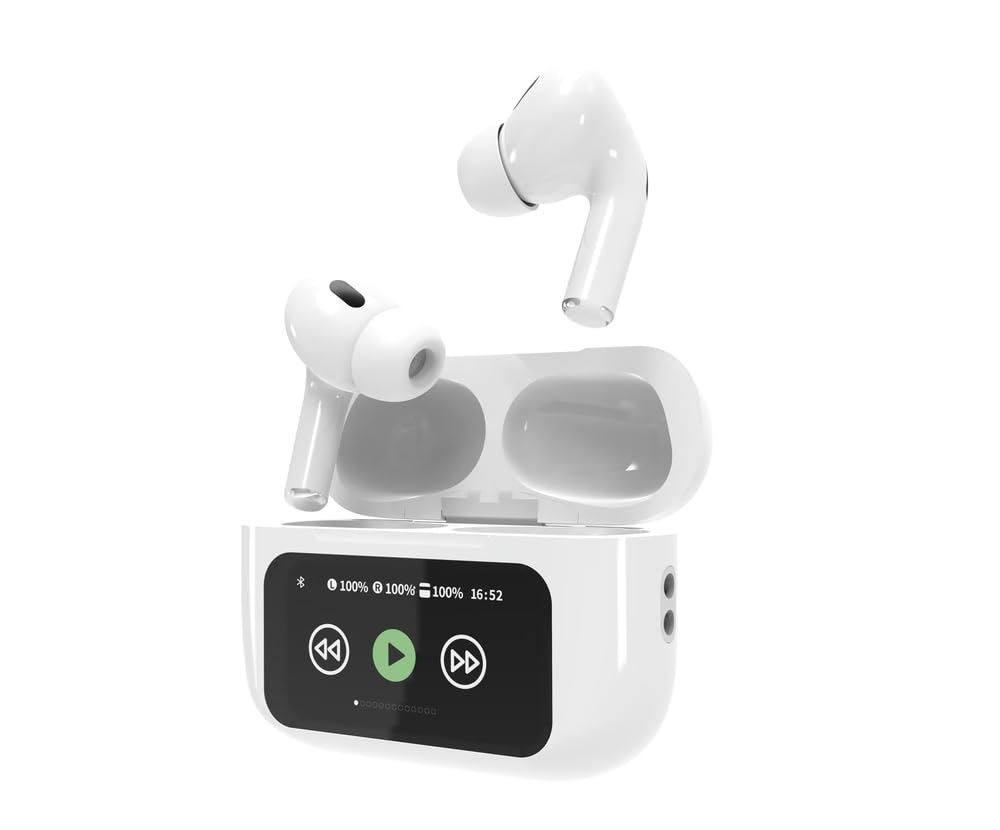
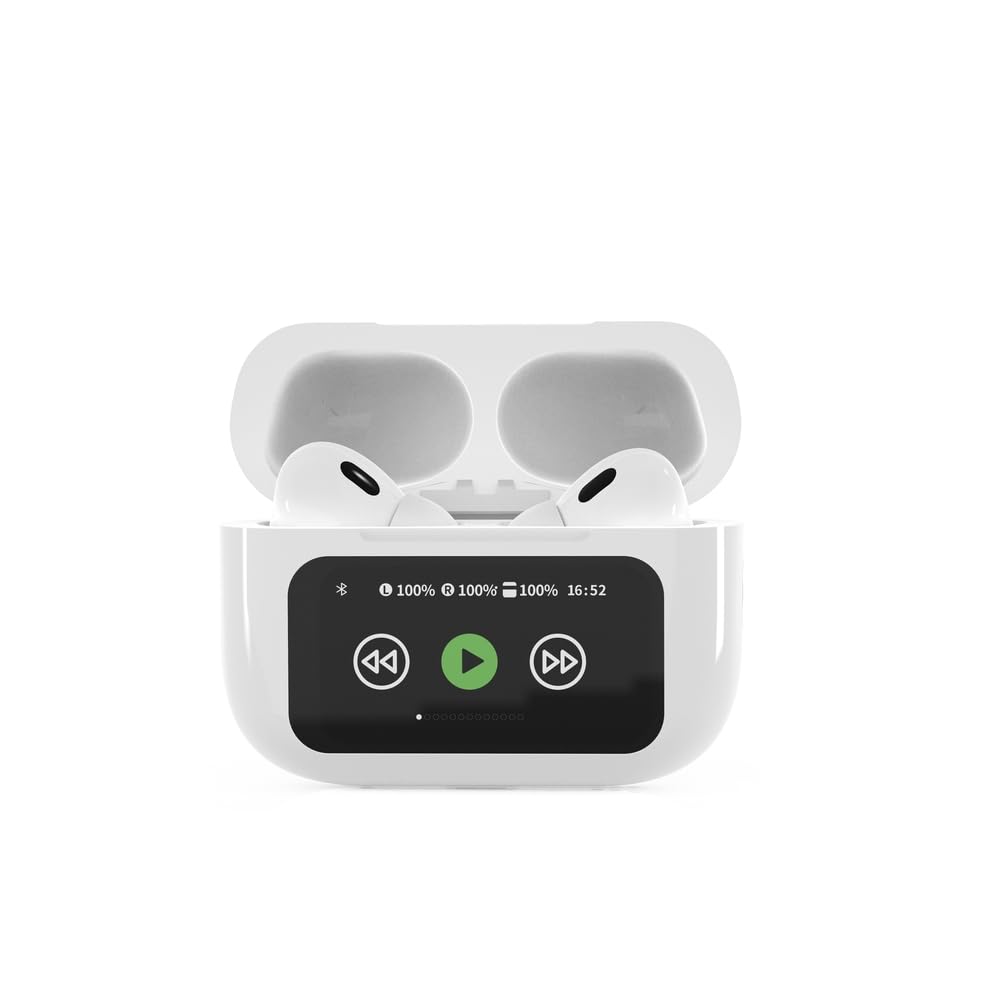
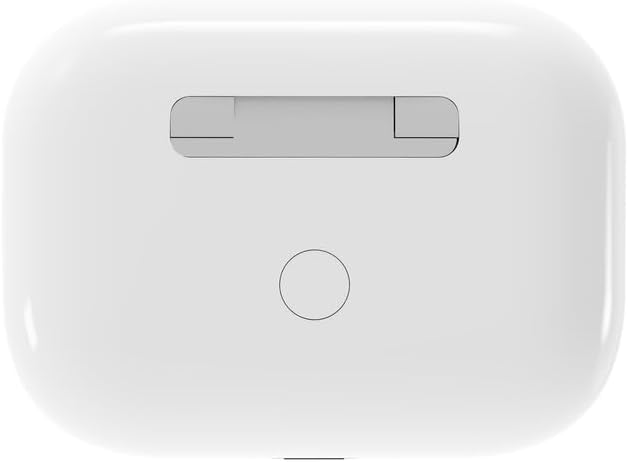
3. Производ је готовview


4. Подешавање
4.1 Почетно пуњење
Before first use, fully charge the headphones and the charging case. Connect the supplied USB Type-C cable to the charging port on the case and plug the other end into a compatible USB power source (e.g., computer, wall adapter). The LED indicator on the case will show charging status. A full charge typically takes approximately 2 hours.
4.2 Блуетоотх упаривање
- Ensure the headphones are in the charging case and the case is open. The headphones will automatically enter pairing mode.
- На свом мобилном уређају (паметном телефону, таблету, лаптопу) омогућите Блутут.
- Тражи available Bluetooth devices and select 'Gembird TWS-LCD-ANC-01-W' from the list.
- Once connected, the headphones will indicate successful pairing, and the device name will appear as 'Connected' on your mobile device.
5. Упутство за употребу
5.1 Укључивање/искључивање
- Укључено: The headphones automatically power on when removed from the charging case.
- Искључивање: The headphones automatically power off and begin charging when placed back into the charging case and the lid is closed.
5.2 Репродукција музике
Control music playback using the touch-sensitive areas on the earbuds or the display on the charging case.
- Пусти/паузирај: Single tap on either earbud or press the play/pause icon on the case display.
- Следећа нумера: Double tap on the right earbud or press the 'next' icon on the case display.
- Претходни запис: Double tap on the left earbud or press the 'previous' icon on the case display.
5.3 Управљање позивима
When an incoming call is received, music playback will automatically pause.
- Одговори на позив: Један додир на обе слушалице.
- Заврши позив: Једном додирните било коју слушалицу током позива.
- Одбиј позив: Притисните и држите било коју слушалицу 2 секунде.
5.4 Активно поништавање буке (АНЦ)
Activate or deactivate the Active Noise Cancellation feature to reduce ambient noise.
- Укључи/искључи ANC: Press and hold the touch-sensitive area on the left earbud for 2 seconds, or use the dedicated ANC control on the charging case display.
5.5 Контрола јачине звука
Adjust the volume directly from your connected device or through the touch controls on the earbuds (if supported by the specific model's firmware) or the charging case display.
6. Одржавање
6.1 Чишћење
- Обришите слушалице и кућиште за пуњење меком, сувом крпом која не оставља влакна.
- Не користите абразивна средства за чишћење, раствараче или јаке хемикалије.
- Уверите се да су контакти за пуњење на обе слушалице и кућишту чисти и суви.
6.2 Складиштење
- Always store the headphones in their charging case when not in use to protect them and keep them charged.
- Чувати на хладном и сувом месту, далеко од директне сунчеве светлости и екстремних температура.
6.3 Одржавање батерије
- Редовно пуните уређај, чак и ако га не користите често, како бисте одржали здравље батерије.
- Избегавајте често потпуно пражњење батерије.
КСНУМКС. Решавање проблема
| Проблем | Могући узрок | Решење |
|---|---|---|
| Слушалице се не укључују. | Слаба или никаква батерија. | Place headphones in the charging case and ensure the case is charged. Charge the case fully. |
| Нема звука из слушалица. | Not connected via Bluetooth; volume too low; media paused. | Verify Bluetooth connection. Increase volume on both headphones and connected device. Check if media is playing. |
| Упаривање са уређајем није могуће. | Headphones not in pairing mode; device already connected to another Bluetooth device; interference. | Ensure headphones are in pairing mode (open case). Turn off Bluetooth on other nearby devices. Forget the device in your phone's Bluetooth settings and try re-pairing. |
| Active Noise Cancellation (ANC) is ineffective. | ANC not activated; improper earbud fit. | Ensure ANC is toggled on. Adjust earbud position for a secure and sealed fit in your ear canal. |
| Микрофон не ради током позива. | Микрофон блокиран; подешавања уређаја. | Ensure the microphone port on the earbuds is not obstructed. Check your device's audio input settings to ensure the headphones are selected. |
8. Спецификације
- Модел: TWS-LCD-ANC-01-W
- Повезивање: Бежично, Блуетоотх 5.3
- Блуетоотх Проfiles: A2DP, AVRCP, HPF, HSP
- Порт за пуњење: УСБ Типе-Ц
- Опсег аудио фреквенције: 20 - 20000 Hz
- микрофон: Интегрисано
- Тип слушалица: In-ear, Binaural
- Метод контроле: Додирните
- Контрола буке: Отказивање активне буке (АНЦ)
- Тип батерије: Integrated Lithium Polymer (LiPo)
- Капацитет батерије у кућишту за пуњење: 300 мАх
- Капацитет батерије слушалица: 30 мАх (сваки)
- Continuous Audio Playback: До 8 сати
- Време пуњења: Отприлике 2 сата
- Тежина производа: 66 г
- Product Dimensions (Case): 40 мм (ширина) к 60 мм (дубина) к 25 мм (висина)
- Компатибилни уређаји: Лаптоп, таблет, мобилни телефон
- Отпорност на воду: Водоотпоран
- Сертификати: РоХС
9. Гаранција и подршка
9.1 Информације о гаранцији
This product comes with a three-year warranty against manufacturing defects from the date of purchase. Please retain your proof of purchase for warranty claims. The warranty does not cover damage caused by misuse, accidents, unauthorized modifications, or normal wear and tear.
9.2 Корисничка подршка
For technical support, warranty claims, or further assistance, please contact your retailer or visit the official Gembird website. Contact information can typically be found on the product packaging or the Gembird corporate webсајту.