
Micool DY20PLUS
Micool DY20PLUS Bluetooth Headset V5.4 User Manual
Model: DY20PLUS | Brand: Micool
Увод
Thank you for choosing the Micool DY20PLUS Bluetooth Headset V5.4. This manual provides comprehensive instructions to help you set up, operate, and maintain your new headset. Please read this manual carefully before use to ensure optimal performance and longevity of your device.
Садржај пакета
- Micool DY20PLUS Bluetooth Headset
- УСБ-Ц кабл за пуњење
- Упутство за употребу
- Multiple Sized Ear Tips (L, M, S)
Производ је завршенview
Familiarize yourself with the components of your Micool DY20PLUS Bluetooth Headset.
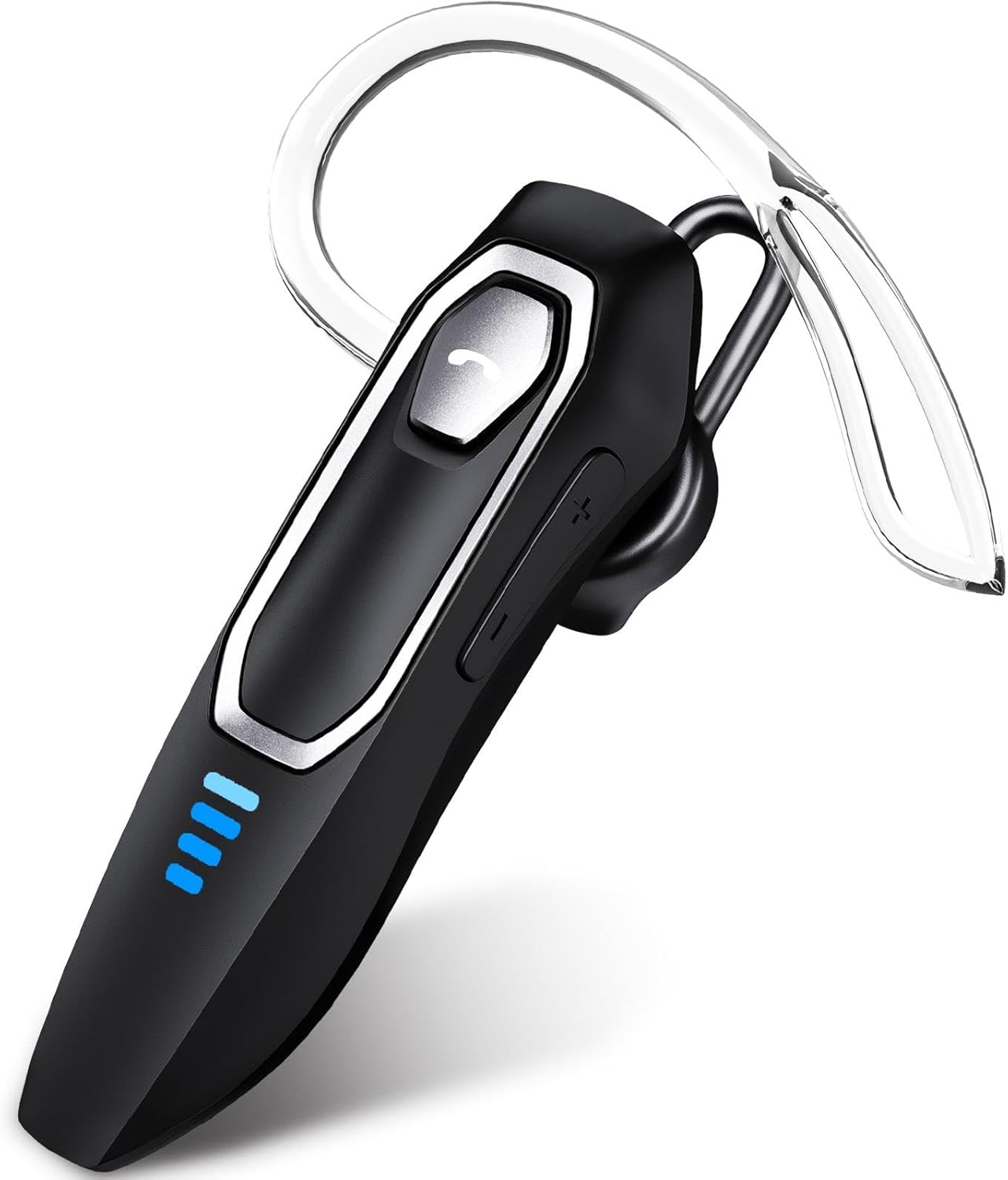
Image 1: Micool DY20PLUS Bluetooth Headset. This image displays the main headset unit, highlighting the call button, volume controls, and LED power indicators.

Image 2: Headset Controls Diagram. This diagram illustrates the Multi-Function Button (MFB) for power, play/pause, and Bluetooth pairing, along with volume controls and mute function.
Пуњење слушалица
Пре прве употребе, потпуно напуните слушалице.
- Connect the provided USB-C charging cable to the charging port on the headset.
- Повежите други крај кабла на УСБ извор напајања (нпр. рачунар, зидни адаптер).
- The LED indicators will show charging status. A full charge typically takes 1.5-2 hours.
- Once fully charged, the LED indicators will change or turn off (refer to LED Power Display section for details).
The headset offers up to 36 hours of talk time and 45 hours of music playback on a single charge.
Сетуп
Укључивање/искључивање
- Укључено: Press and hold the Multi-Function Button (MFB) for approximately 3 seconds until the LED indicator flashes.
- Искључивање: Притисните и држите МФБ око 3 секунде док се ЛЕД индикатор не угаси.
Блуетоотх упаривање
- Уверите се да су слушалице искључене.
- Press and hold the MFB for approximately 3 seconds until the LED indicator flashes red and blue alternately, indicating pairing mode.
- На свом уређају (паметном телефону, таблету, рачунару) омогућите Блутут и потражите доступне уређаје.
- Select "DY20PLUS" from the list of found devices.
- Once connected, the LED indicator on the headset will flash blue slowly.
Вишетачка веза: The DY20PLUS headset can connect to two devices simultaneously. After pairing with the first device, disable Bluetooth on that device. Then, put the headset back into pairing mode and connect to the second device. Re-enable Bluetooth on the first device, and the headset should automatically connect to both.
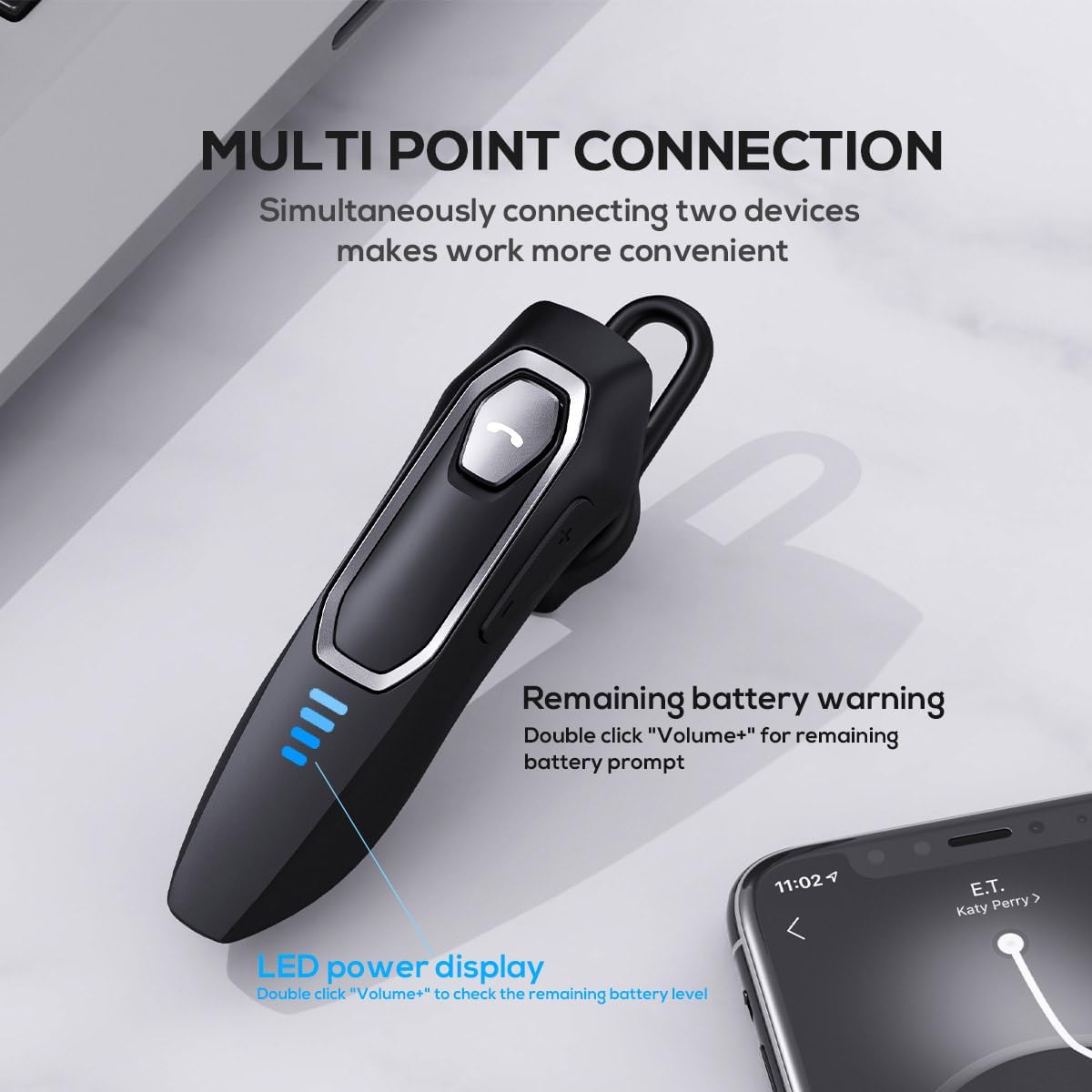
Image 3: Multi-Point Connection and LED Display. This image illustrates the headset's ability to connect to two devices simultaneously and the LED power display.
Упутство за употребу
Управљање позивима
- Одговори/заврши позив: Притисните МФБ једном.
- Одбиј позив: Притисните и држите МФБ око 2 секунде.
- Искључивање/Укључивање микрофона: During a call, press and hold the volume down button (marked with a microphone icon) for approximately 2 seconds.
- Redial Last Outgoing Call: Triple-tap the MFB.
Репродукција музике
- Пусти/паузирај: Притисните МФБ једном.
- Следећа нумера: Press and hold the Volume + button for approximately 2 seconds.
- Претходни запис: Press and hold the Volume - button for approximately 2 seconds.
- Појачавање/утишавање: Press the Volume + or Volume - button briefly.
Гласовни асистент
- Активирајте гласовног асистента (Сири, Гугл асистент, итд.): Double-tap the MFB.
ЛЕД приказ снаге
The headset features an LED power display with four levels, each representing 25% of the battery charge.
- To check the remaining power, double-click the Volume + button.
Цомфорт анд Фит
The Micool DY20PLUS is designed for comfortable, all-day wear.
- The ergonomic design ensures a secure fit without causing ear fatigue.
- Interchangeable ear tips (L, M, S) are included to help you find the best fit for your ear canal, optimizing bass and overall sound quality.
- The headset can be worn on either the left or right ear.

Image 4: Ear Tips and Durability. This image shows the included ear tips in different sizes (L, M, S) and highlights the enhanced durability features of the headset.
Одржавање
- Чишћење: Користите меку, суву крпу за чишћење слушалица. Не користите јаке хемикалије или абразивне материјале.
- Складиштење: Када се не користе, чувајте слушалице на хладном и сувом месту, даље од директне сунчеве светлости и екстремних температура.
- Одржавање батерије: Да бисте продужили век трајања батерије, избегавајте често потпуно пражњење слушалица. Редовно их пуните, чак и ако их не користите стално.
- Отпорност на воду: The headset is water-resistant, but not waterproof. Avoid submerging it in water or exposing it to heavy rain.
Решавање проблема
| Проблем | Могуће решење |
|---|---|
| Слушалице се не укључују. | Уверите се да су слушалице напуњене. Повежите их са извором напајања помоћу USB-C кабла. |
| Упаривање са уређајем није могуће. |
|
| Нема звука или лош квалитет звука. |
|
| Микрофон не ради током позива. |
|
| Voice assistant not activating. | Ensure the headset is connected and double-tap the MFB firmly. Check your device settings for voice assistant activation. |
Спецификације
| Феатуре | Детаљ |
|---|---|
| Назив модела | DY20PLUS |
| Технологија повезивања | бежични (Блуетоотх) |
| Блуетоотх верзија | 5.4 |
| Блуетоотх домет | До 50 метара (164 стопе) |
| Трајање батерије (време разговора) | До 36 сати |
| Трајање батерије (репродукција музике) | До 45 сати |
| Време пуњења | 1.5 - 2 сати |
| Порт за пуњење | УСБ-Ц |
| Поништавање буке | Dual Microphones with Noise Reduction Algorithm |
| Посебне карактеристике | Voice Assistant, Multipoint Pairing, LED Power Display, Mute Function, Fast Charging |
| Тежина | Приближно 12 г (0.42 оз) |
| Ниво отпорности на воду | Отпоран на воду |
| Компатибилни уређаји | Smartphones, Tablets, Smart Speakers |
Гаранција и подршка
For warranty information or technical support, please refer to the documentation included with your purchase or contact Micool customer service through their official channels.
Ask a question about this manual
Ask about setup, troubleshooting, compatibility, parts, safety, or missing instructions. Manuals+ will review the question and use this page’s manual context to help answer it.