Увод
This manual provides detailed instructions for the setup, operation, and maintenance of your Lotus Smartwatch 50050/4. Please read this manual thoroughly before using your device to ensure proper functionality and to maximize its features.
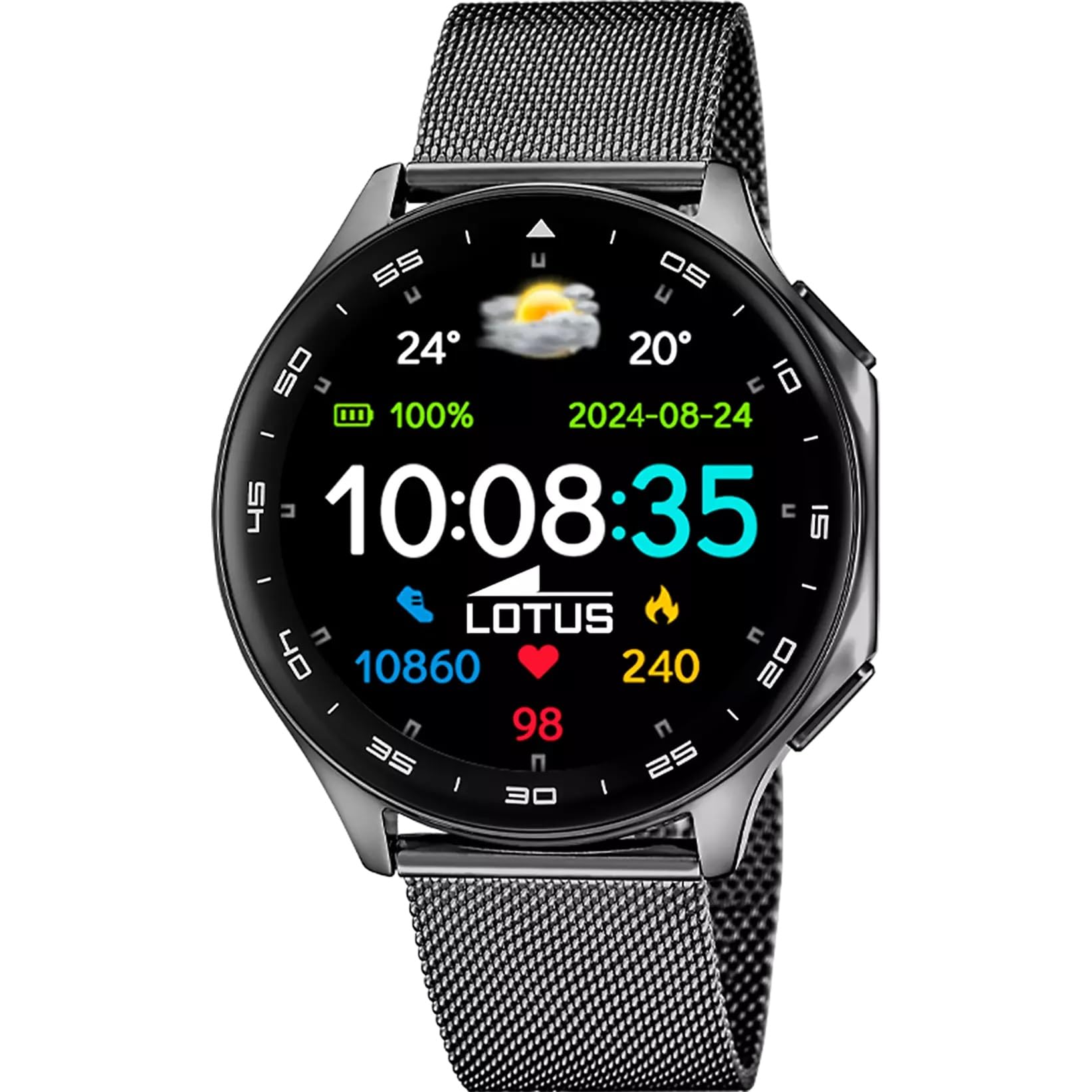
The Lotus Smartwatch 50050/4 is an outdoor sports watch designed for active lifestyles. It features a durable zinc alloy case, a black Milanese steel mesh strap, and a digital display. The watch offers a range of functions including sports tracking, health monitoring, and smart notifications.
Шта је у кутији
- Lotus Smartwatch 50050/4
- Кабл за пуњење
- Кориснички приручник (овај документ)
- Додатни каиш
Сетуп
1. Пуњење паметног сата
Before initial use, fully charge your smartwatch. Connect the charging cable to the charging port on the back of the watch and plug the other end into a USB power adapter (not included) or a computer's USB port. The watch display will indicate charging status.
Напомена: Use a standard 5V/1A USB charger. Overcharging or using incompatible chargers may damage the device.
2. Укључивање/искључивање
- За укључивање: Press and hold the side button for a few seconds until the Lotus logo appears.
- За искључивање: Притисните и држите бочно дугме, а затим на екрану изаберите „Искључивање“.
3. Инсталација и упаривање апликације
To unlock the full potential of your smartwatch, download the official Lotus Smartwatch application on your smartphone. The app is compatible with Android devices.
- Тражи the "Lotus Smartwatch" app in your smartphone's app store (Google Play Store for Android).
- Инсталирајте апликацију.
- Отворите апликацију и пратите упутства на екрану да бисте креирали налог или се пријавили.
- Омогућите Блуетоотх на свом паметном телефону.
- In the app, navigate to the device pairing section and select your Lotus Smartwatch 50050/4 from the list of available devices.
- Потврдите захтев за упаривање и на паметном телефону и на паметном сату.
Once paired, the watch will synchronize time, date, and other settings with your smartphone.
Упутство за употребу
Основна навигација
- Екран на додир: Swipe left, right, up, or down to navigate through menus and functions. Tap to select an item.
- Бочно дугме: Press to return to the previous screen or to the watch face. Press and hold for power options.
Кључне функције
- Спортски режими: Access various sports modes (e.g., running, walking, cycling) to track your activity, including steps, calories burned, and distance.
- Мониторинг здравља:
- Откуцаји срца: Monitor your heart rate in real-time.
- Кисеоник у крви: Измерите ниво кисеоника у крви.
- Праћење спавања: Анализирајте своје обрасце спавања (дубок сан, лаган сан, време буђења).
- Вежбе дисања: Вођене вежбе дисања за опуштање.
- Обавештења: Receive notifications for incoming calls, SMS messages, and app alerts directly on your watch. You can reject calls from the watch.
- Контрола музике: Контролишите репродукцију музике на повезаном паметном телефону (пуштање, паузирање, прескакање нумера).
- Време: View тренутне временске прилике и прогнозе.
- Аларми и тајмери: Set alarms, use the stopwatch, or set a countdown timer.
- Даљински управљач камере: Користите свој сат као даљински управљач за камеру свог паметног телефона.
- Video Calculator: Access a video calculator function.
- AI Voice Calculator: Utilize an AI voice-activated calculator.
- Финдер телефона: Лоцирајте упарени паметни телефон тако што ћете га натерати да звони.
- Лампа: Activate the screen as a flashlight.
- Dial Customization: Change the watch face (dial) through the watch settings or the companion app.
- Ажурирање фирмвера: Update the watch's software via the companion app to ensure optimal performance and access new features.
- Language, Time, and Date: Adjust these settings through the watch or the companion app.
Одржавање
Чишћење и њега
- Обришите екран и кућиште сата меком, сувом крпом која не оставља влакна.
- За тврдокорне мрље, благо дampНамочите крпу водом. Не користите јаке хемикалије или абразивне материјале.
- Уверите се да су контакти за пуњење чисти и суви пре пуњења.
Водоотпорност (IP65)
The Lotus Smartwatch 50050/4 has an IP65 rating, meaning it is protected against dust ingress and low-pressure water jets from any direction. This rating indicates resistance to splashes and light rain. It is not suitable for swimming, showering, or submersion in water. Exposure to high-pressure water or prolonged submersion may cause damage.
Замена траке
The watch comes with an additional strap. To replace the strap, locate the quick-release pins on the underside of the strap where it connects to the watch case. Slide the pin to detach the strap, then align the new strap and slide the pin back into place to secure it.
Решавање проблема
Сат се не укључује
- Уверите се да је сат потпуно напуњен. Повежите га са пуњачем најмање 30 минута.
- Покушајте да притиснете и држите бочно дугме 10-15 секунди да бисте поново покренули рачунар.
Cannot Pair with Smartphone
- Уверите се да је Блуетоотх омогућен на вашем паметном телефону.
- Ensure the watch is within range of your smartphone (typically 10 meters).
- Поново покрените и паметни телефон и паметни сат.
- Clear the Bluetooth cache on your smartphone (if applicable) and try pairing again.
- Ensure the Lotus Smartwatch app is updated to the latest version.
Нетачни здравствени подаци
- Уверите се да сат чврсто приања на зглоб, али не превише стегнут.
- Одржавајте сензор на полеђини сата чистим и без прљавштине.
- Фактори околине и индивидуална физиологија могу утицати на тачност сензора.
Фацтори Ресет
If you experience persistent issues, a factory reset may resolve them. This will erase all data on the watch and restore it to its original settings. Consult the watch's settings menu or the companion app for the factory reset option.
Спецификације
| Број модела | 50050/4 |
| Бранд | Лотус |
| Величина екрана | 46.7 мм |
| Облик | Роунд |
| Материјал кућишта | Легура цинка |
| Материјал траке | Milanese Steel Mesh |
| Отпорност на воду | IP65 (Splash and dust resistant) |
| Повезивање | Блуетоотх |
| Компатибилан ОС | Android (for companion app) |
| ГПС | бр |
| Посебне карактеристике | Advanced sport and health functions |
Гаранција и подршка
The Lotus Smartwatch 50050/4 comes with a 3 година гаранције from the date of purchase. This warranty covers manufacturing defects. It does not cover damage caused by misuse, accidents, unauthorized modifications, or failure to follow the instructions in this manual, including water damage beyond the specified IP65 rating.
For warranty claims or technical support, please contact your authorized Lotus retailer or visit the official Lotus webсајт за информације о корисничкој служби.
Политика враћања: If purchased from Amazon, the product is subject to a 30-day return policy for refund or replacement, as per Amazon's terms.
Слика производа