
1. Увод
The Sony WH-1000XM6 are over-ear wireless Bluetooth headphones designed to provide an immersive audio experience with advanced noise-cancelling capabilities. This manual provides essential information for the proper setup, operation, and maintenance of your headphones.
Key features include the HD Noise Cancelling Processor QN3, Multi Noise Sensor Technology, High-Resolution Audio support, DSEE Extreme, and a foldable design for portability. The headphones also offer up to 30 hours of battery life and support multipoint connection.
2. Шта је у кутији
Проверите да ли су сви предмети присутни у паковању:
- Слушалице Sony WH-1000XM6
- Compact Protective Carrying Case
- УСБ-Ц кабл
- Документација (овај приручник и други водичи)
3. Производ је готовview
The WH-1000XM6 headphones feature a lightweight design with soft, cushioned ear pads and an adjustable headband for comfort during extended listening sessions. The headphones are foldable for easy storage and transport in the included carrying case.
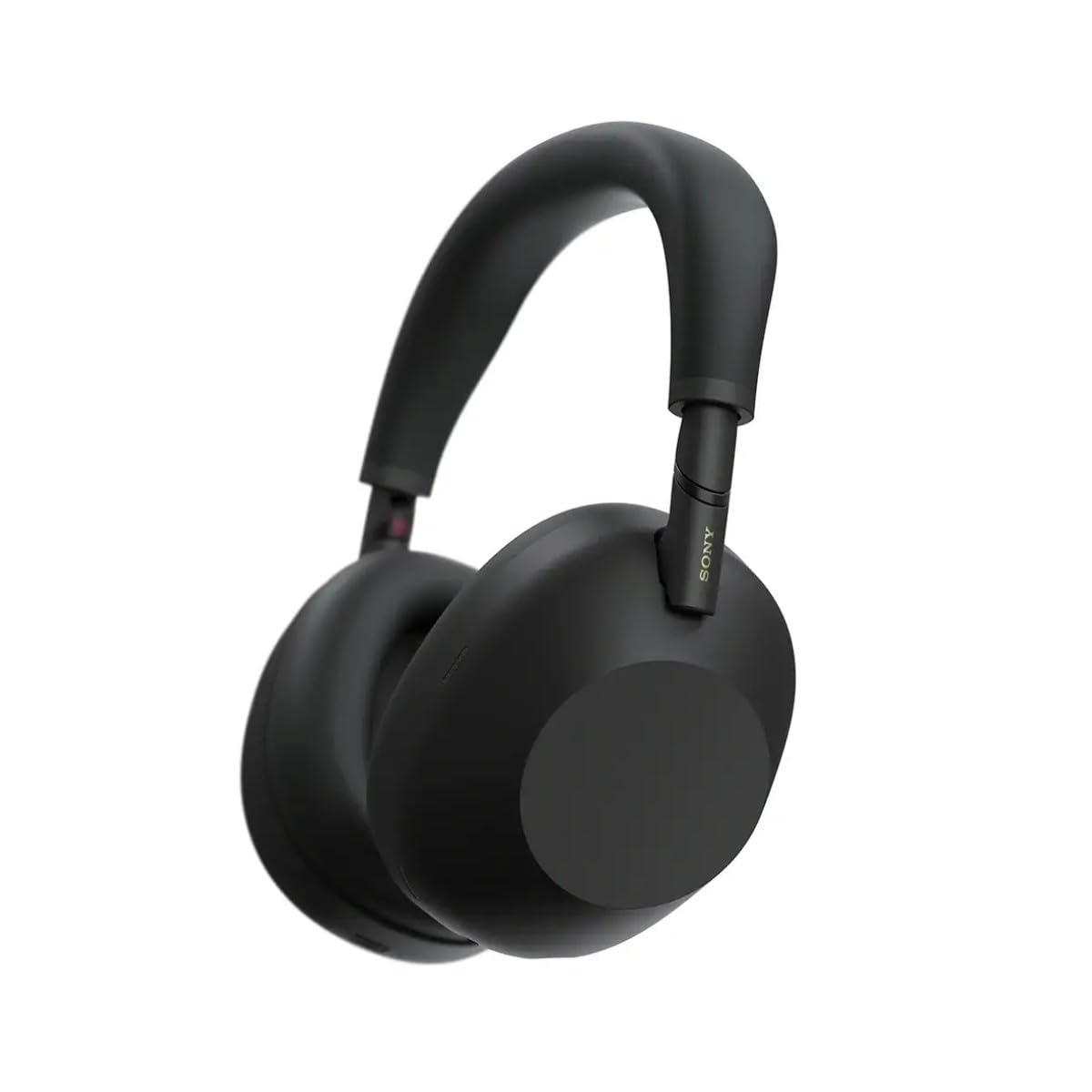
Слика 3.1: Предња страна view of the Sony WH-1000XM6 headphones in black.
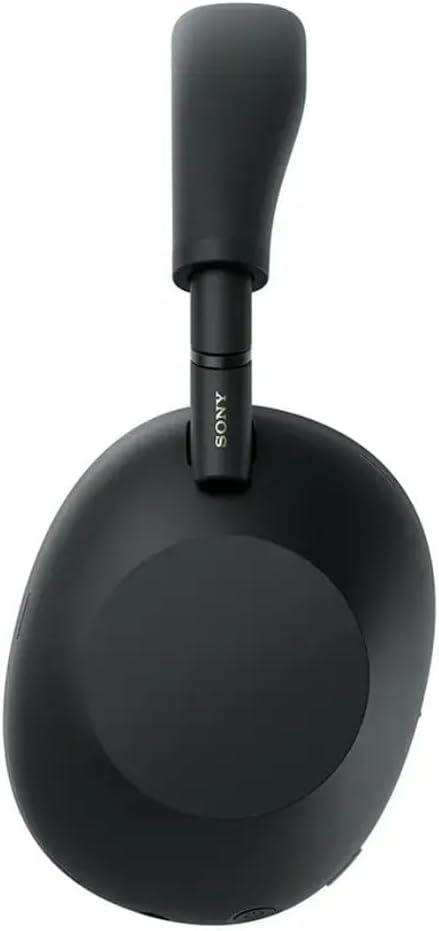
Слика 3.2: Страна view слушалица Sony WH-1000XM6.

Figure 3.3: WH-1000XM6 headphones stored in their protective carrying case.
4. Подешавање
4.1. Пуњење слушалица
Before initial use, fully charge the headphones. Connect the supplied USB-C cable to the charging port on the headphones and to a USB power source. A full charge provides up to 30 hours of playback. A quick 3-minute charge can provide approximately 3 hours of playback. The headphones can be used while charging.
4.2. Укључивање/искључивање
- Да бисте укључили: Притисните и држите дугме за напајање док се индикаторска лампица не упали.
- Да бисте искључили напајање: Притисните и држите дугме за напајање док се индикаторска лампица не угаси.
4.3. Блуетоотх упаривање
Да бисте повезали слушалице са Bluetooth уређајем:
- Уверите се да су слушалице искључене.
- Press and hold the power button for approximately 7 seconds until the indicator light flashes blue rapidly and a voice guidance announces "Bluetooth pairing mode."
- На свом уређају (паметном телефону, таблету, рачунару) омогућите Блутут и потражите доступне уређаје.
- Изаберите „WH-1000XM6“ са листе откривених уређаја.
- Once connected, the indicator light will flash slowly, and a voice guidance will announce "Bluetooth connected."
4.4. Sony | Headphones Connect App
Download the Sony | Headphones Connect app from your device's app store. This app allows you to customize sound settings, manage noise cancellation, update firmware, and access additional features for your WH-1000XM6 headphones.
5. Упутство за употребу
5.1. Поништавање буке и режим амбијенталног звука
The WH-1000XM6 features advanced noise cancellation powered by the HD Noise Cancelling Processor QN3 and Multi Noise Sensor Technology. The Auto NC Optimizer adapts to your environment for optimal performance.
- Поништавање буке: Смањује амбијенталну буку за импресивно искуство слушања.
- Режим амбијенталног звука: Allows you to hear surrounding sounds while listening to music, enhancing situational awareness. The Auto Ambient Sound Mode adjusts the level based on your environment.
- Режим брзе пажње: Cover the right earcup with your hand to instantly lower music volume and allow ambient sound in, useful for quick conversations.
5.2. Аудио репродукција
The headphones feature 30mm driver units, support High-Resolution Audio, and include DSEE Extreme for upscaling compressed digital music files. Audio playback can be controlled via the touch panel on the right earcup:
- Пусти/паузирај: Двапут додирните екран на додир.
- Следећа нумера: Превуците унапред.
- Претходни запис: Превуците уназад.
- Појачавање звука: Превуците нагоре.
- Смањивање јачине звука: Превуците доле.
Прилагодите свог звучног професионалцаfile using the 10-band equalizer in the Sony | Headphones Connect app.
5.3. Позовите функције
The WH-1000XM6 features 6 AI-powered beam-forming microphones and AI Noise Reduction for clear call quality, even in noisy environments.
- Одговори/заврши позив: Двапут додирните екран на додир.
- Одбиј позив: Press and hold the touch panel.
- Искључивање микрофона: Double-press the ANC button during a call.
5.4. Мултипоинт Цоннецтион
The Multipoint Connection feature allows you to connect the headphones to two Bluetooth devices simultaneously. This enables seamless switching between devices, such as a smartphone and a laptop, without needing to manually reconnect.
5.5. Adaptive Sound Control
Adaptive Sound Control automatically detects your activity (e.g., sitting, walking, traveling) and adjusts the noise cancellation or ambient sound settings accordingly. This feature can be configured via the Sony | Headphones Connect app.
5.6. Specialized Audio Features
- 360 Upmix for Cinema: Transforms stereo content into an immersive surround sound experience.
- Game EQ: Enhances clarity and detail in gaming audio.
- Персонализовани просторни звук: Available through the app for an optimized listening experience.
6. Одржавање
6.1. Чишћење
- Обришите слушалице меком, сувом крпом.
- Не користите алкохол, бензен, разређиваче или друга хемијска средства за чишћење, јер могу оштетити завршну обраду.
- Clean the ear pads and headband gently to remove any buildup.
6.2. Складиштење
When not in use, store the headphones in their compact protective carrying case to prevent damage from dust, scratches, and impacts. Avoid storing in direct sunlight or in excessively hot or humid environments.
КСНУМКС. Решавање проблема
If you encounter issues with your WH-1000XM6 headphones, try the following steps:
- Нема напајања: Уверите се да су слушалице напуњене. Повежите их са извором напајања помоћу USB-C кабла.
- Нема звука: Check the volume level on both the headphones and the connected device. Ensure the headphones are properly paired via Bluetooth.
- Лош квалитет звука: Verify that the audio source is of good quality. Try moving closer to the connected device to avoid interference. Check equalizer settings in the Sony | Headphones Connect app.
- Проблеми са Блуетоотх упаривањем: Ensure the headphones are in pairing mode. Turn off and on Bluetooth on your device. Delete the headphones from your device's Bluetooth list and attempt to pair again.
- Поништавање буке није ефикасно: Ensure the headphones are properly seated on your ears. Use the Auto NC Optimizer feature via the app.
- Headphones Unresponsive: Perform a factory reset if available (refer to the Sony | Headphones Connect app or Sony support webсајт за конкретна упутства).
For further assistance, refer to the Sony | Headphones Connect app or the official Sony support webсајту.
8. Спецификације
| Бранд | Сони |
| Назив модела | ВХ-1000КСМ6 |
| Боја | Црно |
| Постављање уха | Преко уха |
| Технологија повезивања | Бежично (Bluetooth 5.1) |
| Контрола буке | Активно поништавање буке |
| Тип аудио драјвера | Динамички возач |
| Фреквенцијски одзив | 20 Hz - 40,000 Hz |
| Импеданса | 48 Охмс |
| Просечан век трајања батерије | 30 сата |
| Време пуњења батерије | 3 минута за 3 сати репродукције |
| Тежина артикла | 250 грама |
| Материјал | Aluminum (Enclosure) |
| Тип контроле | Voice Control, App |
| Ниво отпорности на воду | Није водоотпоран |
9. Гаранција и подршка
За детаљне информације о гаранцији, погледајте гарантни лист који је приложен уз ваш производ или посетите званичну Сонијеву подршку. website. For technical support, product registration, or service inquiries, please contact Sony customer service or visit their online support resources.


