
1. Увод
The BORUIT EV20 is a compact and versatile Everyday Carry (EDC) flashlight designed for various applications, from outdoor adventures to daily tasks. It features a powerful main light, a 365nm UV light, and a multi-color RGB side light, all housed in a durable, waterproof aluminum body. This manual provides detailed instructions for the safe and effective use of your EV20 flashlight.
2. Карактеристике производа
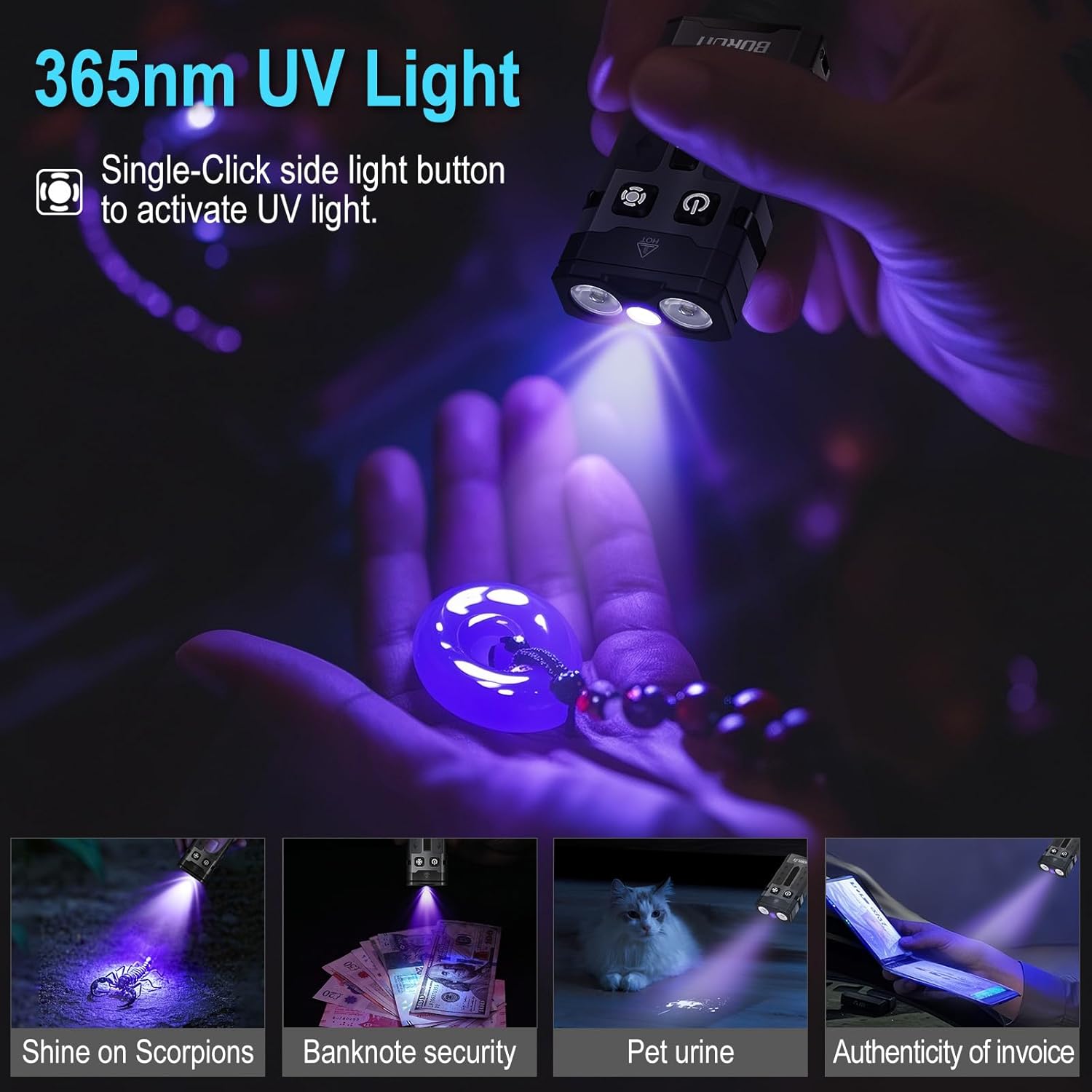
- Super Bright Main Light: Delivers up to 1100 lumens with a 365nm UV light option and a beam distance of 100 meters. Features a memory function for convenience.
- Versatile RGB Side Light: Equipped with 14 RGB LEDs offering white, red, green, blue, orange, yellow, ice blue, and pink light. Includes dynamic modes such as breathing, streamline, dropflow, and rainbow.
- Ефикасно управљање напајањем: Built-in 1000mAh rechargeable battery with USB-C fast charging, fully recharging in approximately 2 hours. Provides up to 50 hours of runtime in low white-light mode and over 100 hours in RGB modes. Features an intelligent power indicator.
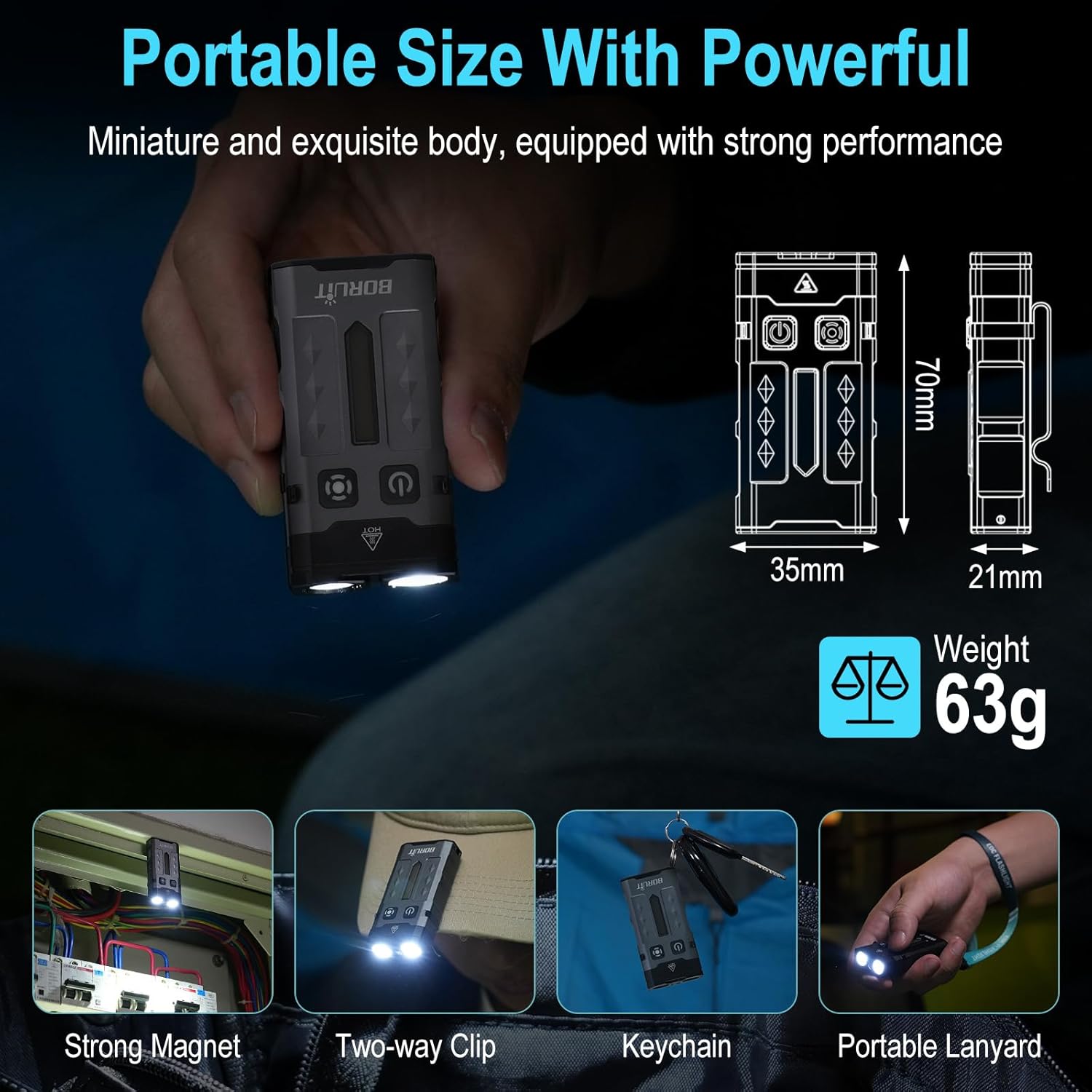
- Portable & Hands-Free Design: Includes a magnetic tail cap for attachment to metal surfaces, a two-way back clip for securing to hats, pockets, or backpacks, and comes with a keychain and lanyard for easy carrying.
- Издржљива конструкција: Lightweight at only 63g, made from sturdy aluminum alloy, and rated IP66 waterproof for reliability in various conditions. Offers 1-meter anti-fall protection.
3. Садржај пакета
Молимо вас да се уверите да су све ставке присутне у пакету:
- 1 x BORUIT EV20 Flashlight
- КСНУМКС к УСБ-Ц кабл за пуњење
- КСНУМКС к Привезак за кључеве
- 1 к Ланиард

4. Спецификације
| Феатуре | Спецификација |
|---|---|
| Вхите Бригхтнесс | 1100 лумена (макс.) |
| Тип извора светлости | LED (White, 365nm UV, RGB) |
| Материјал | Алуминијумска легура |
| Димензије производа | 70 mm x 35 mm x 21 mm |
| Тежина артикла | 2.2 унци (63 г) |
| Капацитет батерије | 1000mAh литијум-јонска (укључена) |
| Ниво отпорности на воду | ИП66 водоотпоран |
| Max. Beam Distance | 100 метара |
| Drop Height Resistance | 1 Метер |
| Порт за пуњење | УСБ-Ц |

5. Подешавање и пуњење
Before first use, fully charge the flashlight. The BORUIT EV20 features a built-in 1000mAh battery and supports USB-C fast charging.
Упутства за пуњење:
- Пронађите USB-C порт за пуњење са стране батеријске лампе.
- Повежите приложени USB-C кабл са батеријском лампом и компатибилним USB извором напајања (нпр. адаптером за зид, USB портом рачунара).
- The intelligent power indicator on the flashlight will show the charging status: a red light flash indicates charging, and a green light indicates a full charge.
- Charging typically takes approximately 2 hours for a full charge.
6. Упутство за употребу
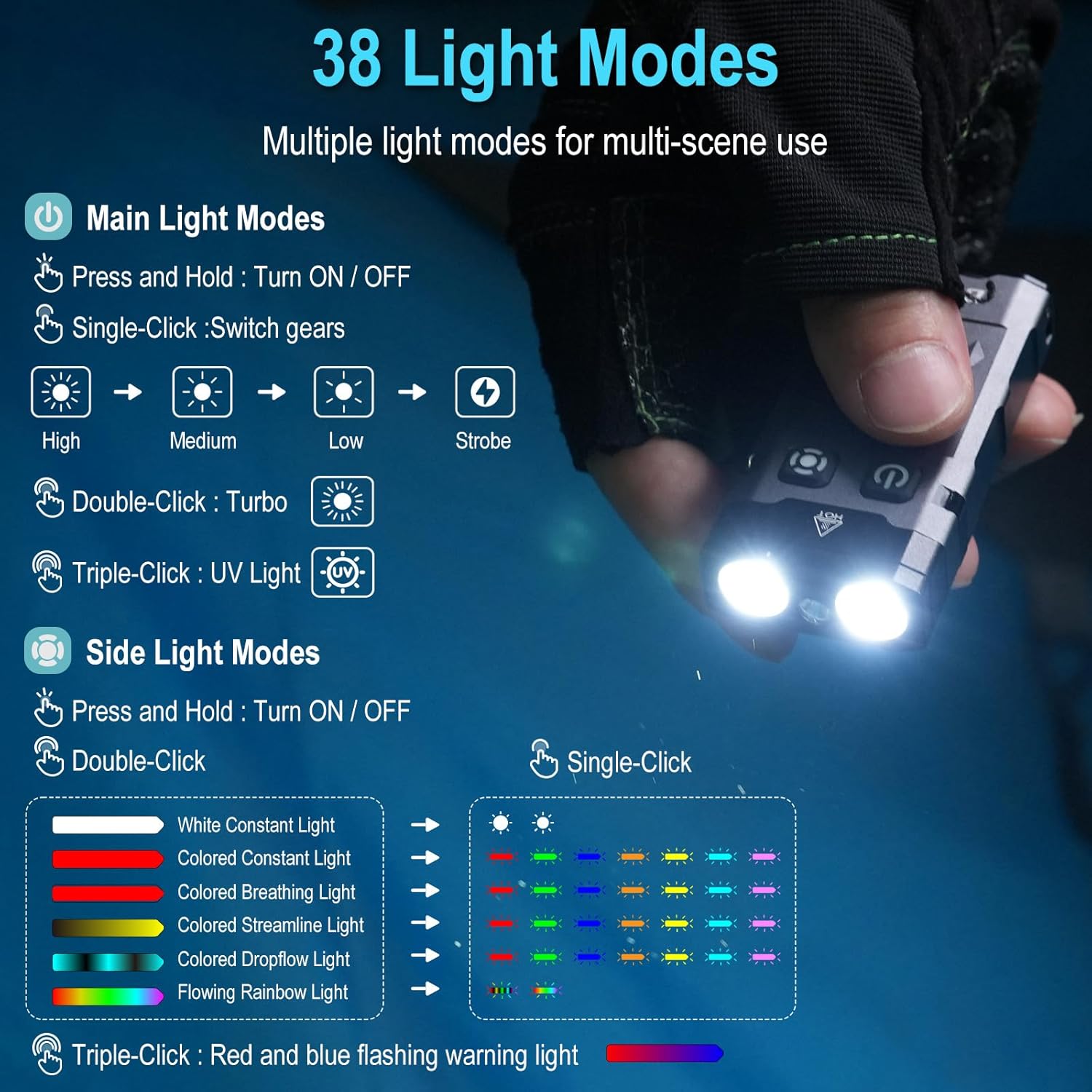
The BORUIT EV20 features two main buttons: the Power Button (left) and the Mode Button (right).

6.1. Main Light Modes (Front LEDs)
- Укључи/искључи: Притисните и држите дугме за напајање.
- Осветљеност циклуса: With the main light ON, single-click the Power Button to cycle through High, Medium, Low, and Strobe modes. The flashlight has a memory function and will return to the last used mode.
- Турбо режим: Double-click the Power Button for maximum brightness (1100 lumens).
- Режим УВ светла: Triple-click the Power Button to activate the 365nm UV light.
6.2. Side Light Modes (RGB LEDs)
- Укључи/искључи: Притисните и држите дугме Моде.
- White Constant Light: Double-click the Mode Button to activate white constant light. Single-click to switch between High and Low brightness.
- Colored Constant Light: After activating white constant light, double-click the Mode Button again to enter colored constant light mode. Single-click to cycle through Red, Green, Blue, Orange, Yellow, Cyan, and Purple.
- Dynamic RGB Modes: From colored constant light mode, double-click the Mode Button to cycle through Colored Breathing Light, Colored Streamline Light, Colored Dropflow Light, and Flowing Rainbow Light (single-click to adjust speed).
- Red and Blue Flashing Warning Light: Triple-click the Mode Button to activate the red and blue flashing warning light.

7. Одржавање
To ensure the longevity and optimal performance of your BORUIT EV20 flashlight, follow these maintenance guidelines:
- Чишћење: Обришите батеријску лампу чистом, меком крпом. За тврдокорну прљавштину користитеamp тканина. Немојте користити абразивна средства за чишћење или раствараче.
- Складиштење: Store the flashlight in a cool, dry place away from direct sunlight and extreme temperatures. If storing for an extended period, charge the battery every 3-6 months to maintain battery health.
- Отпорност на воду: While IP66 waterproof, avoid prolonged submersion. Ensure the USB-C port cover is securely closed to prevent water ingress.
8. Безбедносне информације
Молимо вас да прочитате и придржавате се следећих мера безбедности:
- Безбедност ока: Do not shine the flashlight directly into eyes or at other people or animals. The high lumen output can cause temporary vision impairment or permanent eye damage.
- топлота: The flashlight may become warm during prolonged use, especially in Turbo mode. This is normal. Avoid touching the hot surface for extended periods.
- деца: Чувати ван домашаја деце.
- батерија: Do not attempt to disassemble or replace the built-in battery. Do not expose the battery to fire or extreme heat.
- УВ светло: Avoid prolonged direct exposure to the 365nm UV light.
КСНУМКС. Решавање проблема
If you encounter issues with your BORUIT EV20 flashlight, refer to the following common solutions:
- Батеријска лампа се не укључује: Уверите се да је батерија напуњена. Повежите је са USB-C извором напајања и проверите индикатор пуњења.
- Light Output is Dim: Батерија је можда празна. Напуните батеријску лампу.
- Пуњење не ради: Check the USB-C cable and power source. Ensure the cable is properly connected to both the flashlight and the power adapter. Try a different cable or power source.
- Дугмад не реагују: Ensure the flashlight is not in lockout mode (if applicable, refer to specific product documentation for lockout features). Try a soft reset by fully discharging and then recharging the battery.
Ако проблем и даље постоји, обратите се корисничкој подршци.
10. Гаранција и подршка
BORUIT provides a 30-дневна гаранција поврата новца и а 1 година гаранције for the EV20 flashlight. This warranty covers manufacturing defects and issues arising from normal use.
For warranty claims, technical support, or any questions regarding your product, please contact the seller or BORUIT customer service through the platform where you purchased the item. Please have your purchase details ready to expedite the support process.