
1. Увод
Thank you for choosing the TOALLIN S68 Wireless Conference Speakerphone. This device is designed to provide clear and smooth audio for business meetings, video conferencing, and personal audio entertainment. Please read this manual carefully to ensure proper setup and operation.
Шта је у кутији
- TOALLIN S68 Speakerphone
- УСБ АЦ кабл
- Упутство за употребу
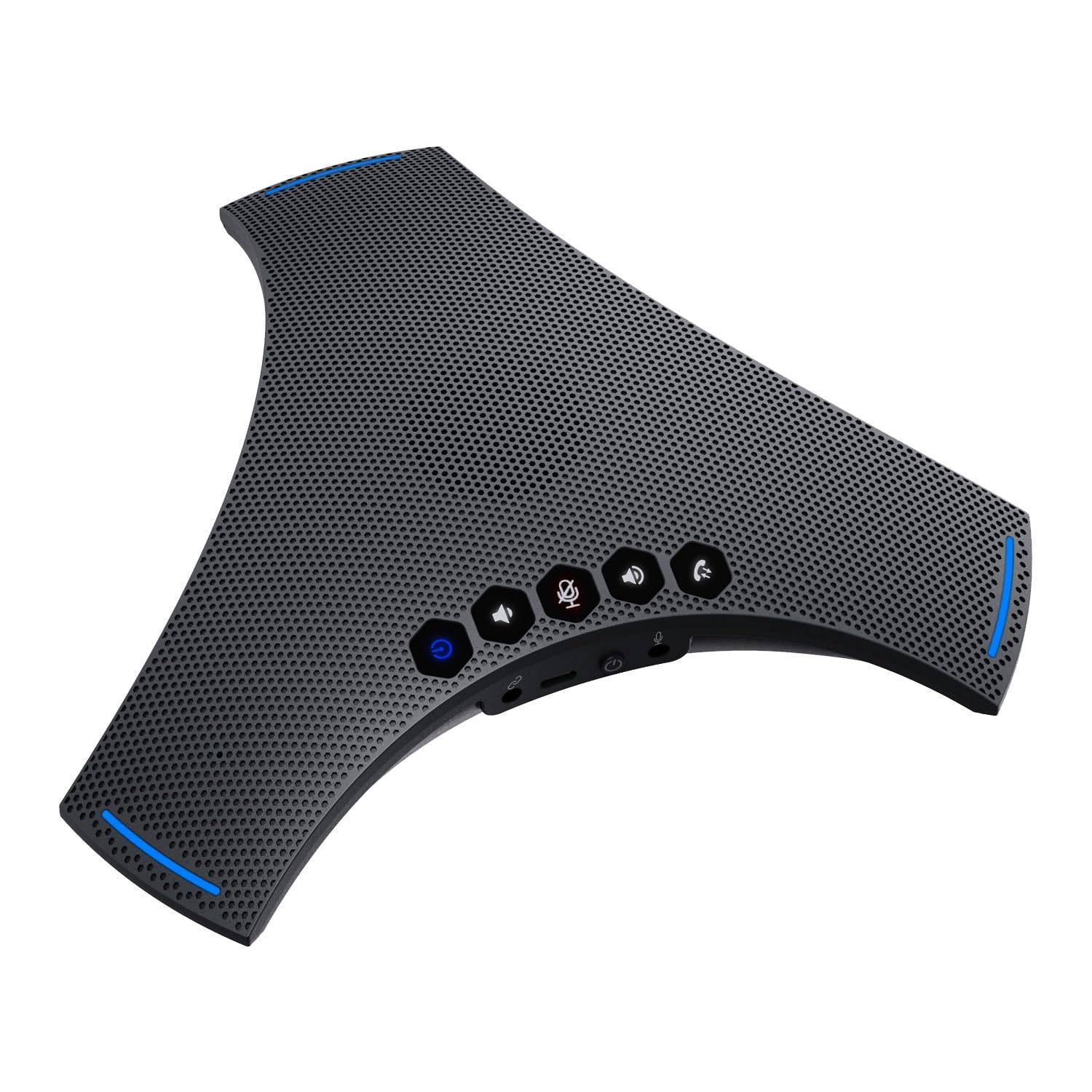
Image: The TOALLIN S68 Speakerphone with its included USB A-C cable and user manual.
2. Производ је готовview
The TOALLIN S68 is a professional conference speakerphone equipped with advanced audio technologies to enhance your communication experience.
Кључне карактеристике
- 360° Omnidirectional Voice Pickup: Features 3 noise-reducing microphones for comprehensive voice capture.
- Динамичко смањење буке: Advanced technology for echo cancellation and background noise reduction.
- Fine-Tuned Hi-Fi Speaker: Built-in 4W speaker for clear audio output, suitable for calls and music.
- Вишеструки режими повезивања: Supports wireless Bluetooth and wired USB-C connections.
- Дуг век трајања батерије: Integrated 3000mAh battery provides up to 10 hours of talk time.
- Cascade and Expansion Support: Allows cascading two S68 units or connecting an external microphone for extended coverage.
Контроле и портови

Image: A detailed diagram illustrating the touch controls and physical ports on the TOALLIN S68 Speakerphone.
- Светло индикатора: Displays device status (e.g., power, pairing, mute).
- Wireless Pairing Button: Дуго притисните да бисте ушли у режим Блуетоотх упаривања.
- Дугме за јачину звука: Decreases speaker volume.
- Mute / Unmute Button: Toggles microphone mute. Ring lights up red when muted.
- Answer / End Call Button: Manages calls.
- Јачина звука + дугме: Increases speaker volume.
- Миц: Integrated microphones for voice pickup.
- УСБ-Ц порт: За жично повезивање и пуњење.
- Прекидач за укључивање/искључивање: Укључује или искључује уређај.
- Extension Mic Port: For connecting an optional external microphone.
- Cascade Port: For connecting another S68 speakerphone (requires a 3.5mm male-to-male 4-pole audio cable, not included).
- говорник: Интегрисани звучник за аудио излаз.
3. Подешавање
Укључивање/искључивање
To power on the device, slide the Прекидач за укључивање / искључивање to the 'On' position. The indicator light will illuminate. To power off, slide the switch to the 'Off' position.
Пуњење батерије
Connect the provided USB A-C cable to the УСБ-Ц прикључак on the speakerphone and the other end to a USB power adapter (not included) or a computer USB port. The indicator light will show charging status.
Connecting via Bluetooth (Wireless)
- Уверите се да је звучник укључен.
- Дуго притисните Дугме за бежично упаривање until the indicator light flashes, indicating it's in pairing mode.
- На свом уређају (паметном телефону, таблету, лаптопу) омогућите Блутут и потражите доступне уређаје.
- Select "TOALLIN S68" from the list.
- Када се повеже, индикаторска лампица ће почети да светли плаво.

Image: The TOALLIN S68 Speakerphone illustrating connectivity options for mobile phones, tablets, and computers via Bluetooth and USB-C cable.
Connecting via USB (Wired)
Connect the provided USB A-C cable to the УСБ-Ц прикључак on the speakerphone and the other end to a USB port on your computer. The speakerphone will be recognized as an audio device. You may need to select it as the default microphone and speaker in your computer's sound settings or conferencing software.
Cascade Connection (Daisy Chain)
To extend the audio pickup range, you can cascade two S68 speakerphones. This requires a 3.5mm male-to-male 4-pole audio cable (not included, maximum length 9ft).
- Повежите један крај аудио кабла од 3.5 мм на Cascade Port on the first S68 speakerphone.
- Повежите други крај кабла са Cascade Port on the second S68 speakerphone.
- Ensure both speakerphones are powered on and connected to your computer/device (one via Bluetooth or USB).
Note: Some users have reported issues with cascade functionality. Ensure you are using a 4-pole audio cable for proper connection.
External Expansion Microphone
An optional external microphone (not included) can be connected to the Extension Mic Port for additional voice pickup range.
4. Упутство за употребу
Making/Receiving Calls
- Одговори на позив: When an incoming call is detected, press the Answer / End Call Button.
- Заврши позив: Током позива притисните Answer / End Call Button да прекинем.
Подешавање јачине звука
- Повећајте јачину звука: Притисните тастер Јачина звука + дугме.
- Смањи јачину звука: Притисните тастер Јачина звука - Дугме.
Искључивање микрофона
Притисните тастер Mute / Unmute Button to mute the microphone. The ring around the device will light up red to indicate that the microphone is muted. Press the button again to unmute.
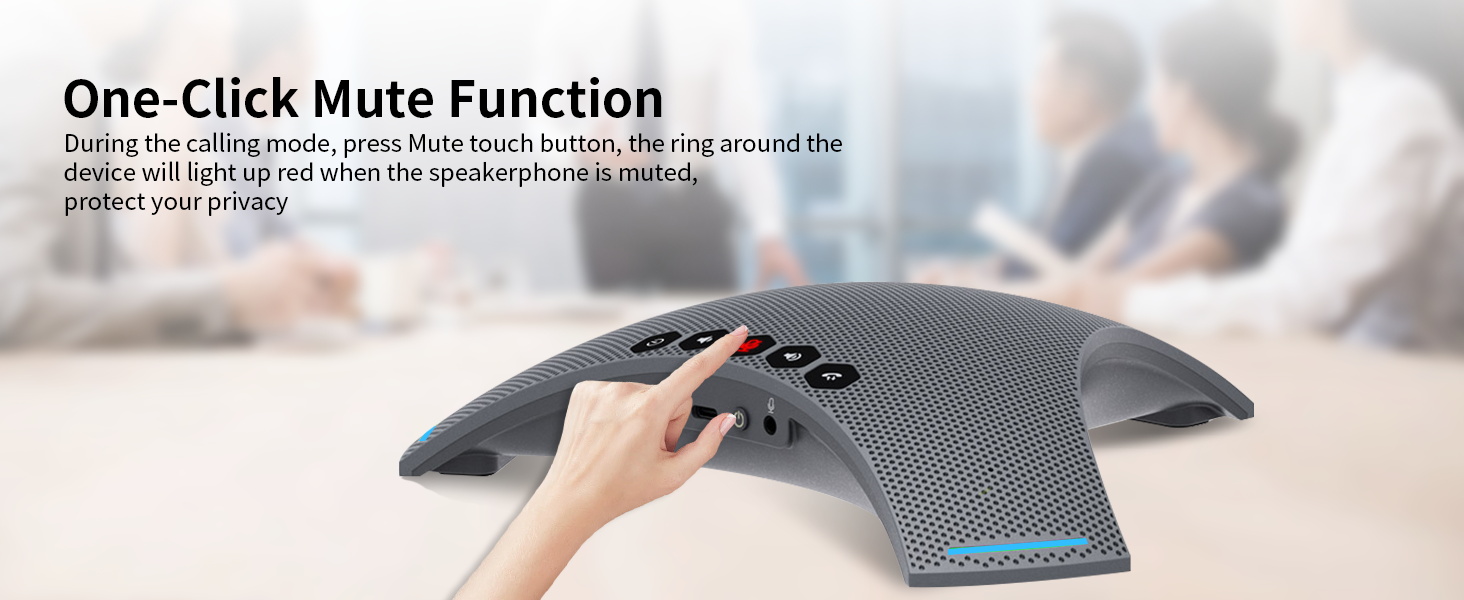
Image: A hand pressing the one-click mute button on the TOALLIN S68 Speakerphone, with the red indicator light visible.
Using for Music Playback
When connected via Bluetooth or USB, the S68 can also function as a high-fidelity speaker for playing music or other audio from your connected device.
5. Одржавање
- Чишћење: Use a soft, dry cloth to clean the surface of the speakerphone. Do not use liquid cleaners or aerosols.
- Складиштење: Уређај чувајте на хладном и сувом месту, даље од директне сунчеве светлости и екстремних температура.
- Одржавање батерије: Да бисте продужили век трајања батерије, избегавајте често потпуно пражњење батерије. Редовно пуните уређај, чак и ако га не користите дуже време.
- Избегавајте воду: Овај уређај није водоотпоран. Држите га даље од течности.
КСНУМКС. Решавање проблема
Нема напајања / Уређај се не укључује
- Осигурајте Прекидач за укључивање / искључивање is in the 'On' position.
- Check the battery level. Connect the device to a power source using the USB A-C cable to charge it.
Повезивање преко Блуетоотх-а није могуће
- Ensure the speakerphone is in pairing mode (indicator light flashing). Long press the Дугме за бежично упаривање if it's not.
- Make sure Bluetooth is enabled on your device and it's within range (typically 10 meters/33 feet).
- Try forgetting the device from your Bluetooth list on your phone/computer and re-pairing.
- Ensure no other devices are currently connected to the speakerphone.
No Sound / Poor Audio Quality
- Проверите нивое јачине звука и на спикерфону и на повезаном уређају.
- If connected via USB, ensure the TOALLIN S68 is selected as the default playback and recording device in your computer's sound settings and conferencing application.
- If connected via Bluetooth, ensure the connection is stable.
- Ensure the microphone is not muted (red indicator light).
- Move closer to the speakerphone for optimal voice pickup.
Cascade Function Not Working
- Verify that you are using a 3.5mm male-to-male 4-поле audio cable. A 3-pole cable will not support the cascade function.
- Ensure the cable is securely connected to the Cascade Port on both S68 units.
- Confirm both speakerphones are powered on.
7. Спецификације
| Феатуре | Детаљ |
|---|---|
| Бранд | ТОАЛЛИН |
| Број модела | С68 |
| Максимална излазна снага звучника | 4 вати |
| Фреквенцијски одзив | 20 КХз |
| Технологија повезивања | Блуетоотх, УСБ |
| Режим аудио излаза | Стерео |
| Тип монтаже | Таблетоп Моунт |
| Додатне карактеристике | Echo Cancellation, Noise Reduction, Hi-Fi Speaker |
| Контролни метод | Додирните |
| Величина звучника | 8.98 инча |
| Специфичне употребе за производ | Business meetings, Video conferencing, Personal audio entertainment |
| Просечан век трајања батерије | 10 сата |
| Капацитет батерије | 3000 мАх |
| Компатибилни уређаји | Десктоп, лаптоп, паметни телефон, таблет |
| Извор напајања | Баттери Поверед |
| Број батерија | 1 литијум јон (укључено) |
| Тип аудио драјвера | Динамички возач |
| Број аудио канала | 2 |
8. Гаранција и подршка
Информације о гаранцији
The TOALLIN S68 Speakerphone comes with a 1-годишња ограничена гаранција од датума куповине. Ова гаранција покрива производне недостатке и недостатке у изради при нормалној употреби. Не покрива штету насталу услед злоупотребе, несрећа, неовлашћених модификација или природних катастрофа.
Корисничка подршка
If you encounter any issues or have questions regarding your TOALLIN S68 Speakerphone, please refer to the troubleshooting section first. If the problem persists, contact TOALLIN customer support through the retailer's platform or the official TOALLIN webсајт за помоћ.