
1. Увод
Welcome to the OUKITEL C59 Pro user manual. This guide provides detailed instructions on how to set up, operate, maintain, and troubleshoot your new Android 15 smartphone. Please read this manual thoroughly to ensure optimal performance and longevity of your device.
2. Безбедносне информације
To prevent injury to yourself or others, or damage to your device, read all safety information before using the device. Keep this manual for future reference.
- Не излажите уређај екстремним температурама, директној сунчевој светлости или високој влажности.
- Use only OUKITEL-approved chargers, batteries, and accessories.
- Избегавајте испуштање или излагање уређаја јаким ударцима.
- Немојте сами растављати, модификовати или поправљати уређај.
- Држите безбедну удаљеност од медицинских уређаја како бисте избегли сметње.
- Dispose of the device and its components responsibly according to local regulations.
3. Садржај пакета
Проверите да ли се све ставке налазе у кутији вашег производа:
- Паметни телефон ОУКИТЕЛ Ц59 Про
- Навлака за телефон
- УСБ кабл (тип-Ц)
- Алат за избацивање СИМ картице
- Повер Адаптер
4. Девице Оверview
Familiarize yourself with the physical features and components of your OUKITEL C59 Pro smartphone.

Слика: Опште view паметног телефона OUKITEL C59 Pro, приказанasing its sleek design and rear camera module.
4.1 Физичка дугмад и портови
- Дугме за напајање: Located on the side, used to power on/off the device or wake/sleep the screen. Integrates fingerprint recognition.
- Дугмад за јачину звука: Located on the side, used to adjust media volume and ringtone volume.
- УСБ Типе-Ц порт: Налази се на дну, користи се за пуњење и пренос података.
- Слот за SIM/MicroSD картицу: Located on the side, for inserting Nano SIM cards and a MicroSD card.
- 110lm LED Flashlight: An exclusive physical flashlight located at the top of the device, activated by a dedicated button.
4.2 Дисплеј
The OUKITEL C59 Pro features a large 6.88-inch HD+ display with a 90Hz refresh rate and 450 nits brightness, providing a clear and smooth visual experience.

Image: The OUKITEL C59 Pro's 6.88-inch HD+ display, highlighting its size and visual clarity.
4.3 камере
The device is equipped with a dual rear camera system, featuring a 13MP main camera, and a 5MP front camera for selfies and video calls.

Image: Close-up of the OUKITEL C59 Pro's rear camera module and examples of photos taken with the 13MP main camera and 5MP front camera.
4.4 Лампица
The OUKITEL C59 Pro features a powerful 110 lumen LED flashlight at the top. This flashlight can be activated instantly by pressing a dedicated physical button on the side of the phone, even when the screen is locked.

Image: The OUKITEL C59 Pro's 110lm LED flashlight illuminating dark environments, demonstrating its brightness and utility in various scenarios.
5. Подешавање
5.1 Уметање SIM и MicroSD картица
Your OUKITEL C59 Pro supports Dual Nano SIM cards and a MicroSD card for expandable storage up to 1TB.
- Пронађите лежиште за СИМ картицу са стране уређаја.
- Уметните алат за избацивање СИМ картице у мали отвор поред лежишта да бисте га отворили.
- Place your Nano SIM cards and/or MicroSD card into the designated slots on the tray, ensuring correct orientation.
- Лагано гурните лежиште назад у уређај док не кликне на своје место.

Image: The SIM card tray of the OUKITEL C59 Pro, showing slots for two Nano SIM cards and one MicroSD card.
5.2 Пуњење уређаја
Before first use, fully charge your OUKITEL C59 Pro. The device supports 18W fast charging.
- Повежите USB Type-C кабл са портом за пуњење на дну телефона.
- Повежите други крај УСБ кабла на адаптер за напајање.
- Укључите адаптер за напајање у зидну утичницу.
- A full charge typically takes approximately four hours.
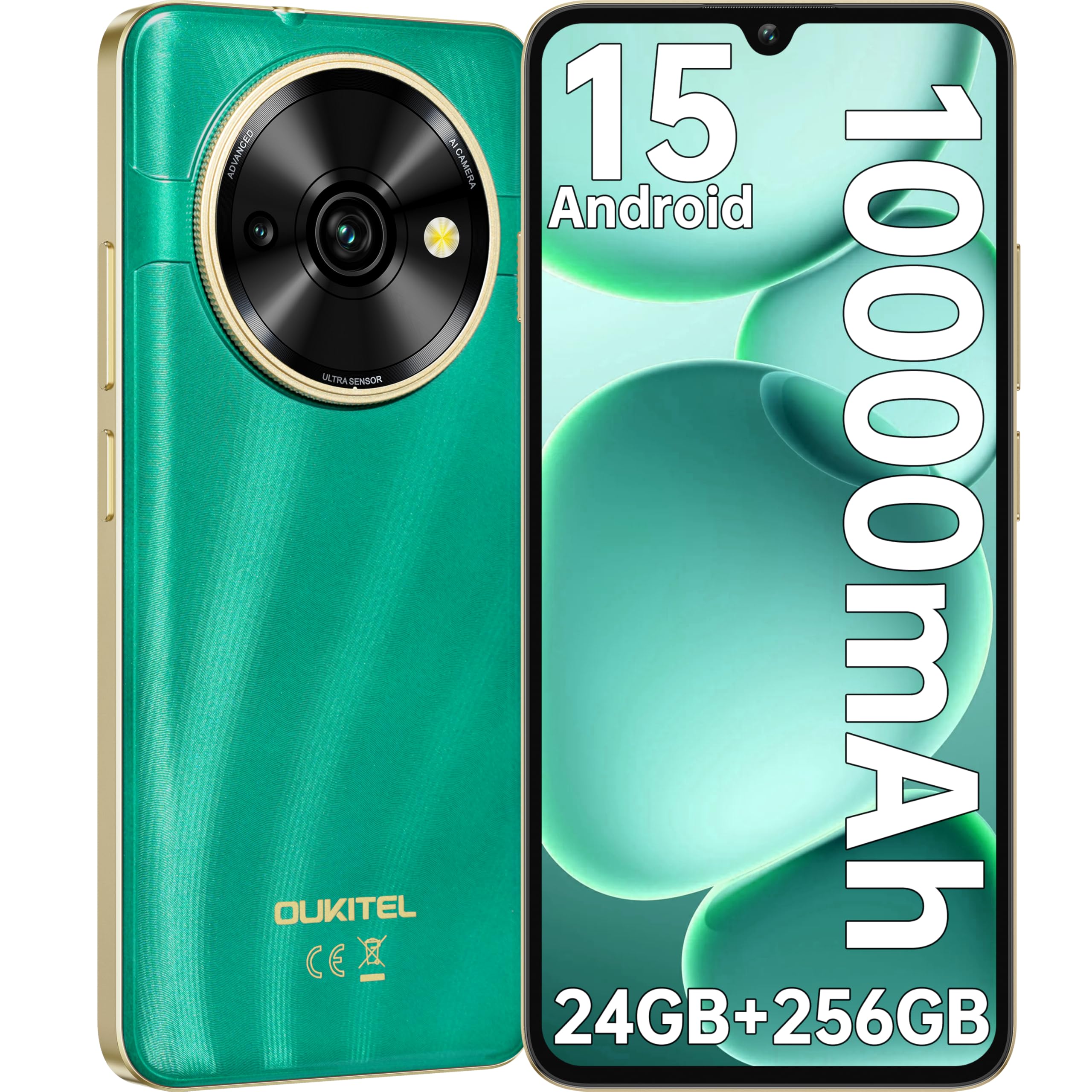
Image: Visual representation of the OUKITEL C59 Pro's 10000mAh battery capacity, indicating extended standby, talk, flashlight, and video playback times.
5.3 Укључивање/искључивање
- За укључивање: Притисните и држите дугме за напајање док се не појави OUKITEL лого.
- За искључивање: Притисните и држите дугме за напајање, а затим изаберите „Искључи“ из опција на екрану.
- Рестартовати: Притисните и држите дугме за напајање, а затим изаберите „Рестарт“ из опција.
6. Управљање паметним телефоном
6.1 Андроид 15 оперативни систем
Your OUKITEL C59 Pro runs on the latest Android 15 operating system, offering enhanced energy efficiency, privacy protection, and multi-device integration capabilities optimized with artificial intelligence.

Image: A visual representation of the Android 15 operating system interface, showcasing its modern design and various application icons.
6.2 Biometric Security (Fingerprint & Face ID)
Unlock your device securely using the side-mounted fingerprint sensor or Face ID recognition.
- Препознавање отиска прста: Register your fingerprints in the Security settings. To unlock, simply place your registered finger on the side power button.
- ИД лица: Set up Face ID in the Security settings. To unlock, hold the phone in front of your face.
6.3 Connectivity Features (NFC, GPS)
The OUKITEL C59 Pro supports NFC for contactless payments and data transfer, and GPS for navigation and location services.
- НФЦ: Enable NFC in Settings > Connected devices > Connection preferences > NFC. Tap your phone to compatible devices for quick pairing or payments.
- ГПС: Location services are enabled by default. You can manage them in Settings > Location.
6.4 Меморија и складиштење
The device comes with 24GB RAM (8GB physical + 16GB virtual) and 256GB internal storage, expandable up to 1TB via MicroSD card.

Image: A graphical representation of the OUKITEL C59 Pro's memory configuration, showing 24GB RAM (8GB + 16GB expansion) and 256GB ROM (expandable to 1TB).
6.5 OTG Functionality
The OUKITEL C59 Pro supports OTG (On-The-Go) reverse charging, allowing you to transfer data to other devices or use your phone as an emergency power bank.
7. Одржавање
Правилно одржавање осигурава дуготрајност и оптималне перформансе вашег паметног телефона.
- Чишћење: Користите меку крпу која не оставља влакна за чишћење екрана и кућишта уређаја. Избегавајте употребу јаких хемикалија или абразивних материјала.
- Ажурирања софтвера: Редовно проверавајте и инсталирајте системска ажурирања како бисте били сигурни да ваш уређај има најновије функције и безбедносне закрпе. Идите у Подешавања > Систем > Ажурирање система.
- Одржавање батерије: Избегавајте често потпуно пражњење батерије. За дуготрајно складиштење, напуните батерију до око 50%.
- Управљање складиштем: Периодично чистите непотребне fileи апликације да бисте ослободили простор за складиштење и побољшали перформансе.
КСНУМКС. Решавање проблема
Ако наиђете на проблеме са уређајем, испробајте следећа решења:
- Уређај не реагује: Притисните и држите дугме за напајање око 10-15 секунди да бисте поново покренули рачунар.
- Рушење апликација: Clear the cache and data of the problematic app in Settings > Apps > [App Name] > Storage. If the issue persists, uninstall and reinstall the app.
- Лош век трајања батерије: Check battery usage in Settings > Battery to identify power-hungry apps. Reduce screen brightness, disable unnecessary features like GPS or Wi-Fi when not in use.
- Проблеми са мрежом: Ensure SIM cards are correctly inserted. Try restarting the device. Check network settings or contact your service provider.
- прегревање: Avoid using the device while charging or during prolonged heavy usage. Close background apps.
- Фацтори Ресет: As a last resort, if software issues persist, you can perform a factory reset. Упозорење: Овим ћете обрисати све податке на вашем уређају. Направите резервну копију важних података пре него што наставите. Идите на Подешавања > Систем > Опције ресетовања > Обриши све податке (ресетовање на фабричка подешавања).
9. Спецификације
Detailed technical specifications for the OUKITEL C59 Pro smartphone.
| Феатуре | Спецификација |
|---|---|
| Бранд | ОУКИТЕЛ |
| Назив модела | ОУКИТЕЛ Ц59 Про |
| Оперативни систем | Андроид 15 |
| Величина инсталиране РАМ меморије | 24 GB (8 GB физичке + 16 GB виртуелне) |
| Капацитет складиштења | 256 ГБ |
| Max Supported Flash Memory Size | 1024 GB (1 TB) |
| Величина екрана | 6.88 инча |
| Резолуција | 1640 к 720 пиксела |
| Рефресх Рате | 90 Хз |
| Дисплаи Типе | ЛЦД |
| Целлулар Тецхнологи | 4G |
| Технологија повезивања | 4G |
| Боја | ГРЕЕН |
| Number of SIM Card Slots | Дуал СИМ |
| Величина СИМ картице | Нано |
| Тип конектора | УСБ тип Ц |
| Форм Фацтор | Бар |
| Биометријска безбедносна функција | Fingerprint Recognition, Face ID |
| Ниво отпорности на воду | Није водоотпоран |
| Прикључак за слушалице | Ниједан |
| Реар Цамера Ресолутион | 13 МП |
| Number of Rear Cameras | 2 |
| Number of Front Cameras | 1 |
| Резолуција снимања видео записа | 1080п |
| Фраме Рате | 30фпс, 60фпс, 120фпс |
| Капацитет батерије | 10000 мАх |
| Трајање батерије | 50 сати (време разговора) |
| ГПС | Да |
| Укључене компоненте | Phone case, USB cable, SIM ejector tool, Power adapter |
| Специфичне употребе производа | Gaming, Photography, Streaming, Video Conferencing |
10. Гаранција и подршка
10.1 Информације о гаранцији
The OUKITEL C59 Pro smartphone comes with a Двогодишња гаранција произвођача. This warranty covers defects in materials and workmanship under normal use. It does not cover damage caused by misuse, accidents, unauthorized repairs, or normal wear and tear. Please retain your proof of purchase for warranty claims.
10.2 Корисничка подршка
For technical assistance, warranty claims, or any other inquiries regarding your OUKITEL C59 Pro, please contact OUKITEL customer support through their official website or the contact information provided with your purchase. Ensure you have your device model and purchase details ready when contacting support.