
NIMO NIMO N154G
NIMO 15.6 FHD-Laptop User Manual
Model: NIMO N154G
Увод
Thank you for choosing the NIMO 15.6 FHD-Laptop. This powerful and versatile laptop is designed to enhance your productivity and entertainment experience. Featuring an Intel Core i3-1215U processor, 16GB RAM, and a 1TB SSD, it delivers fast and efficient performance for all your tasks. This manual provides essential information on setting up, operating, maintaining, and troubleshooting your new laptop.

Image: The NIMO 15.6 FHD-Laptop, showcasing its sleek design and key features like Full HD display, 16GB RAM, 1TB SSD, Type-C PD Charger, Fingerprint reader, and Backlit keyboard.
Шта је у кутији
Молимо вас да проверите садржај вашег пакета како бисте били сигурни да су сви предмети присутни:
- 1 x Nimo N154 Laptop
- 1 x Type-C 65W PD Fast Charger
- 1 к Упутство за употребу
- Windows 11 Home (pre-installed)
Сетуп
Прво укључивање и пуњење
- Unpack your NIMO laptop and the Type-C 65W PD Fast Charger.
- Connect the Type-C charger to the laptop's Type-C charging port and plug the adapter into a power outlet.
- Allow the laptop to charge for at least 30 minutes before the first use, or until the battery indicator shows sufficient charge.
- Press the power button located on the top right side of the keyboard to turn on the laptop.
Подешавање оперативног система Виндовс 11
Follow the on-screen instructions to complete the initial Windows 11 setup. This typically includes:
- Избор региона и распореда тастатуре.
- Повезивање на Ви-Фи мрежу.
- Прихватање лиценцног уговора.
- Креирање или пријављивање помоћу Microsoft налога.
- Setting up a PIN or password for login.
- Configuring privacy settings.
Управљање лаптопом
Приказ и визуелни елементи
The NIMO laptop features a stunning 15.6-inch Full HD (1920x1080) display with an 85% screen-to-body ratio and razor-thin bezels, providing vibrant colors and sharp details for an immersive viewинг искуство.

Image: The NIMO laptop screen displaying a vibrant image, highlighting its Full HD (1920x1080) resolution, IPS technology, bright view, and eye protection features.
Перформансе
Equipped with an Intel Core i3-1215U processor, 16GB DDR4 RAM, and a 1TB SSD, your NIMO laptop delivers powerful performance for multitasking, productivity, and entertainment. The 12th Gen Intel Core i3-1215U processor offers 6 cores and 8 threads, with a turbo boost up to 3.7 GHz, ensuring smooth and responsive operation.

Слика: Детаљна view of the 12th Gen Intel Core i3-1215U Processor, illustrating its 6 cores, 8 threads, 15W power consumption, and 3.7 GHz Turbo Boost frequency, with a performance improvement indicator.
Тастатура и унос
The laptop features a backlit keyboard for comfortable typing in various lighting conditions, a responsive touchpad, and a numeric keypad for efficient data entry. The integrated fingerprint reader provides seamless and secure login.
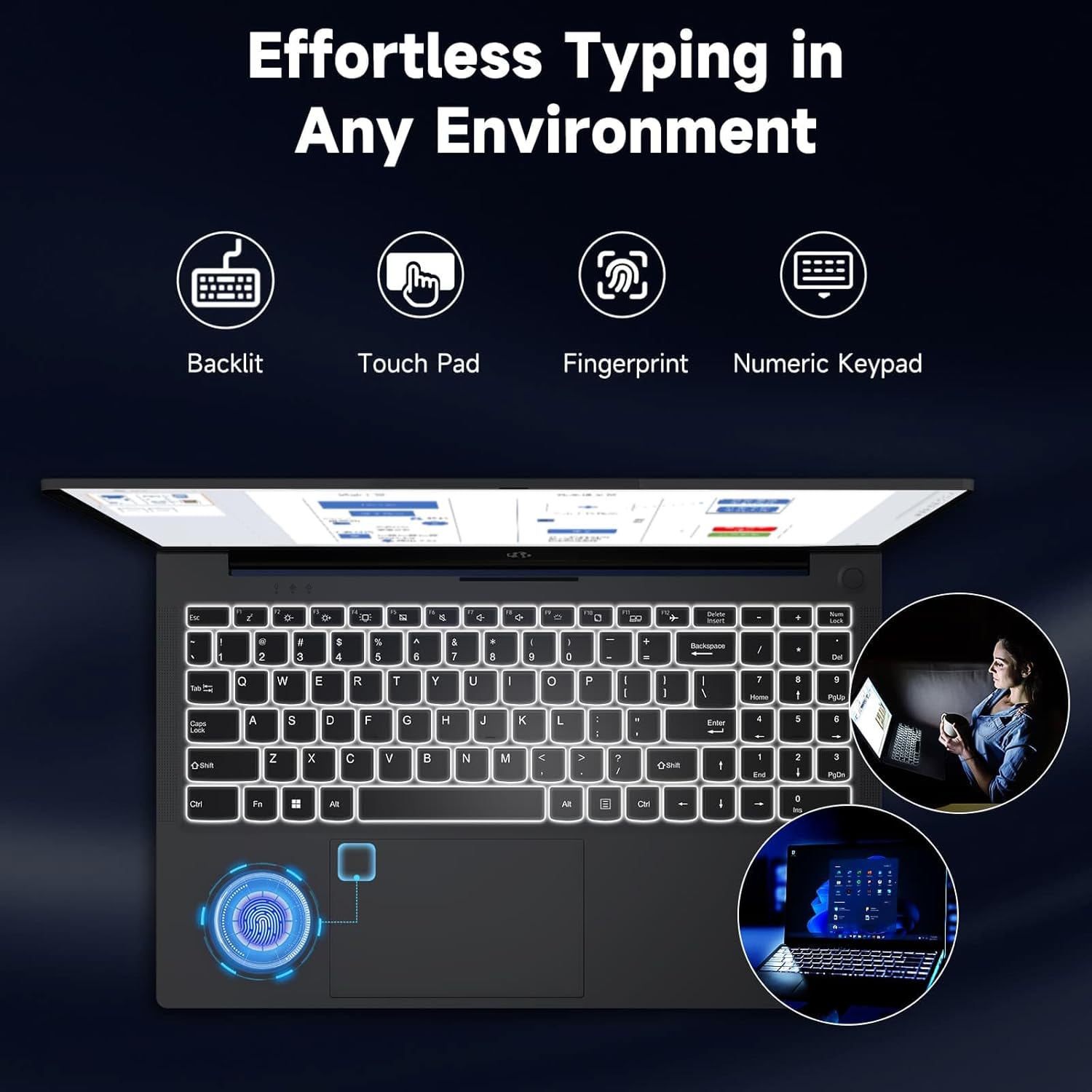
Image: The NIMO laptop keyboard, highlighting its backlit keys, touchpad, fingerprint sensor, and numeric keypad for effortless typing in any environment.
Безбедност и приватност
Unlock your laptop with ease and speed using the integrated fingerprint scanner. For privacy, the 2.0MP webcam includes a physical privacy switch, allowing you to control when your camera is active.
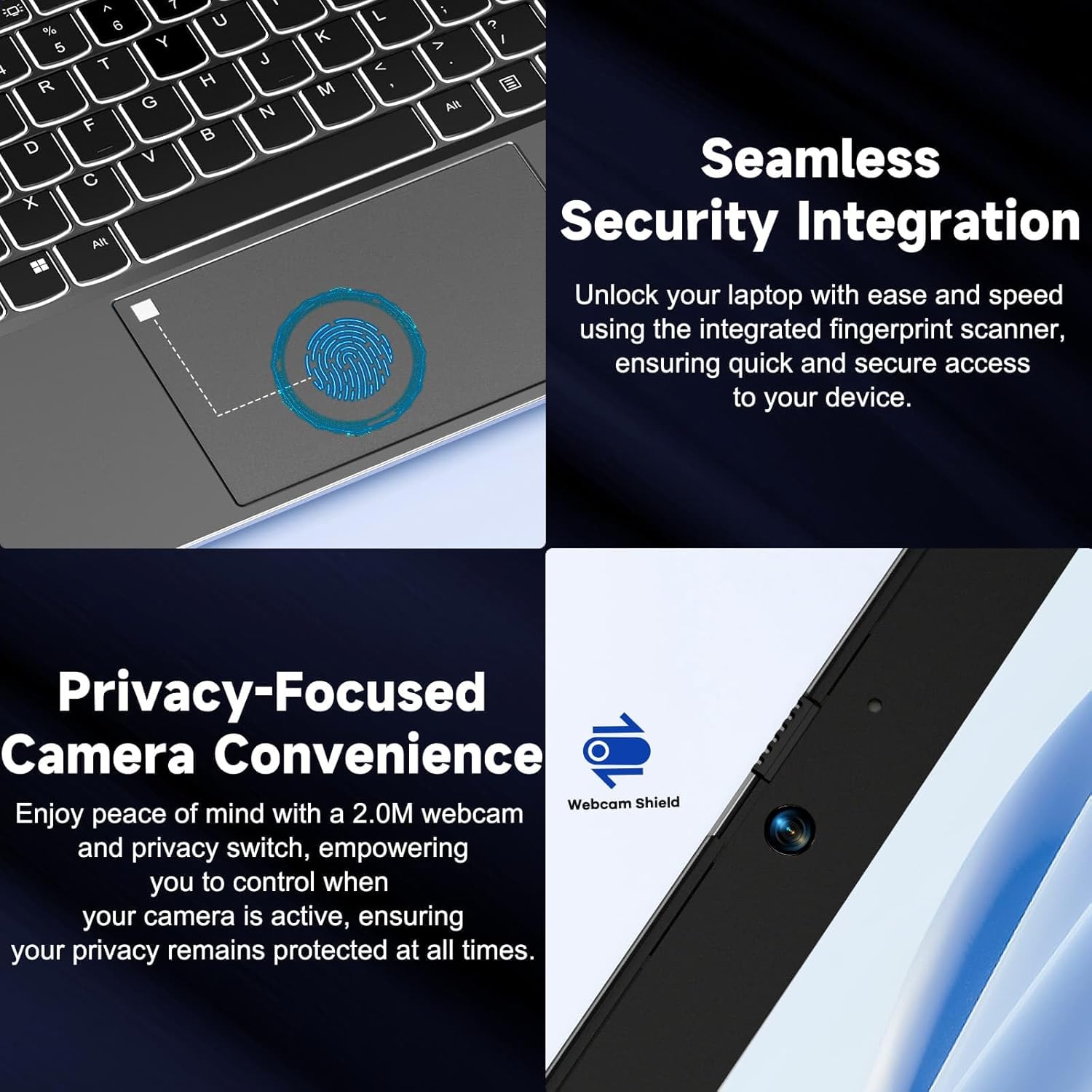
Слика: Крупни план views of the laptop's fingerprint sensor for seamless security integration and the webcam with its privacy shield for enhanced privacy.
Повезивање
The NIMO laptop offers multiple ports for versatile connectivity, including USB 2.0, USB 3.0, HDMI, and Type-C ports (one for charging, one for multifunction). It also features a Micro SD card reader, a headphone combo jack, and a Kensington lock slot.

Слика: Експлодирана view of the NIMO laptop, highlighting the location and type of its multiple ports, including USB, HDMI, Type-C, Micro SD, headphone combo, and Kensington lock.
180° Lay-Flat Hinge
The laptop is equipped with a 180° lay-flat hinge, allowing the screen to lie completely flat. This feature expands usage scenarios, making it easier to share content or collaborate with others.

Image: The NIMO laptop demonstrating its 180° lay-flat hinge, showing the screen fully opened and flat, ideal for sharing content.
Одржавање
Чишћење
- Користите меку крпу која не оставља длачицеampводом или средством за чишћење екрана да бисте обрисали екран.
- За тастатуру и кућиште користите меку, суву крпу. Избегавајте јаке хемикалије или абразивне материјале.
- Користите компримовани ваздух да бисте очистили прашину са тастера на тастатури и вентилационих решетки.
Баттери Царе
- Избегавајте често потпуно пражњење батерије.
- Чувајте лаптоп на хладном и сувом месту ако га не користите дуже време.
- Use only the provided NIMO 65W PD fast charger.
Ажурирања софтвера
- Regularly check for Windows updates to ensure your system has the latest security patches and performance improvements.
- Keep your drivers updated for optimal hardware performance.
Решавање проблема
| Проблем | Могући узрок | Решење |
|---|---|---|
| Лаптоп се не укључује | Слаба батерија; Проблем са адаптером за напајање | Ensure charger is properly connected and plugged in. Allow to charge for a few minutes before attempting to power on again. |
| Проблеми са Ви-Фи везом | Driver issue; Router problem; Wi-Fi disabled | Check if Wi-Fi is enabled (Fn+F5). Restart your router. Update Wi-Fi drivers via Device Manager. |
| Споро перформансе | Too many background apps; Low disk space; Malware | Затворите непотребне апликације. Ослободите простор на диску. Покрените потпуно скенирање система антивирусним софтвером. |
| Позадинско осветљење тастатуре не ради | Позадинско осветљење је онемогућено | Press Fn + F10 (or the key with the backlight icon) to toggle the backlight on/off or adjust brightness. |
| Fingerprint reader not responding | Sensor dirty; Driver issue; Incorrect setup | Clean the sensor with a soft cloth. Re-register your fingerprint in Windows Settings. Update fingerprint reader drivers. |
Спецификације
| Феатуре | Детаљ |
|---|---|
| Назив модела | NIMO N154G |
| Величина екрана | 15.6 инча |
| Резолуција екрана | 1920 к 1080 пиксела (Фулл ХД) |
| Процесор | Intel Core i3-1215U (до 4.4 GHz) |
| РАМ | 16 GB DDR4 (3200 MHz) |
| Складиштење | 1 ТБ ССД |
| Грапхицс Цопроцессор | Интегрисана графика |
| Оперативни систем | Виндовс 11 Хоме |
| Вирелесс Типе | 802.11а/б/г/н/ац |
| УСБ портови | 1 к УСБ 2.0, 2 к УСБ 3.0 |
| Друге луке | HDMI, 2 x Type-C (1 Charge Only, 1 Multifunction), Micro SD Reader, Headphone Combo, Kensington Lock |
| Webцам | 2 МП задња Webцам Ресолутион |
| Трајање батерије (просечно) | 5 сата |
| Извор напајања | Battery Powered (65W PD Type-C Charger) |
| Тежина артикла | 5 фунти |
| Димензије производа | 14.07 к 8.98 к 0.76 инча |
| Боја | Греи |
| Посебне карактеристике | Fingerprint Reader, HD Audio, Backlit Keyboard, Memory Card Slot, Numeric Keypad, 180° Lay-Flat Hinge |
Гаранција и подршка
NIMO is committed to providing reliable products and excellent customer service. Your NIMO laptop comes with comprehensive warranty and support:
- 2-Year Laptop Protection: Enjoy peace of mind with a 2-year warranty covering manufacturing defects.
- Бесплатни повраћај у року од 90 дана: If you are not satisfied with your purchase, you can return it within 90 days.
- 24/7 Customer Service Support: Our dedicated team of laptop experts is available around the clock to provide instant assistance and resolve any issues you may encounter.
For support, please refer to the contact information provided on the NIMO official website or the packaging. Please have your model number (NIMO N154G) and purchase details ready when contacting support.

Image: An illustration of NIMO's after-sales excellence, showing domestically partial assembly, 90-day free returns, 2-year after-sales support, and 24/7 customer service support.
Ask a question about this manual
Ask about setup, troubleshooting, compatibility, parts, safety, or missing instructions. Manuals+ will review the question and use this page’s manual context to help answer it.