
Увод
Thank you for choosing the Acctim Jaxon Digital Alarm Clock. This modern alarm clock combines functionality with aesthetic appeal, featuring a color-changing LED display, USB-C power, and a convenient USB-C charging port. This manual will guide you through the setup, operation, and maintenance of your new device to ensure optimal performance and longevity.

Image: The Acctim Jaxon Digital Alarm Clock displayed on a bedside table, showing its compact design and blue LED time display in a bedroom setting.
Безбедносне информације
- Прочитајте сва упутства пре употребе и сачувајте их за будућу употребу.
- Не излажите уређај води или прекомерној влази.
- Avoid placing the clock near heat sources or in direct sunlight.
- Use only the provided USB-C power cable or a certified equivalent.
- Не покушавајте сами да растављате или поправљате уређај. Обратите се квалификованом сервисеру.
- Чувати ван домашаја деце.
Садржај пакета
- Acctim Jaxon Digital Alarm Clock
- УСБ-Ц кабл за напајање
- Кориснички приручник (овај документ)
Производ је завршенview
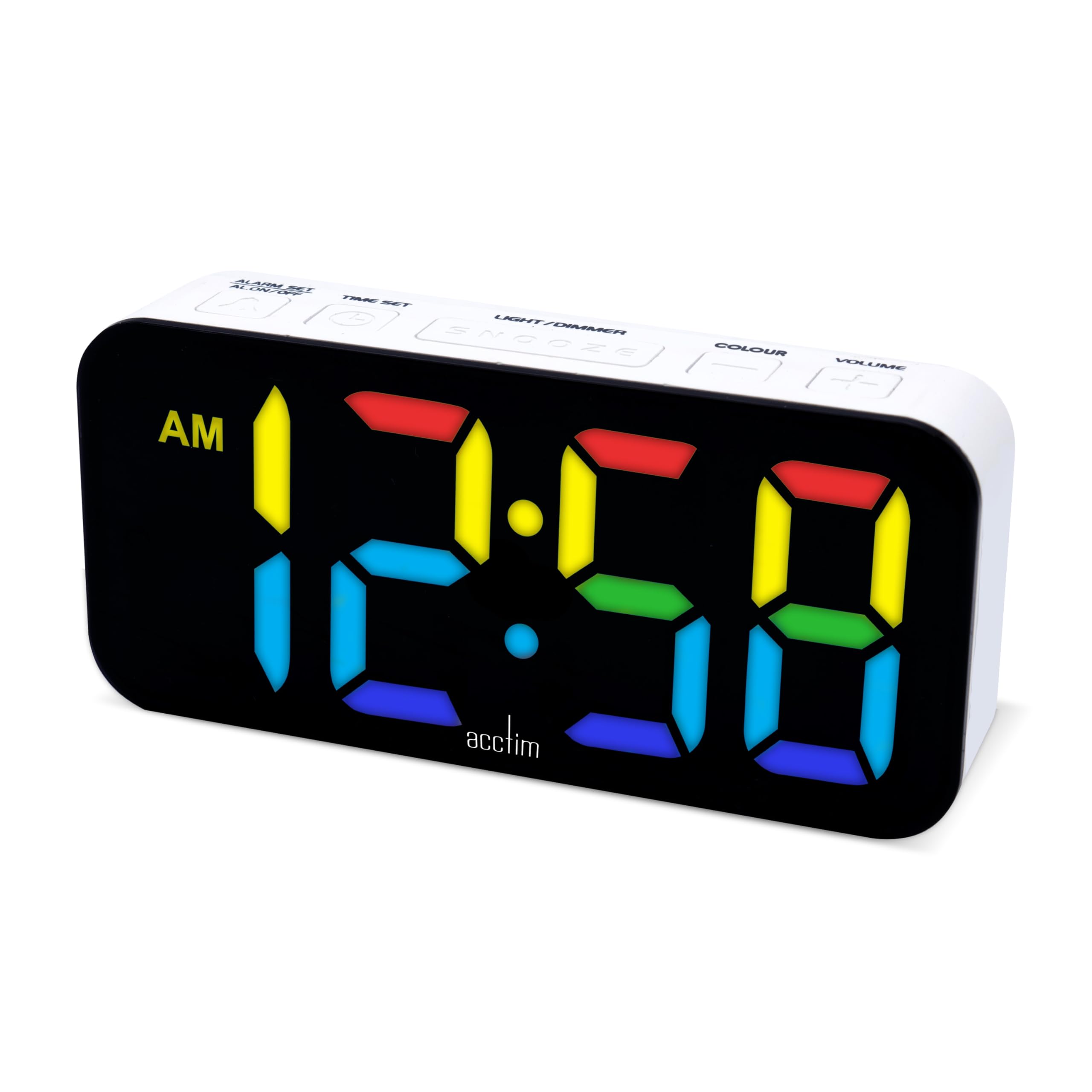
Familiarize yourself with the buttons and display of your Acctim Jaxon Digital Alarm Clock.

Слика: Врх view of the Acctim Jaxon Digital Alarm Clock, highlighting the control buttons for alarm, time, light/dimmer, snooze, color, and volume.
Контролна дугмад:
- ALARM SET / ALARM ON/OFF: Press to set the alarm time. Press briefly to activate/deactivate the alarm.
- ВРЕМЕНСКИ СКЛОП: Притисните да подесите тренутно време.
- LIGHT / DIMMER: Press to adjust display brightness.
- СНООЗЕ: Press to temporarily silence the alarm.
- БОЈА: Press to cycle through display color options.
- ВОЛУМЕ: Press to adjust alarm volume.
Приказ:
- Large LED display shows time in 12 or 24-hour format.
- AM/PM indicator for 12-hour format.
- Multiple color options for the LED digits.
Сетуп
1. Прикључак за напајање
- Connect the provided USB-C power cable to the "DC IN" port on the back of the alarm clock.
- Укључите други крај USB-C кабла у компатибилни USB адаптер за напајање (није укључен), а затим у зидну утичницу.
- Екран ће се упалити, што указује да је сат укључен.
2. Резервна батерија (опционо)
За резервно напајање током ванредног стањаtages, install 3 AAA batteries (not included) into the battery compartment on the bottom of the clock. The batteries will retain time settings but will not power the display continuously.
Упутство за употребу
Подешавање времена
- Притисните и држите ВРЕМЕНСКИ СКЛОП дугме док цифре сати не почну да трепћу.
- Притисните тастер ВРЕМЕНСКИ СКЛОП више пута притисните дугме да бисте подесили сат.
- Притисните тастер АЛАРМ СЕТ button to confirm the hour and move to minute adjustment.
- Притисните тастер ВРЕМЕНСКИ СКЛОП више пута притисните дугме да бисте подесили минуте.
- Притисните тастер АЛАРМ СЕТ button to confirm the minutes and exit time setting mode.
- Да бисте прелазили између 12-часовног и 24-часовног формата, притисните ВРЕМЕНСКИ СКЛОП button briefly while the time is displayed (not in setting mode). The AM/PM indicator will appear for 12-hour format.
Постављање аларма
- Притисните и држите АЛАРМ СЕТ дугме док цифре сата аларма не почну да трепћу.
- Притисните тастер АЛАРМ СЕТ више пута притисните дугме да бисте подесили сат аларма.
- Притисните тастер ВРЕМЕНСКИ СКЛОП button to confirm the alarm hour and move to alarm minute adjustment.
- Притисните тастер АЛАРМ СЕТ више пута притисните дугме да бисте подесили минуте аларма.
- Притисните тастер ВРЕМЕНСКИ СКЛОП button to confirm the alarm minutes and exit alarm setting mode.
Активирање/деактивирање аларма
- Кратко притисните АЛАРМ УКЉУЧЕН / ИСКЉУЧЕН дугме за укључивање или искључивање аларма. Икона аларма ће се појавити на екрану када је аларм активан.
Функција одлагања
- Када се огласи аларм, притисните СНООЗЕ дугме да бисте га привремено утишали. Аларм ће се поново огласити након отприлике 9 минута.
- To turn off the alarm completely, press any other button (e.g., ALARM ON/OFF).
Промена боје екрана
The clock features 7 different LED display colors. Press the ЦОЛОР button repeatedly to cycle through the available color options:
Pink Display

Плави дисплеј

Light Blue Display

Зелени екран

Црвени дисплеј

Вхите Дисплаи

Жути дисплеј
Подешавање осветљености екрана
- Притисните тастер LIGHT / DIMMER button repeatedly to cycle through different brightness levels.
Подешавање јачине звука аларма
- Притисните тастер ВОЛУМЕ button repeatedly to cycle through different alarm volume levels.
Using the USB-C Charging Port
- The clock features an additional USB-C port (labeled "USB OUT") that can be used to charge other devices, such as smartphones or tablets.
- Connect your device's USB-C charging cable to this port. Ensure the alarm clock is powered via its main USB-C input.
Одржавање
- Чишћење: Обришите сат меком, сувом крпом. Не користите абразивна средства за чишћење или раствараче.
- Складиштење: If storing the clock for an extended period, remove the AAA backup batteries to prevent leakage.
Решавање проблема
| Проблем | Могући узрок | Решење |
|---|---|---|
| Екран је искључен или затамњен. | No power, power cable loose, brightness set too low. | Ensure USB-C power cable is securely connected. Check power adapter. Press LIGHT / DIMMER дугме за повећање осветљености. |
| Аларм се не оглашава. | Alarm is not activated, alarm volume is too low. | Притисните АЛАРМ УКЉУЧЕН / ИСКЉУЧЕН to activate (check for alarm icon). Press ВОЛУМЕ да повећате јачину аларма. |
| Време је нетачно након нестанка струјеtage. | No backup batteries or batteries are depleted. | Install fresh AAA batteries for backup. Reset the time manually. |
| USB-C charging port not working. | Clock not powered, cable issue, device incompatibility. | Ensure the clock is connected to main power. Try a different USB-C cable or device. |
Спецификације
| Бранд | Acctim |
| Број модела | 16512 (Jaxon) |
| Боја | Бела |
| Материјал | Пластика |
| Димензије производа (Д к Ш к В) | 9.1 к 3.81 к 5.6 цм |
| Тежина артикла | 112 грама |
| Дисплаи Типе | Digital LED (Color Changing) |
| Извор напајања | Electric Cord (USB-C) |
| Баттери Рекуиремент | 3 x AAA batteries (for backup, not included) |
| Посебне карактеристике | Charging Port, Backlight |
Гаранција и подршка
Acctim products are designed for reliability and performance. Spare parts availability is indicated for 2 years from the date of purchase.
For any questions, technical support, or warranty claims, please contact your retailer or visit the official Acctim webсајт за информације о корисничкој служби.