
Minifire MFG25F6Q Pro
Minifire MFG25F6Q Pro 25-inch QHD 300Hz Gaming Monitor User Manual
Model: MFG25F6Q Pro
1. Увод
Thank you for choosing the Minifire MFG25F6Q Pro 25-inch QHD 300Hz Gaming Monitor. This manual provides essential information for the safe and efficient use of your new monitor. Please read it thoroughly before installation and operation, and keep it for future reference.
The MFG25F6Q Pro is designed for an immersive gaming experience, featuring a 25-inch QHD (2560x1440) Fast IPS panel, an ultra-high 300Hz refresh rate, and a rapid 1ms MPRT response time. It supports FreeSync Premium technology for tear-free gaming and offers extensive connectivity with HDMI 2.1 and DisplayPort 1.4 inputs, alongside an ergonomic adjustable stand.
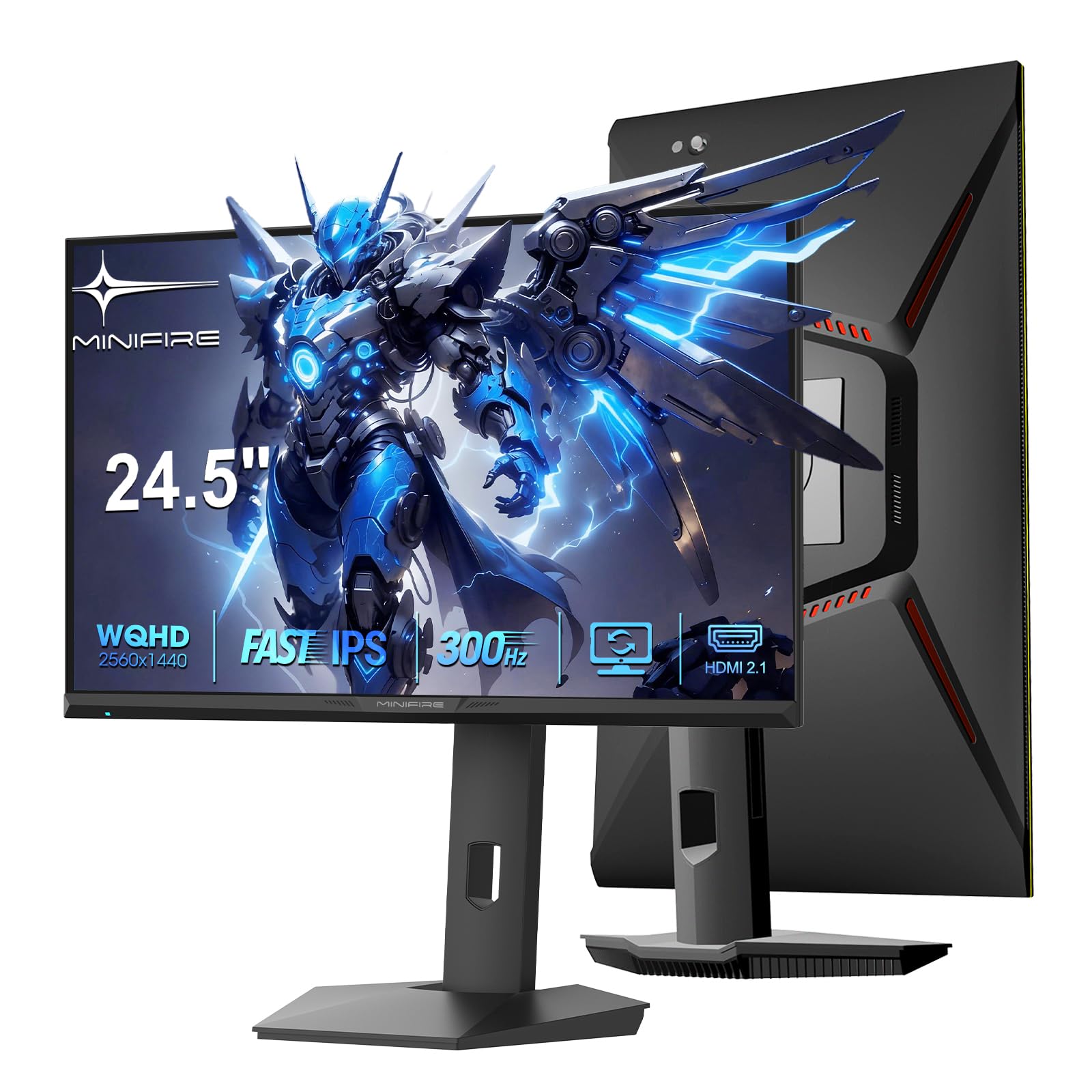
Figure 1: Minifire MFG25F6Q Pro Gaming Monitor Overview
2. Безбедносне информације
- Пажљиво прочитајте сва упутства пре употребе монитора.
- Не излажите монитор киши или влази како бисте спречили опасност од пожара или струјног удара.
- Не отварајте монитор цasinг. Унутра нема делова које корисник може сам да поправи. Сво сервисирање препустите квалификованом особљу.
- Поставите монитор на стабилну, равну површину како бисте спречили његов пад.
- Обезбедите одговарајућу вентилацију око монитора. Не блокирајте вентилационе отворе.
- Користите само адаптер за напајање који се испоручује са монитором.
- Искључите монитор из утичнице током грмљавине или када га не користите дуже време.
- Држите монитор даље од директне сунчеве светлости, извора топлоте и екстремних температура.
- Clean the screen with a soft, lint-free cloth. Avoid using harsh chemicals or abrasive cleaners.
3. Садржај пакета
Молимо вас да проверите садржај пакета како бисте били сигурни да су сви предмети присутни и да нису оштећени:
- Minifire MFG25F6Q Pro Gaming Monitor
- Постоље за монитор (постоље и крак)
- ДисплаиПорт Цабле
- Повер Адаптер
- Упутство за употребу

Figure 2: Included Accessories and Monitor Dimensions (557mm width, 534mm height with stand, 220mm depth)
4. Подешавање
4.1 Склапање постоља
Пратите ове кораке да бисте саставили постоље за монитор:
- Поставите монитор лицем надоле на меку, чисту крпу да бисте спречили огреботине.
- Attach the stand arm to the monitor's VESA mounting area.
- Secure the stand base to the stand arm.
- Уверите се да су сви завртњи добро затегнути.

Figure 3: Stand Assembly (steps 1-4 on the left) and Joystick Control (right)
4.2 Повезивање монитора
Повежите монитор са рачунаром или играчком конзолом користећи одговарајуће каблове:
- Прикључак за напајање: Connect the power adapter to the monitor's DC input port, then plug the other end into a power outlet.
- Видео веза:
- For optimal performance (QHD @ 300Hz), use the supplied DisplayPort 1.4 cable to connect to your graphics card.
- Alternatively, use an HDMI 2.1 cable for compatible devices (supports QHD @ 300Hz).
- Аудио веза: If desired, connect headphones or external speakers to the 3.5mm audio output jack.

Figure 4: Available Ports (DC, 2x HDMI 2.1, 2x DisplayPort 1.4, Audio Out)
5. Упутство за употребу
5.1 Укључивање/искључивање
Press the joystick button located on the back of the monitor to power it on or off. A short press will turn it on, and a long press will turn it off.
5.2 Навигација кроз OSD мени
The monitor features a convenient joystick control for navigating the On-Screen Display (OSD) menu:
- Притисните: Enter OSD menu / Confirm selection.
- Горе доле: Крећите се по опцијама менија.
- лево/десно: Adjust values / Navigate sub-menus.
Refer to Figure 3 for the joystick control diagram.
5.3 Подешавања екрана
Подесите различита подешавања екрана преко OSD менија да бисте оптимизовали свој viewинг искуство.
- Резолуција и брзина освежавања: The monitor supports QHD (2560x1440) resolution at up to 300Hz refresh rate. Ensure your graphics card settings are configured to match these specifications for the best performance.

Figure 5: Key Performance Features (QHD, 300Hz, 1ms)

Figure 6: High Refresh Rate (300Hz) and Fast Response Time (1ms MPRT)

Figure 7: QHD (2560x1440) Resolution provides sharper, more detailed images compared to Full HD.
- Време одговора: The monitor features a 1ms MPRT (Moving Picture Response Time) for reduced motion blur. This setting can typically be adjusted in the OSD menu.
- Adaptive Sync (FreeSync Premium): Enable FreeSync Premium in the OSD menu and on your graphics card (if supported) to eliminate screen tearing and stuttering for a smoother gaming experience.

Figure 8: FreeSync Technology for fluid video experience.
- ХДР (високи динамички опсег): This technology expands the spatial capacity of dark and light areas, increasing luminance limits and bringing out details in both bright and dark scenes. Enable HDR in the OSD menu and your operating system for compatible content.

Figure 9: HDR Technology enhances image quality by expanding dynamic range.
- Подешавања боја: The monitor offers rich color reproduction with 130% sRGB and 98% DCI-P3 coverage, and 10-bit color depth. Adjust brightness (350 nits), contrast, and color temperature settings to your preference.
5.4 Ергономска подешавања
The monitor stand allows for various adjustments to achieve an optimal viewугао уласка:
- Подешавање висине: Adjust the monitor height up to 130mm.
- Нагиб: Tilt the screen from -5° to +20°.
- Окретни: Swivel the monitor left or right by 20° (L20°~R20°).
- Пивот: Rotate the screen 90° for portrait mode (-90°~+90°).

Figure 10: Ergonomic Stand Adjustments for optimal viewин удобност.
5.5 Multi-Input Management (PIP/PBP)
The monitor supports Picture-in-Picture (PIP) and Picture-by-Picture (PBP) functions, allowing you to display content from multiple sources simultaneously. Access these settings through the OSD menu.

Figure 11: PIP/PBP functionality for displaying multiple sources.
5.6 Game Modes and Features
The monitor includes various preset game modes and features to enhance your gaming experience:
- Pro Game Modes: Select from predefined color settings optimized for different game genres (e.g., FPS, RTS, Standard). These can be further fine-tuned to your personal preferences.

Figure 12: Pro Game Modes for optimized visual settings across various games.
- FPS Aiming Feature: An on-screen crosshair can be enabled to assist with aiming in First-Person Shooter (FPS) games.

Figure 13: FPS Aiming Feature to enhance precision in games.
6. Одржавање
6.1 Чишћење монитора
- Увек искључите монитор пре чишћења.
- Користите меку крпу која не оставља длачицеampened with water to clean the screen. Do not spray cleaner directly onto the screen.
- For stubborn marks, use a screen-specific cleaning solution applied to the cloth, not directly to the screen.
- Обришите монитор цasinОбришите меком, сувом крпом. Избегавајте употребу абразивних средстава за чишћење или растварача.
6.2 Општа нега
- Избегавајте стављање тешких предмета на монитор или његове каблове.
- Не излажите монитор екстремним температурама или влази.
- If the monitor will be unused for an extended period, unplug it from the power outlet.
КСНУМКС. Решавање проблема
If you encounter issues with your monitor, please refer to the following troubleshooting guide:
| Проблем | Могући узрок | Решење |
|---|---|---|
| Нема слике на екрану |
|
|
| Слика трепери или је изобличена |
|
|
| Нема звука из прикључка за слушалице |
|
|
| "Extreme" response time causes ghosting | Overdrive setting too aggressive. | Adjust the "Response Time" setting in the OSD menu to a lower level (e.g., "Fast" or "Normal") or turn it off if ghosting persists. |
8. Спецификације
| Феатуре | Детаљ |
|---|---|
| Бранд | Minifire |
| Величина екрана | 25 инча |
| Резолуција | 2560 x 1440 пиксела (QHD широкоекрански 1440p) |
| Аспецт Ратио | 16:9 |
| Опис површине екрана | Анти-гларе |
| Однос контраста | 1200:1 |
| Време одговора | 1 millisecond (MPRT) |
| Рефресх Рате | 300 Хз |
| Потрошња енергије | 45 Ватт |
| Дисплаи Типе | IPS, LCD |
| Viewинг Англе | 178 степени |
| Осветљеност | 350 нита |
| Цолор Гамут Валуе | 130% сРГБ, 98% ДЦИ-П3 |
| Image Quality Enhancement Technology | FreeSync Premium, HDR |
| Димензије артикла (Д к Ш к В) | 23.6Д к 54.5В к 55.7Х центиметара |
| Тежина артикла | 4.2 килограма |
| Технологија повезивања | DisplayPort, HDMI 2.1 |
| Повезивање хардвера | HDMI, Display Port |
| Укупни ХДМИ портови | 2 |
| Total Output Ports | 4 (2x HDMI, 2x DP) |
| Карактеристике производа | Dual DisplayPort, Dual HDMI 2.1, 300Hz Refresh Rate, Gaming Screen |
| Специфичне употребе производа | Гаминг |
| Боја | Црно |
| ВЕСА тип носача | Desk Mount (100x100 mm compatible) |
| Компатибилни уређаји | Gaming Console, Computer, Laptop |
| Број модела | MFG25F6Q Pro |
| Произвођач | Minifire |
9. Гаранција и подршка
9.1 Информације о гаранцији
The Minifire MFG25F6Q Pro monitor comes with a 2 година гаранције from the date of purchase. This warranty covers manufacturing defects and malfunctions under normal use. Please retain your proof of purchase for warranty claims. The warranty does not cover damage caused by misuse, accidents, unauthorized modifications, or external factors.
9.2 Корисничка подршка
For technical assistance, warranty claims, or any questions regarding your Minifire monitor, please contact Minifire customer support through the official website or your retailer's support channels. Please have your model number (MFG25F6Q Pro) and purchase details ready when contacting support.
Подршка на мрежи: Visit the official Minifire website for FAQs, driver downloads, and contact information. www.minifire.com (Напомена: Ово је резервисано место URL. Please refer to your product packaging or official Minifire documentation for the correct support webсајту.)
Ask a question about this manual
Ask about setup, troubleshooting, compatibility, parts, safety, or missing instructions. Manuals+ will review the question and use this page’s manual context to help answer it.