
1. Увод
Thank you for choosing the LEFFOT M1 Plus Android 14.0 TV Box. This device is designed to transform your television into a smart entertainment hub, offering stunning 4K UHD visuals, powerful performance, and a wide range of connectivity options. This manual provides detailed instructions for setting up, operating, and maintaining your TV box to ensure an optimal user experience.
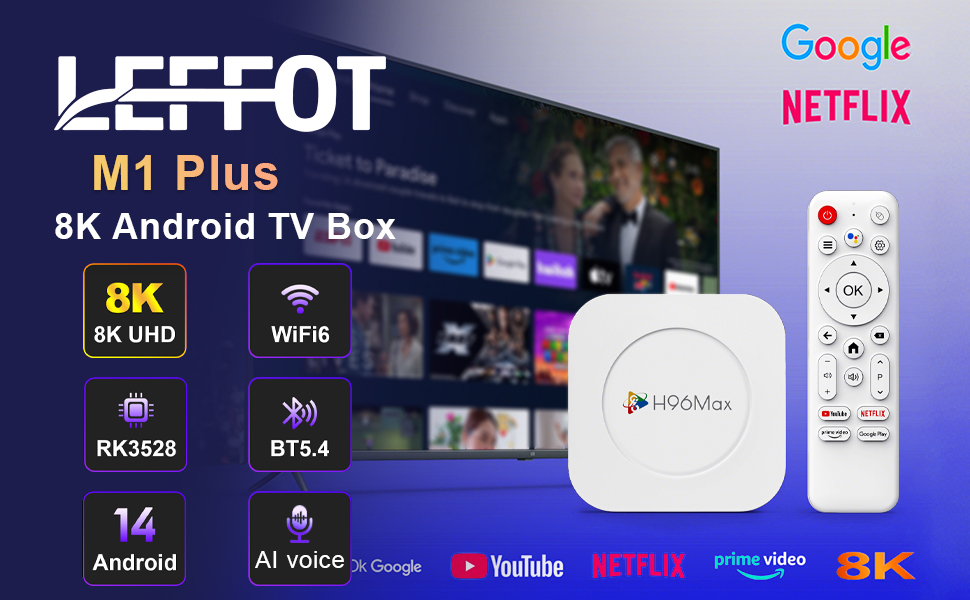
Слика 1.1: Готовоview of the LEFFOT M1 Plus Android TV Box highlighting its core features like 8K UHD, WiFi 6, BT 5.4, Android 14, and AI voice control.
2. Безбедносне информације
Пажљиво прочитајте сва безбедносна упутства пре употребе уређаја. Непоштовање ових упутстава може довести до струјног удара, пожара или оштећења уређаја.
- Користите само испоручени адаптер за напајање.
- Не излажите уређај води, влази или екстремним температурама.
- Осигурајте одговарајућу вентилацију око уређаја како бисте спречили прегревање.
- Не покушавајте сами да растављате или поправљате уређај. Обратите се квалификованом сервисеру.
- Држите уређај даље од директне сунчеве светлости и извора топлоте.
3. Садржај пакета
Проверите да ли су све ставке присутне у пакету:
- LEFFOT M1 Plus Android TV Box
- Ремоте Цонтрол
- ХДМИ кабл
- Повер Адаптер
- Кориснички приручник (овај документ)
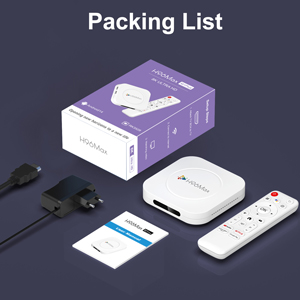
Image 3.1: The package contents including the TV box, remote control, power adapter, and HDMI cable.
4. Производ је готовview
Familiarize yourself with the components and ports of your LEFFOT M1 Plus TV Box.
4.1. Device and Remote

Image 4.1: The LEFFOT M1 Plus TV Box (left) and its accompanying remote control (right).
4.2. Портови и интерфејси
The TV box features various ports for connectivity:
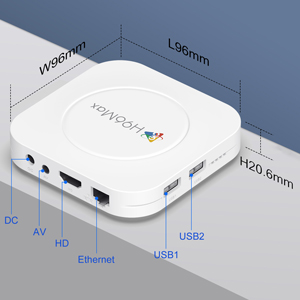
Слика 4.2: Детаљно view of the TV box's ports: DC (power), AV (audio/video out), HD (HDMI), Ethernet, USB1, and USB2.
- ДЦ: Улазни порт за напајање.
- АВ: Analog audio/video output (for older TVs).
- ХД: HDMI output for connecting to your TV.
- Етхернет: RJ-45 port for wired network connection.
- USB1 & USB2: USB ports for connecting external devices like USB drives, keyboards, or mice.
5. Подешавање
Follow these steps to set up your LEFFOT M1 Plus TV Box:
- Повезивање са ТВ-ом: Connect one end of the provided HDMI cable to the "HD" port on the TV box and the other end to an HDMI input port on your television. Note the HDMI input number (e.g., HDMI 1, HDMI 2) on your TV.
- Прикључите напајање: Plug the power adapter into the "DC" port on the TV box, then plug the adapter into a wall outlet.
- Укључено: The TV box should automatically power on. If not, press the power button on the remote control.
- Изаберите ТВ улаз: On your TV, use the remote control to select the corresponding HDMI input source you connected the TV box to.
- Чаробњак за почетно подешавање: Follow the on-screen instructions to complete the initial setup, including language selection, time zone, and network connection.
6. Упутство за употребу
Navigate and use your TV box effectively.
6.1. Основна навигација
- Use the directional (Up, Down, Left, Right) buttons on the remote to move between menu items and applications.
- Притисните тастер OK дугме за избор ставке или потврду радње.
- Притисните тастер Назад дугме за повратак на претходни екран.
- Притисните тастер Хоме button to return to the main home screen.
6.2. Accessing Applications
From the home screen, you can access pre-installed applications or download new ones from the Google Play Store. Navigate to the desired app icon and press OK да га покрене.

Image 6.1: The Android 14.0 TV Box home screen displaying popular streaming applications.
6.3. Управљање гласом
The LEFFOT M1 Plus supports voice control via Google Assistant. To use this feature:
- Ensure your remote control is paired and has working batteries.
- Притисните тастер Гласовни асистент button (often a microphone icon) on your remote.
- Speak clearly into the remote's microphone. You can ask to open apps, search for content, or control playback.

Image 6.2: Demonstrating the convenient voice control feature using the remote and Google Assistant.
6.4. Media Playback and Display Features
Enjoy high-quality media with advanced features:
- 8К УХД: The device supports up to 8K*4K@23fps and 4Kx2K@60fps resolution with HDR10 for vibrant and detailed visuals.
- Airplay, DLNA, WiFidisplay: Easily cast content from your mobile devices to your TV screen.

Image 6.3: Experience crystal-clear 8K resolution with the LEFFOT M1 Plus.

Image 6.4: The TV box supports various connectivity options and display technologies like Airplay, DLNA, and WiFidisplay.
6.5. Сценарији коришћења
The LEFFOT M1 Plus TV Box is versatile for various uses:
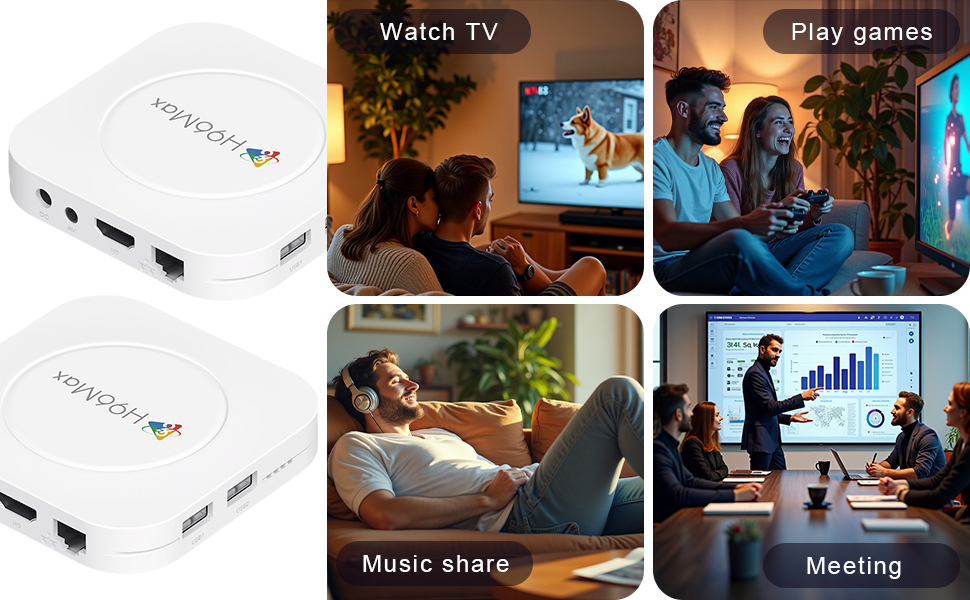
Image 6.5: The TV box can be used for watching TV, playing games, sharing music, and even for business presentations.
7. Повезивање
7.1. Ви-Фи веза
The device supports 2.4G & 5G dual-band Wi-Fi 6 for fast and stable wireless internet.
- Иди на Подешавања > Мрежа и Интернет.
- Укључи Ви-Фи.
- Изаберите своју Ви-Фи мрежу са листе.
- Enter the password if prompted and select Повежите се.

Image 7.1: The TV box features advanced Wi-Fi 6 technology for faster and more reliable connections.
7.2. Етхернет веза
For a wired connection, plug an Ethernet cable into the "Ethernet" port on the TV box and the other end into your router/modem.
7.3. Блуетоотх веза
The device supports Bluetooth 5.4 for connecting peripherals like headphones, game controllers, or speakers.
- Иди на Подешавања > Повезани уређаји > Упарите нови уређај.
- Ставите свој Блуетоотх уређај у режим упаривања.
- Изаберите свој уређај са листе и пратите упутства на екрану да бисте га упарили.
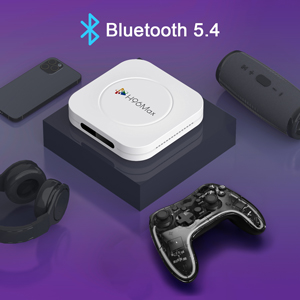
Image 7.2: The TV box supports Bluetooth 5.4 for seamless connection with various external devices.
КСНУМКС. Решавање проблема
Погледајте овај одељак за уобичајене проблеме и њихова решења.
| Проблем | Могући узрок | Решење |
|---|---|---|
| Нема струје | Адаптер за напајање није повезан или је неисправан. | Уверите се да је адаптер за напајање безбедно повезан са уређајем и исправном утичницом. Покушајте са другом утичницом. |
| Нема сигнала на ТВ-у | Incorrect HDMI input selected on TV; HDMI cable loose or faulty. | Verify TV input matches the HDMI port used. Check HDMI cable connections. Try a different HDMI cable or port. |
| Проблеми са Ви-Фи везом | Нетачна лозинка; рутер предалеко; сметње. | Re-enter Wi-Fi password. Move device closer to router. Restart router and TV box. |
| Даљински управљач не реагује | Слабе батерије; даљински управљач није упарен. | Replace batteries. Re-pair the remote control if it's a Bluetooth remote (refer to device settings). |
| Рушење апликација или споро функционисање | Превише апликација је покренуто; мало меморије; софтверски проблем. | Close background apps. Clear app caches. Restart the TV box. Consider a factory reset if issues persist (data will be lost). |
9. Спецификације
Key technical specifications of the LEFFOT M1 Plus Android TV Box:
- Оперативни систем: Андроид 14.0
- ЦПУ: RK3528 Quad Core ARM Cortex-A53
- ГПУ: Мали-КСНУМКС МПКСНУМКС
- РАМ: 4ГБ
- РОМ: 32ГБ
- Видео излаз: Supports 4Kx2K@60fps, 8K*4K@23fps, HDR10
- Ви-Фи: 2.4G & 5G Dual-band Wi-Fi 6
- Етхернет: 100М
- Блуетоотх: БТ 5.4
- Портови: HDMI, USB (x2), DC, AV, Ethernet
- Посебне карактеристике: Airplay, DLNA, WiFidisplay, Voice Control
- Димензије: 3.78 к 3.78 к 0.81 инча (96 к 96 к 20.6 мм)
- Тежина: 4.3 унци (приближно 122 г)
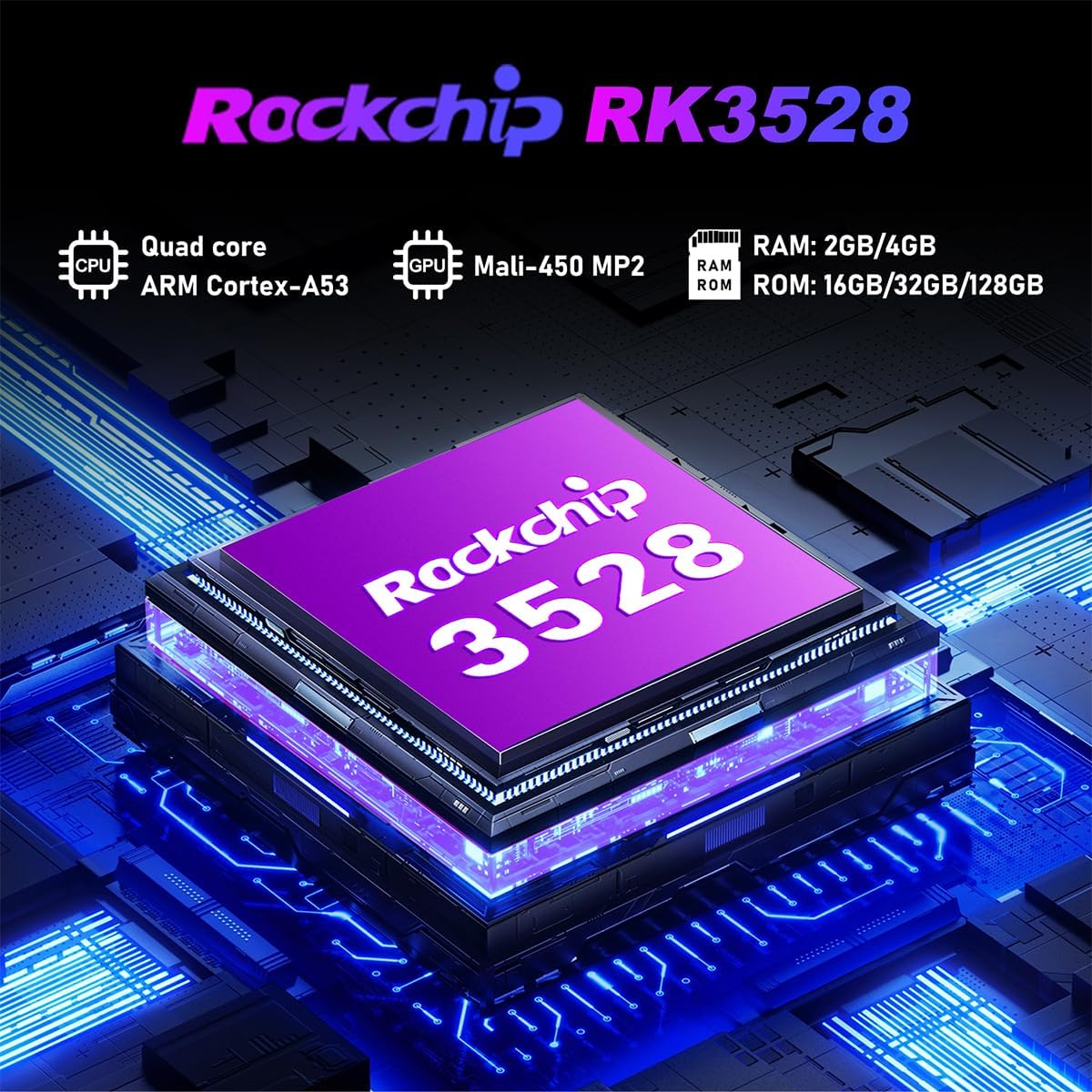
Слика 9.1: Детаљно view of the Rockchip RK3528 processor, highlighting its quad-core CPU, Mali-450 MP2 GPU, and memory configurations.
10. Одржавање
To ensure the longevity and optimal performance of your TV box:
- Чишћење: Користите меку, суву крпу за чишћење спољашњости уређаја. Не користите течна средства за чишћење или аеросоле.
- вентилација: Ensure the ventilation holes are not blocked. Do not place the device on soft surfaces that may obstruct airflow.
- Складиштење: Када се уређај не користи дуже време, искључите адаптер за напајање и чувајте га на хладном и сувом месту.
11. Гаранција и подршка
LEFFOT products are designed for reliability and performance. This product comes with a standard manufacturer's warranty. Please refer to the warranty card included in your package for specific terms and conditions.
For technical support, troubleshooting assistance, or warranty claims, please contact LEFFOT customer service through the retailer where you purchased the product or visit the official LEFFOT webсајт за контакт информације.
Молимо вас да сачувате доказ о куповини ради гаранције.