
THINKYA JA-318
THINKYA Vintage Bluetooth Stereo System
Model: JA-318
Увод
Thank you for choosing the THINKYA Vintage Bluetooth Stereo System. This manual provides essential information for setting up, operating, and maintaining your new audio system. Please read this manual thoroughly before using the product to ensure proper operation and to maximize your listening experience. Keep this manual for future reference.
Садржај пакета
Пажљиво проверите садржај пакета. Ако неке ставке недостају или су оштећене, обратите се продавцу.
- THINKYA Vintage Bluetooth Stereo System Unit
- Ремоте Цонтрол
- Повер Адаптер
- FM Antenna (if applicable)
- Кориснички приручник (овај документ)
Производ је завршенview
Familiarize yourself with the components and features of your stereo system.

Слика 1: Фронт view of the stereo system with the included remote control. The system features a top-loading CD player and integrated speakers.

Слика 2: The system supports Bluetooth 5.1 for wireless audio streaming, along with Aux and USB playback options. A smartphone is shown connected via Bluetooth.

Слика 3: The system features a premium 30W RMS sound system with dual 3-inch full-range units, designed for clear and powerful audio output.
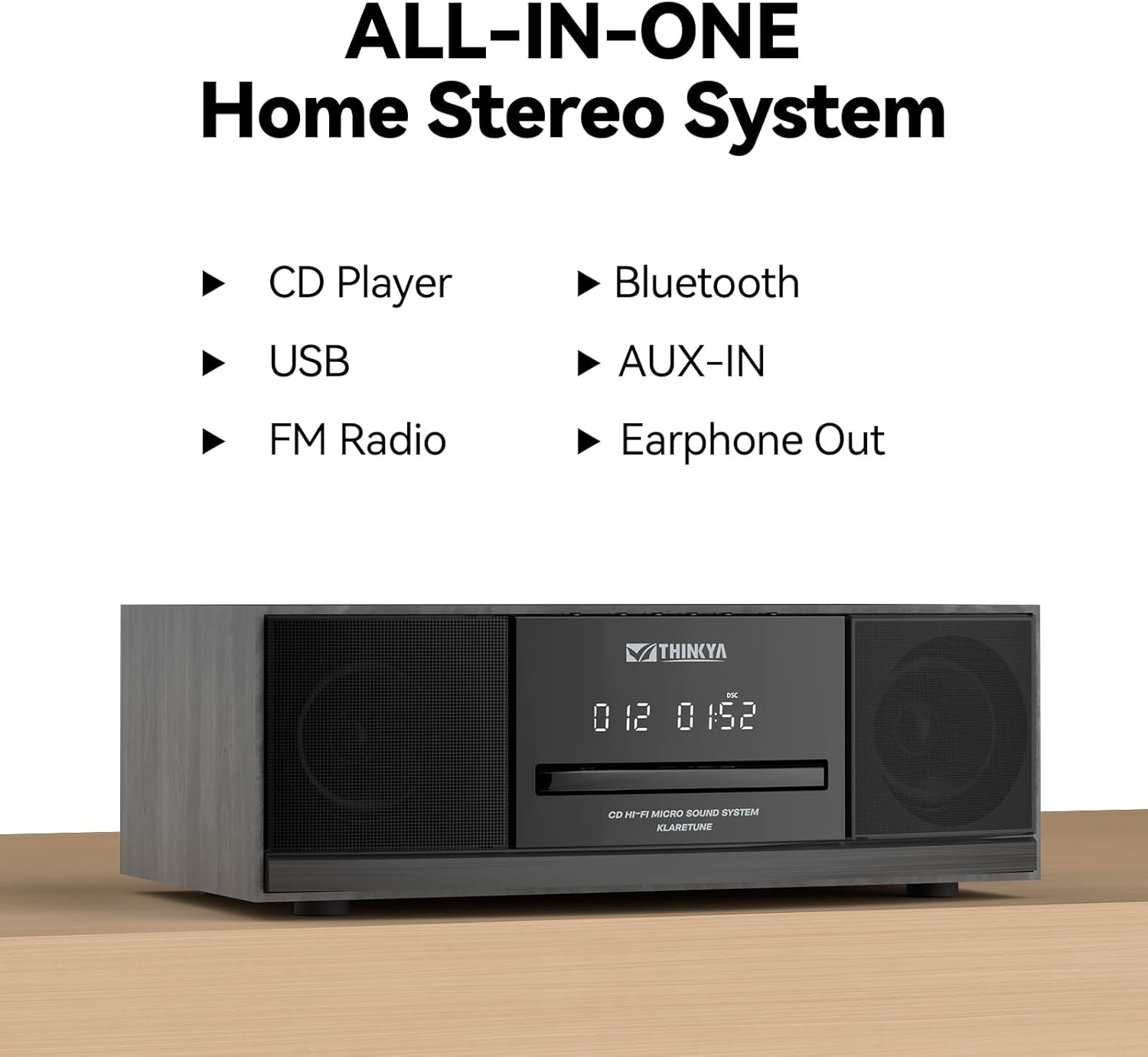
Слика 4: This all-in-one home stereo system integrates multiple audio sources including CD Player, USB, FM Radio, Bluetooth, AUX-IN, and Earphone Out.

Слика 5: The top-loading CD player supports various disc formats including CD, CD-R, CD-RW, and MP3 CDs. It also offers 5 EQ modes: Flat, Pop, Rock, Jazz, and Classic.

Слика 6: Rear panel connections include AUX Input (RCA and 3.5mm), USB Input, and Earphone Output for versatile connectivity.
Сетуп
КСНУМКС. Постављање
Place the stereo system on a stable, flat surface away from direct sunlight, heat sources, and excessive dust or moisture. Ensure adequate ventilation around the unit.
2. Прикључак за напајање
- Connect the power adapter to the DC IN port on the rear of the unit.
- Укључите адаптер за напајање у стандардну зидну утичницу.
3. Прикључак за FM антену
For optimal FM radio reception, connect the included FM antenna to the FM ANT port on the rear of the unit. Extend the antenna fully and adjust its position for the best signal.
Упутство за употребу
Укључивање/искључивање
Притисните тастер ПОВЕР button on the unit or the remote control to turn the system on or off.
Избор режима
Притисните тастер МОДЕ button on the unit or remote control repeatedly to cycle through available modes: CD, Bluetooth, FM Radio, USB, and AUX-in.
Рад ЦД плејера
- Изаберите режим ЦД-а.
- Gently insert a CD into the top-loading CD slot with the label side facing up. The disc will be automatically detected and playback will begin.
- Користите ПЛАИ/ПАУСЕ, НАПРАВИТЕ НАПРЕД, и ПРЕСКОЧИ НАЗАД дугмад за контролу репродукције.
- Притисните тастер СТОП дугме за заустављање репродукције.
- Режими понављања: Притисните тастер РЕПЕАТ button to cycle through repeat one, repeat all, or random playback.
- ЕК режими: Притисните тастер EQ button to select desired sound equalization: Flat, Classic, Rock, Pop, or Jazz.
Блуетоотх упаривање
- Select Bluetooth mode. The display will show "BT" and flash, indicating it's in pairing mode.
- На уређају који подржава Bluetooth (паметни телефон, таблет итд.) омогућите Bluetooth и потражите доступне уређаје.
- Select "THINKYA JA-318" (or similar name) from the list.
- Once paired, the "BT" indicator will stop flashing and remain solid. You can now stream audio from your device to the stereo system.
- Note: This system is designed for receiving Bluetooth audio from devices and does not support connection to wireless headphones.
Операција ФМ радија
- Select FM Radio mode.
- Аутоматско скенирање: Притисните и држите ПЛАИ/ПАУСЕ дугме за аутоматско скенирање и чување доступних ФМ станица.
- Ручно подешавање: Користите НАПРАВИТЕ НАПРЕД or ПРЕСКОЧИ НАЗАД buttons to manually tune to desired frequencies.
- Унапред подешене станице: Use the number buttons on the remote control to directly select saved preset stations.
УСБ репродукција
- Изаберите УСБ режим.
- Убаците УСБ флеш диск који садржи МП3 или ВМА аудио files into the USB port on the rear of the unit.
- Playback will begin automatically. Use the playback controls (PLAY/PAUSE, SKIP FORWARD/BACKWARD) to navigate your music.
AUX-in Usage
- Select AUX-in mode.
- Connect an external audio device (e.g., smartphone, MP3 player) to the AUX-in port (3.5mm or RCA) on the rear of the unit using an appropriate audio cable (not included).
- Управљајте репродукцијом директно са повезаног екстерног уређаја.
Функције даљинског управљача

Слика 7: The included remote control allows convenient operation of all system functions from a distance.
The remote control provides full functionality for the stereo system. Ensure batteries are correctly inserted. Refer to the button labels on the remote for specific functions such as Power, Mode, Volume, Playback controls, EQ, and Number buttons for FM presets.
Одржавање
Чишћење
Wipe the unit with a soft, dry cloth. Do not use abrasive cleaners, waxes, or solvents as they may damage the finish. For the CD lens, use a specialized CD lens cleaner if necessary.
Складиштење
Ако се уређај неће користити дуже време, искључите га из утичнице и чувајте га на хладном и сувом месту.
ЦД Царе
Handle CDs by their edges. Keep them clean and free of scratches. Store CDs in their cases when not in use.
Решавање проблема
If you encounter any issues, please refer to the following table before contacting customer support.
| Проблем | Могући узрок | Решење |
|---|---|---|
| Нема струје | Кабл за напајање није повезан; утичница није активна. | Уверите се да је кабл за напајање добро прикључен. Покушајте са другом утичницом. |
| Нема звука | Volume too low; Incorrect mode selected; Mute function active. | Increase volume. Select the correct input mode (CD, BT, FM, USB, AUX). Press the MUTE button on the remote. |
| CD прескаче или се не репродукује | CD је прљав или изгребан; CD је неправилно уметнут. | Clean the CD with a soft, lint-free cloth. Ensure the CD is inserted label side up. Try a different CD. |
| Блуетоотх се не повезује | System not in pairing mode; Device Bluetooth off; Device too far. | Ensure system is in Bluetooth mode and "BT" is flashing. Enable Bluetooth on your device. Move device closer to the system (within 30 feet). |
| Лош ФМ пријем | Антена није повезана или је лоше постављена. | Повежите ФМ антену и подесите њен положај за бољи сигнал. |
| Даљински управљач не ради | Батерије су празне или су неправилно уметнуте; Препрека између даљинског управљача и уређаја. | Замените батерије. Обезбедите исправан поларитет. Уклоните све препреке. Усмерите даљински управљач директно ка сензору уређаја. |
Спецификације
| Феатуре | Детаљ |
|---|---|
| Број модела | ЈА-318 |
| Бранд | ТХИНКИА |
| Димензије производа (Д к Ш к В) | 16 к 11 к 9 инча |
| Тежина артикла | 8.73 фунти |
| Технологија повезивања | Блуетоотх |
| Спеакер Типе | Стерео |
| Боја | Црно |
| РМС излазна снага | 30W (15W RMS per speaker) |
| ЦД компатибилност | CD, CD-R/RW, MP3 CD |
| ЕК Модес | Flat, Classic, Rock, Pop, Jazz |
| ФМ Пресетс | 20 станица |
| Инпутс | USB Port, Aux-in (3.5mm, RCA) |
| Излази | Порт за слушалице |
Гаранција и подршка
For warranty information and technical support, please refer to the contact details provided with your purchase or visit the official THINKYA webсајт. Сачувајте доказ о куповини за евентуалне рекламације по гаранцији.
За даљу помоћ контактирајте:
- Произвођач: ТХИНКИА
- Webсајт: Search THINKYA on Amazon (or official webсајт ако је доступан)
Ask a question about this manual
Ask about setup, troubleshooting, compatibility, parts, safety, or missing instructions. Manuals+ will review the question and use this page’s manual context to help answer it.