
1. Увод
This manual provides comprehensive instructions for the safe and efficient use of your SMSL M20 MQA USB DAC Headphone Amplifier. Please read this manual thoroughly before operating the device and retain it for future reference. Proper understanding of these instructions will ensure optimal performance and longevity of your product.
2. Производ је готовview
The SMSL M20 is a high-performance MQA USB DAC and headphone amplifier designed for superior audio quality across various platforms, including PCs, gaming consoles, and mobile devices. It features advanced decoding chips and multiple output options.
Кључне карактеристике:
- Equipped with 4 CS43131 decoding chips, offering a dynamic range of 119 dB and distortion as low as -115 dB for clear audio reproduction.
- Features dual USB interfaces (USB 2.0/1.1). USB 1.1 is optimized for gaming consoles (Switch/PS5). The XMOS XU-316 chip supports PCM 32-bit/768kHz and DSD256 decoding.
- MQA-CD full decoding technology restores master-level audio details.
- Equipped with 3.5mm and 4.4mm headphone outputs, each channel features a TPA6120A2 headphone amplifier chip for powerful and clear audio output.
- Includes 5 built-in PCM filters: Fast Low Latency, Fast Phase Compensated, Slow Low Latency, Slow Phase Compensated, and Non-oversampлинг моде.
Увод у компоненте:
The M20 requires a dedicated USB power supply for stable and efficient performance.

слика: Component Introduction Diagram. This diagram illustrates the various inputs, outputs, and controls of the SMSL M20. Key components include: 1. Volume Down, 2. Volume Up, 3. Menu Button, 4. USB Input, 5. Power (DC 5V/1A), 6. LINE Output, 7. Headphone Output, 8. Ambient Light Switch (press keys 1 and 2 simultaneously).

слика: SMSL M20 MQA USB DAC & Headphone Amplifier. This image displays the M20 unit with its transparent top cover revealing the internal circuitry, highlighting its compact design and premium build.

слика: Cirrus Logic CS43131 and XMOS XU-316 Chips. This image details the internal architecture, showcasing the four CS43131 DAC chips and the XMOS XU-316 USB processor, which are central to the device's high-resolution audio capabilities.

слика: SMSL M20 Headphone Outputs. This image illustrates the 3.5mm and 4.4mm headphone outputs, emphasizing their capability to drive various headphone impedances with powerful output.

слика: SMSL M20 Gaming Compatibility. This image highlights the M20's compatibility with various gaming consoles (PS4, PS5, Switch) and PCs, showcasing its versatility for different entertainment setups.
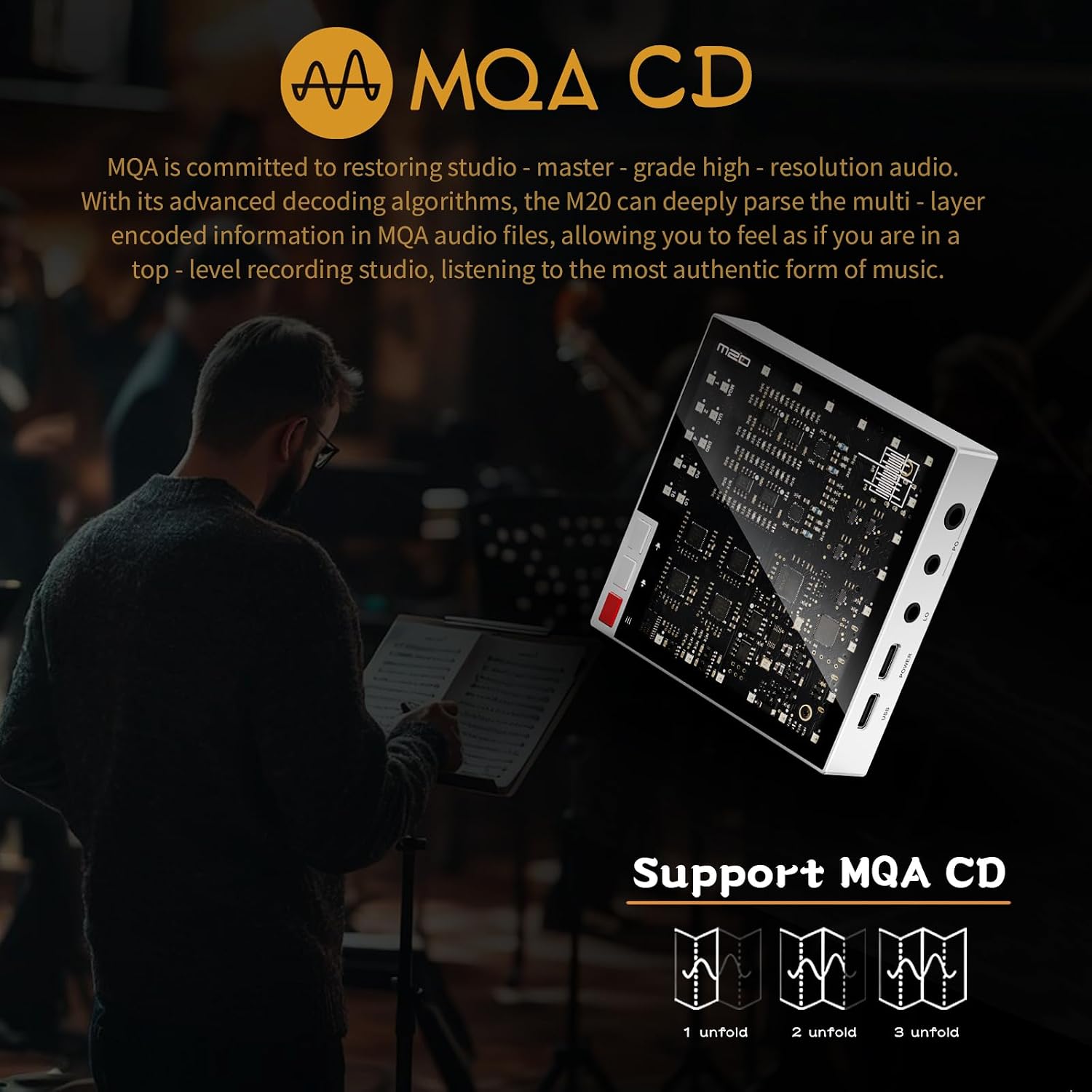
слика: SMSL M20 MQA CD Support. This image explains the M20's MQA CD decoding capability, which allows for the restoration of master-quality audio from MQA-encoded content.

слика: SMSL M20 5 Filter Adjustment Modes. This image details the five selectable PCM filter modes, each designed to optimize the audio experience for different listening preferences and content types.

слика: SMSL M20 Core Components. This image provides a close-up view of the internal components, including the audio-dedicated clock processing circuit, high-end resistors and capacitors, PLFC balanced headphone amplifier circuit, and low-noise power supply.
3. Подешавање
Повезивање уређаја:
- Прикључак за напајање: Connect the M20 to a dedicated DC 5V/1A power source using the USB power input (labeled '5' in the component diagram).
- УСБ улаз: Connect the M20 to your source device (PC, gaming console, tablet, Android, iOS) via the USB input (labeled '4'). The M20 supports both USB 1.1 and USB 2.0 modes.
- Аудио излаз:
- For line-level output to speakers or an amplifier, use the 3.5mm LINE OUT port (labeled '6').
- For headphones, connect to either the 3.5mm or 4.4mm Headphone Output ports (labeled '7').
Инсталација драјвера:
For Windows 7 / 8 / 8.1 / 10 / 11, a dedicated driver may be required for USB 2.0 mode to achieve high-specification sampling rates. This driver can typically be downloaded from the official SMSL website. For Mac OS X10.6 or newer, Linux, Android, and iOS, the device is generally plug-and-play and does not require additional drivers.
4. Упутство за употребу
Основна операција:
- Укључивање/искључивање: The device powers on automatically when connected to a power source and a USB input.
- Контрола јачине звука: Use the 'Volume Down' button (labeled '1') and 'Volume Up' button (labeled '2') to adjust the output volume.
- Навигација у менију: Press the 'Menu button' (labeled '3') to cycle through available settings or modes.
- Прекидач амбијенталног светла: Press buttons '1' and '2' simultaneously to toggle or adjust the ambient lighting.
PCM Filter Selection:
The M20 offers 5 PCM filter modes to tailor the sound to your preference. Access these modes via the menu button and select the desired filter:
- F1 Fast, Low Latency filter: Suitable for fast-paced audio, such as gaming.
- F2 Fast, Phase Compensated filter: Provides accurate soundstage localization.
- F3 Slow, Low Latency filter: Ideal for relaxed music listening.
- F4 Slow, Phase Compensated filter: Enhances sound layering and detail.
- F5 Non-oversampлинг режим: Restores the original recording characteristics.
MQA Playback:
When playing MQA-encoded audio, the M20 will automatically detect and decode the MQA stream, indicated by a specific light or display on the unit. Ensure your playback software is configured for MQA passthrough if applicable.
5. Одржавање
- Чишћење: Користите меку, суву крпу за чишћење спољашњости уређаја. Избегавајте употребу абразивних средстава за чишћење или растварача.
- Складиштење: Уређај чувајте на хладном и сувом месту, даље од директне сунчеве светлости и екстремних температура.
- Руковање: Пажљиво рукујте уређајем како бисте спречили физичка оштећења. Избегавајте испуштање или излагање јаким ударцима.
- вентилација: Ensure adequate ventilation around the device to prevent overheating. Do not block any ventilation openings.
КСНУМКС. Решавање проблема
Уобичајени проблеми и решења:
- Нема излаза звука:
- Check all cable connections (USB input, power, audio output).
- Ensure the M20 is powered on.
- Verify the correct audio output device is selected in your computer's or source device's sound settings.
- Adjust the volume on both the M20 and your source device.
- Тестирајте са различитим слушалицама или звучницима.
- Unstable USB Connection / Device Not Recognized:
- Покушајте са другим УСБ портом на рачунару.
- Користите други УСБ кабл.
- Ensure the correct drivers are installed for Windows systems (if using USB 2.0 mode).
- Restart your computer and the M20.
- Ensure the M20 has a stable power supply.
- Искривљени звук:
- Check if the volume is too high on either the M20 or the source device, causing clipping.
- Обезбедите извор звука file није покварен.
- Verify that the correct sampling rate and bit depth are being used by your source device and are compatible with the M20.
- Проблеми са ажурирањем фирмвера:
- Refer to the official SMSL website for specific firmware update instructions. Some updates may require specific button presses during the process.
- Ensure a stable power supply during firmware updates to prevent device damage.
7. Спецификације
| Феатуре | Спецификација |
|---|---|
| Инпут | УСБ |
| Излаз | 3.5mm Line Out, 3.5mm Headphone, 4.4mm Headphone |
| ЛИНЕ ОУТ Излазни ниво | 2.5 Врмс |
| 3.5mm HP OUT Output Level | 2.5 Врмс |
| 4.4mm HP OUT Output Level | 5 Врмс |
| ЛИНЕ ОУТ Излазна импеданса | 22Ω |
| Излазна снага за слушалице | 16Ω 700 mW / 32Ω 700 mW / 64Ω 350 mW / 150Ω 160 mW / 300Ω 80 mW / 600Ω 40 mW |
| THD+N (unloaded) | 0.0001% (-115 dB) |
| HP Output Impedance | Близу 0Ω |
| Dynamic Range (LINE OUT) | 119 дБ |
| Dynamic Range (3.5mm HP OUT) | 119 дБ |
| Dynamic Range (4.4mm HP OUT) | 124 дБ |
| SNR (LINE OUT) | 119 дБ |
| SNR (3.5mm HP OUT) | 119 дБ |
| SNR (4.4mm HP OUT) | 124 дБ |
| Битна дубина | 1 bit, 16 ~ 32 bit |
| Sampling Rate (PCM) | КСНУМКС ~ КСНУМКС кХз |
| Sampling Rate (DSD) | 2.8224 ~ 11.2896 МХз |
| УСБ пренос | Асинхрони |
| УСБ компатибилност | Windows 7 / 8 / 8.1 / 10 / 11, Android, iOS, Mac OS X10.6 or later, Linux, PS4, PS5, Switch |
| Потрошња енергије | <15 В |
| Стандби Повер | <0.5 В |
| Тежина | 165 г |
| Димензије (Ш к В к Д) | 85 к 22.4 к 85 мм |
8. Гаранција и подршка
The SMSL M20 MQA USB DAC Headphone AmpУређај Liferier долази са двогодишњом гаранцијом од датума куповине. Ова гаранција покрива производне недостатке и кварове при нормалној употреби. Молимо вас да сачувате доказ о куповини за потребе подношења захтева за гаранцију.
For technical support, troubleshooting assistance, or warranty inquiries, please contact your retailer or visit the official SMSL webсајт за контакт информације и ресурсе.