
1. Важна безбедносна упутства
Please read all instructions carefully before using the projector and retain this manual for future reference. Improper use may result in electric shock, fire, or other hazards.
- Do not block the ventilation openings. Ensure adequate space around the projector for proper airflow.
- Не излажите пројектор киши или влази да бисте спречили пожар или струјни удар.
- Избегавајте да гледате директно у сочиво пројектора када је лamp је укључено, јер јако светло може изазвати оштећење ока.
- Користите само додатке/прибор које је навео произвођач.
- Unplug the projector during lightning storms or when unused for long periods.
- Do not attempt to repair this product yourself. Refer all servicing to qualified service personnel.
2. Водич за подешавање
2.1 Шта је у кутији
Проверите да ли су све ставке присутне у пакету:
- HOMPOW Mini Projector
- Ремоте Цонтрол
- Повер Адаптер
- ХДМИ кабл
- Упутство за употребу
- Гарантни лист

Image: The HOMPOW Mini Projector shown with its remote control, power adapter, and HDMI cable.
2.2 Почетно подешавање
2.2.1 Прикључак за напајање
- Прикључите адаптер за напајање на улазни порт за напајање пројектора.
- Укључите адаптер за напајање у одговарајућу електричну утичницу.
2.2.2 Placement and Focus
Поставите пројектор на стабилну, равну површину. За оптимално viewing, place it perpendicular to the projection surface (wall or screen).
- Удаљеност пројекције: The recommended projection distance ranges from 3.49 feet to 7.26 feet.
- Величина слике: This allows for an image size between 40 inches and 120 inches.
- Подешавање фокуса: Rotate the focus ring on the projector lens until the image appears clear and sharp.

Image: Visual comparison demonstrating the clarity of 1080P Full HD supported resolution versus 480P.
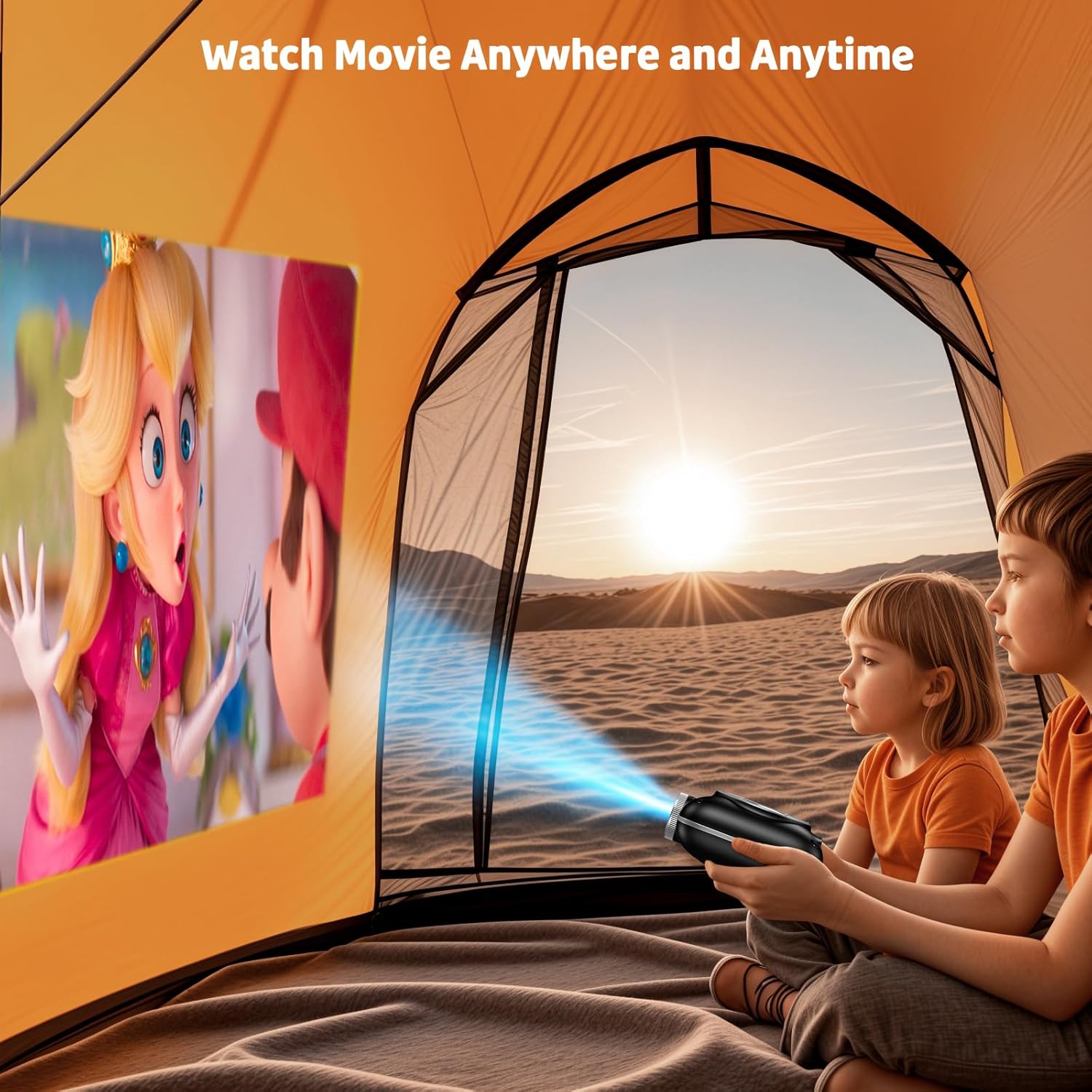
Image: The compact projector projecting a movie inside a tent, highlighting its portability for outdoor use.
3. Упутство за употребу
3.1 Укључивање/искључивање
Press the power button on the projector or the remote control to turn the device on or off. The projector features an auto-off timer for convenient screen time management.
3.2 Повезивање
The HOMPOW Mini Projector offers multiple connectivity options:
- ХДМИ 2.0 порт: Connect to laptops, TV sticks, gaming consoles (PS4, PS5), and other HDMI-enabled devices using the included HDMI cable.
- УСБ 2.0 порт: Повежите УСБ дискове за репродукцију медија.
- Two-Way Bluetooth 5.1: Connect external Bluetooth speakers for enhanced audio or use the projector as a Bluetooth speaker to play music from your phone.

Image: The projector highlighting its wireless connectivity features, including WiFi and Bluetooth.

Image: A visual guide illustrating how to connect various devices such as smartphones, tablets, TV sticks, laptops, PS3/PS4, headphones, and USB drives to the projector.
3.3 Пресликавање екрана
To mirror your smartphone or tablet screen:
- За Андроид телефоне: Use a Micro USB/Type-C to HDMI adapter (sold separately).
- За iPhone/iPad уређаје: Use a Lightning to HDMI adapter (sold separately).
- For Streaming Services: Plug in a TV stick (sold separately) for Netflix/Hulu and other HDCP-compliant streaming platforms.
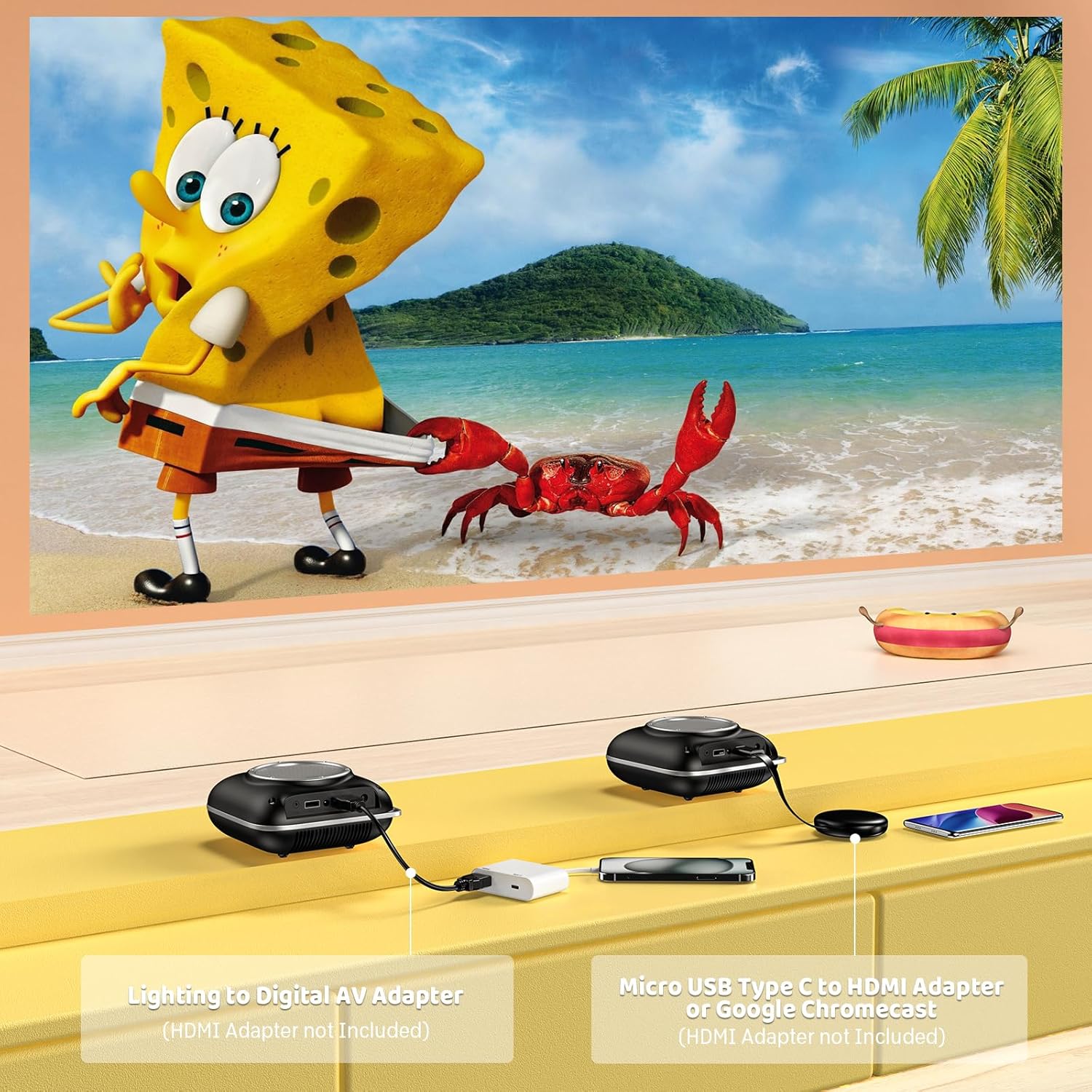
Image: Instructions for connecting mobile devices to the projector using Lightning to Digital AV Adapter for iOS and Micro USB Type-C to HDMI Adapter or Google Chromecast for Android.
3.4 Аудио излаз
The projector features built-in 5W high-powered stereo speakers. For enhanced sound, utilize the bidirectional Bluetooth 5.1 to connect to external Bluetooth speakers or headphones.

Image: Diagram showing the projector's two-way Bluetooth functionality, allowing connection to an external speaker or functioning as a Bluetooth speaker for a phone.
3.5 Projection Size and Zoom
The projector supports a projection size from 40 to 120 inches. Use the 50%-100% zoom function to adjust the image size without moving the projector.

Image: A visual representation of the 50%-100% zoom function, showing how the projected image size can be adjusted.
4. Одржавање
4.1 Чишћење
- Објектив: Користите меку крпу без влакана, посебно дизајнирану за оптичка сочива. Не користите абразивна средства за чишћење.
- Екстеријер: Wipe the projector's exterior with a soft, dry cloth. Avoid using harsh chemicals or solvents.
- вентилација: Ensure ventilation openings are free from dust and debris to prevent overheating.
4.2 Складиштење
When not in use, store the projector in a cool, dry place, away from direct sunlight and extreme temperatures. Use the original packaging or a protective case to prevent dust accumulation and damage.
КСНУМКС. Решавање проблема
Погледајте табелу испод за уобичајене проблеме и њихова решења.
| Иссуе | Могући узрок | Решење |
|---|---|---|
| Нема пројектоване слике | Power not connected, input source incorrect, lens cap on. | Check power connection, select correct input source (HDMI/USB), remove lens cap. |
| Мутна слика | Focus not adjusted, projector too close/far. | Adjust the focus ring, ensure projector is within optimal projection distance (3.49-7.26 ft). |
| Нема звука | Volume too low, external speaker not connected, audio format unsupported. | Increase volume, connect Bluetooth speaker, check audio format compatibility. |
| Пресликавање екрана не ради | Incorrect adapter, device compatibility issue. | Ensure correct HDMI adapter for your phone (Micro USB/Type-C for Android, Lightning for iOS). |
| Прегревање пројектора | Блокирана вентилација, продужена употреба. | Ensure clear space around vents, allow projector to cool down if used for extended periods. |
6. Техничке спецификације
| Феатуре | Детаљ |
|---|---|
| Бранд | ХОМПОВ |
| Модел | B0F43PY223 |
| Нативе Ресолутион | 1280 к 720 (720П) |
| Подржана резолуција | 1920 x 1080 (1080P Full HD) |
| Технологија повезивања | HDMI, USB 2.0, Bluetooth 5.1 (Two-Way) |
| Дисплаи Типе | CRT (as per specification, typically LCD for mini projectors) |
| Однос контраста | 10000:1 |
| Величина пројекције | 40 - 120 инча |
| Тхров Дистанце | 3.49 - 7.26 стопе |
| Радни век извора светлости | 50000 сата |
| Уграђени звучник | 5W High-Powered Stereo Speakers |
| Функција зумирања | 50%-100% |
| Димензије (Д к Ш к В) | 4.9 cm x 4.9 cm x 2.1 cm |
| Тежина | 0.7 килограма |
| Потрошња енергије | 30 Ваттс |
| Волtage | 110 Волтс |
7. Гаранција и подршка
7.1 Информације о гаранцији
The HOMPOW Mini Projector comes with:
- A 30-day replacement window.
- 2-year repair coverage.
Сачувајте доказ о куповини за гаранцијске захтеве.
7.2 Корисничка подршка
For any questions, troubleshooting assistance, or warranty inquiries, please contact HOMPOW customer support. We offer 24/7 assistance to ensure stress-free ownership.
Contact information can typically be found on the HOMPOW official website or the warranty card included in your package.