
1. Увод
This manual provides essential information for the safe and efficient use of your Philips B4000 Soundbar. Please read these instructions carefully before using the product and retain them for future reference. The Philips B4000 Soundbar is designed to enhance your television's audio experience with clear 2.0 channel sound and versatile connectivity options.

Image: The Philips B4000 Soundbar, its remote control, and a television displaying colorful content, illustrating the product in use.
2. Садржај пакета
Проверите да ли су све ставке присутне у вашем пакету:
- Philips B4000 Soundbar
- Ремоте Цонтрол
- 2 x AAA батерије (за даљински управљач)
- Носачи за зид
- Водич за брзи почетак
- Гарантни лист
3. Производ је готовview
The Philips B4000 Soundbar features a compact design with integrated speakers and various input options for seamless integration with your home entertainment system.

Image: The Philips B4000 Soundbar positioned below a television in a living room, emphasizing its 2.0 channel audio, 60W maximum output power, and dual full-range speakers.
4. Подешавање и инсталација
4.1 Опције пласмана
The soundbar offers flexible placement to suit your setup:
- Положај ТВ постоља: Place the soundbar on a flat surface directly in front of your TV. Ensure it does not obstruct the TV's remote sensor.
- Zidni nosač: Use the included wall mount brackets to attach the soundbar to the wall below your TV. Refer to the Quick Start Guide for detailed wall mounting instructions.
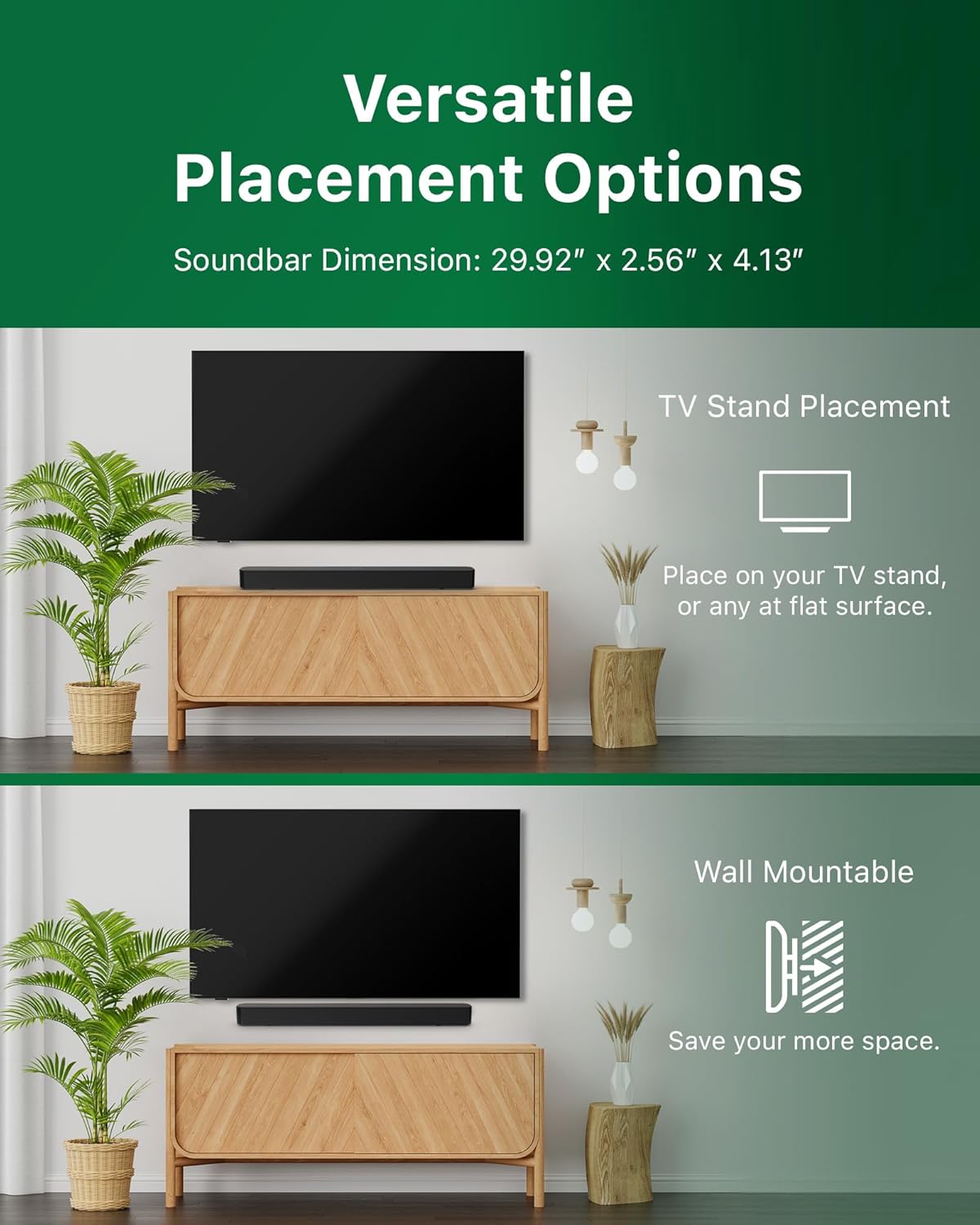
Image: Illustrations demonstrating the two primary placement methods for the soundbar: resting on a TV stand and securely mounted on a wall.
4.2 Повезивање са телевизором
The soundbar supports multiple connection types:
- HDMI ARC (препоручено): Connect an HDMI cable (not included) from the HDMI ARC port on your TV to the HDMI ARC port on the soundbar. This allows for audio return and control via your TV remote.
- Блуетоотх: For wireless audio streaming, pair your soundbar with a Bluetooth-enabled device.
- УСБ: Connect a USB device for audio playback.
- ДЦ ИН: Connect the power adapter to the DC IN port.

Image: A visual representation of the soundbar's available audio input ports, including HDMI (ARC), USB, Bluetooth, and DC IN for power.
4.3 Roku TV Ready Setup
The Philips B4000 Soundbar is Roku TV Ready certified, simplifying setup and control when paired with a Roku TV.
- Connect the soundbar to your Roku TV via HDMI ARC.
- Your Roku TV should automatically detect and configure the soundbar.
- Use your Roku TV remote to control the soundbar's power and volume.

Image: The Philips B4000 Soundbar seamlessly integrated with a television, illustrating its 'Roku TV Ready' certification for simplified setup and control.
4.4 Подешавање даљинског управљача
Insert the two included AAA batteries into the remote control, ensuring correct polarity.
5. Операција
5.1 Укључивање/искључивање
Press the power button on the soundbar or the remote control to turn the unit on or off.
5.2 Избор улаза
Press the 'Source' button on the remote control to cycle through available input sources (HDMI ARC, Bluetooth, USB).
5.3 Контрола јачине звука
Use the 'Volume Up' and 'Volume Down' buttons on the remote control to adjust the audio level. If connected via HDMI ARC to a Roku TV, your TV remote may also control the volume.
5.4 Блуетоотх упаривање
- Press the 'Bluetooth' button on the remote control to enter Bluetooth pairing mode. The indicator light on the soundbar will flash.
- On your mobile device, search for Bluetooth devices and select 'Philips B4000'.
- Once paired, the indicator light will become solid, and you can stream audio wirelessly.
5.5 Режими звука и еквилајзер
The soundbar may offer various sound modes or equalizer settings to optimize audio for different content types (e.g., Movie, Music, News). Use the remote control to access and adjust these settings. While specific equalizer details are not extensively documented, experimentation with available settings is encouraged to find your preferred audio profile.

Image: The Philips soundbar remote control in the foreground, with a television screen in the background displaying the EasyLink 2.0 menu for adjusting sound styles, including Bass, Treble, and Custom Equalize options.
6. Одржавање
Да бисте осигурали дуготрајност и оптималне перформансе вашег саундбара, пратите ова упутства за одржавање:
- Чишћење: Користите меку, суву крпу за чишћење површине саундбара. Не користите течна средства за чишћење или абразивне материјале, јер могу оштетити завршну обраду.
- вентилација: Ensure the soundbar's ventilation openings are not blocked. Proper airflow prevents overheating.
- Складиштење: Ако складиштите саундбар дуже време, искључите га из струје и чувајте га на хладном и сувом месту.
КСНУМКС. Решавање проблема
If you encounter issues with your Philips B4000 Soundbar, refer to the following common problems and solutions:
| Проблем | Могући узрок | Решење |
|---|---|---|
| Нема звука са звучне траке |
|
|
| Статични или изобличени звук |
|
|
| Проблеми са Блуетоотх упаривањем |
|
|
| Даљински управљач не ради |
|
|
8. Спецификације
| Феатуре | Детаљ |
|---|---|
| Назив модела | ТАБ4000/37 |
| Спеакер Типе | Соундбар |
| Конфигурација канала сурроунд звука | 2.0 |
| Максимална излазна снага звучника | 60 Ваттс |
| Технологија повезивања | Bluetooth (5.4), HDMI ARC, USB |
| Посебне карактеристике | Advanced Bluetooth 5.4 Connectivity, Bass Boost, Roku TV Ready™ Certification, Wall mountable |
| Димензије производа | 4.1"Д к 30"Ш к 2.56"В |
| Тежина артикла | 4.89 фунте (2.22 килограма) |
| Извор напајања | Battery Powered (for remote), AC Power (for soundbar) |
| Улазни волtage | 120 Волтс |
| Укључене компоненте | Battery, Quick Start Guide, Remote, Wall Mount Bracket, Warranty Card |
9. Гаранција и подршка
9.1 Информације о гаранцији
The Philips B4000 Soundbar comes with a Limited Warranty. Please refer to the included Warranty Card for specific terms, conditions, and duration of coverage. Retain your proof of purchase for warranty claims.
9.2 Корисничка подршка
За додатну помоћ, техничку подршку или упите о сервисирању, посетите званичну страницу за подршку компаније Philips. website or contact their customer service. Contact details can typically be found on the Philips webсајту или у Водичу за брзи почетак.