
1. Увод
This manual provides detailed instructions for the installation, configuration, and operation of the Intelbras iNVD 5232 32-Channel IP Digital Video Recorder. Please read this manual thoroughly before using the device to ensure proper functionality and to prevent damage.
The Intelbras iNVD 5232 is designed for professional surveillance applications, offering advanced features for recording, monitoring, and managing IP camera feeds.
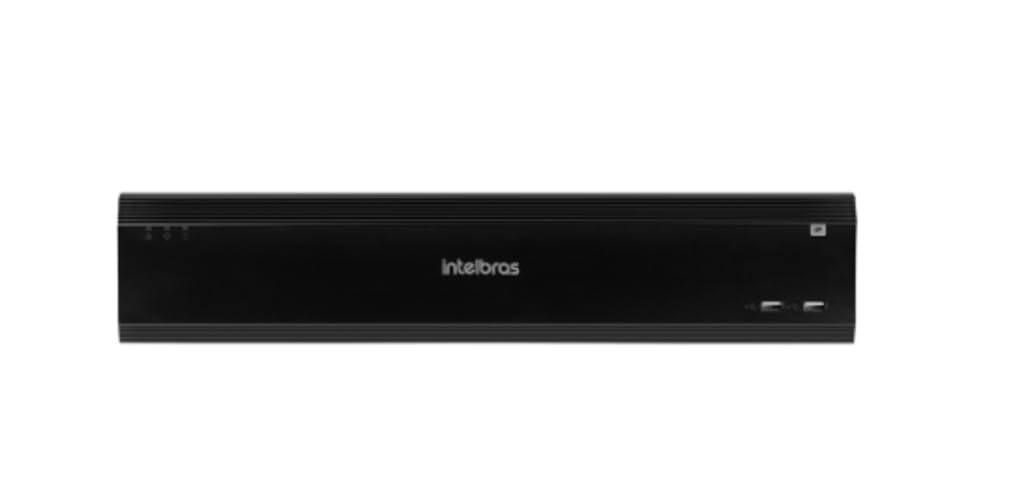
Figure 1: Intelbras iNVD 5232 Digital Video Recorder. This image shows the front panel of the iNVD 5232 unit, featuring a sleek black design with the Intelbras logo and USB ports.
2. Безбедносне информације
Придржавајте се следећих мера безбедности како бисте спречили повреде и оштећења уређаја:
- Уверите се да је напајање волtagе одговара захтевима уређаја.
- Не излажите уређај влази, киши или екстремним температурама.
- Избегавајте постављање уређаја на директну сунчеву светлост или близу извора топлоте.
- Не отварајте уређај цasinг. Сва сервисирања препустите квалификованом особљу.
- Користите само додатну опрему коју је одредио произвођач.
- Правилно уземљите уређај како бисте спречили струјни удар.
3. Садржај пакета
Проверите да ли су све ставке присутне у пакету:
- Intelbras iNVD 5232 Digital Video Recorder Unit
- Повер Адаптер
- УСБ миш
- Вијци за инсталацију HDD-а
- Водич за брзи почетак
- CD-ROM (containing software and full manual)
4. Производ је готовview
4.1 Предња плоча
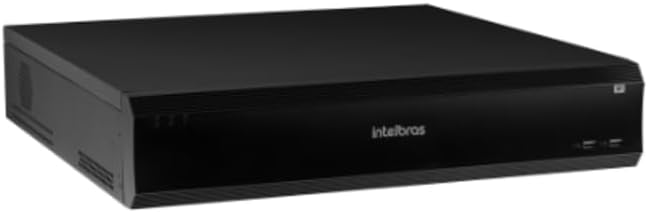
Figure 2: Front Panel of the iNVD 5232. This image displays the front of the DVR, showing LED indicators for power and status, along with two USB ports for peripheral connections.
- ЛЕД за напајање: Означава статус напајања.
- Статус ЛЕД: Indicates system operational status.
- УСБ портови: For connecting a mouse, USB drive, or other peripherals.
4.2 Задња плоча

Figure 3: Rear Panel of the iNVD 5232. This image details the rear connections, including power input, network ports, video outputs (HDMI, VGA), audio inputs/outputs, and alarm terminals.
- Улазна снага: Прикључите приложени адаптер за напајање.
- ХДМИ излаз: Connect to an HDMI-compatible monitor.
- ВГА излаз: Connect to a VGA-compatible monitor.
- ЛАН портови: Connect to your network for IP camera communication and remote access.
- Аудио улаз/излаз: За повезивање спољних аудио уређаја.
- Alarm In/Out: For connecting external alarm sensors and actuators.
- УСБ портови: Додатни УСБ портови за периферне уређаје.
5. Подешавање
5.1 Инсталација хардвера
- Инсталирајте чврсти диск (ако није претходно инсталиран): Open the DVR casing, mount the hard drive using the provided screws, and connect the SATA power and data cables.
- Повежи монитор: Повежите монитор на HDMI или VGA излазни порт.
- Повежите миш: Укључите УСБ миш у један од УСБ портова.
- Повежите мрежу: Connect an Ethernet cable from the LAN port to your network router or switch.
- Прикључите напајање: Plug the power adapter into the DVR's power input and then into a power outlet. The device will power on automatically.
5.2 Почетна конфигурација
Upon first boot, the system will guide you through an initial setup wizard:
- Избор језика: Одаберите жељени језик.
- Подешавање лозинке: Create a strong administrator password.
- Подешавања мреже: Configure IP address, subnet mask, gateway, and DNS. DHCP is usually enabled by default.
- Датум и време: Подесите тачан датум, време и временску зону.
- Иницијализација ХДД-а: Format the installed hard drive for recording.
- IP Camera Search and Add: The system will scan for available IP cameras on the network. Select and add your cameras.
6. Оперативни
6.1 Уживо View
After initial setup, the system will display the live view повезаних камера. Можете пребацивати између режима једне камере view, multi-camera grids, and sequence views using the on-screen controls or mouse.
6.2 Управљање снимањем
- Распоред снимања: Configure continuous, motion-detection, or alarm-triggered recording schedules for each camera.
- Ручно снимање: Initiate recording manually from the live view интерфејс.
- Репродукција: Приступ снимљен фооtage by date, time, and event type. Use the playback controls to navigate through recordings.
- Резервна копија: Export recorded video clips to a USB drive or network storage.
6.3 Удаљени приступ
The iNVD 5232 supports remote access via a web browser or dedicated mobile application. Ensure your network is configured for remote access (e.g., port forwarding or P2P cloud service activation).
- Web Прегледач: Enter the DVR's IP address into a web претраживач на рачунару повезаном на исту мрежу.
- Мобилна апликација: Download the official Intelbras surveillance app from your device's app store. Scan the QR code on the DVR (if available) or manually enter the device ID for connection.
7. Одржавање
7.1 Чишћење
Regularly clean the exterior of the DVR with a soft, dry cloth. Do not use liquid cleaners or aerosols. Ensure ventilation openings are free from dust and obstructions.
7.2 Ажурирања фирмвера
Periodically check the Intelbras website for firmware updates. Firmware updates can provide new features, performance improvements, and security enhancements. Follow the instructions provided with the firmware update package carefully.
7.3 Управљање чврстим диском
Monitor the health of your hard drives through the system's HDD management menu. Replace failing drives promptly to avoid data loss. Configure automatic overwriting of old footagе да би се обезбедило непрекидно снимање.
КСНУМКС. Решавање проблема
| Проблем | Могући узрок | Решење |
|---|---|---|
| Нема струје | Power cable disconnected; faulty power adapter; power outlet issue. | Check power connections; test power adapter; try a different outlet. |
| Нема видео излаза | Monitor off/disconnected; incorrect video output settings; faulty cable. | Ensure monitor is on and connected; check video cable; try a different output port or cable. |
| Cannot connect IP cameras | Network issue; incorrect camera IP address/credentials; camera not powered. | Verify network connectivity; ensure cameras are powered and configured correctly; check camera credentials. |
| Нема снимања | HDD not initialized/full; recording schedule not set; camera disconnected. | Initialize HDD; check recording schedule; verify camera connection and status. |
9. Спецификације
| Феатуре | Опис |
|---|---|
| Модел | iNVD 5232 |
| Видео улаз | 32 ИП канали |
| Видео Оутпут | 1 ХДМИ, 1 ВГА |
| Аудио улаз/излаз | Specific ports (e.g., RCA) |
| Резолуција снимања | Up to 8MP (depending on camera) |
| Могућност репродукције | Multi-channel synchronous playback |
| Складиштење | Multiple SATA HDD bays (HDDs not included) |
| нетворк интерфаце | Гигабитни Етхернет портови |
| УСБ интерфејс | УСБ 2.0/3.0 портови |
| Повер Суппли | DC 12V (адаптер укључен) |
| Радна температура | 0°Ц до 50°Ц (32°Ф до 122°Ф) |
10. Гаранција и подршка
For warranty information, please refer to the warranty card included with your product or visit the official Intelbras website. Technical support is available through Intelbras authorized service centers and online resources.
Intelbras Official Webсајт: ввв.интелбрас.цом.бр
Молимо вас да имате припремљен модел производа и серијски број када контактирате подршку.