
WeCool FW-5100-R1
WeCool Fairwhale Sports Analog Digital Watch
Model: FW-5100-R1
Увод
This manual provides detailed instructions for the setup, operation, maintenance, and troubleshooting of your WeCool Fairwhale Sports Analog Digital Watch, model FW-5100-R1. Please read this manual thoroughly to ensure proper use and to maximize the lifespan of your watch.
Мере предострожности
- Избегавајте излагање сата екстремним температурама (врућим или хладним) током дужег периода.
- Do not operate buttons underwater to maintain water resistance.
- Keep the watch away from strong magnetic fields, which can affect timekeeping accuracy.
- Clean the watch regularly with a soft, dry cloth. Avoid chemical cleaners.
- Battery replacement should be performed by a qualified technician to ensure proper sealing and water resistance.
Производ је завршенview
Your WeCool Fairwhale Sports Watch features a robust design with both analog and digital displays, offering multiple functions for daily use and outdoor activities.
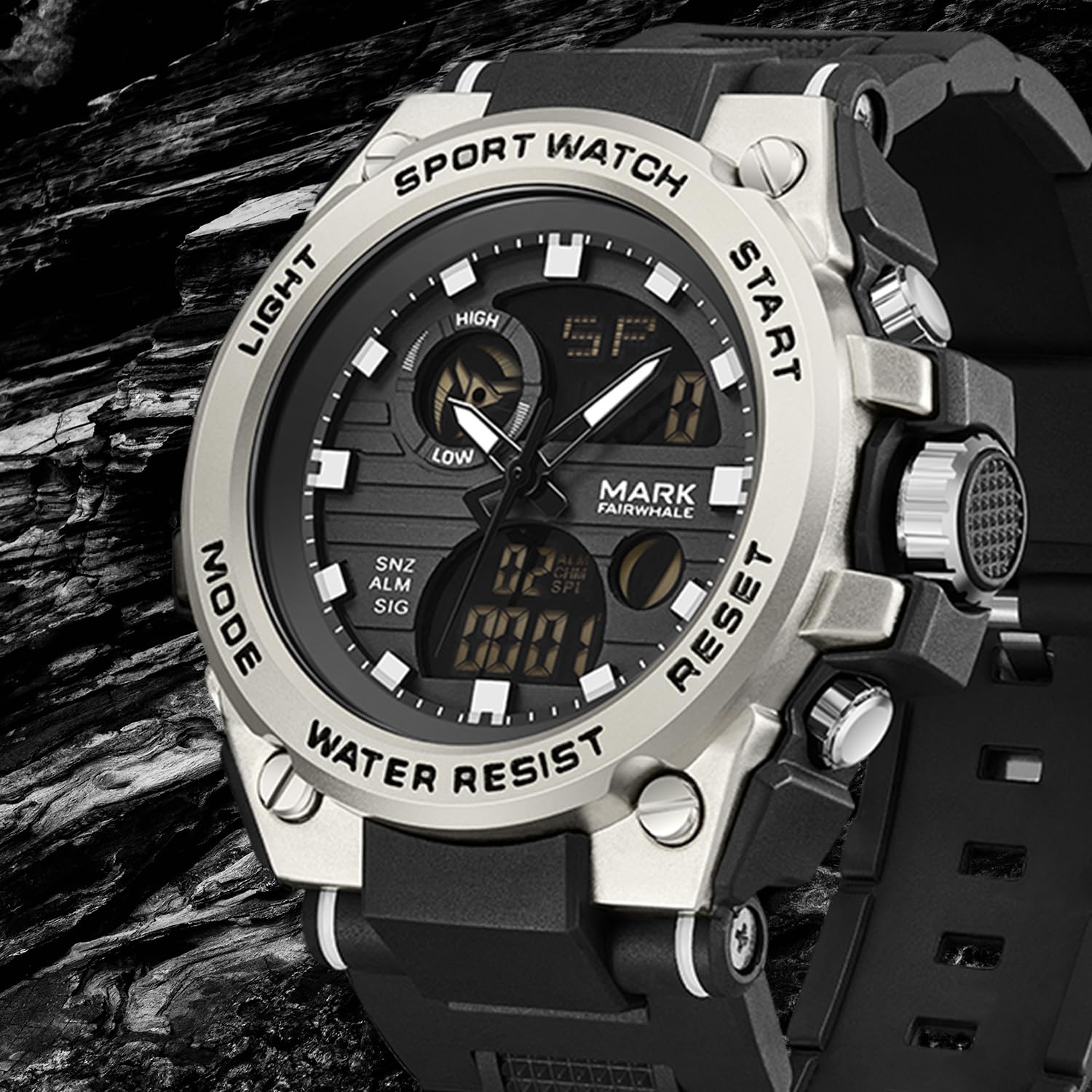
Слика 1: Предња страна view of the WeCool Fairwhale Sports Analog Digital Watch FW-5100-R1.
Watch Components and Buttons

Figure 2: Watch button functions.
- Дугме за светло: Активира ЛЕД позадинско осветљење ради боље видљивости у условима слабог осветљења.
- Дугме за режим: Прелази кроз различите режиме (Време, Аларм, Штоперица, Двоструко време).
- Старт дугме: Used to start/pause functions (e.g., stopwatch) and adjust settings.
- Дугме за ресетовање: Used to reset functions (e.g., stopwatch) and switch between hour, minute, week modes during setting.
Подешавање и почетна конфигурација
1. Подешавање аналогног времена
- Pull out the crown (the knob on the right side of the watch case) to the first click position.
- Окрените круницу да бисте подесили казаљке сата и минута на жељено време.
- Гурните круну назад да бисте осигурали подешавање времена.
2. Setting Digital Time and Date
- Притисните тастер Режим button repeatedly until the digital time display starts flashing, indicating it's in setting mode.
- Притисните тастер Ресетуј button to cycle through the settings: seconds, hour, minute, month, date, day of the week.
- Користите Почни дугме за подешавање трепћуће вредности.
- Када су сва подешавања исправна, притисните дугме Режим дугме за излазак из режима подешавања.
3. Избор формата 12/24 сата
In the digital time setting mode (when the hour is flashing), press the Почни button to toggle between 12-hour (with AM/PM indicator) and 24-hour formats.
Упутство за употребу
1. ЛЕД позадинско осветљење

Figure 3: Watch display with LED backlight.
Притисните тастер Светлост button (top-left) to illuminate the digital display. The backlight will remain active for a few seconds.
2. Функција штоперице
- Притисните тастер Режим button until "ST" or "STOP" appears on the digital display.
- Притисните тастер Почни дугме за почетак мерења времена.
- Притисните тастер Почни поново притисните дугме да бисте паузирали мерење времена.
- To resume, press the Почни дугме.
- Да бисте ресетовали штоперицу на нулу, притисните Ресетуј дугме док је штоперица паузирана.
3. Функција аларма
- Притисните тастер Режим button until "AL" or "ALARM" appears on the digital display.
- Притисните тастер Ресетуј дугме за избор подешавања за сате или минуте. Изабрана вредност ће трептати.
- Користите Почни дугме за подешавање трепћућег сата или минута.
- Притисните тастер Режим дугме за потврду и излаз из подешавања аларма.
- Да бисте укључили/искључили аларм, притисните дугме Почни button while in alarm mode (not in setting mode). An alarm icon will appear/disappear.
- Да бисте активирали хоurlзвоно, притисните Ресетуј button while in alarm mode (not in setting mode). A chime icon will appear/disappear.
4. Dual Time Display
This watch supports displaying two different time zones. To set the second time zone:
- Притисните тастер Режим button until "DT" or "DUAL TIME" appears on the digital display.
- Притисните тастер Ресетуј дугме за избор подешавања за сате или минуте. Изабрана вредност ће трептати.
- Користите Почни дугме да бисте подесили трепћући сат или минут за другу временску зону.
- Притисните тастер Режим button to confirm and exit the dual time setting.
Одржавање
1. Водоотпорност (50M)
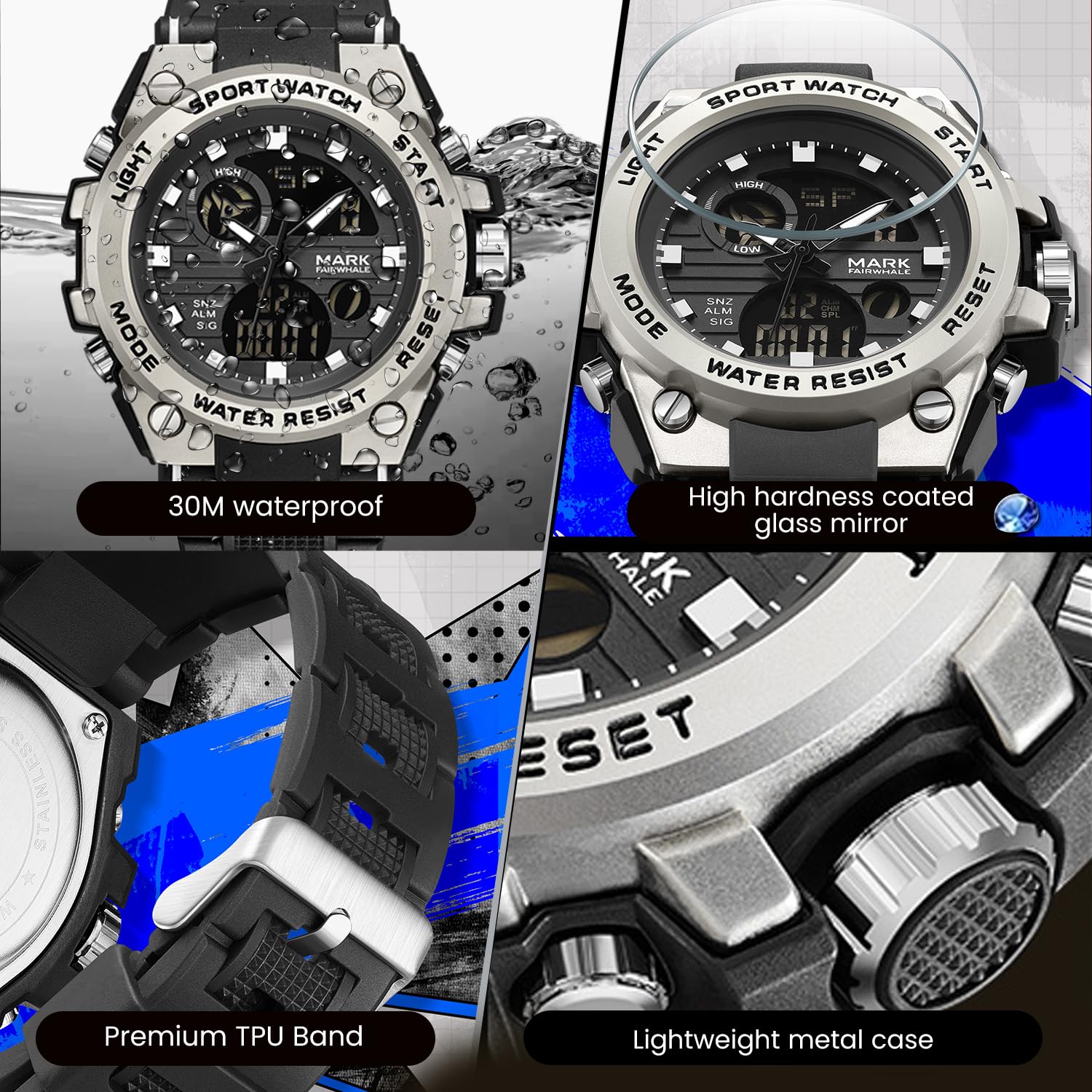
Figure 4: Key features including water resistance.
Your watch is water-resistant up to 50 meters (5 ATM). This means it is suitable for cold water, rain, and swimming. However, it is не suitable for diving, snorkeling, or hot water activities (e.g., hot showers, saunas) as steam can damage the waterproof seals. Do not operate buttons while the watch is wet or submerged.
2. Чишћење
Wipe the watch case and band regularly with a soft, slightly damp cloth. For stubborn dirt, a mild soap solution can be used, followed by rinsing with clean water and thorough drying. Avoid harsh chemicals, solvents, or abrasive cleaners.
3. Замена батерије
The watch uses 1 AAA battery (included). When the display dims or functions become erratic, the battery may need replacement. It is recommended to have the battery replaced by a professional watch technician to ensure the watch's water resistance is maintained after opening the case back.
4. Складиштење
Када се сат не користи дуже време, чувајте га на хладном и сувом месту, даље од директне сунчеве светлости и екстремних температура.
Решавање проблема
| Проблем | Могући узрок | Решење |
|---|---|---|
| Analog hands not moving or incorrect time. | Crown is pulled out; low battery. | Push the crown back in. If issue persists, battery may need replacement. |
| Дигитални дисплеј је празан или затамњен. | Ниска батерија. | Замените батерију. |
| Дугмад не реагују. | Сат је мокар; унутрашњи квар. | Ensure watch is dry before operating buttons. If issue persists, contact support. |
| Water condensation inside the watch. | Exposure to extreme temperature changes; damaged seal. | Avoid hot water/steam. Seek professional inspection immediately to prevent damage. |
Спецификације

Figure 5: Detailed watch parameters.
| Феатуре | Детаљ |
|---|---|
| Број модела | FW-5100-R1 |
| Мовемент Типе | Quartz (Analog) / Electronic (Digital) |
| Миррор Материал | Mineral Reinforced Coated Glass |
| Материјал кућишта | Метал |
| Материјал траке | Polyurethane (TPU) |
| Диал Диаметер | 50 мм |
| Дебљина бројчаника | 18 мм |
| Отпорност на воду | 50 метара (5 банкомата) |
| Тип батерије | 1 ААА батерија (укључена) |
| Тежина артикла | 50 г |
| Земља порекла | Кина |
Информације о гаранцији
This WeCool Fairwhale Sports Analog Digital Watch comes with a Ограничена гаранција. Please refer to the warranty card included with your purchase for specific terms, conditions, and duration of coverage. The warranty typically covers manufacturing defects but may not cover damage resulting from improper use, accidents, or unauthorized repairs.
Корисничка подршка
For any questions, technical assistance, or warranty claims regarding your WeCool Fairwhale Sports Analog Digital Watch, please contact WeCool customer support. You can reach us through the Amazon platform where you made your purchase. Our professional after-sales team is available to assist you.
Подршка на мрежи: Visit the WeCool Store on Amazon
Ask a question about this manual
Ask about setup, troubleshooting, compatibility, parts, safety, or missing instructions. Manuals+ will review the question and use this page’s manual context to help answer it.