
1. Увод
Thank you for choosing the Radioddity HD-1 Walkie Talkie. This robust and versatile two-way radio is designed for reliable communication in various environments, from construction sites to outdoor adventures. Featuring IP67 waterproofing, dustproof capabilities, and a shock-resistant design, the HD-1 ensures durability and performance. This manual provides essential information for proper setup, operation, and maintenance of your device.
2. Садржај пакета
Upon opening your Radioddity HD-1 package, please verify that all the following items are included:
- 2 x Radioddity HD-1 Radiotelephones
- 2 x Rechargeable Li-ion Batteries (2400 mAh)
- 1 к прикључна станица за пуњење
- 2 к копче за појас
- 2 к Ланиардс
- КСНУМКС к УСБ-Ц кабл за пуњење
- 1 к адаптер за напајање

Image: Radioddity HD-1 Walkie Talkie package contents, showing two yellow and black radios, two rechargeable batteries, a dual charging dock, a USB-C cable, a power adapter, two belt clips, and two lanyards.
3. Производ је готовview
3.1 Кључне карактеристике
- ИП67 водоотпоран и отпоран на прашину: Resists water immersion (30 minutes at 1 meter) and dust particles. Floats if dropped in water.
- Robust & Durable Design: Constructed from resistant PC+TPE material, designed to withstand drops and harsh conditions.
- License-Free PMR: 16 PMR channels and 159 CTCSS/DCS codes for private and secure communications.
- One-Key Group Call: Simplifies team communication.
- Дуготрајна батерија: 2400 mAh Li-ion battery provides 1-2 days of use and 4-5 days standby.
- Опције двоструког пуњења: Recharge directly via USB-C or using the included charging dock.
- Упозорење вибрацијом: Notifies you of incoming calls even in noisy environments.
- ВОКС режим: Hands-free communication with 9 sensitivity levels.
- СОС функција: Функција упозорења у хитним случајевима.
3.2 Компоненте и контроле
Familiarize yourself with the main components and controls of your Radioddity HD-1 walkie talkie:
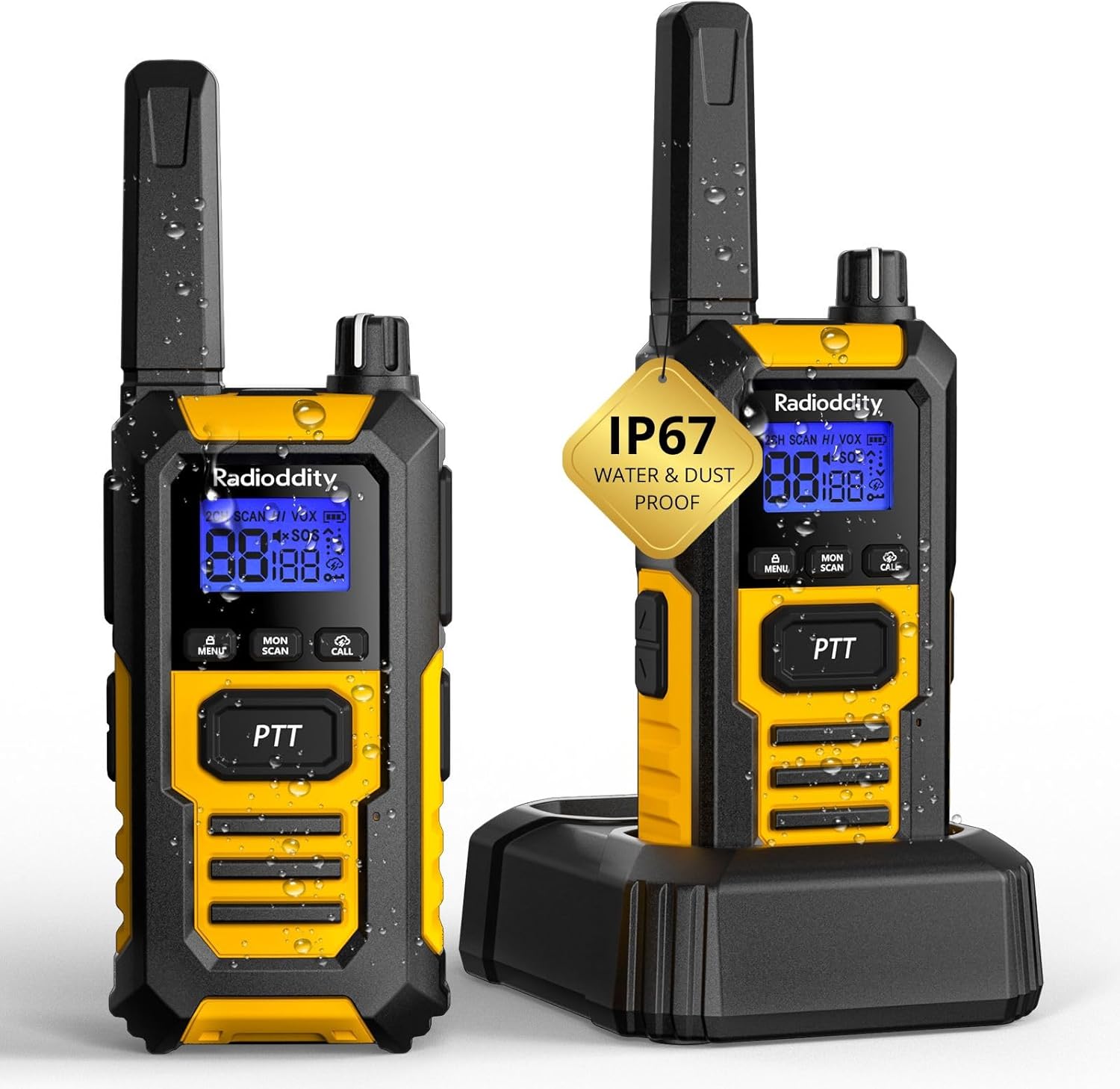
Слика: Фронт view of the Radioddity HD-1 Walkie Talkie, highlighting the display, PTT button, menu, scan, call, and lamp buttons, and the speaker grille.
- Антена: За слање и пријем сигнала.
- Дугме за напајање/јачину: Окрените у смеру казаљке на сату да бисте укључили уређај и повећали јачину звука; у смеру супротном од казаљке на сату да бисте смањили јачину звука и искључили уређај.
- Дугме за избор канала: Rotate to change channels.
- Дугме PTT (притисни за разговор): Притисните и држите за слање, отпустите за пријем.
- Дугме менија: Accesses the menu for settings adjustments.
- Дугмад за горе/доле: Navigate menu options and adjust values.
- Дугме за скенирање: Initiates channel scanning.
- Дугме за монитор: Привремено онемогућава шумопотискање ради ослушкивања слабих сигнала.
- Тастер за позив: Sends a call tone to other radios.
- Lamp Дугме: Activates the LED torch.
- СОС дугме: Activates the emergency alert.
- УСБ-Ц порт: За директно пуњење.
- Утичница за слушалице: За повезивање екстерне аудио додатне опреме.
4. Подешавање
4.1 Инсталација батерије
- Уверите се да је воки-токи искључен.
- Пронађите поклопац одељка за батерију на задњој страни радија.
- Померите поклопац надоле и подигните га.
- Insert the Li-ion battery pack, ensuring the contacts align correctly with the terminals inside the compartment.
- Replace the battery cover and slide it upwards until it clicks into place.
4.2 Пуњење батерије
Your Radioddity HD-1 offers two convenient charging methods:
- Коришћење пуњача:
- Повежите адаптер за напајање са прикључком за пуњење и укључите га у утичницу.
- Place the walkie talkie (with battery installed) into the charging slot of the dock. Ensure proper contact.
- The charging indicator light on the dock will illuminate (usually red) to show charging is in progress. It will turn green when fully charged.
- Коришћење USB-C порта:
- Open the rubber cover protecting the USB-C port on the side of the radio.
- Connect the USB-C charging cable to the radio and a compatible USB power source (e.g., power adapter, computer USB port).
- The battery icon on the radio's display will indicate charging status.
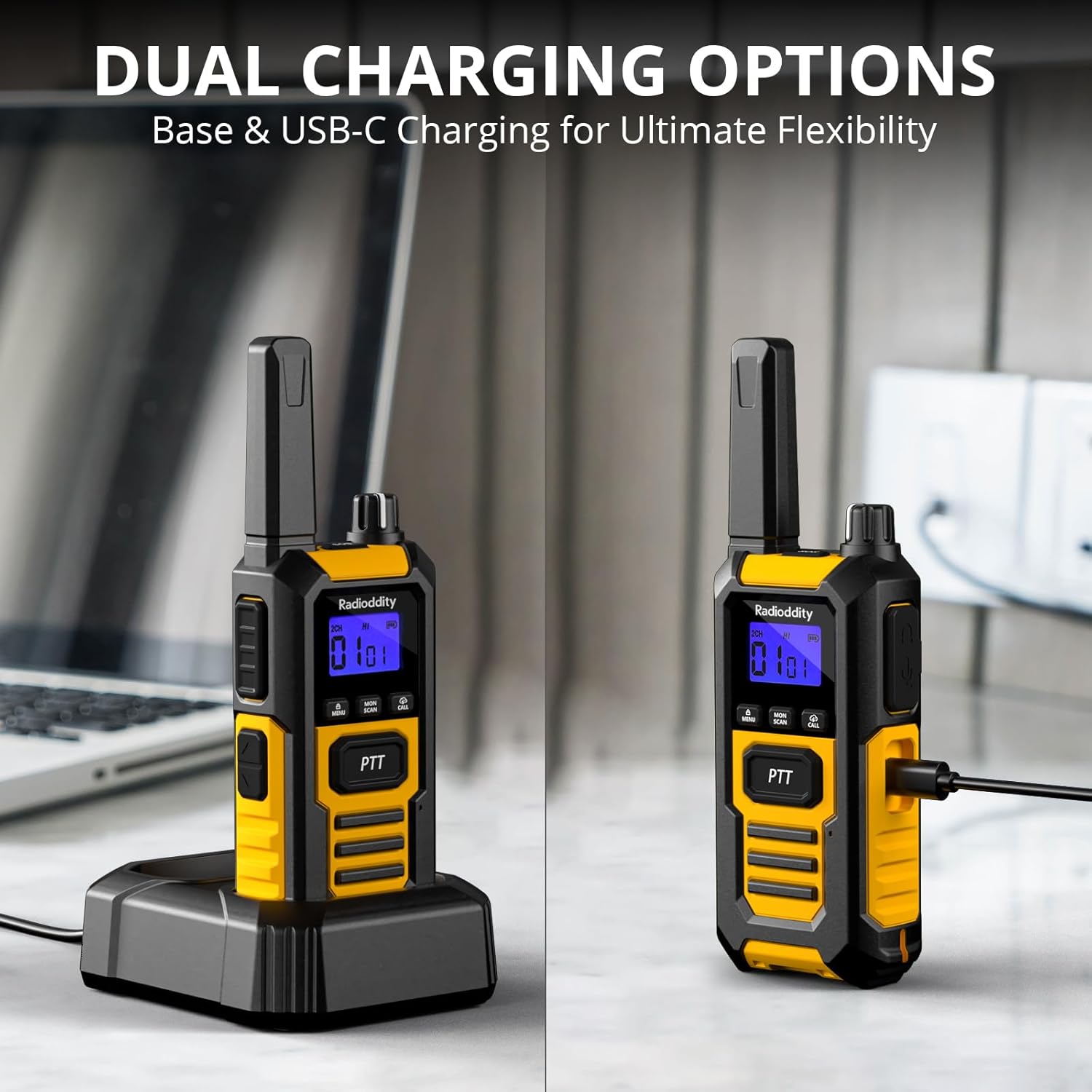
Image: The Radioddity HD-1 Walkie Talkie demonstrating its dual charging capabilities. One radio is placed in a charging dock, while another is shown connected directly via a USB-C cable.
5. Упутство за употребу
5.1 Укључивање/искључивање и подешавање јачине звука
- Укључено: Rotate the Power/Volume knob clockwise until you hear a click and the display illuminates.
- Искључивање: Rotate the Power/Volume knob counter-clockwise until you hear a click and the display turns off.
- Подешавање јачине звука: Once powered on, rotate the Power/Volume knob clockwise to increase volume or counter-clockwise to decrease it.
5.2 Избор канала
To communicate with other walkie talkies, ensure all devices are set to the same channel and CTCSS/DCS code (if used).
- Rotate the Channel Selector knob to choose your desired channel (1-16).
- The selected channel number will be displayed on the screen.
5.3 Предаја и пријем (PTT)
- Да бисте послали, притисните и држите ПТТ дугме са стране радија. Говорите јасно у микрофон.
- Отпустите ПТТ дугме за заустављање предаје и повратак у режим пријема.
5.4 VOX (Гласовно управљана централа)
VOX mode allows for hands-free transmission. When activated, the radio will automatically transmit when it detects your voice.
- Притисните тастер Мени дугме за улазак у мени.
- Use the Up/Down buttons to navigate to the VOX setting.
- Притисните Мени again to select. Use Up/Down to choose a sensitivity level (1-9, with 9 being most sensitive).
- Притисните Мени да потврдите и изађете.
5.5 Тон позива
Send an audible alert to other radios on the same channel.
- Притисните тастер Цалл button to send a pre-set call tone.
5.6 Закључавање тастатуре
Спречава случајне промене подешавања.
- Да закључате тастатуру, притисните и држите Мени дугме док се на екрану не појави икона катанца.
- Да бисте откључали, притисните и држите Мени поново притисните дугме док икона катанца не нестане.
5.7 Функција скенирања
Automatically scans active channels to find ongoing conversations.
- Притисните тастер Скенирај button to activate channel scanning. The radio will cycle through channels until an active one is found.
- Да бисте зауставили скенирање, притисните Скенирај дугме поново.
5.8 ЛЕД лампа
The integrated LED torch provides illumination in low-light conditions.
- Притисните тастер Lamp button to turn the LED torch on.
- Притисните тастер Lamp ponovo dugme da biste ga isključili.
5.9 Хитан СОС
Activates an audible and visual emergency alert.
- Притисните и држите СОС button (usually a dedicated orange button on the side) to activate the emergency alert. The radio will emit a loud siren and flash its LED.
- To deactivate, press any button or power cycle the radio.

Image: A Radioddity HD-1 Walkie Talkie with an illuminated red siren icon, indicating the active SOS emergency alert function.
5.10 Групни позив
The one-key group call feature allows for quick communication with pre-defined groups.
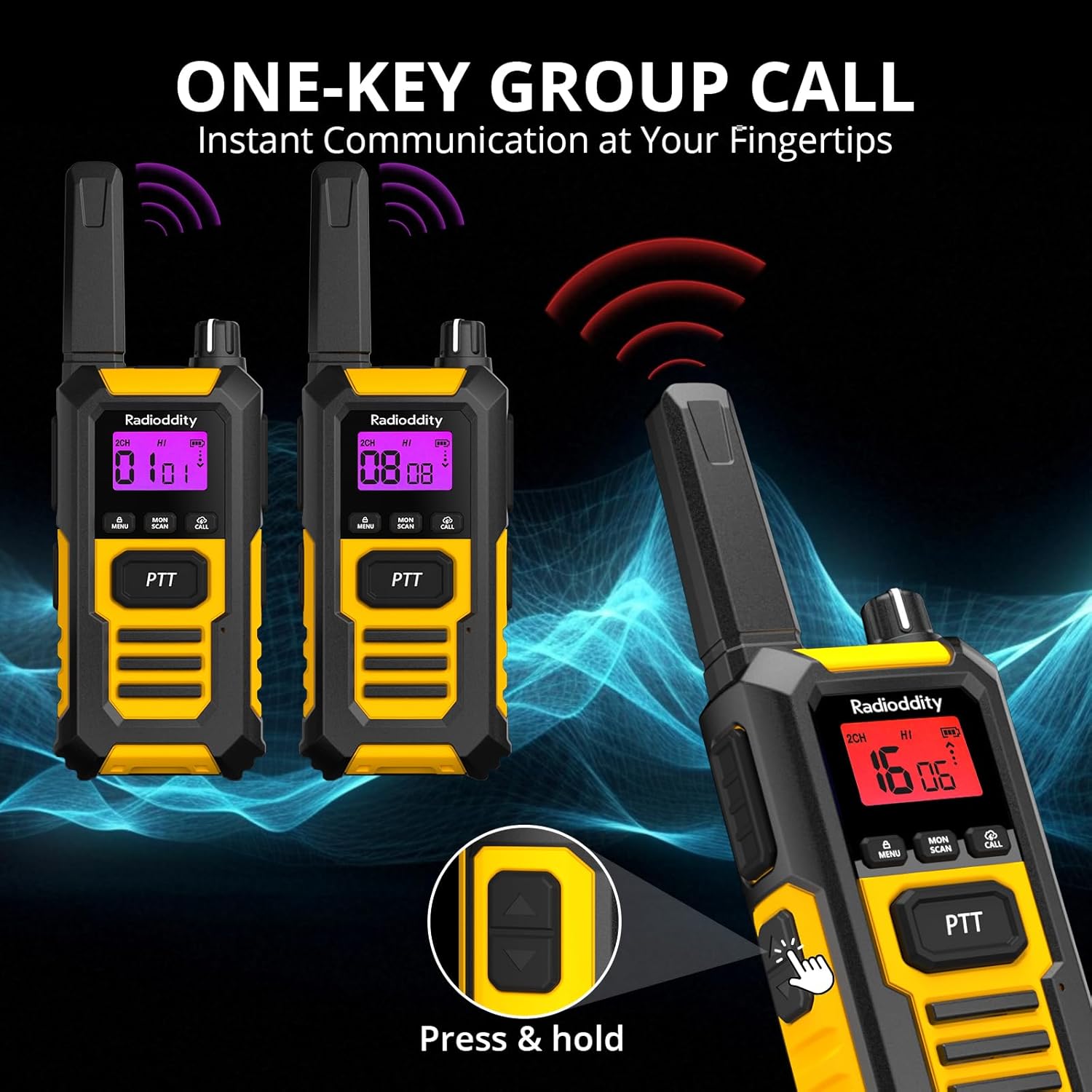
Image: Multiple Radioddity HD-1 Walkie Talkies showing the one-key group call feature, with radio signals emanating from the devices.
6. Спецификације
| Феатуре | Спецификација |
|---|---|
| Број модела | ХД-1 |
| Бранд | Радиоддити |
| Боја | Жута |
| Број канала | 16 |
| Фрекуенци Спецтрум | ПМР446 |
| Максимални домет разговора | 3 Kilometers (variable based on terrain) |
| Волtage | 3.7 Волтс |
| Ниво отпорности на воду | ИПКСНУМКС (водоотпоран) |
| Тип батерије | КСНУМКС мАх литијум-јонска |
| Просечно трајање батерије | 24 Hours (usage), 4-5 Days (standby) |
| Цоннецтивити Протоцол | ПМР446 |
| Компатибилни уређаји | Other PMR446 radios, standard 2-pin audio accessories |
7. Durability and Resistance
The Radioddity HD-1 is built to endure challenging conditions, undergoing rigorous testing to ensure reliability.
7.1 IP67 Waterproof and Dustproof
The HD-1 is certified IP67, meaning it is fully protected against dust ingress and can withstand immersion in water up to 1 meter for 30 minutes. Its floating design prevents loss during water activities.

Image: Two Radioddity HD-1 Walkie Talkies partially submerged and floating in water, with water droplets around them, illustrating their IP67 waterproof and floating capabilities.
Video: Demonstrates the IP67 waterproof and floating capabilities of a walkie talkie. The device is submerged in water and shown to float, highlighting its resistance to water damage.
7.2 Shockproof and Drop-Resistant
The robust PC+TPE construction ensures the HD-1 can withstand impacts and drops from up to 2 meters, making it ideal for demanding environments.

Image: A Radioddity HD-1 Walkie Talkie standing upright on a rugged, rocky surface, with small rocks scattering around it, emphasizing its shockproof and durable construction.
Video: Shows various durability tests performed on a walkie talkie, including drop tests from 2 meters onto concrete, rotation tests in a drum, temperature resistance tests from -20°C to +60°C, button press endurance tests, and a compression test under a vehicle wheel, demonstrating its robust construction.
Видео: Кратак уводview видео емисијаasing the robust and resistant features of rechargeable walkie talkies, highlighting their durability in various conditions.
8. Одржавање
- Чишћење: Користите меку, дamp крпу за чишћење спољашњости радија. Не користите јаке хемикалије или раствараче.
- Одржавање батерије: To maximize battery life, fully charge the battery before first use. Avoid overcharging or completely draining the battery frequently. Store the radio and battery in a cool, dry place when not in use for extended periods.
- Складиштење: Чувајте воки-токи на сувом месту без прашине, даље од екстремних температура.
- Изложеност води: After exposure to water, ensure all ports are properly sealed and dry the radio thoroughly before charging or using.
КСНУМКС. Решавање проблема
| Проблем | Могући узрок | Решење |
|---|---|---|
| Радио се не укључује | Слаба или празна батерија; неправилно инсталирана батерија. | Напуните батерију; уверите се да је батерија правилно инсталирана. |
| Не може да комуницира са другим радио-станицама | Different channels/codes; out of range; low battery. | Verify all radios are on the same channel and CTCSS/DCS code; move closer; charge battery. |
| Лош квалитет звука или статички шум | Weak signal; interference; too far from other radios. | Move to an open area; check for obstructions; adjust squelch level. |
| VOX не ради | VOX sensitivity too low; VOX disabled. | Increase VOX sensitivity; enable VOX in the menu. |
10. Гаранција и подршка
Radioddity products are designed for reliability and performance. For warranty information, technical support, or service inquiries, please refer to the warranty card included in your package or visit the official Radioddity webсајт. Сачувајте рачун као доказ о куповини.