
1. Увод
This manual provides essential information for setting up, operating, maintaining, and troubleshooting your GIGABYTE AORUS Elite 16 BWH gaming laptop. The AORUS Elite 16 BWH is designed for high-performance gaming and demanding applications, featuring an Intel Core Ultra 9 processor, NVIDIA GeForce RTX 5070 laptop GPU, a 16-inch WQXGA 165Hz display, and Windows 11 Pro.
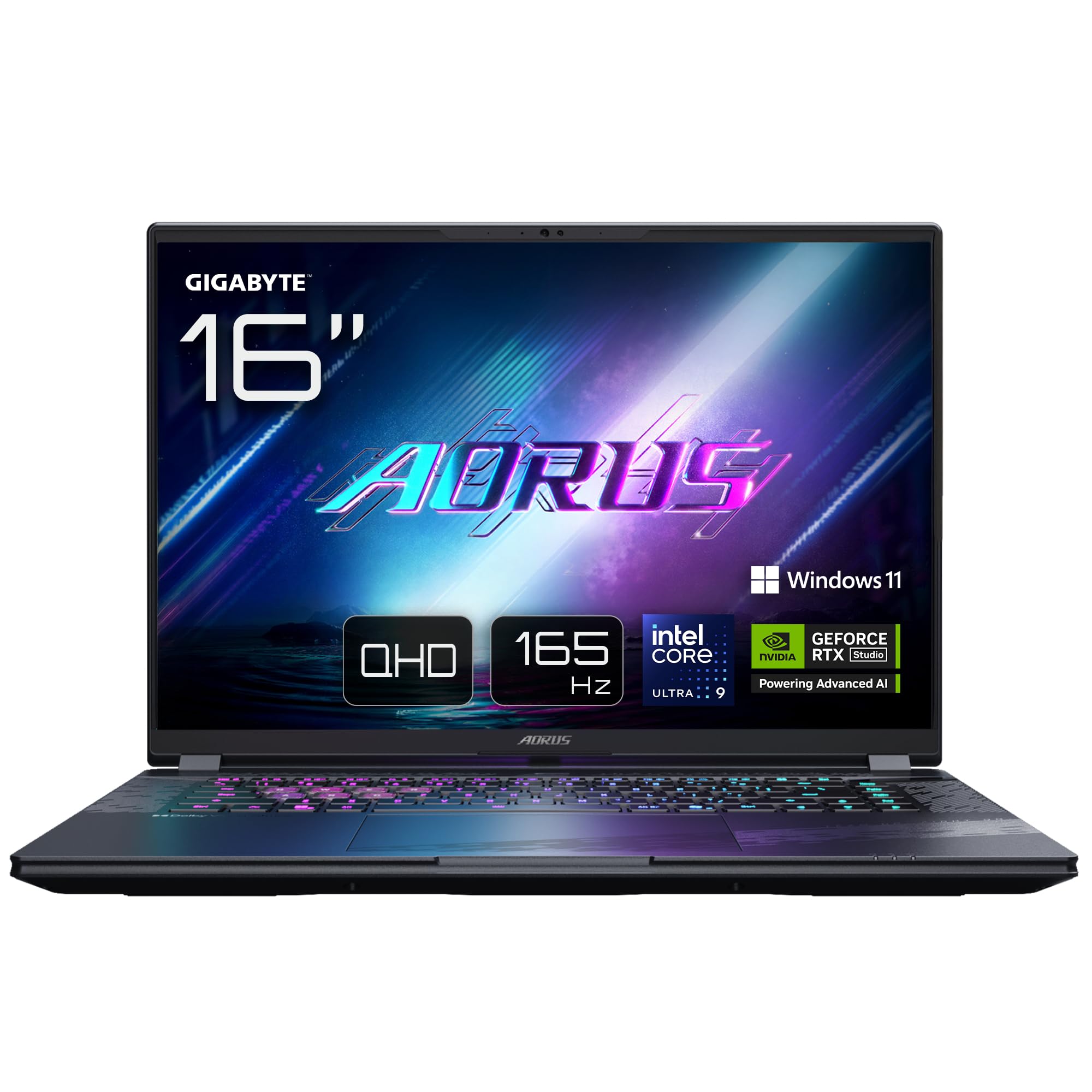
Image: The GIGABYTE AORUS Elite 16 BWH gaming laptop, showcasing its open display and keyboard.
2. Подешавање
2.1 Распакивање и почетни преглед
Пажљиво извадите лаптоп и сву додатну опрему из паковања. Проверите да ли су све компоненте наведене у одељку „Шта се налази у кутији“ присутне и да ли су неоштећене.
- GIGABYTE AORUS ELITE 16 BWHC3FRC65SP Laptop
- Адаптер за напајање и кабл
- Документација (овај приручник, гарантни лист)
2.2 Повезивање напајања
Connect the power adapter to the laptop's power input port and then plug the power cable into an electrical outlet. It is recommended to fully charge the battery before initial use.
2.3 Прво укључивање
Press the power button to turn on the laptop. Follow the on-screen instructions to complete the Windows 11 Pro setup process, including language selection, network connection, and user account creation.
2.4 Connecting Peripherals and Network
The laptop features various ports for connecting external devices and networks.
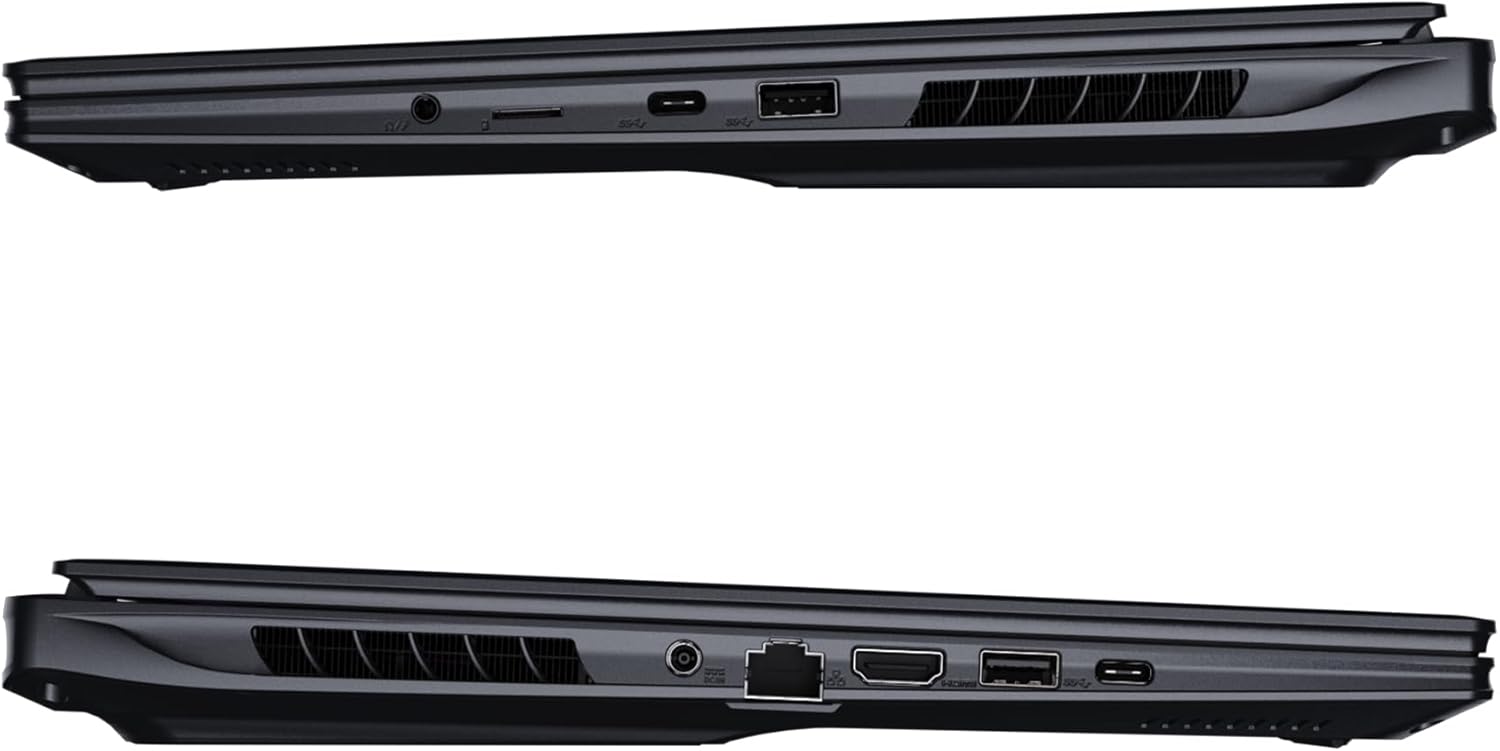
Слика: Са стране view of the laptop illustrating the available ports for connectivity.
- УСБ портови: Connect USB devices such as mice, keyboards, or external storage.
- ХДМИ порт: Повежите се са екстерним екраном или телевизором.
- Тхундерболт 4 порт: За брзи пренос података и приказ на екрану.
- Етхернет порт: За жичану мрежну везу.
- Слушалице: За аудио излаз на слушалице или екстерне звучнике.
- Ви-Фи 7: Connect to wireless networks via the integrated Wi-Fi 7 module.
- Блуетоотх КСНУМКС: Pair with Bluetooth-enabled devices.
3. Управљање лаптопом
3.1 Карактеристике екрана
Your AORUS Elite 16 BWH features a 16-inch WQXGA (2560x1600) IPS display with a 165Hz refresh rate and 16:10 aspect ratio, offering a wide viewing experience. It supports Dolby Vision for enhanced visual quality and is Pantone validated for color accuracy.

Image: The laptop's 16:10 aspect ratio display, highlighting its IPS panel and Pantone validation.
3.2 Тастатура и тачпед
The laptop is equipped with a backlit keyboard for comfortable typing in various lighting conditions and a responsive touchpad for navigation.
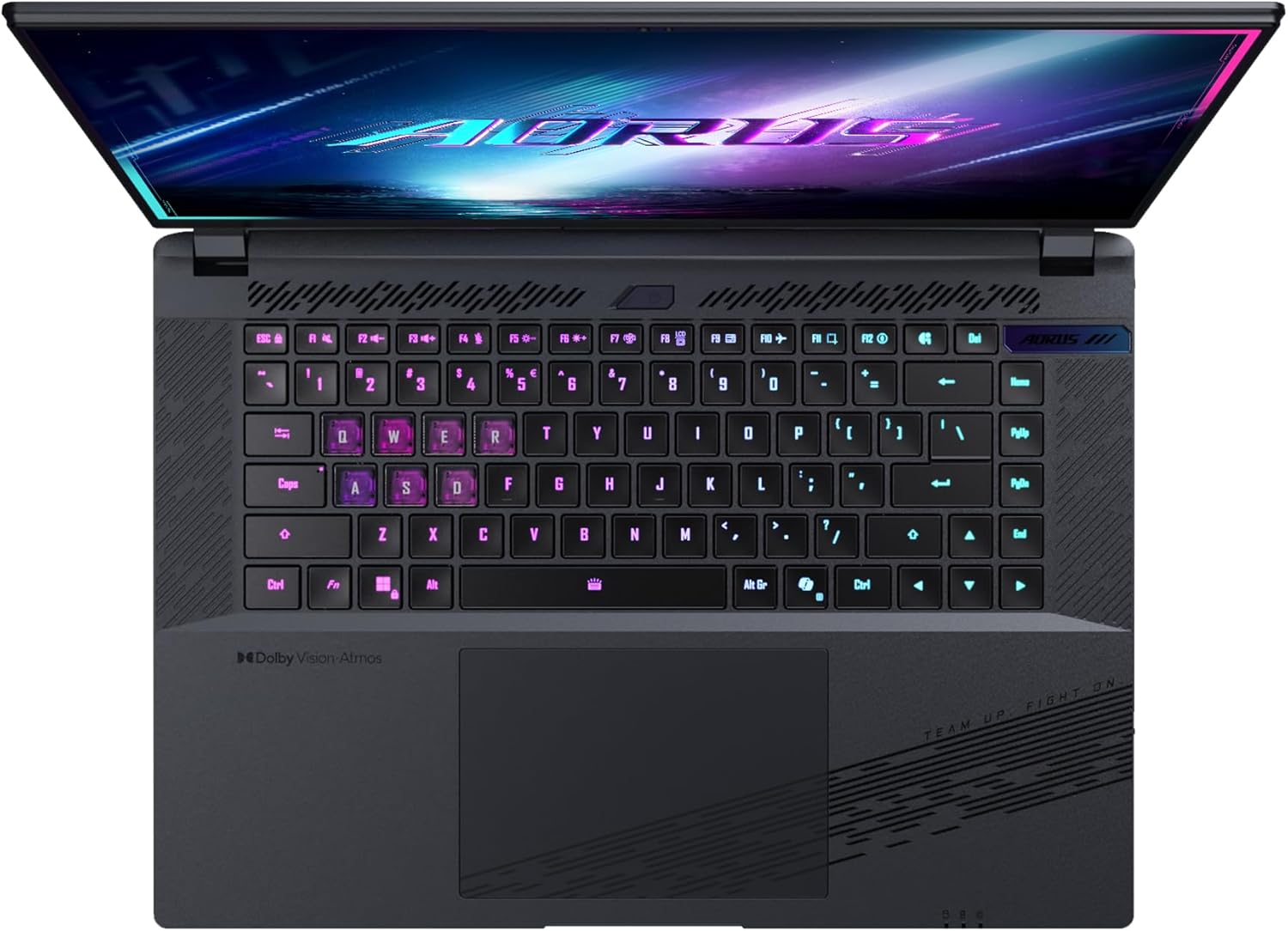
Слика: Одозго надоле view тастатуре лаптопа, приказasing its backlit keys.
The keyboard also features a dedicated Copilot Key for quick access to AI functionalities in Windows 11.

Image: Close-up of the keyboard, highlighting the Copilot Key for AI features.
3.3 Аудио систем
Experience immersive audio with Dolby Atmos support and integrated 2W speakers. The laptop also includes a built-in microphone for communication.

Image: Visual representation of Dolby Atmos and Dolby Vision audio and visual enhancements.
3.4 Карактеристике перформанси
The AORUS Elite 16 BWH is powered by an Intel Core Ultra 9 processor with an integrated NPU for AI acceleration and an NVIDIA GeForce RTX 5070 laptop GPU, ensuring high performance for gaming and demanding tasks. It also features Advanced Optimus with DDS Technology for optimized graphics performance.

Слика: Детаљна view of the Intel Core Ultra 9 processor chip.
Слика: Детаљна view of the NVIDIA GeForce RTX 50 Series laptop GPU chip.
3.5 GiMATE AI Agent
Utilize GiMATE, your personal AI agent, to optimize performance, manage smart cooling, enhance privacy, control power settings, and improve audio and voice functionalities.

Image: GiMATE AI Agent interface showing various optimization features.
4. Одржавање
4.1 Систем хлађења
The laptop features the WINDFORCE Infinity cooling system to maintain optimal temperatures during intensive use. Ensure the vents are clear of obstructions to allow proper airflow.

Image: Representation of the WINDFORCE Infinity cooling system.
4.2 Чишћење
Користите меку крпу која не оставља влакна за чишћење екрана и спољашњих површина. За тврдокорне мрље, дampБлаго навлажите крпу водом или средством за чишћење екрана. Избегавајте јаке хемикалије.
4.3 Одржавање батерије
Да бисте продужили век трајања батерије, избегавајте екстремне температуре и не остављајте лаптоп потпуно напуњен или потпуно испражњен дуже време.
4.4 Ажурирања софтвера
Regularly update your Windows operating system, drivers, and GIGABYTE software to ensure optimal performance and security.
КСНУМКС. Решавање проблема
5.1 Проблеми са напајањем
- Лаптоп се не укључује: Ensure the power adapter is securely connected and the outlet is functional. Check the battery charge level.
- Батерија се не пуни: Проверите да ли су адаптер за напајање и кабл оштећени. Покушајте са другом утичницом.
5.2 Проблеми са приказом
- Нема приказа: Connect an external monitor to check if the issue is with the laptop's screen. Ensure the laptop is powered on.
- Треперење или искривљени приказ: Ажурирајте драјвере графичке картице. Проверите везе каблова екрана ако користите спољни монитор.
5.3 Проблеми са повезивањем
- Ви-Фи се не повезује: Проверите да ли је Wi-Fi омогућен у подешавањима Windows-а. Рестартујте рутер и лаптоп.
- Блутут уређај се не упарује: Уверите се да је уређај у режиму упаривања и да је унутар домета. Ажурирајте драјвере за Bluetooth.
5.4 Општи проблеми са перформансама
- Споре перформансе: Close unnecessary applications. Check for malware. Ensure sufficient free disk space.
- прегревање: Ensure cooling vents are clear. Use the laptop on a hard, flat surface.
For more complex issues, refer to the GIGABYTE support webсајту или контактирајте корисничку подршку.
6. Спецификације
| Феатуре | Детаљ |
|---|---|
| Бранд | ГИГАБИТЕ |
| Назив модела | AORUS ELITE 16 BWHC3FRC65SP |
| Величина екрана | 16 инча |
| Боја | Греи |
| Величина чврстог диска | 2000 GB (2x 1TB SSD Gen4) |
| ЦПУ модел | Intel Core Ultra 9 275HX |
| Величина инсталиране РАМ меморије | 32 ГБ ДДР5 |
| Оперативни систем | Виндовс 11 Про |
| Посебна карактеристика | Backlit Keyboard, Memory Card Slot |
| Опис графичке картице | Посвећено |
| Грапхицс Цопроцессор | НВИДИА ГеФорце РТКС 5070 |
| Hard Disk Technology | ССД |
| Тежина артикла | 2300 грама |
| Webcam Capability | Yes (Frontal) |
| Величина РАМ-а графичке картице | 8 ГБ ГДДР6 |
| Максимална подржана РАМ меморија | 64 ГБ |
| Садржај енергије батерије | 99 Watt-hours (Lithium-polymer, 4 cells) |
| Повезивање | Bluetooth 5.4, Ethernet (10/1000 Mbit/s), HDMI (1 port), Thunderbolt 4 (1 port), USB 3.2 Gen 2 (2 ports), Wi-Fi 7 (802.11.be) |
| Брзина процесора | 2.7 GHz (Max 5.4 GHz) |
| Број процесора | 24 |
| Резолуција екрана | 2560 x 1600 пиксела (WQXGA) |
| Дисплаи Типе | ИПС ЛЦД |
| Аудио карактеристике | Dolby Atmos, 2x 2W Integrated Speakers, Integrated Microphone |
7. Информације о гаранцији
Your GIGABYTE AORUS Elite 16 BWH laptop comes with a 2-годишња ограничена гаранција. This warranty covers manufacturing defects and hardware malfunctions under normal use. Please retain your proof of purchase for warranty claims. For detailed terms and conditions, refer to the warranty card included with your product or visit the official GIGABYTE webсајту.
8. Подршка
For technical assistance, driver downloads, and further product information, please visit the official GIGABYTE support webсајт. Тамо можете пронаћи и често постављана питања и форуме заједнице.
- Званични GIGABYTE Webсајт: ввв.гигабите.цом
- Служба за кориснике: Refer to your regional GIGABYTE webсајт за локалне контакт информације.