
1. Увод
The MiLESEEY S7 Pro is an advanced laser distance meter designed for precise and efficient measurements in various environments, particularly large outdoor projects. Featuring a digital viewfinder, P2P technology, and app connectivity, this tool offers enhanced accuracy and functionality for professional and DIY users. This manual provides detailed instructions for the safe and effective operation of your device.
2. Безбедносне информације
Please read and understand all safety instructions before using the device. Failure to follow these instructions may result in laser radiation exposure, electric shock, fire, or serious injury.
- Ласерско зрачење: This device emits Class 2 laser radiation. Do not stare into the laser beam or direct it at other people or animals.
- Заштита очију: Always wear appropriate eye protection when operating the device, especially in bright conditions where the laser dot may be difficult to see.
- деца: Држите уређај ван домашаја деце.
- Окружење: Do not operate the device in explosive atmospheres or near flammable liquids or gases.
- Измене: Не покушавајте да модификујете или растављате уређај. Поправке треба да обавља само овлашћено сервисно особље.
- Безбедност батерије: Use only the specified rechargeable AAA batteries. Ensure correct polarity when inserting batteries. Do not mix old and new batteries or different types of batteries.
3. Садржај пакета
Проверите да ли су све ставке присутне у вашем пакету:
- 1x MiLESEEY S7 Pro Outdoor Laser Measure
- 1к торбица за ношење
- 1x ремен за руку
- 1x Упутство за употребу (овај документ)
- 3x Rechargeable AAA Battery
- КСНУМКСк УСБ кабел за пуњење

Image: Contents of the MiLESEEY S7 Pro package, showing the device, case, strap, manual, and batteries.
4. Подешавање
4.1 Инсталација батерије
- Пронађите поклопац одељка за батерију на задњој страни уређаја.
- Open the cover and insert the three rechargeable AAA batteries, ensuring correct polarity (+/-).
- Добро затворите поклопац одељка за батерије.
4.2 Пуњење уређаја
Connect the device to a USB power source using the provided USB charging cable. The battery indicator on the display will show charging status. Ensure the device is fully charged before first use for optimal performance.
4.3 Укључивање/искључивање
- Да бисте укључили, притисните и држите Повер дугме (
 ) until the display illuminates.
 - За искључивање притисните и држите тастер Повер button again. The device will also automatically power off after a period of inactivity to conserve battery.
5. Упутство за употребу
5.1 Основна мерења
- Point the laser aperture towards the target.
- Притисните тастер МЕАС дугме () једном да бисте активирали ласер.
- Притисните тастер МЕАС button again to take a measurement. The result will be displayed on the screen.
5.2 Дигитал Viewналазач
The integrated 4X adjustable zoom digital camera with on-screen targeting crosshairs allows you to easily locate the laser spot and confidently measure outdoors, even in bright sunlight conditions.
- Тхе viewfinder display shows a live image of the target area.
- Use the crosshairs to precisely align the laser with your desired measurement point.
- Adjust the zoom level as needed for better visibility of distant targets.

Image: The MiLESEEY S7 Pro's digital viewfinder displaying a target with crosshairs for accurate laser point location.

Image: A user aiming the MiLESEEY S7 Pro laser distance meter outdoors, utilizing the digital viewfinder for precise targeting.
5.3 P2P Technology (Point-to-Point)
The 360° high-accuracy tilt sensor and integrated smart base enable P2P technology, allowing you to capture accurate measurements between any two points from a single remote location. This is ideal for complex measurements where direct access to both points is difficult.
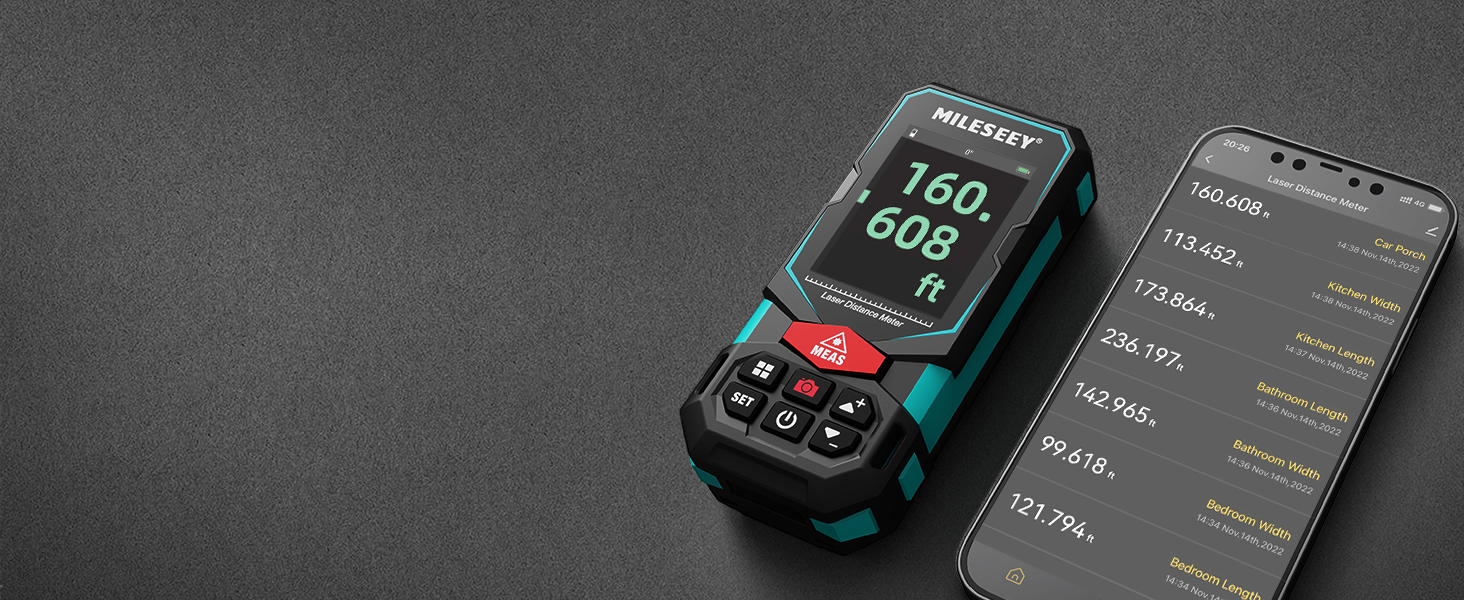
Image: An illustration of the P2P measurement capability, demonstrating how the device measures the distance between two points (P1 and P2) from a single vantagе тачка.
5.4 Повезивање апликација
The MiLESEEY S7 Pro connects to a dedicated app, allowing you to transfer measurement data directly to your smartphone or tablet. Within the app, you can:
- Enter dimensions onto on-site photographs.
- Draw projects and construct plans.
- Store up to 1,000 groups of data in the app's memory.
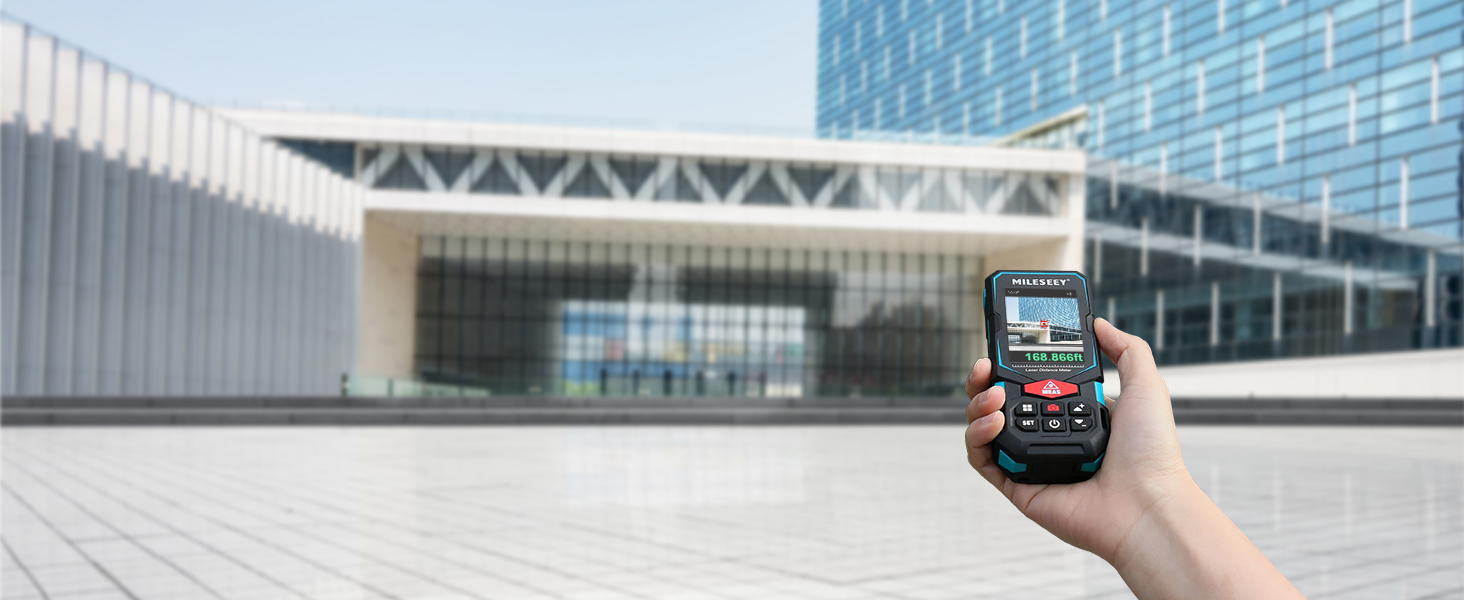
Image: The MiLESEEY S7 Pro connected to a smartphone, showing measurement data being displayed and managed within the companion application.
5.5 режима мерења
The device offers a variety of measurement modes accessible through its intuitive user interface:
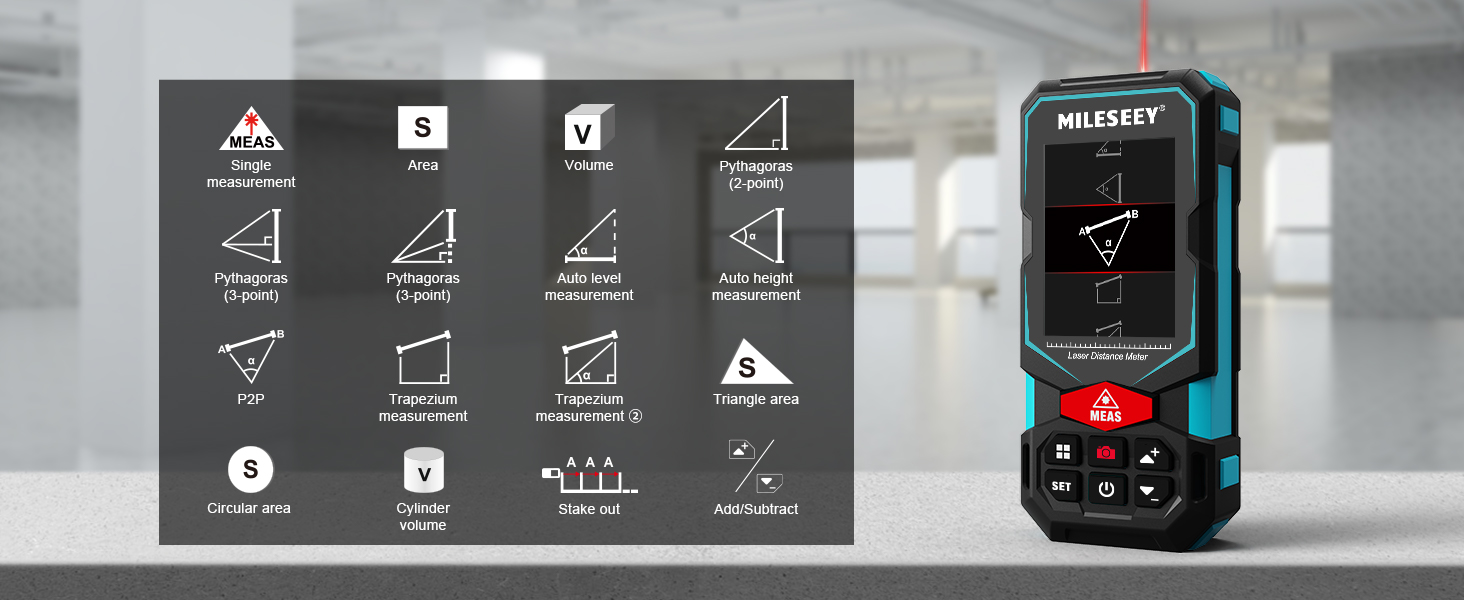
Image: A visual guide to the various measurement functions available on the MiLESEEY S7 Pro, including single measurement, area, volume, and advanced calculations.
- Једно мерење: Стандардно мерење удаљености.
- Област: Calculates the area of a surface.
- Волумен: Calculates the volume of a space.
- Pythagoras (2-point & 3-point): Indirect measurement using the Pythagorean theorem.
- Auto Level Measurement: Measures horizontal distance automatically.
- Auto Height Measurement: Measures vertical height automatically.
- П2П: Point-to-point measurement (as described above).
- Trapezium Measurement: Calculates area of a trapezium.
- Triangle Area: Calculates the area of a triangle.
- Circular Area: Calculates the area of a circle.
- Запремина цилиндра: Calculates the volume of a cylinder.
- Stake Out: Helps mark out specific distances.
- Add/Subtract: Allows for addition or subtraction of measurements.
5.6 Кориснички интерфејс и екран
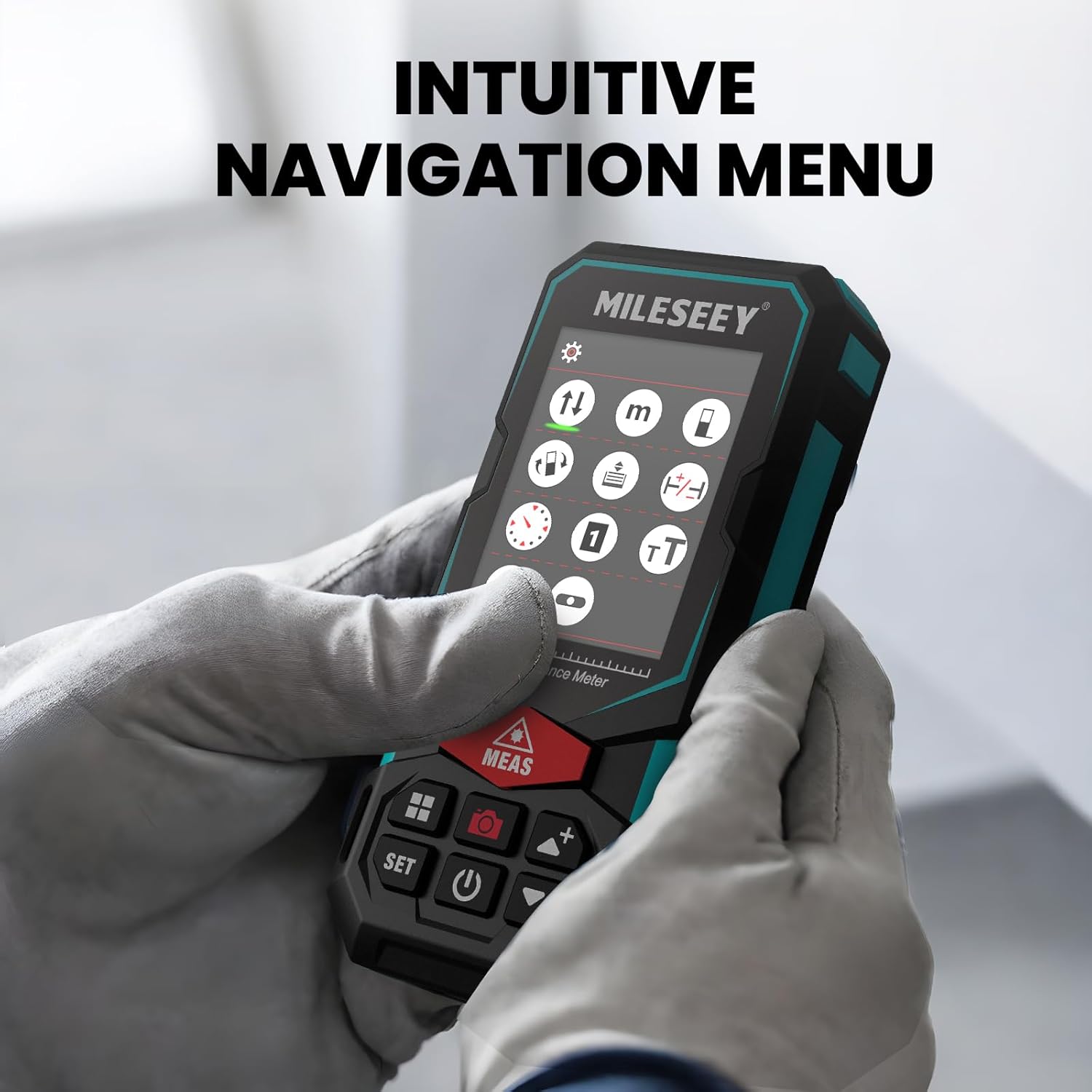
The S7 Pro features a humanized user interface with an intuitive navigation menu and a large 2.4" IPS backlit display. The rotation display keeps measurements aligned with the device, ensuring clear readability from any angle. You can easily switch between white text on a black screen and black text on a white screen for optimal visibility in varying light conditions.

Image: The MiLESEEY S7 Pro's display showcasing its intuitive navigation menu with various function icons.
Image: A user interacting with the MiLESEEY S7 Pro, highlighting the intuitive navigation menu on its screen.
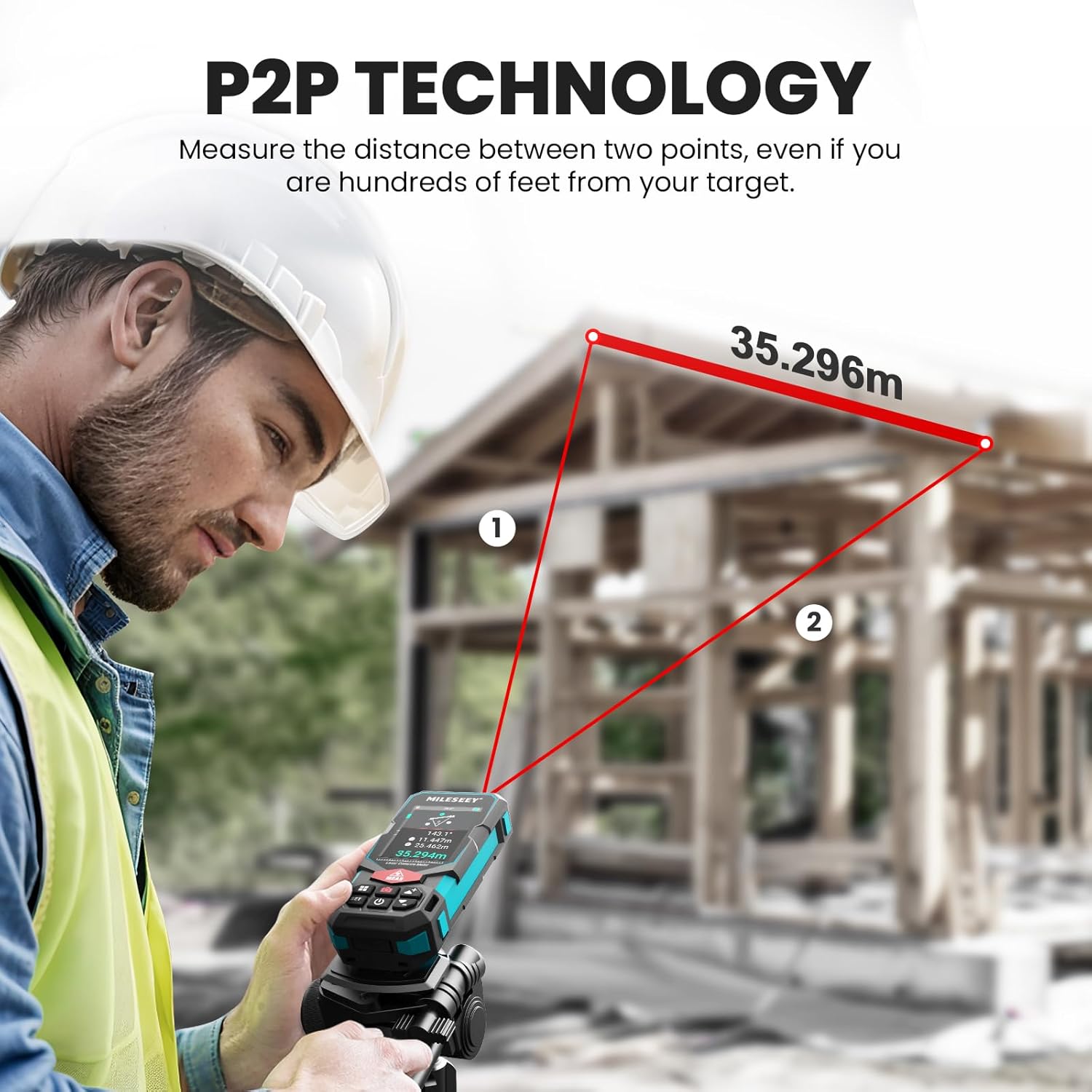
Image: The MiLESEEY S7 Pro's display demonstrating excellent visibility in both bright sunlight and low light environments.
6. Одржавање
Proper maintenance ensures the longevity and accuracy of your MiLESEEY S7 Pro.
- Чишћење: Користите меку, дamp cloth to clean the device. Do not use harsh chemicals or abrasive cleaners. Clean the lens regularly with a soft, lint-free cloth.
- Складиштење: Store the device in its carrying case in a cool, dry place when not in use. Avoid extreme temperatures and direct sunlight.
- Одржавање батерије: If the device will not be used for an extended period, remove the batteries to prevent leakage. Recharge batteries regularly to maintain their capacity.
- ИПКСНУМКС Протецтион: The device features IP65 protection, making it resistant to dust and water splashes. However, it is not designed for submersion. Clean off any dust or dirt after use in harsh conditions.

Image: The MiLESEEY S7 Pro demonstrating its IP65 protection, shown covered in dust but still functional.

Image: The MiLESEEY S7 Pro, designed with IP65 protection, shown in a dusty environment, highlighting its durability.
КСНУМКС. Решавање проблема
If you encounter issues with your MiLESEEY S7 Pro, refer to the following common problems and solutions:
| Проблем | Могући узрок | Решење |
|---|---|---|
| Уређај се не укључује. | Слабе или празне батерије; неправилна инсталација батерија. | Charge the batteries or replace them. Ensure batteries are inserted with correct polarity. |
| Нетачна мерења. | Laser beam obstructed; unstable surface; device not calibrated. | Ensure clear line of sight. Place device on a stable surface. Perform self-calibration if available (refer to device menu). |
| Проблеми са повезивањем апликације. | Блутут није омогућен; апликација није ажурирана; уређај није упарен. | Ensure Bluetooth is active on both devices. Update the app to the latest version. Follow app pairing instructions. |
| Display not clear in bright light. | Подешавања екрана. | Switch display mode to black text on white screen for better contrast. |
8. Спецификације
Key technical specifications for the MiLESEEY S7 Pro Laser Distance Meter:
- Бренд: МиЛЕСИ
- Број модела: MCLD-CA-MS-S7
- Опсег мерења: Up to 330 ft (100 yards)
- тачност: Up to +/- 2mm (1/16")
- Дигитал Viewпроналазач: 4X Adjustable Zoom Camera
- Повезивање: App Connected (P2P Technology)
- Класа заштите: IP65 (отпоран на прашину и прскање воде)
- Приказ: 2.4" IPS Backlit Display
- батерије: 3x Rechargeable AAA Battery (Included)
- Материјал: Акрилонитрил бутадиен стирен, гума
- Тежина артикла: 300 грама
- Димензије производа: 12Д к 5В к 2.5Х центиметара
9. Гаранција и подршка
The MiLESEEY S7 Pro Laser Distance Meter comes with a 24-месечна гаранција from the date of purchase, covering manufacturing defects. For warranty claims, technical support, or any inquiries, please contact Mileseey Direct, the manufacturer's contact. Please retain your proof of purchase for warranty validation.