
1. Увод и крајview
The PGST Smart Home Security System offers a comprehensive wireless alarm solution designed for home, villa, and office security. This system provides real-time alerts via the Smart Life Tuya App and 4G GSM card, ensuring you are always informed of your property's status. With no monthly fees, it offers a cost-effective and reliable security solution. The system features multiple alarm modes, intelligent control, and easy DIY installation, making it user-friendly for all ages.

Figure 1.1: PGST Smart Home Security System (10 Piece Kits) components.
This image displays the main control panel, two motion detectors, two door/window sensors, two remote controls, and two RFID tags, which are the primary components included in the 10-piece kit.
2. Шта је укључено
Your PGST Smart Home Security System (10 Piece Kits) package includes the following items:
- 1 x PGST A105F Alarm System Control Panel (Main Host)
- 2 x Wireless PIR Motion Detectors
- 2 x Wireless Door/Window Sensors
- 2 к даљински управљач
- 2 к РФИД Tags
- 1 к адаптер за напајање
- 1 к Упутство за употребу
3. Подешавање
The PGST Smart Home Security System is designed for easy DIY installation without complex steps. Follow these general guidelines for initial setup:
- Укључено: Connect the main control panel to a power outlet using the provided adapter.
- Инсталација СИМ картице (опционо): If you wish to use 4G SMS/phone call alerts, insert a compatible 4G GSM SIM card into the designated slot on the control panel.
- Мрежна конфигурација: Connect the control panel to your home Wi-Fi network. This can typically be done via the touchscreen interface. Refer to the 'Configure the network Steps' image below for detailed methods.
- Упаривање сензора: Pair the wireless motion detectors and door/window sensors with the main control panel. The manual provides specific instructions for this process.
- Пласман: Install sensors in key areas of your home, such as entry points (doors/windows) and high-traffic zones for motion detection. The self-adhesive installation type makes placement simple.

Figure 3.1: Network Configuration Steps.
This diagram illustrates two methods for configuring the network: Method 1 (Soft AP Configure) and Method 2 (Airlink Configure), detailing the steps on both the host panel and the phone app.

Figure 3.2: Door Window and Motion Sensor Placement.
Ова слика приказује бившегamples of a door/window sensor installed on a door frame and a motion sensor mounted on a wall, indicating typical installation locations.
4. Упутство за употребу
The PGST A105F control panel features a 2.4-inch TFT colorful touchscreen for intuitive operation. The system supports various alarm modes and smart functionalities.
4.1 Режими аларма
The system offers three primary alarm modes:
- рука: Activates all sensors for full security.
- деактивирај: Деактивира све сензоре.
- Stay at Home: Activates perimeter sensors (e.g., door/window sensors) while allowing free movement within the home (motion sensors may be deactivated).
You can switch between these modes using the control panel, remote controls, or the dedicated Smart Life Tuya App.
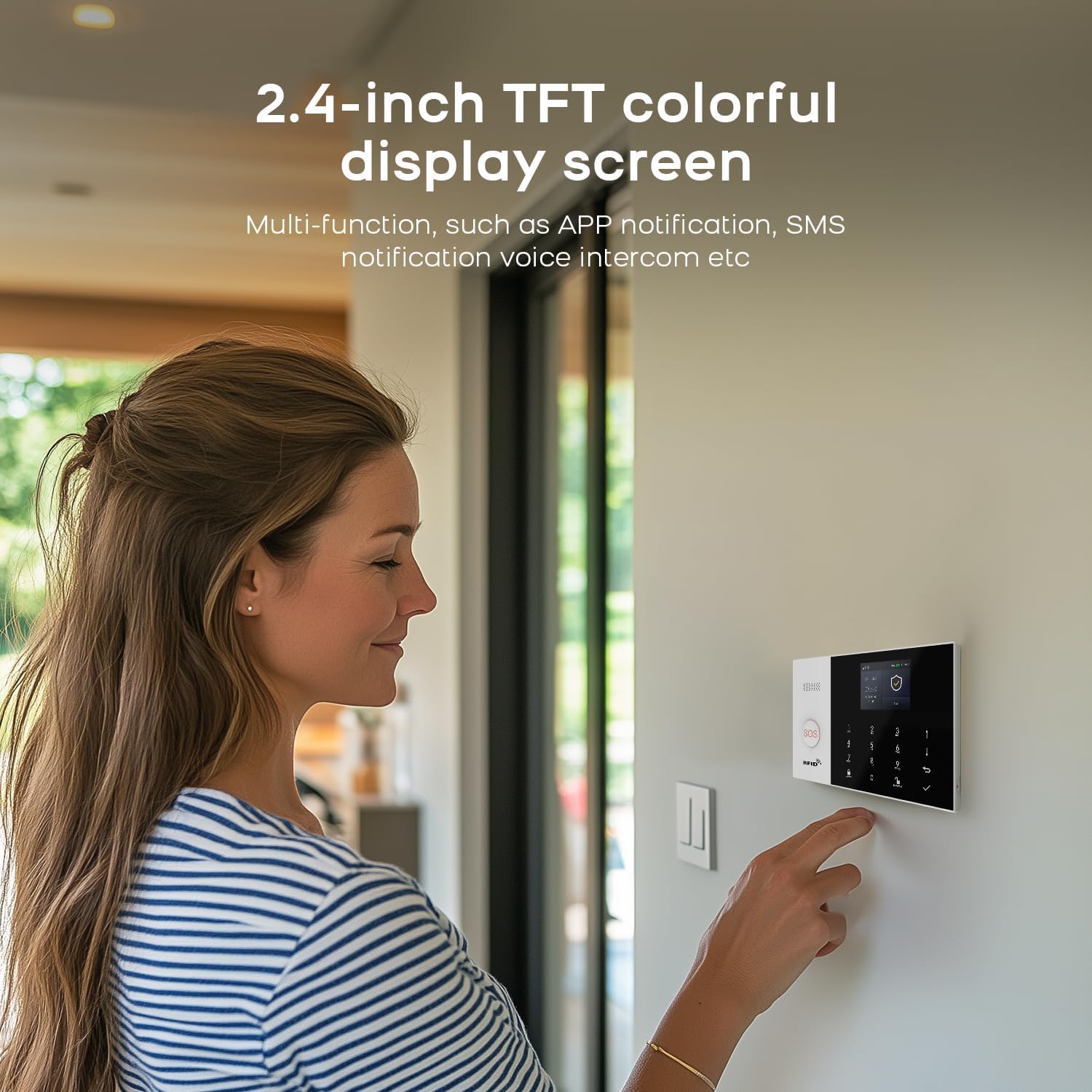
Figure 4.1: Control Panel Interaction.
A user is shown interacting with the 2.4-inch TFT colorful display screen of the control panel, demonstrating its multi-functionality including app notification, SMS notification, and voice intercom.
4.2 Паметне карактеристике
- Контрола апликације: Manage your system from anywhere using the Smart Life Tuya App (iOS/Android). Receive real-time notifications and control alarm modes remotely.
- 4G GSM Alerts: In case of an emergency, the system can send calls or messages via a 4G GSM card.
- Гласовни интерфон: Use the app as a voice intercom system to communicate through the control panel.
- Заказано активирање/деактивирање: Set schedules for automatic arming and disarming of the system, optimizing security for your daily routine.
- Унапред подешени алармни позиви: Configure up to five family numbers to receive alarm notifications, ensuring no alert is missed.
- Контрола гласом: Compatible with Alexa and Google Assistant for convenient voice commands (e.g., "Alexa, Disarm my home!").
- СОС функција: The remote controls and main panel feature an SOS button. Pressing it will sound the alarm and notify pre-set contacts, ideal for emergencies involving elderly family members or children.

Figure 4.2: Scheduled Arm/Disarm.
This image illustrates how users can set the system to automatically arm and disarm based on their daily schedule, such as arming when leaving for work and disarming upon returning home.

Figure 4.3: APP Alert Message Push.
This image shows a smartphone receiving an alert from the Smart Life app when a door sensor or PIR detector is activated, indicating real-time notification capabilities.

Figure 4.4: Preset Five Alarm Calls.
This image illustrates the feature allowing users to add five family numbers to receive alerts, ensuring that every alarm notification is received and home safety is maintained.

Figure 4.5: Voice Control.
This image shows the system's compatibility with voice assistants like Alexa and Google, allowing users to arm or disarm the system using simple voice commands.
5. Одржавање
To ensure optimal performance and longevity of your PGST Smart Home Security System, regular maintenance is recommended:
- Праћење батерије: The system provides alerts for low battery levels in wireless sensors. Replace batteries promptly when indicated to ensure continuous protection.
- Чишћење: Periodically wipe down the control panel and sensors with a soft, dry cloth to remove dust and debris. Avoid using harsh chemicals or abrasive materials.
- Ажурирања фирмвера: Check the Smart Life Tuya App regularly for any available firmware updates for the control panel to ensure you have the latest features and security enhancements.

Figure 5.1: Wireless Sensor Low Battery Alarm.
This diagram shows how a low battery signal from a door magnet or infrared sensor is sent to the host, which then pushes the information to the user through the app, indicating when batteries need replacement.
КСНУМКС. Решавање проблема
If you encounter issues with your PGST Smart Home Security System, consider the following troubleshooting steps:
- Нема напајања: Ensure the power adapter is securely connected to both the control panel and a working power outlet.
- Нема обавештења о апликацијама: Verify that the control panel is connected to Wi-Fi and your phone has an active internet connection. Check app notification settings on your phone and within the Smart Life Tuya App.
- Сензор се не активира: Check the sensor's battery level. Ensure the sensor is within range of the control panel and there are no obstructions. Re-pair the sensor if necessary.
- Лажни аларми: Ensure motion sensors are placed away from direct sunlight, heat sources, or areas with pets that might trigger them. Adjust sensitivity settings if available.
- Poor Voice Intercom Quality: Check your internet connection stability. Ensure the microphone and speaker on the control panel are not obstructed.
- Систем не реагује: Try restarting the control panel by unplugging it for a few seconds and then plugging it back in.
За сталне проблеме, погледајте детаљан одељак за решавање проблема у комплетном корисничком приручнику или контактирајте корисничку подршку.
7. Спецификације
| Феатуре | Спецификација |
|---|---|
| Бранд | ПГСТ |
| Број модела | ПГСТ А105Ф |
| Стиле | Комплети од 10 дела |
| Контролни метод | Апп |
| Технологија повезивања | Wireless (Wi-Fi, 4G GSM) |
| Компатибилни уређаји | Smartphone (Alexa & Google Assistant) |
| Извор напајања | Battery Powered (for sensors), AC Powered (for main panel) |
| Врста инсталације | Селф-Адхесиве |
| Димензије артикла Д к Ш к В | 8 к 6 к 4 инча |
| Тежина артикла | 1 фунти |
| Дисплаи | 2.4-inch TFT colorful touchscreen |
| Подржани језици | 11 languages (including English, Chinese, German, Russian, Spanish, Polish, Italian, French, Portuguese, Greek, Romanian) |
8. Гаранција и подршка
The PGST Smart Home Security System comes with a 1-годишња гаранција from the date of purchase. This warranty covers manufacturing defects and ensures the product's quality and performance.
If you have any questions, require technical assistance, or need to claim warranty service, please feel free to contact PGST customer support. Refer to the contact information provided in your product packaging or the official PGST webсајт за најновије канале подршке.