
1. Увод
This manual provides essential instructions for the proper use and maintenance of your Simbans Picasso Pen 3. This stylus is specifically designed for use with the PicassoTab X11 Drawing Tablet. Please read this manual thoroughly before using the pen to ensure optimal performance and longevity.
Напомена о компатибилности: The Picasso Pen 3 is exclusively compatible with the PicassoTab X11. It is није компатибилан with PicassoTab X (10 Inch), PicassoTab XL (11.6 Inch), or PicassoTab X14 (14.1 Inch) models.
2. Производ је готовview
The Simbans Picasso Pen 3 is a precision stylus designed to enhance your digital drawing and writing experience on the PicassoTab X11. It offers a natural and responsive feel, allowing for detailed and accurate input.
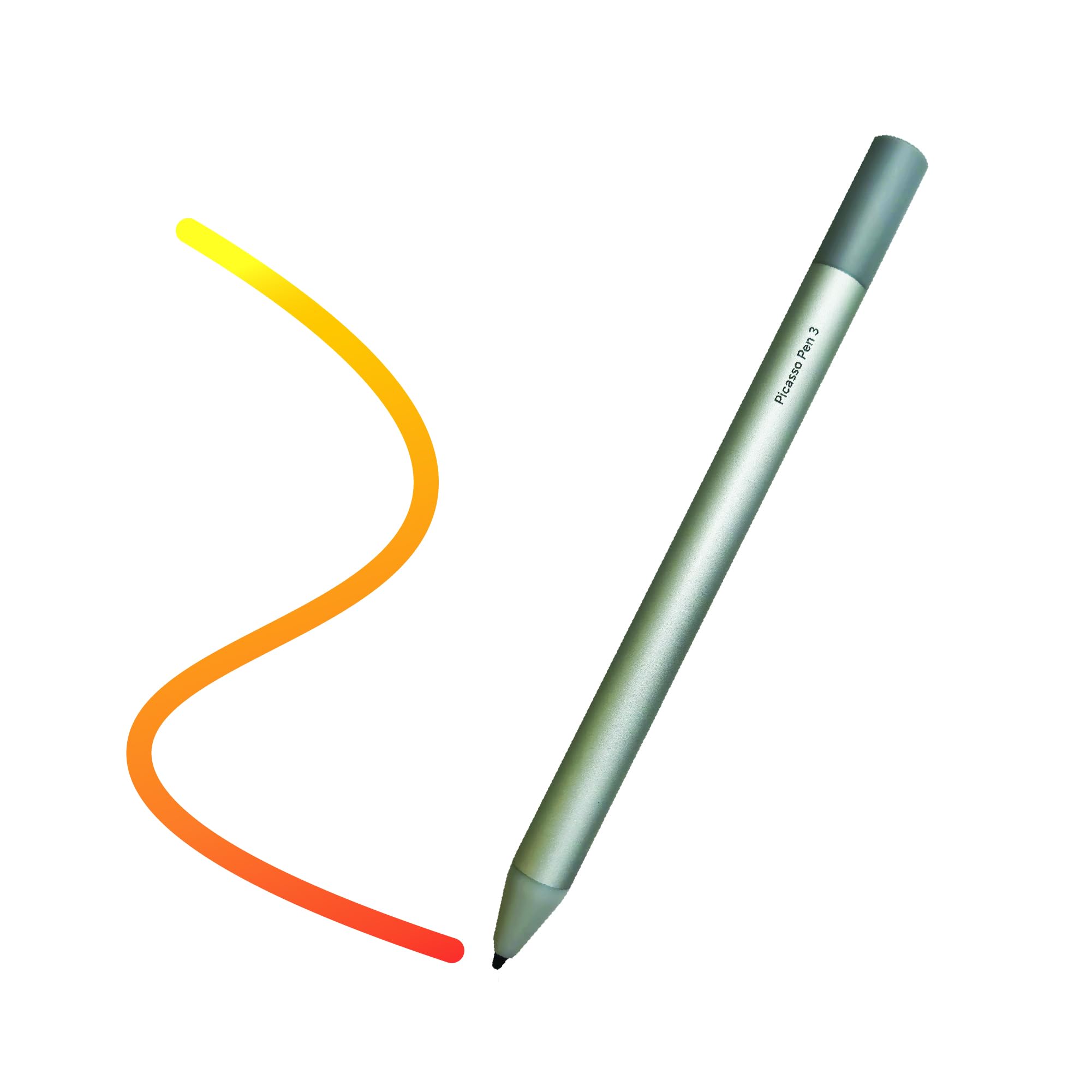
Figure 1: Simbans Picasso Pen 3
This image displays the Simbans Picasso Pen 3, a sleek silver stylus. It features a smooth body with a fine tip, designed for precise interaction with the PicassoTab X11 drawing tablet. The pen is shown from a slight angle, highlighting its ergonomic design.
3. Подешавање
The Picasso Pen 3 is designed for immediate use with your PicassoTab X11. No complex pairing or software installation is required.
3.1. Прва употреба
- Unpack the Pen: Carefully remove the Picasso Pen 3 from its packaging.
- Проверите батерију: The Picasso Pen 3 includes batteries. Ensure the pen is ready for use. If the pen does not respond, refer to the "Maintenance" section for battery replacement instructions.
- Begin Drawing: Simply touch the pen tip to the screen of your PicassoTab X11. The tablet should recognize the pen automatically.
4. Operating the Picasso Pen 3
The Picasso Pen 3 functions as a precise input device for your PicassoTab X11, mimicking the feel of a traditional pen or pencil.
4.1. Основне функције
- Цртање и писање: Use the pen tip directly on the tablet screen to draw, write, and annotate. The pressure sensitivity of the pen allows for varying line thickness and opacity in compatible applications.
- Навигација: Tap the screen with the pen to select items, open applications, and navigate the tablet's interface.
- Гестови: Some applications may support specific gestures with the stylus. Refer to your application's documentation for details.
4.2. Осетљивост на притисак
The Picasso Pen 3 supports pressure sensitivity, allowing for dynamic line control in drawing and painting applications. Apply more pressure for thicker or darker lines, and less pressure for finer or lighter strokes.
5. Одржавање
Proper care and maintenance will extend the life of your Picasso Pen 3.
5.1. Чишћење
- Тело оловке: Wipe the pen body with a soft, dry, lint-free cloth. Do not use harsh chemicals or abrasive materials.
- Савет оловке: Gently clean the pen tip with a soft cloth if any debris accumulates. Avoid applying excessive force.
5.2. Складиштење
Store the Picasso Pen 3 in a safe place when not in use, away from extreme temperatures and direct sunlight. Avoid placing heavy objects on the pen.
5.3. Замена батерије
The Picasso Pen 3 uses a replaceable battery. If the pen stops responding or its performance degrades, the battery may need replacement.
- Идентификујте одељак за батерију: Locate the battery compartment, typically by twisting or pulling a section of the pen body.
- Уклоните стару батерију: Пажљиво уклоните стару батерију.
- Уметните нову батерију: Insert a new compatible battery, ensuring correct polarity.
- Безбедни одељак: Reassemble the pen body securely.
Note: Dispose of used batteries according to local regulations.
КСНУМКС. Решавање проблема
If you encounter issues with your Picasso Pen 3, refer to the following common solutions:
| Проблем | Могући узрок | Решење |
|---|---|---|
| Оловка не реагује | Празан или празна батерија | Replace the battery (refer to Section 5.3). |
| Оловка не реагује | Incompatible tablet model | Ensure you are using a PicassoTab X11. The pen is not compatible with other PicassoTab models. |
| Inaccurate or intermittent input | Dirty pen tip or tablet screen | Clean the pen tip and the tablet screen with a soft, dry cloth. |
| Inaccurate or intermittent input | Интерференција | Move away from strong electromagnetic fields or other electronic devices that may cause interference. |
If the problem persists after trying these solutions, please contact Simbans customer support.
7. Спецификације
- Модел: Simbans Picasso Pen 3 (PEN3)
- Боја: Сребро
- Компатибилност: PicassoTab X11 Drawing Tablet ONLY
- батерија: Укључено
- Произвођач: Симбанс
8. Информације о гаранцији
Simbans products are covered by a limited warranty. For detailed warranty terms and conditions, please refer to the warranty card included with your product or visit the official Simbans webсајт. Сачувајте доказ о куповини за потребе гаранције.
9. Корисничка подршка
For further assistance, technical support, or inquiries regarding your Simbans Picasso Pen 3, please contact Simbans customer support through their official webсајт или контакт информације које су наведене у паковању вашег производа.
Simbans Official Webсајт: Visit Simbans Store on Amazon