
1. Увод
This manual provides essential information for the safe and efficient use of your BOOX Go 7 ePaper Tablet. Please read it thoroughly before operating the device and retain it for future reference.

Figure 1.1: BOOX Go 7 ePaper Tablet
2. Безбедносне информације
- Не излажите уређај екстремним температурама, директној сунчевој светлости или високој влажности.
- Избегавајте испуштање или излагање уређаја јаким ударима.
- За пуњење користите само приложени УСБ кабл.
- Keep the device away from water and liquids, despite its water-repellent features.
- Не покушавајте сами да растављате или поправљате уређај. Обратите се овлашћеном сервисеру.
3. Садржај пакета
Проверите да ли су све ставке присутне у пакету:
- BOOX Go 7 ePaper Tablet
- УСБ кабл
- Кратки водич (може да варира у зависности од региона)

Figure 3.1: BOOX Go 7 Package Contents
4. Девице Оверview
4.1 Физичке компоненте
Familiarize yourself with the main components of your BOOX Go 7 tablet:
- E Ink Screen: 7-inch monochrome display with 300 ppi resolution.
- Предње светло: Adjustable illumination for reading in various lighting conditions.
- Page-Turn Buttons: Ergonomically designed buttons for easy navigation.
- УСБ-Ц порт: За пуњење и пренос података.
- Дугме за напајање: Налази се на горњој ивици.
- Уграђени микрофон: За аудио улаз.
- Уграђени двоструки звучници: За аудио излаз.

Figure 4.1: Page-Turn Buttons and Water-Repellent Protection
5. Подешавање
5.1 Почетно пуњење
Before first use, fully charge your BOOX Go 7 tablet. Connect the provided USB-C cable to the device and a compatible power adapter (not included) or a computer's USB port. The charging indicator will show the charging status.
5.2 Укључивање/искључивање
- За укључивање: Press and hold the Power button until the BOOX logo appears.
- За искључивање: Притисните и држите дугме за напајање, а затим изаберите „Искључивање“ из опција на екрану.
- За спавање/буђење: Кратко притисните дугме за напајање.
5.3 Мрежна веза (Wi-Fi)
- Са почетног екрана превуците прстом надоле одозго да бисте приступили панелу Брза подешавања.
- Додирните икону Wi-Fi да бисте омогућили Wi-Fi.
- Додирните и држите икону Wi-Fi мреже да бисте отворили подешавања Wi-Fi мреже.
- Изаберите жељену мрежу са листе и унесите лозинку ако се то од вас затражи.
- Када се повежете, икона Wi-Fi мреже ће означити успешну везу.
6. Упутство за употребу
6.1 Основна навигација
- екран осетљив на додир: Tap, swipe, and pinch to navigate menus, open applications, and interact with content.
- Page-Turn Buttons: Use the physical buttons on the side to turn pages in documents and books.
6.2 Reading Documents and Books
The BOOX Go 7 supports various document formats. Open your desired file from the library. Use the page-turn buttons or swipe gestures to navigate through pages. Adjust font size, contrast, and frontlight settings for optimal reading comfort.
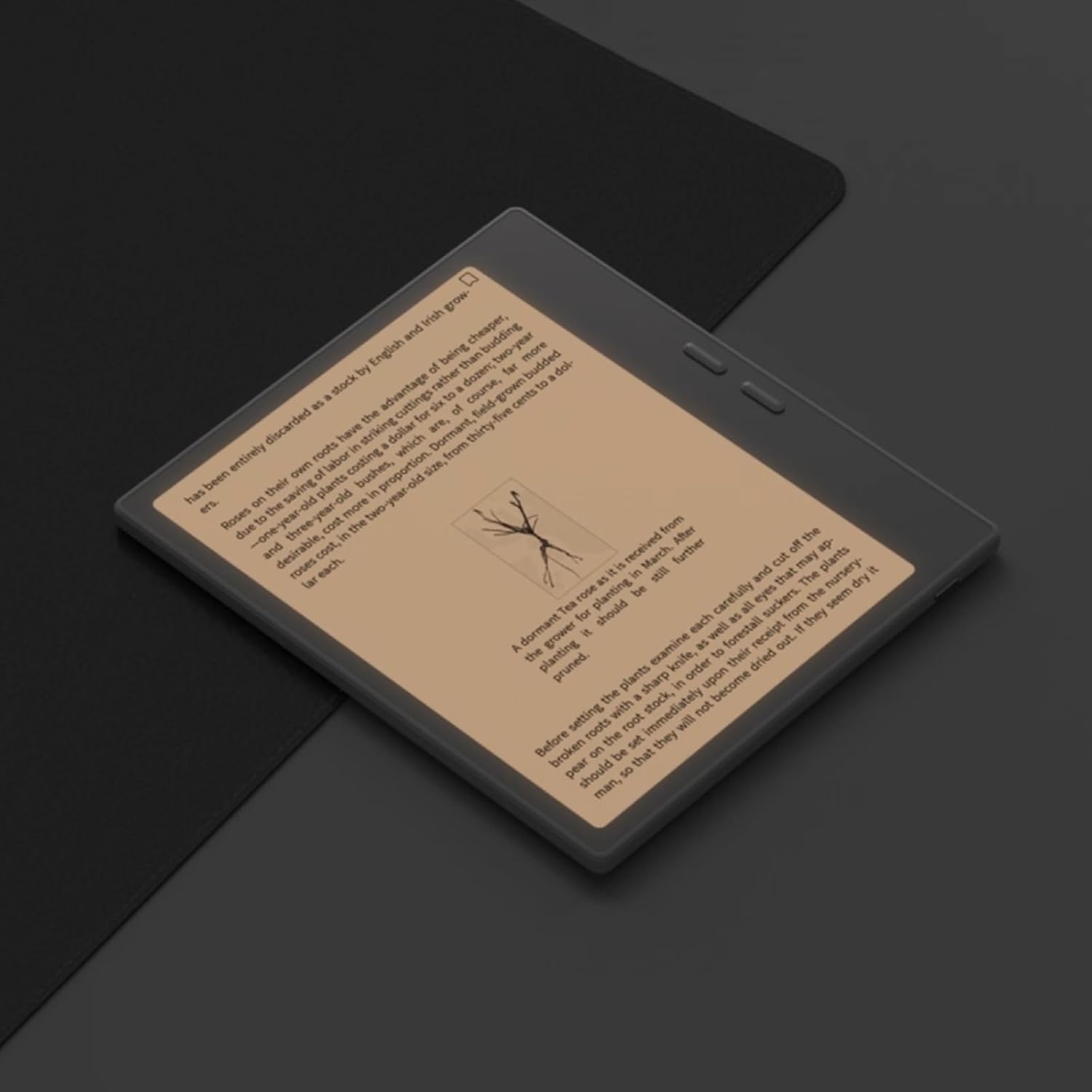
Figure 6.1: Reading with Frontlight
6.3 Using Android Applications
As an Android 13 device, the BOOX Go 7 allows installation of various applications from the Google Play Store. Navigate to the App Store, search for your desired application, and install it. Note that some applications may not be fully optimized for ePaper displays.

Figure 6.2: Various Android Applications on BOOX Go 7
6.4 Вођење белешки и цртање
Utilize the stylus (if included or purchased separately) for note-taking, sketching, and annotating documents. The device offers various templates and tools for creative and organizational tasks.

Figure 6.3: Stylus Use for Note-Taking

Figure 6.4: Handwriting to Text Conversion
7. Одржавање
7.1 Чишћење уређаја
Use a soft, lint-free cloth to gently wipe the screen and body of the device. Do not use harsh chemicals, abrasive cleaners, or excessive moisture.
7.2 Ажурирања софтвера
Regularly check for and install software updates to ensure optimal performance and access to new features. Connect to Wi-Fi and navigate to Подешавања > Систем > Ажурирање система да проверите доступна ажурирања.
КСНУМКС. Решавање проблема
- Уређај се не укључује: Уверите се да је уређај напуњен. Прикључите га на извор напајања и покушајте поново.
- Екран не реагује: Perform a soft reset by holding the Power button for 10-15 seconds.
- Проблеми са Ви-Фи везом: Verify your Wi-Fi password and router settings. Try restarting your router and the device.
- Рушење апликација: Ensure applications are updated to their latest versions. Clear the app's cache or reinstall if issues persist.
9. Спецификације
| Бранд | БООКС |
| Назив модела | Иди 7 |
| Капацитет складиштења | 64 ГБ |
| Величина екрана | 7 инча |
| Max Display Resolution | 300 Pixels per inch |
| Оперативни систем | Андроид 13 |
| Боја | Noir (Black) |
| Величина инсталиране РАМ меморије | 4 ГБ |
| Посебне карактеристике | USB OTG support, Expandable storage, Stylus support |
| Модел Иеар | 2025 |
| Тип батерије | Литијум-јонски |
| Садржај енергије батерије | 8.8 ват-сати |
| Марка процесора | Куалцомм |
| Опис процесора | Куалцомм Снапдрагон |
| Камера | Нема камере |
| Тип сензора | Гиросцопе |
| Item Dimensions (LxWxT) | 15.6L x 0.6W x 13.7T centimeters |
| Инпут Метход | Touchscreen with stylus |
| Опис графичке картице | Интегрисано |
| Компатибилни уређаји | Стилус |
| Дисплаи Типе | Елецтрониц Инк |
| Резолуција екрана | 1280 к 800 пиксела |
| Аспецт Ратио | 16:10 |
| Повезивање хардвера | УСБ |
| Бежична технологија | Bluetooth, Wi-Fi (802.11ax) |
| Укупно УСБ портова | 1 |

Figure 9.1: BOOX Go 7 Energy Label (EPREL Link)
10. Информације о гаранцији
The BOOX Go 7 ePaper Tablet comes with a 2-годишња ограничена гаранција. This warranty covers manufacturing defects under normal use. For specific terms and conditions, please refer to the warranty card included in your package or contact customer support.
The standard return policy allows for returns within 30 days of purchase for refund or replacement.
11. Подршка
For technical assistance, troubleshooting, or warranty claims, please contact BOOX customer service. You can find support resources and submit inquiries through the official BOOX help center.
- Ажурирања фирмвера: BOOX commits to at least 3 years of firmware updates for each product.
- Цлоуд Стораге: 10 GB of free cloud storage is provided for each user.
- Време одговора: На упите купаца се обично одговара у року од 24 сати.
За више информација посетите BOOX Brand Store on Amazon.