
Увод
This manual provides essential instructions for the safe and efficient operation, setup, and maintenance of your LONGER RAY5 5W Laser Engraver. The RAY5 5W is a high-precision laser engraving and cutting machine designed for various materials, featuring a 3.5-inch touch screen, ESP32 chipset, and compatibility with LightBurn and LaserGRBL software. Please read this manual thoroughly before using the device.
Сетуп
1. Распакивање и монтажа
Carefully unpack all components. Refer to the included assembly guide for detailed steps on putting together the laser engraver frame and attaching the laser module. Ensure all connections are secure before proceeding.
2. Прикључак за напајање
Connect the power adapter to the engraver and then to a suitable power outlet. Do not power on the device until all other setup steps are complete.
3. Инсталација софтвера и повезивање
The LONGER RAY5 5W supports multiple connection methods and software:
- Начини повезивања: USB, TF Card, WiFi, and APP.
- Компатибилни софтвер: LaserGRBL (free) and LightBurn (paid).
- Оперативни системи: Windows 7+, Mac OS, and Linux.
Install your preferred engraving software on your computer. For WiFi or APP connections, follow the on-screen instructions on the engraver's 3.5-inch touch screen or the software interface to establish a connection.
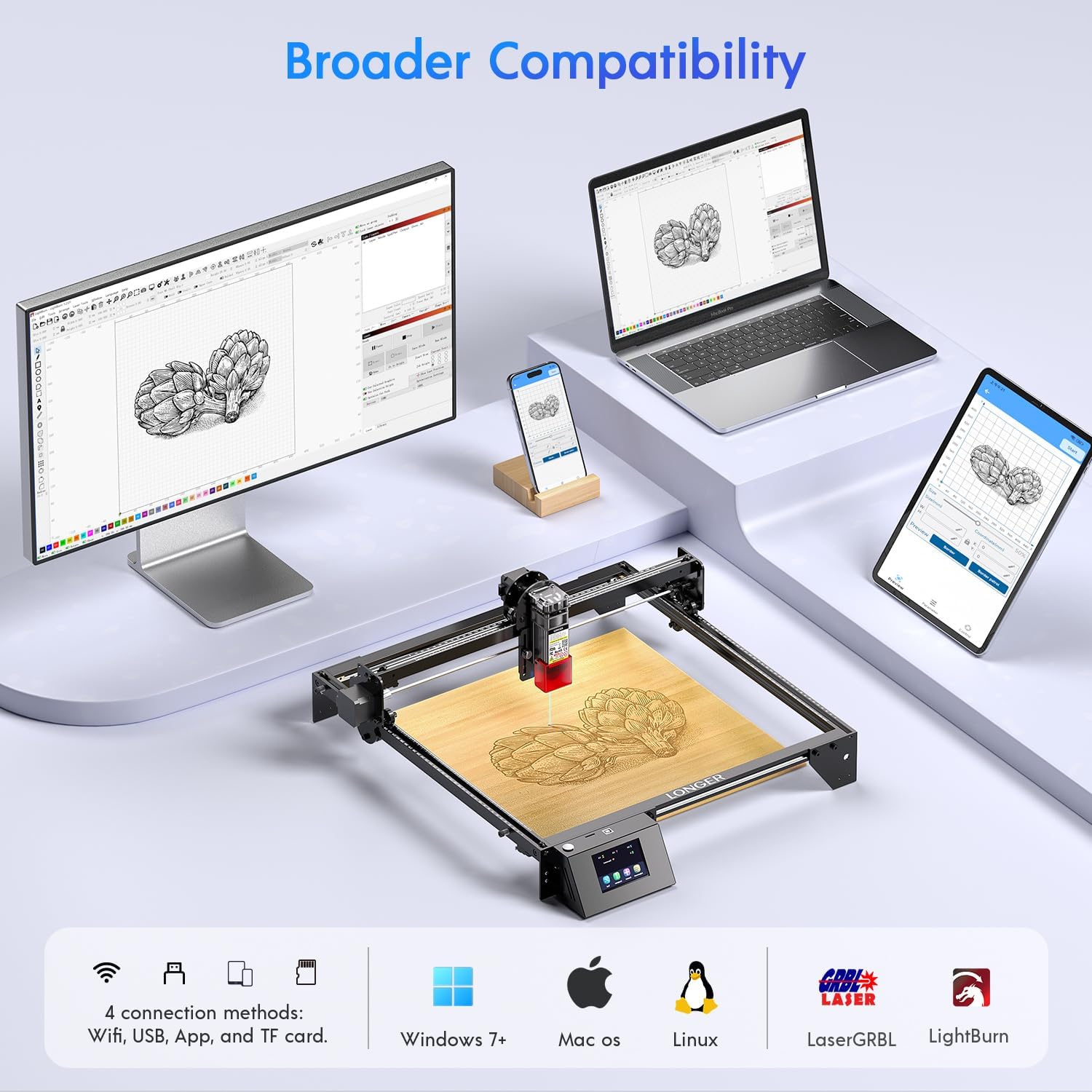
Image: The LONGER RAY5 5W Laser Engraver demonstrating its broad compatibility with different operating systems (Windows, Mac OS, Linux) and software (LaserGRBL, LightBurn), along with various connection methods including WiFi, USB, App, and TF card.
4. LightBurn Camera Setup (Optional)
If using the LightBurn Camera, mount it according to the camera's instructions. This camera provides 500W resolution and a wide-angle lens for precise positioning and real-time monitoring within LightBurn software.

Image: The LONGER RAY5 5W Laser Engraver with the LightBurn camera mounted, illustrating its capability for remote monitoring and control of engraving tasks.
5. Air Assist Installation (Optional)
Install the air assist pump and connect it to the laser module as per the air assist kit instructions. The air assist features adjustable airflow from 10-30L/min to improve cutting and engraving quality by suppressing smoke and debris.

Image: A visual comparison showing the improved quality and reduced yellowing when using air assist during engraving, indicating faster processing times.
Упутство за употребу
1. Power On and Initial Screen
After connecting the power, turn on the engraver. The 3.5-inch intelligent color touch screen will display the main interface. This screen allows direct control over engraving progress and speed adjustments without needing a computer connection.

Image: The LONGER RAY5 5W Laser Engraver highlighting its 3.5-inch ultra-clear color touch screen and a 400x400mm working area, supporting offline engraving.
2. Material Placement and Focusing
Place the material to be engraved or cut on the working surface. Use the focusing piece or the LightBurn camera's preview function for precise material positioning. The laser features an ultra-fine 0.08*0.08mm compressed laser spot for high precision.

Image: The LightBurn camera assisting in precise material positioning for engraving, showing a 1mm positioning accuracy.
3. Project Loading and Execution
Учитајте свој дизајн file via USB, TF card, WiFi, or the mobile app. The engraver supports various file formats including JPG, PNG, BMP, G-code, GIF, SVG, NC, GC. Use the touch screen or connected software to start the engraving or cutting process. The maximum working speed is 10000mm/min.
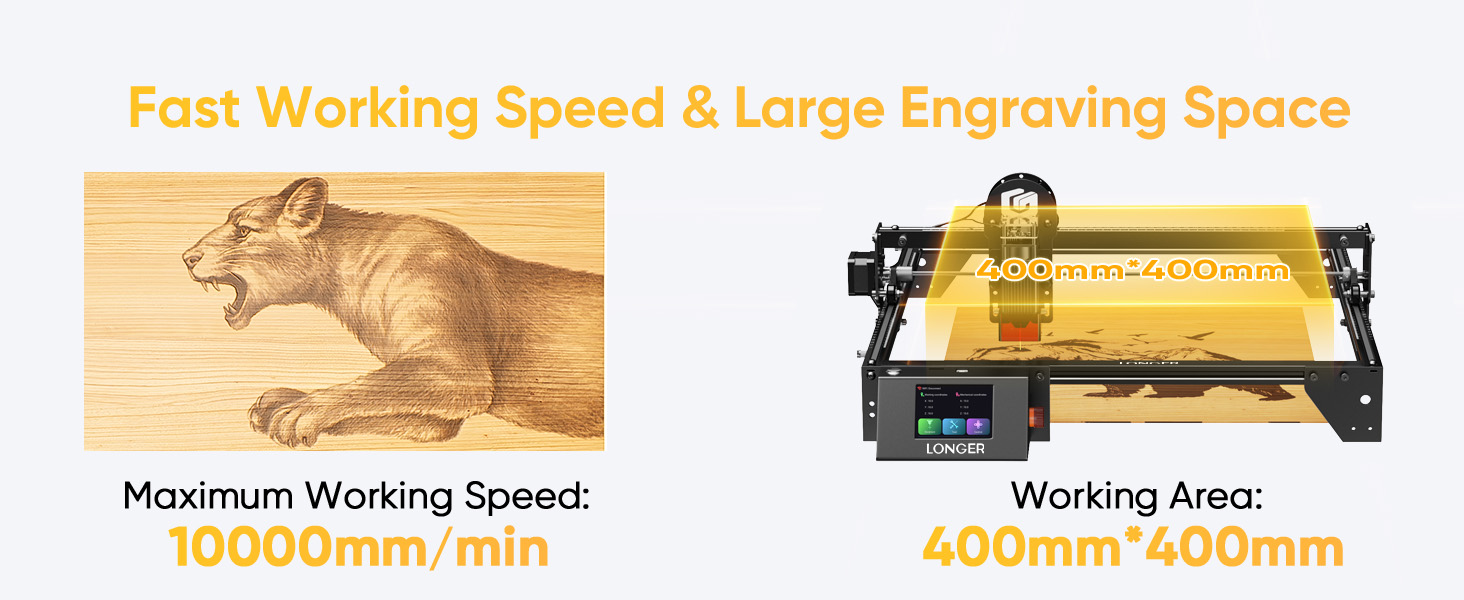
Image: Illustrates the fast working speed of 10000mm/min and the large 400mm*400mm engraving area of the LONGER RAY5 5W laser engraver.
4. Multi-Machine Control (Commercial Use)
For commercial applications, one computer can control multiple LONGER RAY5 5W laser engravers simultaneously. This allows for parallel operation, improving production efficiency for continuous engraving tasks.

Image: A setup demonstrating efficient business performance where a single computer manages multiple LONGER RAY5 5W laser engravers concurrently.
5. Подржани материјали
The LONGER RAY5 5W is capable of engraving and cutting a wide range of materials, including but not limited to:
- Дрво
- Метал
- Акрил
- Слате
- Кожа
- Цлотх
- Керамичке
- Алуминијум
- Папир
- стакло
- нерђајући челик
- Гума
- Платинум

Слика: Изложба колажаasing various materials such as slate, leather, wood, ceramic, metal, and acrylic, all engraved or cut by the LONGER RAY5 5W laser engraver.
Одржавање
Regular maintenance ensures optimal performance and longevity of your laser engraver.
- Чишћење: Periodically clean the laser lens and the working surface to remove dust and debris. Use a soft, lint-free cloth and appropriate cleaning solutions for optical components.
- подмазивање: Apply a small amount of lubricant to the guide rails and moving parts as recommended in the detailed product manual (not provided here) to ensure smooth operation.
- Ажурирања фирмвера: Check the official Longer website for any available firmware updates to ensure your device has the latest features and performance enhancements.
Решавање проблема
The LONGER RAY5 5W is equipped with comprehensive safety features that may trigger automatic shutdowns. Understanding these can help in basic troubleshooting:
- Move Protection: If the machine detects abnormal movement during operation, it will automatically shut down. Check for obstructions or loose components.
- Топлотна заштита: The device will shut down if it detects overheating. Ensure proper ventilation and that the laser module's fan is not obstructed.
- Хитно заустављање: In case of an emergency, press the red emergency stop button. Reset the button and restart the machine after resolving the issue.
- Проблеми са везом: If the engraver fails to connect, verify WiFi settings, USB cable connection, or TF card insertion. Ensure software settings match the engraver's connection mode.
- Poor Engraving/Cutting Quality: Check laser focus, material settings (power and speed), and ensure the laser lens is clean. If using air assist, verify its proper function.
For more complex issues, refer to the full product manual or contact customer support.

Image: Visual representation of the five safety protections integrated into the LONGER RAY5 5W Laser Engraver, including eye protection, motionless protection, move protection, thermal protection, and an emergency stop device.
Спецификације
| Феатуре | Детаљ |
|---|---|
| Бранд | Дуже |
| Број модела | РАИ5 |
| Engraver Type | 5W Laser Engraver with LightBurn Camera |
| Боја | Ray5 (Metal Black) |
| Излазна снага ласера | 5W |
| Чипсет | 240MHz ESP32 |
| Екран на додир | 3.5-inch Intelligent Color Screen |
| Воркинг Ареа | 400 мм к 400 мм |
| Max. Working Speed | 10000мм/мин |
| Величина ласерске тачке | 0.08mm x 0.08mm (Ultra Fine Compressed) |
| Прецизност висине | 0.01мм |
| Аир Ассист | Adjustable airflow 10-30L/min |
| Резолуција камере | 500W (5MP) |
| Цамера ФОВ | 81° |
| Camera Photography Range | 740 мм к 560 мм |
| Режими везе | USB, TF Card, WiFi, APP |
| Компатибилни софтвер | ЛасерГРБЛ, ЛигхтБурн |
| Компатибилан ОС | Windows 7+, Mac OS, Linux |
Информације о гаранцији
The LONGER RAY5 5W Laser Engraver comes with a 1-годишња гаранција произвођача. Please retain your proof of purchase for warranty claims. For specific terms and conditions, refer to the warranty card included with your product or visit the official Longer webсајту.
Подршка
For technical assistance, troubleshooting, or general inquiries, Longer offers multi-channel support:
- Подршка путем е-поште: Available for detailed inquiries.
- Ћаскање уживо: For immediate assistance.
- Телефонска подршка: For direct communication.
- Фацебоок група: Join the community for peer support and updates.
A dedicated technical service team is available to provide timely responses, typically within 24 hours.

Image: An illustration depicting the various customer support channels offered by Longer, including email, live chat, phone, and a Facebook group, emphasizing a responsive technical service team.