
1. Увод
Welcome to your Blackview W80PRO Smartwatch. This manual provides detailed instructions on how to set up, operate, and maintain your device. Please read this manual carefully before use to ensure optimal performance and longevity of your smartwatch.
Тхе Блацкview W80PRO is a rugged smartwatch designed for active lifestyles, featuring Bluetooth calling, GPS, health monitoring, and a durable build.

Image: The Blackview W80PRO Smartwatch, highlighting its rugged design and display.
Видео: Оверview of the Blackview W80PRO Smartwatch's key features, including charging, GPS, notifications, and durability.
2. Шта је у кутији
Upon opening your Blackview W80PRO Smartwatch package, you should find the following items:
- 1x Blackview W80PRO Smartwatch
- КСНУМКСк УСБ кабел за пуњење
- 1к упутство за употребу

Image: Contents of the Blackview W80PRO Smartwatch package, showing the smartwatch, a USB charging cable, the user manual, and a diagram of the product's dimensions.
3. Подешавање
3.1 Пуњење паметног сата
Before first use, fully charge your smartwatch. Connect the USB charging cable to the charging port on the back of the watch and to a USB power adapter (not included) or a computer's USB port.
3.2 Инсталација и упаривање апликације
To unlock all features, download the "GloryFit" app from your smartphone's app store (compatible with Android and iOS). Follow the in-app instructions to pair your smartwatch via Bluetooth.
- Download the "GloryFit" app.
- Омогућите Блуетоотх на свом паметном телефону.
- Open the GloryFit app and create an account or log in.
- Follow the prompts to add a new device and select "Blackview W80PRO".
- Потврдите захтев за упаривање и на телефону и на паметном сату.
4. Управљање паметним сатом
4.1 Функције дугмета
Тхе Блацкview W80PRO features four physical buttons:
- Горње лево дугме: Flashlight Power On/Off
- Доње лево дугме: ГПС функција
- Горње десно дугме: Power On/Off / Screen On/Off / Menu Access
- Доње десно дугме: Назад / Повратак
Слика: Детаљна view of the smartwatch screen and side buttons, indicating their respective functions such as Flashlight, GPS, Power, and Back.
4.2 Основна навигација
The smartwatch features a 1.91-inch ultra-HD color touchscreen. Swipe left/right or up/down to navigate through menus and functions. Tap to select items.
4.3 Позиви и обавештења путем Bluetooth-а
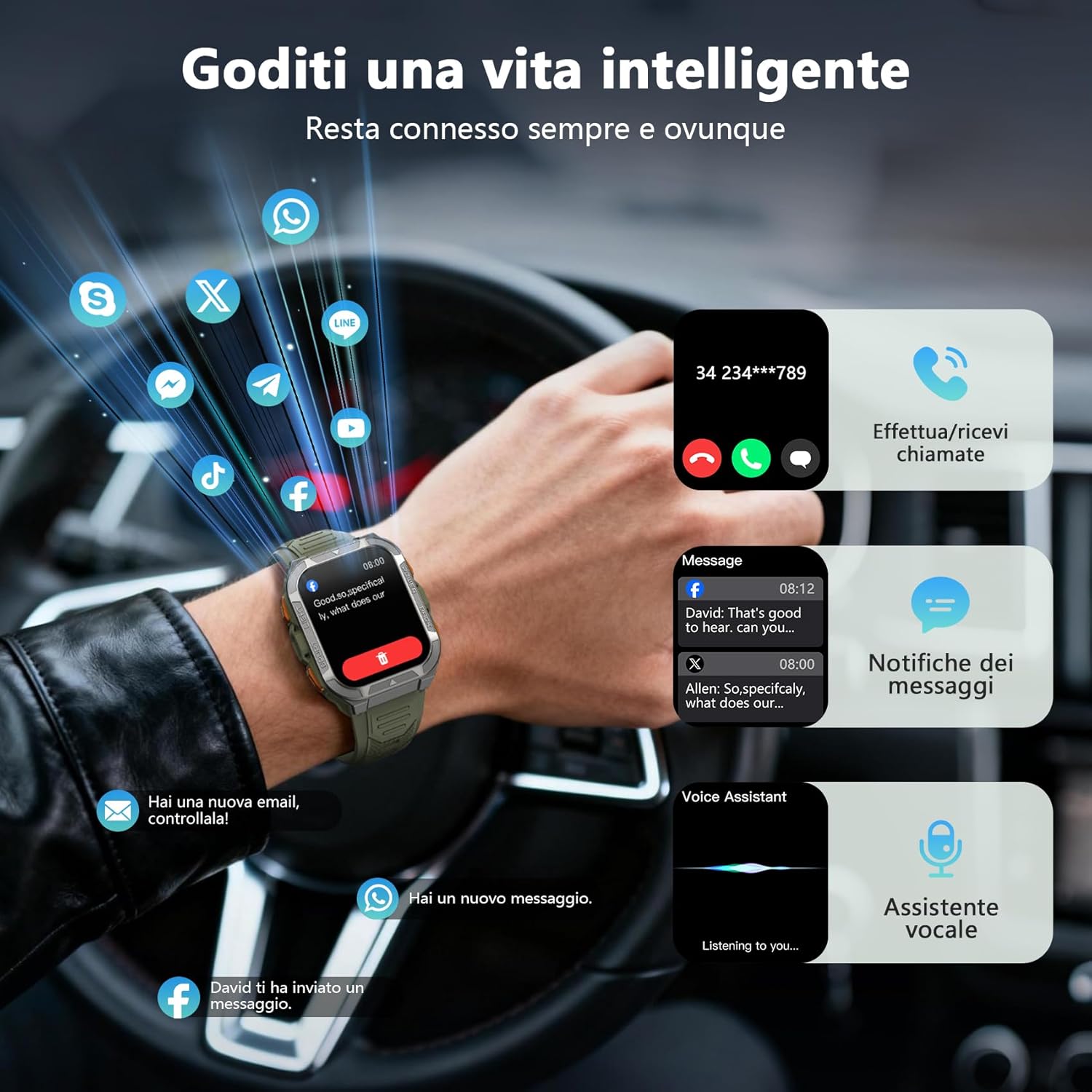
Once paired, you can make and receive calls directly from your smartwatch using its built-in speaker and microphone. You will also receive real-time notifications from your smartphone for messages, social media apps, and emails.
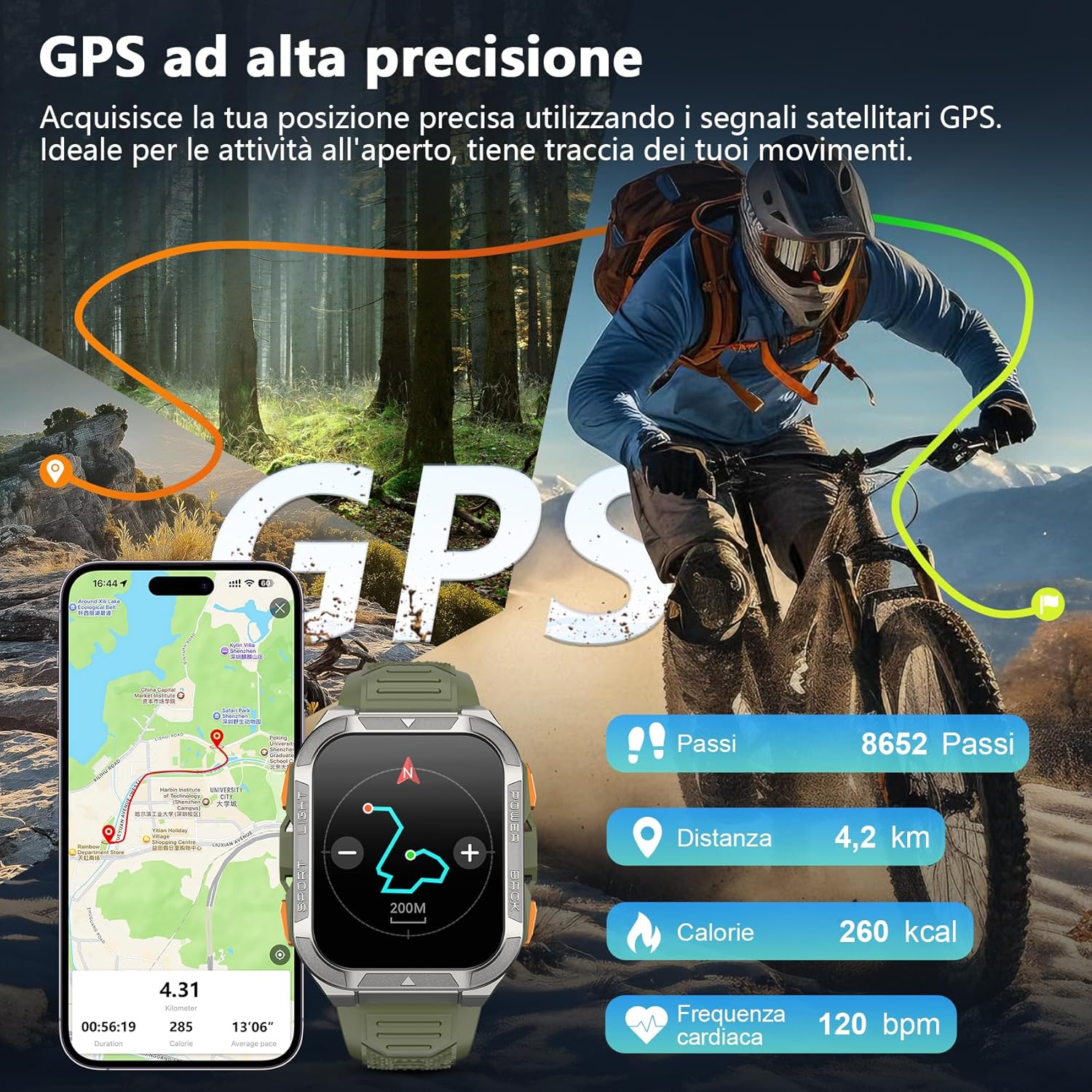
Image: The smartwatch screen displaying an incoming call and various message notifications from social media apps.
4.4 Мониторинг здравља
The smartwatch continuously monitors your health data, including heart rate, blood oxygen (SpO2), emotional stress, and sleep quality. Access these metrics through the watch interface or the GloryFit app for detailed insights.
- Мониторинг срчане фреквенције: Прати ваш пулс током целог дана.
- Праћење кисеоника у крви (СпО2): Мери ниво засићености крви кисеоником.
- Праћење сна: Анализира ваше обрасце и квалитет спавања.
- Праћење стреса: Provides insights into your emotional stress levels.

Image: A composite image illustrating the smartwatch's health monitoring capabilities, including heart rate, blood oxygen, sleep, and stress tracking, with corresponding data displays.
4.5 Спортски режими и GPS
The W80PRO supports over 110 sports modes. Select the appropriate mode for your activity (running, cycling, hiking, etc.) to track your performance. The integrated high-precision GPS accurately records your location, distance, steps, and calorie consumption during outdoor activities.
Image: The smartwatch screen displaying GPS data, including steps, distance, calories, and heart rate, overlaid on an image of a person cycling outdoors.
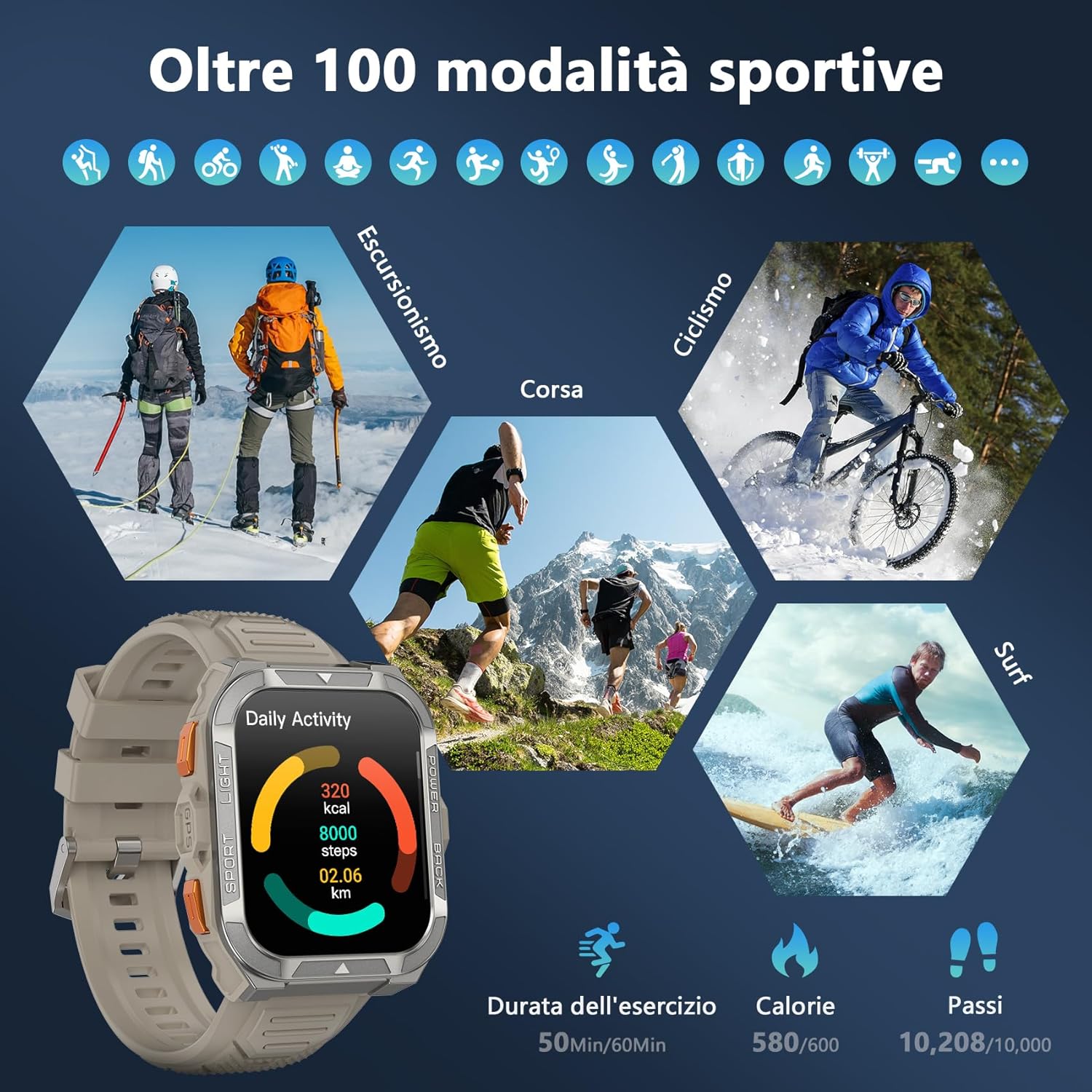
Image: A visual representation of the smartwatch's extensive sports mode selection, featuring icons for activities like hiking, cycling, and running.
4.6 Flashlight and Compass
The smartwatch includes a powerful LED flashlight with constant and SOS modes for outdoor adventures. The high-precision anti-magnetic compass provides accurate real-time directions, even in remote areas.

Image: The smartwatch demonstrating its LED flashlight feature in a dark environment and its compass function showing directional readings.
4.7 Остале паметне функције
The W80PRO offers a range of additional features for convenience and intelligence:
- AI Watch Face: Customize your watch face with AI-generated designs or personal photos via the GloryFit app.
- ChatGPT & Translator: Access AI chat and translation functions directly from your wrist.
- Контрола музике: Контролишите репродукцију музике на свом паметном телефону.
- Временска прогноза: Добијајте ажурирања о времену у реалном времену.
- Alarm Clock, Timer, Calculator: Essential utility tools.
- Контрола камере: Даљински активирајте камеру телефона.
- Гласовни асистент: Интеракција са гласовним асистентом вашег телефона.
- Пронађите телефон: Пронађите свој изгубљени паметни телефон.
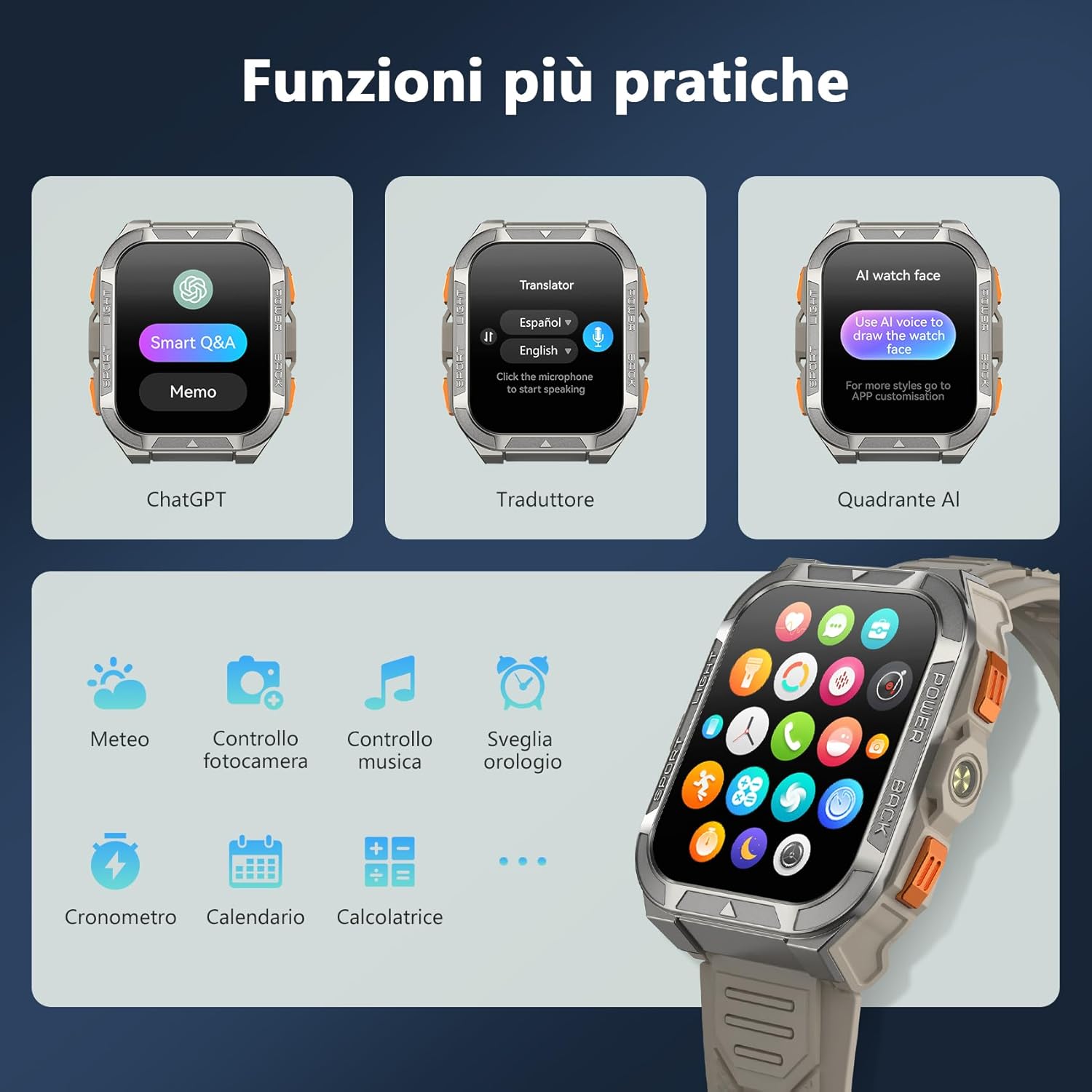
Image: A collage of smartwatch screens showcasing features like ChatGPT, a language translator, AI watch face customization, music control, weather, and other utility applications.
5. Одржавање
5.1 Карактеристике издржљивости
Тхе Блацкview W80PRO is built to withstand harsh conditions:
- водоотпоран: IP68 rated, suitable for swimming and exposure to rain. Avoid hot water or steam.
- Отпоран на прашину: Designed to resist dust ingress.
- Cold Resistant: Operates effectively in low temperatures.
- Drop Resistant: Built with a zinc alloy bezel and stainless steel back case for enhanced shock resistance.

Image: The smartwatch being tested for dust resistance.

Image: The smartwatch undergoing a drop test, showcasing its resistance to impacts.

Image: The smartwatch submerged in water, illustrating its waterproof design.

Image: The smartwatch being used in a snowy environment, highlighting its cold resistance.
5.2 Чишћење и нега
To maintain your smartwatch, regularly wipe it with a soft, dry cloth. For stubborn dirt, use a slightly damp крпом, а затим добро осушите. Избегавајте употребу јаких хемикалија или абразивних материјала.
КСНУМКС. Решавање проблема
- Паметни сат се не укључује: Ensure the device is fully charged. If not, connect it to the charger.
- Не може се упарити са паметним телефоном:
- Уверите се да је Блуетоотх омогућен на вашем телефону.
- Make sure the smartwatch is within range.
- Поново покрените и паметни сат и телефон.
- Проверите да ли је апликација GloryFit ажурирана на најновију верзију.
- Нетачни здравствени подаци: Уверите се да сат чврсто приања на зглоб, ни превише стегнут ни превише лабав. Редовно чистите сензоре.
- Обавештења која нису примљена: Check app permissions in your phone settings and ensure notifications are enabled for the GloryFit app.
7. Спецификације
| Феатуре | Детаљ |
|---|---|
| Назив модела | В80ПРО |
| Бранд | Црноview |
| Оперативни систем | Компатибилно са Андроидом и иОС-ом |
| Величина екрана | 1.91 инча |
| Резолуција | 320 к 320 |
| Технологија повезивања | Блуетоотх |
| ГПС | Интегрисани ГПС |
| Капацитет батерије | 900 мАх |
| Просечно трајање батерије | 15 Days (normal use), 60+ Days (standby) |
| Ниво отпорности на воду | Отпоран на воду (ИП68) |
| Врста материјала бенда | Силицоне |
| Мониторинг здравља | Heart Rate Monitor, Blood Oxygen Monitor, Sleep Duration, Stress |
| Посебне карактеристике | Long battery life, ChatGPT, Translator, AI Watch Face, LED flashlight, Compass, Call answering/making, Notifications, 110+ Sports Modes, Weather, Alarm, Timer, Calculator, Menstrual Cycle Tracking, Sedentary/Water Reminder, Music Control, Camera Remote. |
8. Гаранција и подршка
Тхе Блацкview W80PRO Smartwatch comes with a 1-годишња ограничена гаранција од датума куповине. Ова гаранција покрива производне недостатке и кварове при нормалној употреби.
For technical support, warranty claims, or further assistance, please contact Blackview customer service through their official website or the retailer where you purchased the product. Please retain your proof of purchase for warranty validation.
EU Spare Parts Availability: 2 године.